
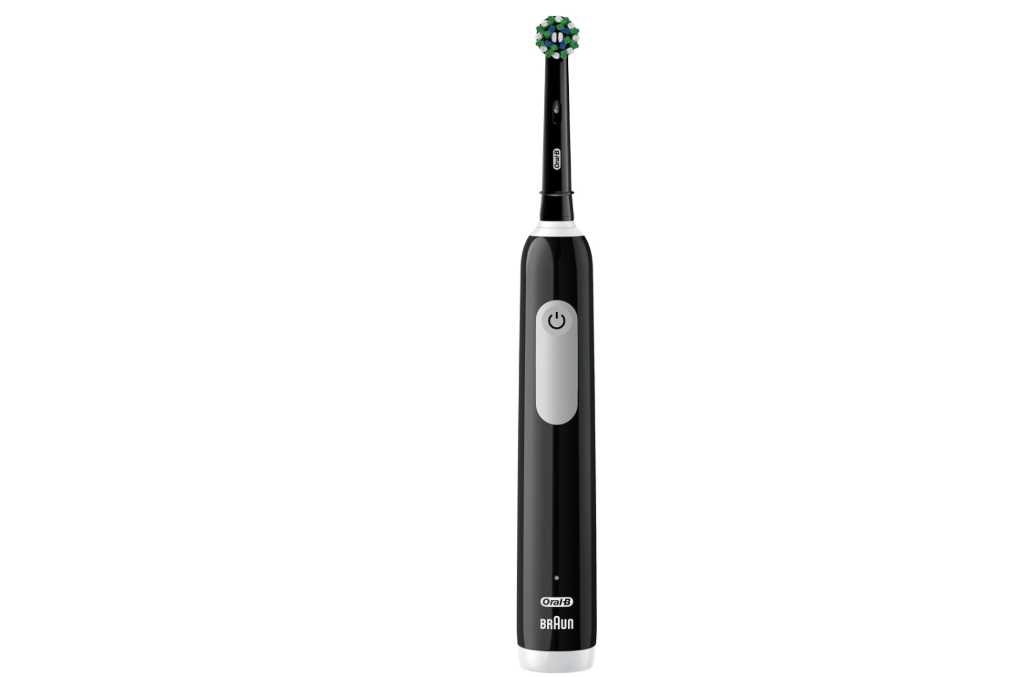
If you’ve recently purchased an Oral-B Pro 1000 or have been using one for years, you’ve probably asked yourself a simple yet surprisingly common question: How do I know when my Oral-B Pro 1000 is fully charged?
Unlike many modern electric toothbrushes packed with colorful screens and advanced battery indicators, the Oral-B Pro 1000 keeps things simple. While that simplicity is one of its greatest strengths, it can also create confusion when it’s sitting on the charging base and you’re trying to determine whether it’s ready for action.
In this guide, we’ll explore everything you need to know about charging the Oral-B Pro 1000, recognizing when it’s fully charged, understanding its battery indicators, avoiding charging mistakes, and maximizing battery life for years to come.
Why Understanding the Charging Process Matters
Think of your toothbrush battery like the fuel tank in your car. You wouldn’t leave for a road trip without knowing whether you have enough gas, right?
The same principle applies here.
Knowing when your Oral-B Pro 1000 is fully charged helps us:
- Ensure consistent brushing performance
- Prevent unexpected shutdowns
- Extend battery lifespan
- Maintain optimal cleaning power
- Avoid unnecessary charging habits
Fortunately, understanding the signs is easier than most people realize.
The Oral-B Pro 1000 Charging System Explained
The Oral-B Pro 1000 uses a rechargeable battery housed inside the handle.
Instead of plugging directly into the toothbrush, we place the handle onto a wireless charging stand that transfers power through induction.
How the Charging Base Works
The charger contains an induction coil.
When the toothbrush handle sits on the base:
- The charger generates an electromagnetic field.
- The toothbrush receives energy wirelessly.
- The battery stores that energy.
- The charging process continues until the battery reaches capacity.
It’s similar to modern wireless smartphone charging but in a much simpler form.
Does the Oral-B Pro 1000 Have a Full Battery Indicator?
Here’s where many users become confused.
The Short Answer
No.
The Oral-B Pro 1000 does not have a dedicated “fully charged” light that changes color or turns green when charging is complete.
This differs from premium models such as the Oral-B iO Series, which include advanced displays and battery percentage indicators.
Instead, the Pro 1000 relies on a basic charging light system.
What the Charging Light Actually Means
When the toothbrush is charging, you’ll notice a light near the bottom of the handle.
During Charging
The charging indicator:
- Flashes while charging
- Signals that power is reaching the battery
- Confirms proper charger connection
After Charging Is Complete
Once the battery reaches full capacity:
- The flashing light typically stops
- The indicator may no longer illuminate
- The toothbrush simply remains on the charging stand
Because there is no dedicated “100% charged” signal, many users mistakenly believe something is wrong when the light disappears.
In reality, this often means charging has finished.
How Long Does It Take to Fully Charge an Oral-B Pro 1000?
The easiest way to determine whether your toothbrush is fully charged is by understanding the charging timeline.
Standard Charging Time
A completely depleted Oral-B Pro 1000 generally requires:
Approximately 22 hours
to reach a full charge.
Typical Charging Scenarios
| Battery Status | Estimated Charging Time |
|---|---|
| Nearly Empty | 20–22 Hours |
| Half Battery | 10–12 Hours |
| Lightly Used | 3–6 Hours |
| Almost Full | 1–2 Hours |
If you’ve left the toothbrush on the charger for a full day, it’s almost certainly fully charged.
The Most Reliable Way to Know It’s Fully Charged
Since there is no precise battery gauge, we need to use a practical approach.
Method 1: Follow the 22-Hour Rule
If:
- The battery was nearly empty
- The red low-battery warning appeared
- The toothbrush was placed on the charger for 22 hours
Then it is fully charged.
Simple and effective.
Check the Low Battery Warning Light
The Oral-B Pro 1000 includes a battery warning indicator.
When the Battery Is Low
You may notice:
- A red light flashing
- Reduced operating time
- Slower motor performance near depletion
This indicates the battery needs recharging.
After Full Charging
Once charging is complete:
- The low-battery warning disappears
- The toothbrush runs at normal power
- Brushing sessions remain consistent
This serves as another clue that the battery is fully replenished.
Testing Battery Performance After Charging
Another practical way to confirm a full charge is by observing runtime.
What Runtime Should You Expect?
A fully charged Oral-B Pro 1000 generally provides:
- Around 7 to 10 days of use
- Two brushing sessions per day
- Two minutes per session
Some users even achieve slightly longer runtime depending on usage habits.
Signs the Battery Is Fully Charged
After charging overnight or for 22 hours:
- Strong brushing power
- Consistent motor speed
- No low-battery light
- Multiple days of use without recharging
These indicators collectively suggest the battery is at or near full capacity.
Can You Leave the Oral-B Pro 1000 on the Charger?
This question comes up frequently.
The Good News
Yes.
The Oral-B Pro 1000 is designed to remain on its charging stand.
Modern Oral-B charging systems reduce charging activity once the battery reaches capacity.
Benefits of Keeping It on the Charger
Many users prefer leaving the toothbrush docked because:
- It’s always ready to use
- Storage remains convenient
- Battery stays topped off
This is generally safe under normal household conditions.
Common Misconceptions About Charging Indicators
Let’s clear up some myths.
Myth 1: No Light Means It’s Not Charging
Not necessarily.
The charging cycle may already be complete.
Myth 2: The Light Should Turn Green
The Oral-B Pro 1000 does not feature a green full-charge indicator.
Many users confuse it with newer premium models.
Myth 3: Charging Overnight Damages the Battery
Not typically.
The charging system is designed to handle extended charging periods safely.
How to Verify the Charger Is Working Properly
Sometimes users believe the toothbrush isn’t charging when the real issue lies elsewhere.
Check These Items
Power Outlet
Verify the outlet works by testing another device.
Charging Base Placement
Ensure the handle sits correctly on the charging post.
Handle Alignment
Even slight misalignment can prevent efficient charging.
Charging Light
Look for the flashing indicator shortly after placing the handle on the charger.
Signs Your Oral-B Pro 1000 Is Not Charging Correctly
If charging seems ineffective, watch for these symptoms.
Battery Drains Quickly
A full charge should last several days.
If runtime lasts only one or two brushings, there may be an issue.
No Indicator Activity
The charging light may fail to appear due to:
- Faulty charger
- Electrical issue
- Internal battery failure
Weak Motor Performance
If the brush feels sluggish even after extended charging, battery degradation may be occurring.
How Battery Age Affects Charging
Like all rechargeable batteries, the one inside your Oral-B Pro 1000 ages over time.
What Happens as the Battery Gets Older?
Over several years:
- Capacity decreases
- Runtime shortens
- Charging efficiency declines
This is completely normal.
Think of the battery as a sponge. When it’s new, it absorbs lots of water. As it ages, it holds less and less.
Tips to Maximize Oral-B Pro 1000 Battery Life
A few smart habits can help the battery stay healthy longer.
Keep the Charger Clean
Dust and residue can interfere with charging efficiency.
Avoid Extreme Temperatures
Very hot or very cold environments stress rechargeable batteries.
Use Genuine Chargers
Third-party chargers may not perform as consistently as original Oral-B equipment.
Allow Occasional Full Discharge Cycles
While not required frequently, occasional deeper discharge cycles may help maintain battery calibration.
Charging Habits That Actually Work
Many people overcomplicate toothbrush charging.
The simplest routine is often the best.
Recommended Routine
- Use the toothbrush normally.
- Recharge when the low-battery light appears.
- Leave it charging overnight.
- Continue charging until approximately 22 hours have passed.
- Resume normal use.
This approach removes virtually all guesswork.
Comparing the Oral-B Pro 1000 to Newer Models
Modern toothbrushes increasingly include sophisticated battery displays.
Features Found on Premium Models
Some advanced Oral-B models offer:
- Battery percentage displays
- Full-charge notifications
- Smartphone connectivity
- OLED screens
- Real-time battery monitoring
The Pro 1000 intentionally avoids these extras.
Why Simplicity Is Sometimes Better
Despite lacking advanced indicators, the Oral-B Pro 1000 remains popular because:
- It’s reliable
- It’s affordable
- It cleans exceptionally well
- Fewer electronics mean fewer potential failures
Sometimes the best tool is the one that simply works.
Quick Checklist: How to Know Your Oral-B Pro 1000 Is Fully Charged
Use this checklist whenever you’re unsure.
Your Toothbrush Is Likely Fully Charged If:
✔ It has been charging for about 22 hours
✔ The low-battery warning light is gone
✔ The motor feels powerful
✔ The charging indicator stopped flashing
✔ The toothbrush lasts several days between charges
✔ The charger and outlet are functioning properly
If most or all of these conditions are true, your toothbrush is ready to go.
Final Thoughts
Knowing how to tell when an Oral-B Pro 1000 is charged isn’t as complicated as it first appears. The toothbrush doesn’t provide a flashy battery percentage or a bright green “fully charged” notification. Instead, it relies on a simpler system built around charging duration, indicator behavior, and battery performance.
For most users, the easiest solution is remembering the 22-hour charging window. If the toothbrush started with a low battery and remained on the charger for roughly a full day, it’s fully charged. Combine that with strong brushing performance and the absence of a low-battery warning, and you’ll have all the confirmation you need.
The Oral-B Pro 1000 may be simple, but that’s part of its charm. Like a dependable old friend, it doesn’t need bells and whistles to get the job done—it just quietly delivers a great clean day after day.
Frequently Asked Questions
1. Does the Oral-B Pro 1000 turn green when fully charged?
No. The Oral-B Pro 1000 does not include a green full-charge indicator light.
2. How long should I charge my Oral-B Pro 1000?
A completely depleted battery generally requires about 22 hours for a full charge.
3. Can I leave my Oral-B Pro 1000 on the charger all the time?
Yes. The toothbrush is designed to remain on its charging stand when not in use.
4. Why did the charging light stop flashing?
In many cases, this indicates the battery has finished charging.
5. How long does a full charge last?
Most users get approximately 7 to 10 days of brushing with normal twice-daily use.