
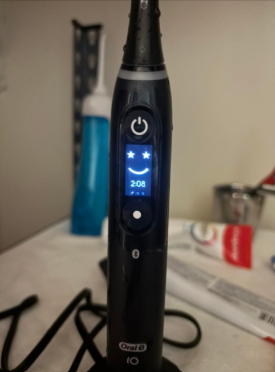
The Oral-B iO is one of the most advanced electric toothbrush ranges available, combining oscillating movements, micro-vibrations, and smart brushing technology. However, even a premium toothbrush needs regular maintenance to stay clean and work properly.
If you’ve noticed white toothpaste residue around the brush head, dark buildup near the metal shaft, or unpleasant smells coming from your toothbrush, you’re certainly not alone.
Learning how to clean an Oral-B iO toothbrush correctly is surprisingly simple, and most of the maintenance can be completed in just a minute or two after brushing.
In this guide, we’ll explain how to clean the brush head, handle, metal shaft, and charging base. We’ll also look at how to remove stubborn residue, reduce the risk of mold, and avoid common cleaning mistakes that could damage your toothbrush.
Whether you have an Oral-B iO Series 2, 3, 4, 5, 6, 7, 8, 9, or 10, these cleaning techniques will help you keep your toothbrush in better condition.
Why Is Cleaning Your Oral-B iO Important?
We use our toothbrushes at least twice daily, exposing them to toothpaste, saliva, moisture, and microorganisms naturally present in our mouths.
Although the Oral-B iO is designed for regular contact with water, that doesn’t mean it cleans itself.
Over time, toothpaste and moisture can accumulate in several areas:
- Around the base of the brush head.
- Inside the brush head connection.
- Around the handle’s metal shaft.
- Near the pressure sensor ring.
- Along the handle’s exterior.
- On the charging base.
If we don’t remove this buildup, it may eventually harden, become discolored, or create an unpleasant smell.
Regular cleaning also helps prevent residue from interfering with the fit between the brush head and handle.
Does the Oral-B iO Get Dirty Easily?
Like most rechargeable electric toothbrushes, the Oral-B iO has small spaces where toothpaste and water can collect.
The connection between the removable brush head and the handle deserves particular attention.
If we leave the brush head attached permanently without rinsing the connection, trapped residue may gradually accumulate.
Fortunately, removing the brush head after brushing and allowing the components to dry separately can significantly reduce this problem.
What Do You Need to Clean an Oral-B iO?
One advantage of maintaining an Oral-B iO toothbrush is that we don’t need expensive cleaning products or specialized equipment.
For routine cleaning, a few household items are enough.
| Cleaning Item | Purpose |
|---|---|
| Lukewarm running water | Removes toothpaste and loose residue |
| Soft microfiber cloth | Cleans and dries the handle |
| Clean, dry towel | Absorbs excess moisture |
| Soft cotton swab | Gently wipes accessible exterior crevices |
| Mild liquid soap | Optional for stubborn exterior dirt |
| Small, soft brush | Optional for accessible external buildup |
Avoid abrasive sponges, sharp metal tools, or aggressive household cleaners.
The safest approach is to begin with water and a soft cloth before trying anything else.
How to Clean an Oral-B iO After Every Use
The best way to keep an Oral-B iO toothbrush clean is to establish a simple routine after every brushing session.
Here’s the step-by-step method we recommend.
Step 1: Rinse the Brush Head While It’s Running
Once you’ve finished brushing, keep the toothbrush switched on briefly while holding the brush head under gently running lukewarm water.
This helps wash away toothpaste foam and loose debris from the bristles.
Rotate the toothbrush slightly so water reaches different sides of the round brush head.
After a short rinse, switch the toothbrush off.
Avoid using very hot water, as excessive temperatures can affect the bristles and plastic components.
Step 2: Remove the Oral-B iO Brush Head
With the toothbrush switched off, gently pull the brush head straight upward to detach it from the handle.
Don’t twist it aggressively or use tools to force it off.
Removing the head exposes the connection area, which is one of the most important parts to clean.
We recommend doing this after every brushing session rather than waiting until visible residue appears.
Step 3: Rinse the Head and Handle Separately
Hold the detached brush head under running water.
Allow water to pass through its connection opening to flush out any remaining toothpaste.
Next, rinse the top of the toothbrush handle, including the area around the metal shaft.
Oral-B recommends cleaning these components separately to help remove residue that can remain hidden when the brush head is attached.
We should never attempt to disassemble the internal mechanism.
Step 4: Remove Excess Water
After rinsing, gently shake or tap the components to remove excess water.
Use a clean, soft towel to dry the exterior of the handle and brush head.
Pay particular attention to the lower part of the brush head and the metal shaft area.
Removing excess moisture helps prevent water and toothpaste from collecting in the connection.
Step 5: Let Everything Air-Dry
Place the handle and brush head upright in a clean, ventilated location.
Ideally, allow both components to dry separately.
Avoid placing the toothbrush immediately inside a closed container while it’s wet.
Once the components are dry, we can reattach the brush head if desired.
This short routine is the most important habit for preventing Oral-B iO toothpaste buildup.
How to Deep Clean an Oral-B iO Toothbrush
Although daily rinsing removes most toothpaste residue, occasional deeper cleaning can help us maintain areas that are easy to overlook.
A weekly inspection and more thorough wipe-down is a practical routine for most households.
Step 1: Inspect the Toothbrush
Start by removing the brush head and examining the handle.
Look for:
- Chalky white deposits.
- Dark or discolored residue.
- Toothpaste around the metal shaft.
- Dirt around the power button.
- Moisture trapped in exterior crevices.
- Residue on the charging base.
Pay attention to areas that remain damp after regular brushing.
Step 2: Clean the Exterior of the Handle
Use a soft cloth dampened with lukewarm water.
Gently wipe the entire handle, including the sides, back, and bottom.
For stubborn exterior dirt, we can use a small amount of mild liquid soap diluted in water.
Afterward, wipe the surface again with a clean damp cloth to remove any soap residue.
Avoid letting concentrated cleaning products sit around openings or joints.
Step 3: Clean Around the Metal Shaft
The metal shaft is the narrow component at the top of the handle that connects to the brush head.
This area commonly develops toothpaste buildup.
To clean it:
- Remove the brush head.
- Rinse the exposed connection with lukewarm running water.
- Gently wipe accessible residue with a soft cloth.
- Use a damp cotton swab for accessible external crevices if necessary.
- Rinse away loosened debris.
- Dry the exterior thoroughly.
Never insert sharp objects into the mechanism or scrape the shaft with metal tools.
Step 4: Check the Buttons and Pressure Sensor Area
Depending on the model, the Oral-B iO includes a pressure sensor light ring, control buttons, and sometimes a display.
To clean these areas, gently wipe them with a damp microfiber cloth.
Avoid abrasive materials that could scratch the display or damage exterior finishes.
If toothpaste has dried around a button, use lukewarm water and a soft cloth to gradually loosen it.
Don’t try to pry off the pressure sensor ring or button covers.
Step 5: Let the Toothbrush Dry
When the cleaning is complete, wipe away excess moisture and store the handle upright.
Allow the brush head to dry separately before putting everything back together.
How to Clean the Oral-B iO Brush Head
The brush head deserves extra attention because it comes into direct contact with our teeth and gums.
Although running water is normally enough for everyday cleaning, the shape of the round iO brush head makes it important to rinse both the bristles and the internal connection.
Cleaning the Bristles Properly
After brushing, rinse the bristles thoroughly under running water.
Make sure toothpaste foam and visible particles have been removed.
We can gently move a clean finger across the outside of the bristles while rinsing, but we shouldn’t bend or pull them aggressively.
Once clean, shake off excess water.
The bristles should be allowed to air-dry naturally.
Cleaning Inside the Brush Head Connection
The bottom of an Oral-B iO brush head contains the opening that attaches to the handle.
This area can collect toothpaste residue and moisture.
With the head detached, allow clean water to flow through the connection opening.
Gently shake it afterward to remove excess water.
Avoid inserting sharp tools, dismantling the head, or forcing objects into its internal mechanism.
If residue remains inside and cannot be rinsed away, or the head develops a persistent unpleasant odor, replacing the brush head may be the safest option.
Can You Soak an Oral-B iO Brush Head?
Some people recommend soaking electric toothbrush heads in vinegar, mouthwash, hydrogen peroxide, or other cleaning solutions.
However, these methods aren’t necessary for routine Oral-B iO maintenance and shouldn’t be assumed safe for every brush head.
Prolonged soaking or using concentrated chemicals may affect materials or leave unwanted residues.
Our preferred method is simple: rinse thoroughly with water, remove excess moisture, and allow the brush head to dry.
If a brush head cannot be cleaned adequately, consider replacing it instead of experimenting with aggressive cleaning solutions.
How to Remove White Buildup From an Oral-B iO
One of the most common complaints about electric toothbrushes is the appearance of white, chalky residue around the brush head connection.
This buildup usually comes from dried toothpaste, minerals in water, or a combination of both.
Why Does White Residue Appear?
Most toothpastes contain ingredients that help clean and polish teeth.
When toothpaste foam mixes with water and dries around the toothbrush, it can leave visible deposits.
Repeated brushing without thoroughly rinsing the connection allows the residue to accumulate.
Hard water may also contribute to mineral deposits.
How to Remove Dried Toothpaste
Start with the following method:
- Remove the brush head.
- Rinse the affected area with lukewarm water.
- Allow the water to soften the residue briefly.
- Wipe accessible surfaces with a soft damp cloth.
- Repeat if necessary.
- Rinse and dry the toothbrush.
For stubborn exterior deposits, a little diluted mild soap may help remove the buildup.
Avoid scraping the toothbrush with knives, needles, or abrasive cleaning pads.
Preventing new deposits is usually easier than removing thick, hardened layers.
How to Remove Black Residue From an Oral-B iO
Another issue that concerns some owners is black or dark-colored residue near the brush head or metal shaft.
It can look alarming, especially when it appears in an area that normally remains hidden.
However, black residue does not automatically mean mold.
What Causes Black Buildup?
Possible explanations include:
- Accumulated toothpaste residue.
- Discolored deposits from repeated use.
- Moisture mixed with debris.
- Environmental contamination.
- Microbial growth in persistently damp areas.
Oral-B acknowledges that toothpaste residue can form dark, chalk-like deposits on some toothbrush components.
Therefore, we shouldn’t identify the material based on color alone.
How to Clean Dark Buildup
Remove the brush head and rinse the handle connection.
Use a soft damp cloth to wipe away accessible deposits.
If the buildup is stubborn, continue with gentle rinsing rather than scraping aggressively.
Clean the detached brush head separately and let both components dry.
If dark deposits persist inside inaccessible areas, return quickly, or are accompanied by a musty smell, consider replacing the brush head and contacting Oral-B support about the handle.
Never attempt to open the handle or remove internal components.
How to Prevent Mold on an Oral-B iO Toothbrush
Mold and other microorganisms are more likely to grow in environments where moisture remains trapped.
This is why toothbrush storage matters almost as much as cleaning.
Allow Proper Air Circulation
We recommend storing the Oral-B iO upright in an open, ventilated location.
Avoid keeping a wet toothbrush inside a closed drawer or bathroom cabinet if it cannot dry properly.
A toothbrush holder that allows airflow around the handle is preferable.
Remove the Brush Head Regularly
Detaching the brush head after brushing allows water trapped between the head and handle to escape.
This simple habit helps prevent prolonged dampness around the connection.
It also makes it easier to notice residue before it becomes difficult to remove.
Keep the Bathroom Area Clean
A dirty sink or toothbrush holder can transfer residue back onto an otherwise clean toothbrush.
Wipe the surrounding surface regularly.
It’s also sensible to store toothbrushes away from direct toilet splashes and avoid allowing different brush heads to touch.
If the toothbrush is stored near a toilet, closing the toilet lid before flushing is a sensible hygiene precaution.
How to Clean the Oral-B iO Charging Base
Many people clean their electric toothbrush regularly but forget about the charger.
Unfortunately, toothpaste foam and water can drip onto the charging surface.
Over time, this may leave visible deposits.
Step 1: Unplug the Charger
Before cleaning, disconnect the charger from the electrical outlet.
This is particularly important because the charging base is an electrical accessory.
Step 2: Wipe the Charging Surface
Use a soft cloth slightly dampened with water.
Gently remove toothpaste spots, dust, and other visible residue.
If necessary, repeat the process with a clean section of the cloth.
Avoid pouring water directly onto the charger or immersing it.
Although Oral-B describes its compatible chargers as water-resistant, they should not be treated as waterproof devices intended for submersion.
Step 3: Dry Before Reconnecting
Wipe the charger with a dry cloth.
Ensure it has dried completely before plugging it back in and replacing the toothbrush.
We should also make sure the bottom of the toothbrush handle is dry before charging.
What About the Oral-B iO10 Charger?
Some premium Oral-B iO models have different charging accessories, including the iO10’s smart charging system.
The basic cleaning principle remains similar: unplug the equipment, wipe accessible exterior surfaces carefully, and keep the electrical connections dry.
Always follow the instructions for the specific charger and accessory included with your model.
How to Clean an Oral-B iO Travel Case
A travel case protects the toothbrush while we’re away from home.
However, placing a wet toothbrush inside a closed case can trap moisture.
Over time, this may create unpleasant odors.
To maintain the case, first remove the toothbrush and brush head.
Wipe accessible interior surfaces with a clean cloth and remove visible residue.
For ordinary non-electronic cases, use a lightly damp cloth where the manufacturer’s instructions permit.
Then leave the case open until completely dry.
Charging travel cases require extra care. Don’t immerse them in water or allow liquid to enter electrical connections. Follow the accessory-specific instructions rather than treating the case like an ordinary plastic container.
We should also make sure the toothbrush and brush head are reasonably dry before packing them.
When traveling, a protective case is useful. At home, open-air storage is usually preferable.
Can You Clean an Oral-B iO With Vinegar?
Vinegar is sometimes recommended as a household cleaner for removing mineral deposits.
However, we don’t recommend applying vinegar directly to the Oral-B iO handle, shaft, or internal brush head connection as a routine cleaning method.
There are several reasons to be cautious:
- Acidic solutions may affect certain materials.
- Liquid can remain trapped inside the brush head.
- Vinegar may leave an unpleasant smell.
- It isn’t necessary for ordinary toothpaste residue.
If a deposit cannot be removed with water and mild cleaning of accessible exterior surfaces, consult the manufacturer’s guidance rather than applying stronger chemicals.
The same cautious approach applies to bleach, concentrated disinfectants, and abrasive household cleaning products.
Can You Put an Oral-B iO in the Dishwasher?
No. We should never place an Oral-B iO toothbrush in a dishwasher.
Dishwashers expose items to high temperatures, strong detergents, and intensive cleaning cycles.
These conditions may damage the brush head, battery, seals, and electronic components.
The same applies to placing the toothbrush in a microwave, boiling water, or attempting to sterilize it using excessive heat.
Manual rinsing and proper drying are the preferred cleaning methods.
How Often Should You Clean Your Oral-B iO?
Maintaining a consistent cleaning routine is more important than performing aggressive deep-cleaning sessions.
The following schedule provides a practical starting point.
| Component | Suggested Frequency | Cleaning Method |
|---|---|---|
| Brush head bristles | After every use | Rinse with running water |
| Brush head connection | After every use | Detach, rinse, and dry |
| Metal shaft | After every use | Rinse and wipe |
| Handle exterior | Daily or as needed | Damp cloth |
| Charging base | Weekly or when dirty | Unplug and wipe |
| Travel case | After trips or when dirty | Follow accessory instructions |
| Entire toothbrush | Weekly inspection | Check for residue and wear |
| Replacement brush head | About every 3 months | Replace with compatible iO head |
This is a suggested maintenance schedule rather than a rigid manufacturer service interval for every component.
If we brush twice a day and consistently rinse the head and handle, a more intensive cleaning session may rarely be necessary.
When Should You Replace an Oral-B iO Brush Head?
Cleaning is important, but even a carefully maintained toothbrush head eventually needs replacing.
Oral-B generally recommends replacing iO brush heads approximately every three months.
However, some situations require earlier replacement.
Signs Your Brush Head Needs Replacing
We should consider installing a new brush head when:
- The bristles are visibly frayed or bent.
- The bristle color has faded significantly.
- The head is damaged or cracked.
- Persistent residue cannot be removed.
- The brush head retains an unpleasant smell after cleaning and drying.
- A compatible replacement reminder indicates it’s time for a change.
If the bristles have spread outward or become deformed, replacing the head is preferable to trying to restore their shape.
Can You Use Regular Oral-B Brush Heads on the iO?
No. The Oral-B iO range uses a dedicated connection system.
Standard Oral-B replacement heads designed for many other rechargeable models are not compatible with iO handles.
When buying replacements, look specifically for Oral-B iO-compatible brush heads.
Examples include iO Ultimate Clean and iO Gentle Care, although product availability and naming can differ between markets.
Common Oral-B iO Cleaning Mistakes
Several maintenance habits can make toothbrush cleaning less effective.
Here are the mistakes we recommend avoiding.
Leaving the Brush Head Attached Permanently
If we never remove the head, toothpaste residue can collect around the connection.
Detaching the brush head regularly allows us to clean and dry hidden surfaces more effectively.
Storing the Toothbrush While Wet
Placing the toothbrush immediately inside a sealed container can keep moisture trapped for extended periods.
Letting the components dry separately helps reduce this problem.
Using Harsh Cleaning Chemicals
Bleach, strong disinfectants, abrasive powders, and concentrated acidic cleaners may damage materials.
For normal maintenance, water and a soft cloth are sufficient.
Scraping the Metal Shaft
Using sharp tools to remove dried residue can damage the toothbrush connection.
Instead, gently soften deposits with lukewarm water and wipe them away.
Forgetting the Charger
A dirty charging base can transfer residue back onto the handle.
Keeping the base clean and dry is an important part of maintaining the entire toothbrush.
Keeping a Worn Brush Head Too Long
Even if a brush head looks relatively clean, its bristles may no longer perform as intended.
Replacing worn heads is just as important as washing them.
What If Your Oral-B iO Still Smells Bad?
An unpleasant smell can develop when toothpaste, moisture, and debris remain trapped inside the brush head connection or surrounding areas.
If the smell persists, try the following:
- Remove the brush head.
- Rinse the head and handle thoroughly.
- Wipe away accessible residue.
- Let both components dry completely.
- Inspect the brush head for visible deterioration.
- Replace the brush head if the odor remains.
If a new brush head doesn’t resolve the problem and the odor appears to come from the handle, contact Oral-B support.
We shouldn’t attempt to open the handle to investigate internal moisture.
What If the Oral-B iO Brush Head Gets Stuck?
Sometimes dried toothpaste can make removing a brush head more difficult than usual.
If the head feels stuck, don’t force it sideways or use pliers.
Instead, rinse the connection area with lukewarm running water to soften the buildup.
Once the residue has loosened, gently pull the brush head straight off.
If the connection remains stuck, consult Oral-B support.
Never use boiling water or excessive force.
After removing the head successfully, clean the connection thoroughly to reduce the likelihood of the problem recurring.
Does Cleaning Improve Oral-B iO Performance?
Regular cleaning helps maintain the toothbrush in good working condition, but it won’t restore worn or damaged internal components.
Removing accumulated toothpaste can help keep the brush head connection clean and ensure the head fits correctly.
It can also prevent hardened residue from interfering with exterior buttons.
However, if the toothbrush develops abnormal vibrations, charging problems, or unexpected shutdowns, cleaning alone may not resolve the issue.
These symptoms could indicate a separate mechanical, electrical, or battery-related problem.
Oral-B iO Cleaning Tips for Long-Term Maintenance
Keeping an Oral-B iO in good condition doesn’t require complicated products or special techniques.
We recommend following these simple habits:
- Always rinse the brush head immediately after brushing.
- Remove the head and rinse the connection separately.
- Dry the handle before placing it on the charger.
- Keep the charger away from standing water.
- Store the brush head upright in a ventilated location.
- Inspect the metal shaft regularly.
- Replace worn brush heads approximately every three months.
- Avoid exposing the toothbrush to extreme temperatures.
- Never disassemble the handle.
- Use only compatible replacement brush heads.
These small habits can make everyday maintenance much easier.
Oral-B iO Cleaning: Frequently Asked Questions
1. Can I Wash My Oral-B iO Under Running Water?
Yes. Oral-B iO toothbrush handles are designed to withstand regular rinsing under running water.
We can rinse the brush head and handle separately to remove toothpaste residue.
However, we shouldn’t immerse the entire handle in a container of water or expose it to excessive heat.
Dry the handle before charging.
2. How Do I Remove Toothpaste From the Oral-B iO Shaft?
Remove the brush head and rinse the exposed shaft area with lukewarm water.
Use a soft damp cloth to wipe away loosened toothpaste.
For stubborn buildup, repeat the process rather than scraping the connection with sharp tools.
Dry the area afterward.
3. Is Black Residue on an Oral-B iO Toothbrush Mold?
Not necessarily.
Dark residue may be discolored toothpaste, accumulated debris, or another type of deposit.
Color alone isn’t enough to determine whether mold is present.
Clean accessible areas thoroughly, allow the components to dry, and replace the brush head if suspicious buildup or an unpleasant odor persists.
If the problem appears to originate inside the handle, seek manufacturer assistance.
4. Should I Remove My Oral-B iO Brush Head After Every Use?
Yes, it’s a good cleaning habit and aligns with Oral-B’s recommended care instructions.
Removing the brush head allows us to rinse both components separately and helps prevent moisture and toothpaste from remaining trapped around the connection.
Allowing the parts to dry separately is also beneficial.
5. How Often Should I Deep Clean My Oral-B iO?
Daily rinsing is essential, while a more thorough weekly inspection and wipe-down is a practical additional routine.
If you notice visible toothpaste deposits, clean them as soon as possible.
The charging base and travel case should also be cleaned whenever residue appears.
Regular maintenance is generally more effective than allowing buildup to accumulate.
Conclusion: Keeping Your Oral-B iO Clean
Learning how to clean an Oral-B iO toothbrush is one of the easiest ways to maintain the device and keep its components hygienic between brushing sessions.
The most important step is to rinse the brush head and handle separately after every use. This prevents much of the toothpaste residue that would otherwise accumulate around the metal shaft and brush head connection.
We should also dry the components carefully, store the toothbrush in a well-ventilated location, and clean the charging base regularly.
Avoiding harsh chemicals, excessive heat, and abrasive tools helps protect the toothbrush from unnecessary damage.
Finally, remember that cleaning cannot replace a worn brush head. Installing a fresh, compatible Oral-B iO replacement approximately every three months remains an essential part of good maintenance.
With a consistent cleaning routine, we can keep our Oral-B iO toothbrush cleaner, reduce frustrating residue buildup, and enjoy a more reliable brushing experience every day.