
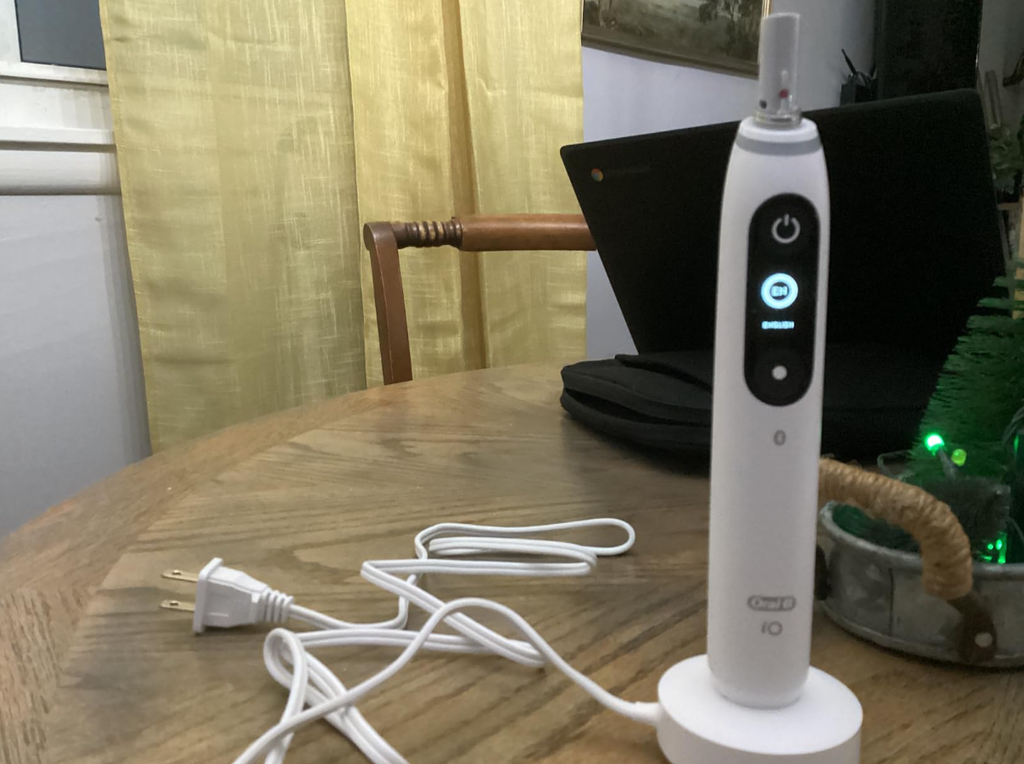
The Oral-B iO7 is a premium electric toothbrush known for its advanced cleaning technology, smart pressure sensor, interactive display, and magnetic charging system. However, even a sophisticated toothbrush can experience battery problems.
If you’re dealing with an Oral-B iO7 battery issue, you might notice that your toothbrush no longer holds a charge, takes longer than expected to recharge, suddenly switches off, or refuses to turn on altogether.
These problems can be frustrating, especially when your toothbrush appears fully charged but stops working halfway through brushing.
Fortunately, not every charging problem means the battery needs replacing. Sometimes, the problem is as simple as an improperly positioned charging base, a power outlet that isn’t working, or an issue with the toothbrush’s software.
In this guide, we’ll examine the most common Oral-B iO7 battery problems, explain their potential causes, and walk through practical troubleshooting methods. We’ll also discuss battery lifespan, replacement options, and how to keep your electric toothbrush performing reliably.
Common Oral-B iO7 Battery Problems
Before attempting a repair, it’s important to understand exactly what your toothbrush is doing.
Different symptoms can indicate different problems, and identifying them early can save us time and unnecessary expense.
The most frequently encountered battery-related symptoms include:
- Battery draining quickly: The toothbrush works normally but needs recharging much more frequently than before.
- Not charging: The battery indicator doesn’t respond when the handle is placed on the magnetic charger.
- Not holding a charge: The toothbrush appears fully charged but runs out of power unusually quickly.
- Suddenly switching off: The motor stops unexpectedly while brushing.
- Battery percentage behaving strangely: The displayed charge level drops sharply or doesn’t seem to reflect actual battery performance.
- Not turning on: The toothbrush remains unresponsive even after being placed on its charger.
Although these symptoms may point toward a deteriorating battery, they can also indicate charger faults, software problems, or internal electrical issues.
Quick Oral-B iO7 Battery Troubleshooting Chart
| Problem | Possible Cause | Recommended Action |
|---|---|---|
| Not charging | Charger or power connection | Check the outlet and magnetic base |
| Battery drains rapidly | Battery wear or usage conditions | Fully charge and test runtime |
| Turns off unexpectedly | Low charge or internal fault | Recharge and observe when it stops |
| Battery percentage jumps | Charge reporting or battery issue | Update software and compare actual runtime |
| No charging indication | Deep discharge or poor connection | Leave on charger for at least 30 minutes |
| Won’t turn on | Fully depleted battery or hardware failure | Charge for 3 hours and retest |
| Charging intermittently | Charger positioning or damaged equipment | Clean and inspect the charging setup |
This table is a starting point. Let’s look more closely at what may be causing the problem.
Why Is My Oral-B iO7 Battery Draining So Fast?
One of the most frustrating complaints is an Oral-B iO7 battery that runs out of power sooner than expected.
A toothbrush that previously lasted many days between charges might gradually begin requiring recharging every few days.
In more severe cases, the battery may last only a handful of brushing sessions.
Several factors can contribute to this behavior.
1. Natural Battery Degradation
The Oral-B iO7 uses a rechargeable lithium-ion battery.
Like other lithium-ion batteries, its ability to store energy gradually decreases as it ages.
Over time, chemical changes inside the battery reduce the amount of electrical energy it can hold.
Battery aging depends on factors such as:
- Number of charging cycles
- Operating temperature
- Storage conditions
- Frequency of use
- Battery age
- Exposure to prolonged heat
A toothbrush that has been used daily for several years may therefore have a noticeably shorter runtime than when it was new.
However, rapid battery deterioration after only a short period of ownership is worth investigating, especially if the product remains under warranty.
2. Brushing Modes and Usage Habits
The Oral-B iO7 offers multiple cleaning modes, including Daily Clean, Sensitive, and Intense Clean.
Different modes and brushing habits can affect how much energy the toothbrush consumes.
For example, frequent use of a more intensive mode or brushing for longer periods may reduce the number of sessions available per charge.
The frequency of brushing also matters.
Someone brushing twice daily for two minutes will naturally use less energy than someone brushing three or four times per day for longer sessions.
This doesn’t mean we should compromise our oral hygiene to conserve battery power. Instead, we should evaluate battery performance based on our actual brushing routine.
3. Incomplete Charging
Sometimes, what appears to be a weak battery is actually an incomplete charging cycle.
The Oral-B iO7 uses a magnetic fast-charging base and typically requires approximately three hours to reach a full charge.
If the charger is disconnected prematurely or the toothbrush isn’t properly seated, the battery may never reach its maximum capacity.
Consequently, the toothbrush may appear to have a battery-life problem when the real issue involves charging.
4. Software or Battery Indicator Problems
The Oral-B iO7 includes electronic controls, a display, and Bluetooth connectivity.
Like other electronic devices, its software helps manage and communicate operating information.
Sometimes, unusual battery readings may be associated with software behavior rather than an immediate loss of battery capacity.
For instance, the displayed battery percentage may fall unexpectedly while the toothbrush continues functioning.
We should distinguish between two situations:
- The percentage changes rapidly, but the toothbrush still operates for a reasonable amount of time.
- The percentage changes rapidly, and the toothbrush shuts down after very little use.
The second scenario is more concerning because it involves an actual loss of usable runtime.
Updating the toothbrush software is a reasonable troubleshooting step, but it won’t repair a physically deteriorated battery.
How Long Should the Oral-B iO7 Battery Last?
Battery life depends on how frequently and how long we brush, which mode we select, and the condition of the battery.
With typical twice-daily brushing sessions of approximately two minutes, a healthy Oral-B iO7 can generally provide around one to two weeks of use, although actual runtime varies.
Oral-B’s broader charging guidance describes different battery-life ranges across its rechargeable toothbrushes, so we shouldn’t interpret the highest advertised figure as a guarantee for every user.
Oral-B iO7 Battery Specifications
| Feature | Oral-B iO7 |
|---|---|
| Battery technology | Rechargeable lithium-ion |
| Charging system | Magnetic fast charger |
| Approximate full charging time | 3 hours |
| Typical usage pattern | Twice daily, 2 minutes |
| Expected use between charges | Often around 1–2 weeks, depending on use |
| Battery indicator | Yes |
| Bluetooth connectivity | Yes |
| Battery user-replaceable | Not designed as a routine user replacement |
The important point is consistency.
If your toothbrush previously lasted ten days but now struggles to last two days under similar conditions, that change suggests something may be wrong.
On the other hand, if you’ve recently increased brushing frequency or changed how you use the toothbrush, shorter runtime doesn’t automatically indicate a defect.
Oral-B iO7 Not Charging: Step-by-Step Fixes
If your Oral-B iO7 isn’t charging, we recommend starting with simple checks before considering more complicated solutions.
These steps can help identify whether the problem comes from the charger, electrical supply, battery, or toothbrush itself.
Step 1: Check the Power Outlet
First, make sure the charger is connected to a functioning electrical outlet.
A bathroom socket can sometimes lose power because of a switched connection, a tripped safety outlet, or an electrical issue.
To check:
- Unplug the toothbrush charger.
- Connect another small appliance to the outlet.
- Verify that the appliance works.
- If it doesn’t, try a different outlet.
- Reconnect the Oral-B charging base.
If you’re using a travel adapter, test it separately and check that its electrical rating is compatible with the charger.
A faulty power source can easily be mistaken for a toothbrush battery problem.
Step 2: Position the Toothbrush Correctly
The Oral-B iO7 uses a magnetic charging base rather than the traditional pin-style charger found on many older Oral-B models.
The handle must sit correctly on the magnetic base for charging to occur.
Remove the toothbrush and place it upright again.
Check that:
- The handle sits securely on the charger.
- The charging base is level and stable.
- Nothing is trapped between the handle and charging surface.
- The charging indicator responds as expected.
Oral-B advises checking that the charging indicator illuminates when the toothbrush is correctly positioned.
If the handle doesn’t sit properly, charging may be interrupted.
Step 3: Clean and Dry the Charging Area
Toothpaste residue, moisture, and dirt can accumulate around the bottom of an electric toothbrush.
While magnetic charging doesn’t rely on exposed electrical contacts in the same way as some other charging systems, keeping the charger and handle clean remains important.
Follow these steps:
- Unplug the charger.
- Remove the toothbrush from the base.
- Wipe the external charging surface with a slightly damp cloth.
- Remove any toothpaste residue.
- Dry the charging surface.
- Wipe and dry the bottom of the toothbrush handle.
- Reconnect the charger and test it again.
Never immerse the charging base in water or clean it while it’s connected to electricity.
If the charger has visible damage, cracked housing, or signs of overheating, stop using it.
Step 4: Allow Time for a Deeply Discharged Battery
A completely drained battery may not show an immediate response when the toothbrush is placed on its charger.
This can happen when the handle has been left unused for an extended period or has discharged fully.
If the screen remains black:
- Place the toothbrush on the charger.
- Confirm the electrical outlet works.
- Leave it charging for at least 30 minutes.
- Check whether the charging indicator appears.
- If charging begins, allow approximately three hours for a complete recharge.
Some deeply discharged Oral-B toothbrushes may take several minutes before their display or charging indicator responds.
Avoid repeatedly removing the handle from the charger during this initial period.
If there is still no response after a full charging attempt, a charger or internal hardware problem becomes more likely.
Step 5: Test Another Compatible Charger
If you have access to another genuine charger specifically compatible with the iO7, using it can help identify the faulty component.
For example:
- If the toothbrush charges normally with another compatible charger, the original charger may be defective.
- If the toothbrush fails with multiple known-working compatible chargers, the problem may involve the handle.
Avoid assuming that chargers from older Oral-B models or every Oral-B iO model are interchangeable.
Use only a charging accessory confirmed compatible with your specific toothbrush.
Oral-B iO7 Not Holding Charge After Charging
Another common problem occurs when the toothbrush charges normally but loses power much sooner than expected.
This is different from a toothbrush that refuses to charge at all.
In this situation, we should confirm that the handle is actually receiving a full charge and then measure how long the battery lasts.
Perform a Controlled Battery Test
A simple runtime test helps us separate a genuine battery problem from unusually frequent usage.
Here’s how to test it:
- Charge the Oral-B iO7 for approximately three hours.
- Confirm that the charging indication shows completion.
- Remove the toothbrush from the charging base.
- Use the same cleaning mode each time.
- Brush for two minutes in the morning and two minutes at night.
- Record how many sessions the toothbrush completes.
- Note any sudden changes in the displayed battery percentage.
If the toothbrush stops after only a few sessions despite normal charging and use, that is more concerning than a modest variation in runtime.
Keep in mind that this is a practical home test, not a laboratory measurement of battery capacity.
What If It Charges to 100% but Dies Quickly?
A 100% reading doesn’t necessarily prove that a rechargeable battery still has its original capacity.
As batteries age, they can reach their reported full-charge state while storing significantly less energy than they did when new.
A damaged or degraded battery may also struggle to deliver power consistently.
This can result in situations where the toothbrush:
- Displays a high battery percentage.
- Runs normally for a short time.
- Suddenly loses power.
- Requires charging again.
However, a misleading battery indicator or electrical fault can cause similar symptoms.
If the problem persists after a software check and a full recharge, professional inspection is preferable to guessing which internal component needs replacement.
Oral-B iO7 Battery Percentage Drops Suddenly
Some users notice inconsistent battery readings.
For example, the display may show a reasonably high charge level before brushing and a much lower percentage immediately afterward.
There are several possible explanations.
Battery Charge Reporting Issues
Rechargeable devices estimate their remaining charge using information collected by internal electronics.
Those estimates aren’t always perfectly linear.
A battery percentage may change more quickly at certain points in the discharge cycle.
Small irregularities are not necessarily evidence of a fault.
However, sudden large drops combined with unexpected shutdowns may indicate a more serious issue.
Battery Aging and Voltage Changes
An aging battery may experience greater voltage drops when supplying power to the toothbrush motor.
If the battery can no longer deliver sufficient power, the device may shut down even though its previously displayed percentage seemed acceptable.
This is one reason why comparing actual brushing runtime is more useful than looking at a single battery percentage reading.
Should You Completely Drain the Battery to Recalibrate It?
Some online troubleshooting suggestions recommend fully draining a toothbrush repeatedly to reset the battery indicator.
We wouldn’t recommend repeated deep discharging as a routine fix.
Lithium-ion batteries don’t require complete discharge cycles to avoid the memory effect associated with some older battery technologies.
If your battery indicator behaves strangely, begin by completing a normal full charge and checking for available software updates.
Repeatedly running the toothbrush until it shuts off won’t restore lost battery capacity.
How to Update Oral-B iO7 Software
The Oral-B iO7 can connect to the Oral-B app using Bluetooth.
Oral-B recommends keeping the app and compatible toothbrush software updated, including when investigating battery-performance problems.
To check for updates:
- Install or open the official Oral-B app on your smartphone.
- Enable Bluetooth.
- Turn on or wake your iO7.
- Connect the toothbrush through the app.
- Look for available software or firmware updates.
- Follow the instructions shown in the app.
- Allow the update to finish without interrupting the process.
The exact menu layout may depend on your phone, app version, and installed firmware.
After updating, charge the toothbrush fully and observe its performance over several days.
Can a Software Update Fix Battery Drain?
It may help if the problem is related to software operation, battery reporting, or power management.
However, a software update cannot reverse physical battery deterioration.
If the battery continues to lose power rapidly or the toothbrush shuts down unexpectedly, further diagnosis may be necessary.
Oral-B iO7 Turns Off While Brushing
An Oral-B iO7 that stops during brushing can be alarming, particularly when it doesn’t display an obviously empty battery.
However, it’s important to distinguish expected behavior from a genuine malfunction.
Automatic Five-Minute Shutoff
According to Oral-B’s support guidance for the iO7–iO10 series, the toothbrush is programmed to stop automatically after five minutes of continuous operation.
Therefore, if your iO7 switches off after approximately five minutes, this may be normal behavior.
Simply press the power button again if you need to restart it.
Unexpected Shutdown After a Short Time
If the toothbrush stops after only a few seconds or during a normal two-minute session, we should investigate further.
Potential causes include:
- Insufficient battery charge
- Battery deterioration
- Internal electronic faults
- Charging problems
- Physical damage
Start by giving the toothbrush a full charge and checking whether the problem continues.
If it repeatedly shuts down during ordinary brushing despite showing adequate battery power, contact Oral-B support.
Oral-B iO7 Not Turning On After Charging
A toothbrush that remains completely unresponsive requires a slightly different approach.
Before concluding that the battery has failed, make sure the device hasn’t simply entered a low-power or inactive state.
Oral-B recommends placing the toothbrush upright on the charging base to wake it if necessary.
Try this troubleshooting sequence:
- Verify that the charger is receiving electricity.
- Place the toothbrush upright on the charger.
- Watch for a charging or low-battery indicator.
- Leave the device charging for approximately three hours.
- Remove it from the base.
- Press the power button to test it.
If the toothbrush remains completely unresponsive, don’t attempt to force it open or apply power through improvised electrical connections.
An internal battery, control board, button, or charging-related component may require professional assessment.
Can You Reset an Oral-B iO7 Battery?
Many people search for an Oral-B iO7 battery reset because they hope a simple button combination will solve charging problems.
It’s important to understand that resetting the toothbrush’s software isn’t the same as resetting the physical battery.
A software reset may help with certain control or connectivity issues, but it cannot restore lost lithium-ion battery capacity.
If your iO7 offers reset options through its settings or connected app, follow the instructions appropriate to your device’s firmware.
Avoid relying on unverified button combinations intended for other Oral-B toothbrush models.
After a reset, you may need to reconnect the toothbrush to your smartphone and configure your preferences again.
For battery troubleshooting, we recommend checking the charger, completing a full charge, and evaluating actual runtime before considering a reset.
Oral-B iO7 Battery Replacement: Is It Possible?
If your Oral-B iO7 battery has deteriorated, you may wonder whether you can replace it instead of buying another toothbrush.
The toothbrush contains a rechargeable lithium-ion battery, but the handle isn’t designed for straightforward routine battery replacement by the user.
Accessing the battery generally involves opening the toothbrush housing.
This creates several challenges.
Risks of DIY Battery Replacement
Replacing the battery yourself may involve:
- Damaging the toothbrush casing
- Compromising the water-resistant seals
- Damaging internal electronic components
- Incorrect battery installation
- Short-circuiting lithium-ion cells
- Losing remaining warranty coverage
Water resistance is particularly important because electric toothbrushes are regularly exposed to water, toothpaste, and humidity.
Even if a replacement battery appears to work initially, an improperly resealed handle may develop problems later.
For most users, authorized service is the safer option.
How Much Does Oral-B iO7 Battery Replacement Cost?
The cost depends on your country, service provider, warranty status, and whether the manufacturer offers repair or replacement for the specific fault.
There isn’t one universal official battery-replacement price that applies everywhere.
Before paying for a repair, we recommend asking the service provider:
- Is the battery actually confirmed to be defective?
- Is the handle repairable?
- Will the water-resistant sealing be maintained?
- Is there a warranty on the repair?
- Would replacement of the complete handle be more economical?
These questions help us avoid paying for a battery replacement when the actual fault involves the charging circuit or another component.
Is the Oral-B iO7 Battery Covered by Warranty?
If your Oral-B iO7 develops battery problems during its warranty period, it’s worth contacting Oral-B before attempting any repair.
Warranty terms can vary depending on the country, seller, and registration conditions.
In many markets, Oral-B rechargeable toothbrushes come with a two-year manufacturer’s warranty, while additional coverage may be available under specific promotional or registration programs.
However, normal battery wear, accidental damage, and manufacturing defects may be treated differently.
Keep your proof of purchase and check the conditions applicable to your product.
When Should You Request Warranty Service?
Consider contacting Oral-B support if:
- The toothbrush is relatively new but has very poor battery life.
- It won’t charge with a known-working compatible charger.
- It repeatedly turns off during normal brushing.
- It loses nearly all its charge shortly after a full recharge.
- Its battery indicator behaves erratically alongside actual power loss.
- The handle overheats or shows signs of physical damage.
If the device becomes unusually hot, develops swelling, emits a strange smell, or shows other indications of electrical damage, stop using and charging it immediately.
Don’t attempt a home repair in these circumstances.
How to Make Your Oral-B iO7 Battery Last Longer
Although rechargeable batteries naturally age, good daily habits can help reduce avoidable wear.
Here are some practical ways to care for your toothbrush.
1. Avoid Excessive Heat
Heat is one of the main factors that can accelerate lithium-ion battery aging.
Avoid leaving your toothbrush in direct sunlight, inside a hot vehicle, or close to strong heat sources.
Allow the handle to return to a normal indoor temperature before charging if it has become unusually hot or cold.
2. Keep the Charging Base Clean
Regular cleaning helps maintain reliable charging conditions.
Wipe away toothpaste residue and dry the exterior of the handle before placing it on the charger.
Always unplug the charging base before cleaning it.
3. Don’t Leave the Battery Empty for Long Periods
If you’re storing the toothbrush for several weeks or months, avoid leaving it completely discharged.
Lithium-ion batteries can deteriorate when stored at extremely low charge levels for extended periods.
A partial charge is generally preferable for long-term storage.
4. Use the Correct Charging Equipment
The iO7’s magnetic fast charger is designed for the toothbrush’s charging requirements.
Using unsuitable charging accessories can cause unreliable performance or damage.
When replacing a charger, confirm compatibility with your model rather than purchasing solely based on appearance.
5. Maintain a Consistent Brushing Routine
A regular routine makes it easier to notice changes in battery performance.
If your brushing habits stay relatively consistent, a sudden reduction in charging intervals becomes easier to identify.
For instance, if you normally charge once per week and suddenly need to charge daily, that change deserves attention.
6. Keep the Software Updated
Check the Oral-B app periodically for updates that may improve functionality or address known software issues.
Software maintenance is worth doing, even though it isn’t a substitute for replacing a defective battery.
7. Avoid Unnecessary Deep Discharges
You don’t need to wait until the battery reaches zero before recharging your Oral-B iO7.
Charging when the battery is running low is perfectly reasonable.
There is also no need to perform repeated complete discharge cycles as a battery maintenance ritual.
Oral-B iO7 Battery Issues vs Normal Battery Aging
How can we distinguish an ordinary reduction in battery life from a genuine fault?
The following comparisons can help.
| Battery Behavior | Possible Interpretation |
|---|---|
| Gradually shorter runtime over several years | Natural battery aging |
| Slightly shorter runtime with longer brushing sessions | Increased power consumption |
| Needs charging more often after changing usage habits | Possibly normal |
| Loses most of its charge overnight | Possible battery or electrical fault |
| Shuts off despite showing substantial remaining charge | Possible battery or power-management issue |
| Doesn’t respond to a known-working charger | Possible internal hardware fault |
| Battery capacity deteriorates rapidly soon after purchase | Worth investigating under warranty |
A change in performance is useful evidence, but these observations alone cannot identify the precise defective component.
If the problem is persistent, a professional diagnosis is the most reliable way to determine whether the battery, charging circuitry, or another part needs attention.
Should You Repair or Replace Your Oral-B iO7?
When dealing with a persistent battery issue, it may be difficult to decide whether to repair your toothbrush or buy a replacement.
The best option depends on the age of the toothbrush, the nature of the fault, warranty coverage, and repair cost.
Repair May Make Sense When:
- The toothbrush is still under warranty.
- An authorized repair is available at a reasonable cost.
- The rest of the toothbrush works correctly.
- The problem is limited to a replaceable charging accessory.
- The repair includes appropriate sealing and safety checks.
Replacement May Be Better When:
- The handle has significant physical or water damage.
- Multiple internal components appear to be failing.
- The manufacturer doesn’t offer a practical repair.
- The repair cost approaches the price of a replacement handle.
- The toothbrush has experienced repeated failures outside warranty.
We recommend getting an official service assessment before replacing an otherwise functional premium electric toothbrush.
A defective charger is considerably easier to address than a damaged internal battery system.
Oral-B iO7 vs iO6: Battery and Charging Differences
One detail that can confuse Oral-B owners is that not all iO toothbrushes have the same charging time.
The iO7 uses a magnetic fast-charging system, while the iO6 typically requires a substantially longer charging period.
| Feature | Oral-B iO6 | Oral-B iO7 |
|---|---|---|
| Battery technology | Rechargeable lithium-ion | Rechargeable lithium-ion |
| Charging speed | Standard charging | Fast charging |
| Approximate charging time | 16 hours | 3 hours |
| Battery indication | Yes | Yes |
| Smart connectivity | Yes | Yes |
This distinction matters when troubleshooting.
If you follow instructions intended for an iO6, you might assume your iO7 requires an overnight charging period.
For the iO7, approximately three hours is the normal full charging time when using the correct equipment.
Five Frequently Asked Questions About Oral-B iO7 Battery Issues
1. Why does my Oral-B iO7 battery die so quickly?
Your Oral-B iO7 battery may drain quickly because of natural battery aging, incomplete charging, longer brushing sessions, intensive cleaning modes, or an internal electrical problem.
First, give it a full three-hour charge and measure its performance over several normal brushing sessions.
If it continues to lose charge unusually quickly, check for software updates and consider contacting Oral-B support.
2. How long does the Oral-B iO7 take to charge fully?
The Oral-B iO7 normally takes approximately three hours to charge fully using its compatible magnetic fast charger.
If the battery has been deeply discharged, the display may take several minutes to respond after placing the handle on the base.
If the toothbrush doesn’t begin charging, check the outlet, charging position, and charger condition.
3. Can I replace the battery in my Oral-B iO7?
The Oral-B iO7 contains a rechargeable battery, but it isn’t designed for simple battery replacement by the user.
Opening the handle can damage internal components and compromise water resistance.
For a defective battery, we recommend checking your warranty and contacting an authorized service provider.
4. Why does my Oral-B iO7 turn off when the battery isn’t empty?
Unexpected shutdowns can result from battery deterioration, unreliable charging, or an internal electronic problem.
However, the iO7 is also designed to stop automatically after approximately five minutes of continuous operation.
If your toothbrush stops much earlier during a normal brushing session, fully charge it and investigate further if the problem persists.
5. How do I know if my Oral-B iO7 battery is bad?
A failing battery may cause unusually short runtime, abrupt shutdowns, or a rapid loss of charge after charging.
However, these symptoms can also come from software or charging-related faults.
A controlled runtime test, a known-working compatible charger, and an authorized service assessment can help determine the cause.
Conclusion: Fixing Your Oral-B iO7 Battery Issue
An Oral-B iO7 battery issue doesn’t necessarily mean your electric toothbrush has reached the end of its useful life.
Many charging and power problems can be traced to simple causes, including faulty electrical outlets, incorrect placement on the magnetic charger, incomplete charging, or software-related behavior.
We recommend starting with the basics: verify the power source, clean and dry the charging setup, allow approximately three hours for a complete charge, and measure how long the toothbrush actually works.
If your Oral-B iO7 continues draining rapidly, shuts off unexpectedly, or refuses to charge with compatible equipment, the battery or internal electronics may need professional attention.
Ultimately, the best approach is to diagnose the charging system before assuming the battery needs replacement. With proper maintenance and timely troubleshooting, we can maximize the useful life of our Oral-B iO7 and avoid unnecessary replacement costs.