
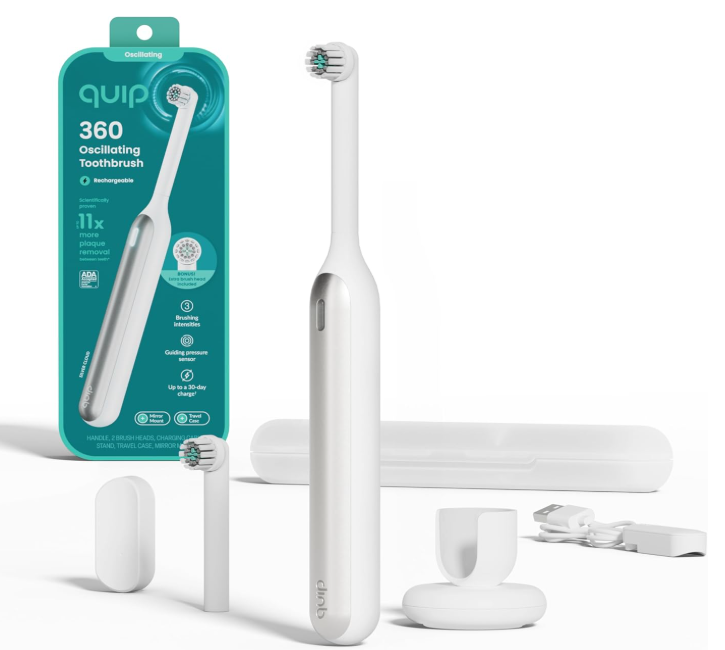
Electric toothbrushes have quietly revolutionized our daily routines. Instead of scrubbing away with manual brushes like it’s 1995, we now rely on sleek, rechargeable tools that buzz, vibrate, and promise dentist-level cleaning at home.
But what happens when your Quip rechargeable toothbrush suddenly stops working?
You press the button… nothing. Silence. No vibration. No reassuring hum. Just a lifeless brush staring back at you.
Frustrating? Absolutely.
The good news is that most problems with a Quip rechargeable toothbrush not working are surprisingly easy to fix. In this guide, we’ll walk through common causes, practical solutions, and a few clever troubleshooting tricks that might bring your toothbrush back to life faster than you think.
Let’s dive in.
Understanding How a Quip Rechargeable Toothbrush Works
Before we troubleshoot the problem, it helps to understand how the device actually works.
Unlike many bulky electric toothbrushes, Quip keeps things minimal and elegant. Its rechargeable models typically include:
- A vibration motor
- A lithium-ion rechargeable battery
- A charging dock or cable
- A pressure-sensitive button
- A timed brushing system
Together, these components create a simple but effective cleaning tool.
When any one of them fails—or even slightly misbehaves—the toothbrush may refuse to start.
Think of it like a tiny orchestra: if one instrument stops playing, the whole performance collapses.
Common Signs Your Quip Toothbrush Isn’t Working Properly
Sometimes the issue is obvious. Other times it’s subtle.
Here are the most common symptoms people report.
Toothbrush Won’t Turn On
The most obvious problem.
You press the power button and absolutely nothing happens.
No vibration. No lights. No sound.
Weak or Intermittent Vibrations
Instead of a steady hum, the toothbrush:
- Pulses irregularly
- Feels weak
- Stops mid-brush
Charging But Not Powering On
You place the brush on the charger and it appears to charge—but it still won’t start.
Stops During Brushing
You begin brushing and suddenly it dies halfway through your routine.
It’s like a phone battery dropping from 20% to zero in seconds.
Top Reasons a Quip Rechargeable Toothbrush Stops Working
Let’s look at the real culprits behind this issue.
1. Dead or Drained Battery
This is the most common cause.
Even though the toothbrush is rechargeable, the battery still needs proper charging cycles.
If the battery completely drains, the brush may appear completely dead.
2. Dirty Charging Contacts
Toothpaste, water, and bathroom humidity can interfere with the charging port.
Over time, residue builds up and prevents proper charging.
3. Faulty Charging Cable or Dock
Sometimes the brush isn’t the problem at all.
Instead, the charger itself may be malfunctioning.
4. Internal Motor Failure
Like any small motorized device, wear and tear eventually happens.
After years of use, the motor may simply stop spinning.
5. Water Damage
Although Quip brushes are water resistant, they are not invincible.
Excessive water exposure can damage internal electronics.
How to Fix a Quip Rechargeable Toothbrush That Won’t Turn On
Now let’s move into practical solutions.
Try these steps in order.
Step-by-Step Troubleshooting Guide
Step 1: Check the Battery Level
Place the toothbrush on the charger for at least 8 hours.
Many users assume their brush is charging when it isn’t actually connected properly.
After charging, try turning it on again.
Step 2: Clean the Charging Contacts
Residue can block electrical flow.
Use the following method:
- Remove the brush head
- Inspect the charging contacts
- Use a dry cloth or cotton swab
- Remove toothpaste buildup
Even a tiny layer of grime can disrupt charging.
Step 3: Inspect the Charging Cable
If the toothbrush still won’t work, check the charger.
Ask yourself:
- Is the cable damaged?
- Is the adapter loose?
- Does the outlet work?
Try a different outlet or USB port.
Resetting Your Quip Toothbrush
Sometimes electronics simply need a reset.
Here’s a quick trick many users report working.
Simple Reset Method
- Place the brush on the charger
- Hold the power button for 10–15 seconds
- Remove it from the charger
- Try turning it on again
This can reset internal circuitry.
Cleaning the Toothbrush for Better Performance
A surprising number of problems come from dirt buildup.
Let’s fix that.
Deep Cleaning Method
You’ll need:
- Warm water
- Mild soap
- Cotton swabs
Steps:
- Remove the brush head
- Rinse the handle under warm water
- Clean the seams carefully
- Dry thoroughly before charging
Never charge a wet toothbrush.
When the Motor Stops Working
Sometimes the motor itself fails.
Signs of motor failure include:
- Clicking sounds
- Weak vibrations
- Sudden shutdowns
Unfortunately, this issue is harder to fix at home.
But before replacing the toothbrush, try:
- Fully charging it
- Cleaning it thoroughly
- Resetting the device
Sometimes the motor simply needed more power.
Battery Problems and How to Identify Them
Rechargeable batteries degrade over time.
Most electric toothbrush batteries last 2–3 years.
If your brush is older than that, the battery may struggle to hold a charge.
Battery Failure Symptoms
- Toothbrush dies quickly
- Charging takes longer
- Brush weakens during use
In these cases, replacement may be the best option.
Preventing Future Problems
Once you fix your toothbrush, you’ll want to keep it running smoothly.
Here are a few helpful habits.
Good Maintenance Practices
- Clean the handle weekly
- Keep charging contacts dry
- Avoid leaving it in standing water
- Charge regularly
Think of your toothbrush like a small electronic appliance—it needs care.
How Long Quip Rechargeable Toothbrushes Normally Last
With proper care, a Quip toothbrush typically lasts 3–5 years.
However, lifespan depends on several factors:
- Charging habits
- Water exposure
- Frequency of use
Like any gadget, gentle treatment extends its life.
When It’s Time to Replace Your Toothbrush
Sometimes troubleshooting reaches a dead end.
Here are clear signs it’s time for a replacement.
Replace the Brush If:
- It won’t charge at all
- Motor completely stopped
- Internal parts rattle
- Battery dies instantly
At that point, repairing the brush usually costs more than replacing it.
Comparing Quip With Other Electric Toothbrush Brands
If your Quip finally retires, you might wonder how it compares with other brands.
Advantages of Quip
- Sleek design
- Lightweight
- Travel friendly
- Quiet vibrations
Possible Drawbacks
- Fewer power settings
- Smaller motor
- Battery lifespan can vary
Still, many users prefer its simplicity.
Quick Troubleshooting Checklist
If your Quip rechargeable toothbrush isn’t working, try this quick checklist.
Before replacing the brush:
- Charge for 8 hours
- Clean charging contacts
- Inspect charging cable
- Reset the toothbrush
- Deep clean the handle
In many cases, one of these fixes solves the issue.
Final Thoughts: Don’t Toss Your Toothbrush Yet
When a Quip rechargeable toothbrush stops working, it’s easy to assume the worst.
But most of the time, the fix is simple.
Maybe the battery needed charging.
Maybe toothpaste clogged the charging contacts.
Maybe the brush just needed a quick reset.
Electronics sometimes behave like stubborn toddlers—they just need a little patience and attention.
So before replacing your brush, try the troubleshooting steps we covered.
You might bring it back to life in minutes.
Frequently Asked Questions
Why is my Quip rechargeable toothbrush not turning on?
The most common reasons include a dead battery, dirty charging contacts, or a faulty charging cable. Charging the brush fully often resolves the issue.
How long should I charge a Quip toothbrush?
Most Quip rechargeable toothbrushes require about 8 hours for a full charge.
Can water damage stop a Quip toothbrush from working?
Yes. While water resistant, excessive water exposure can damage internal electronics.
How long do Quip toothbrush batteries last?
Rechargeable batteries typically last 2–3 years before performance begins to decline.
Should I repair or replace a broken Quip toothbrush?
If the motor or battery has failed completely, replacement is usually more practical than repair.