
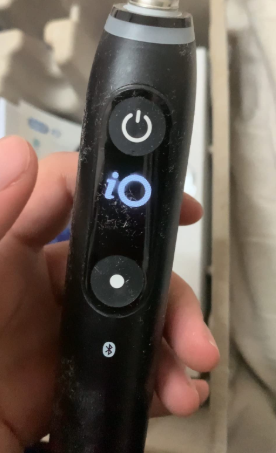
An electric toothbrush that refuses to turn off can feel like a tiny jackhammer in your hand. One moment you’re brushing peacefully, and the next—buzz, buzz, buzz—it keeps going even after you press the power button.
Sound familiar?
We’ve all been there. That persistent vibration humming like a stubborn mosquito that refuses to leave the room. The good news? In most cases, the problem is surprisingly simple to fix.
In this complete guide, we’ll explore why an electric toothbrush won’t turn off, how to troubleshoot it, and when it’s time to replace or repair your brush. Whether you’re using an Oral-B, Philips Sonicare, Quip, or another brand, these solutions will help you restore calm to your bathroom routine.
Why Your Electric Toothbrush Won’t Turn Off
When an electric toothbrush refuses to shut down, it’s usually due to a minor mechanical or electronic issue. Think of it like a light switch stuck halfway—it’s not catastrophic, but something inside isn’t behaving properly.
Common causes include:
- Stuck power button
- Water damage
- Internal circuit malfunction
- Battery issues
- Software glitches (in smart toothbrushes)
Before assuming the worst, it’s best to start with the simplest explanation.
How Electric Toothbrushes Work
Understanding how the device works makes troubleshooting easier.
Core Components Inside the Toothbrush
Most electric toothbrushes contain:
- Rechargeable lithium-ion battery
- Motor that drives oscillation or vibration
- Power button with rubber seal
- Internal control circuit
- Charging coil or port
When you press the button, a signal travels through the control board and activates the motor. Pressing it again should interrupt that signal.
If anything along that chain malfunctions, the toothbrush may stay on continuously.
Common Signs Something Is Wrong
Before diagnosing the issue, look for warning signs.
Typical Symptoms
- Toothbrush vibrates continuously
- Power button does nothing
- Motor stays active even after pressing off
- Brush shuts off only after battery drains
- Power cycles randomly
These clues help determine whether the issue is mechanical, electrical, or battery related.
Most Common Reason: A Stuck Power Button
Let’s start with the most likely culprit.
Why Buttons Get Stuck
The rubber seal around the button can trap:
- Toothpaste residue
- Water minerals
- Soap buildup
- Dirt or debris
Over time, this buildup makes the button stick like glue.
Quick Fix
- Turn off the brush (if possible).
- Rinse the button area under warm water.
- Gently press the button repeatedly.
- Use a soft toothbrush to clean around it.
Often, that’s enough to restore normal function.
Water Damage Inside the Handle
Electric toothbrushes are waterproof—but not invincible.
How Water Sneaks In
Repeated exposure to moisture can damage seals, allowing water to seep inside.
This can cause:
- Short circuits
- Button failure
- Continuous operation
Signs of Water Damage
- Brush turns on by itself
- Flickering lights
- Reduced power control
- Random vibration
What You Can Do
- Turn off the toothbrush if possible.
- Remove the brush head.
- Let the handle dry for 24–48 hours.
Think of it like drying out a smartphone after it falls into water.
Battery Problems That Prevent Shut-Off
Sometimes the issue isn’t the button—it’s the battery.
Battery Circuit Malfunction
When a lithium battery circuit fails, it may continue feeding power to the motor.
This can lead to:
- Toothbrush running continuously
- Difficulty charging
- Overheating
Battery Reset Trick
Try this simple reset:
- Let the toothbrush run until the battery dies.
- Recharge it fully.
- Turn it on and off again.
This reset works surprisingly often.
Internal Circuit Board Failure
Inside every electric toothbrush lies a tiny electronic brain—the control board.
If this board fails, it may ignore power commands.
What Causes Circuit Damage
- Moisture exposure
- Electrical surges
- Age and wear
- Manufacturing defects
Unfortunately, internal electronics usually cannot be repaired easily.
At this stage, replacement may be the best solution.
Smart Toothbrush Software Glitches
Modern toothbrushes sometimes include Bluetooth connectivity and sensors.
While impressive, software can occasionally glitch.
Examples of Smart Features
- Brushing timers
- Pressure sensors
- App connectivity
- AI brushing feedback
A bug in firmware may cause the toothbrush to ignore button presses.
Fix
- Turn the brush off via the app (if possible).
- Reset the device through the manufacturer’s instructions.
Overheating Protection Triggered
Some toothbrushes include safety protection systems.
If the motor overheats, the system may override controls temporarily.
Symptoms
- Brush vibrates oddly
- Stops responding to button
- Feels warm in your hand
Solution
Simply allow the toothbrush to cool down for 30 minutes.
Charging Base Problems
Believe it or not, the charging dock can also contribute.
How Charging Interferes
If the charger sends unstable power, the toothbrush might:
- Turn on unexpectedly
- Refuse to power down
- Restart repeatedly
Try This
- Remove the toothbrush from the charging base.
- Let it run for a moment.
- Attempt to turn it off again.
Sometimes the charger is the hidden culprit.
Step-by-Step Troubleshooting Checklist
Let’s simplify everything into a clear action plan.
Step 1: Clean the Power Button
- Rinse under warm water
- Press button repeatedly
- Remove debris
Step 2: Restart the Toothbrush
- Let battery drain completely
- Recharge fully
Step 3: Dry the Handle
- Remove brush head
- Leave upright for 48 hours
Step 4: Inspect Charging Base
- Disconnect charger
- Try powering off again
Step 5: Contact Manufacturer
If none of these work, warranty support may help.
When You Should Replace the Toothbrush
Sometimes repairs simply aren’t worth it.
Signs It’s Time for a Replacement
- Toothbrush older than 4–5 years
- Motor sounds rough or weak
- Battery drains quickly
- Electronics behave unpredictably
Like most gadgets, electric toothbrushes eventually reach the end of their lifespan.
How to Prevent the Problem in the Future
A little care goes a long way.
Maintenance Tips
- Clean the power button weekly
- Avoid soaking the handle
- Dry the toothbrush after use
- Replace brush heads regularly
- Store upright to prevent water buildup
Think of it like maintaining a car—small habits prevent big problems.
Best Practices for Electric Toothbrush Longevity
Let’s extend the life of your toothbrush.
Daily Care Routine
- Rinse thoroughly after brushing
- Shake excess water off
- Wipe the handle dry
- Keep charger area clean
Monthly Maintenance
- Clean button area with a soft brush
- Inspect seals and rubber components
- Remove mineral buildup
These tiny routines can add years to your toothbrush’s life.
Are Certain Brands More Prone to This Issue?
While any toothbrush can fail, some patterns exist.
Factors That Affect Reliability
- Seal quality
- Waterproof rating
- Battery type
- Button design
Higher-end models typically include better sealing and circuitry.
Still, even premium brushes can develop faults over time.
Should You Attempt to Open the Toothbrush?
Short answer: usually no.
Opening the handle often breaks waterproof seals and voids warranties.
Risks of DIY Repairs
- Water resistance lost
- Internal wiring damage
- Battery puncture risk
Unless you’re experienced with electronics, it’s safer to leave the device sealed.
Final Thoughts: Don’t Panic When Your Toothbrush Won’t Turn Off
An electric toothbrush that won’t turn off can feel annoying—but it’s rarely catastrophic.
In most cases, the problem boils down to one of three things:
- A stuck power button
- Moisture interference
- Battery or circuit glitch
By following the troubleshooting steps we covered, you’ll often solve the issue in minutes.
And if not? Well, it might simply be the universe’s gentle nudge to upgrade your toothbrush.
After all, even the most loyal gadgets deserve retirement eventually.
Frequently Asked Questions
Why does my electric toothbrush keep running?
The most common cause is a stuck power button or moisture trapped around the button seal.
Can water damage cause a toothbrush to stay on?
Yes. Water entering the handle can short internal electronics and prevent the power switch from responding.
Is it safe if my toothbrush won’t turn off?
Generally yes, but allow the battery to drain and avoid charging it until the issue is resolved.
How long do electric toothbrushes typically last?
Most electric toothbrushes last 3–5 years, depending on battery health and maintenance.
Should I repair or replace my toothbrush?
If the toothbrush is older than four years or shows multiple issues, replacing it is usually the better option.