
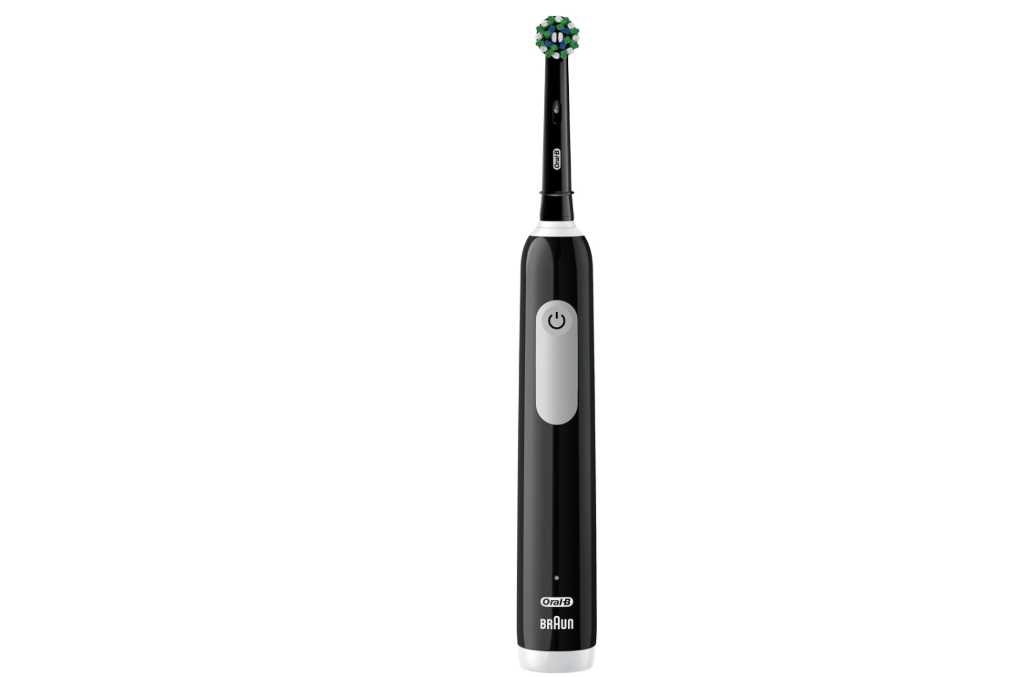
When we invest in an electric toothbrush, we expect convenience, consistency, and reliable performance every day. The Oral-B Pro 1000 has earned a strong reputation as one of the most popular electric toothbrushes on the market, thanks to its effective cleaning power and affordable price point. Yet one question continues to surface among both new and experienced users: How long does the Oral-B Pro 1000 take to charge?
The answer seems simple at first glance, but there is much more beneath the surface. Charging habits, battery longevity, usage patterns, and maintenance routines all influence the overall experience. Understanding how the charging system works can help us maximize battery performance and extend the life of the toothbrush.
In this comprehensive guide, we will explore everything there is to know about the Oral-B Pro 1000 charge time, including charging duration, battery life, charging indicators, troubleshooting tips, and best practices.
Understanding the Oral-B Pro 1000 Battery System
Before discussing charge times, it helps to understand what powers the Oral-B Pro 1000.
The toothbrush uses a rechargeable battery housed inside the handle. Unlike disposable battery-powered brushes, the Pro 1000 is designed to remain on a charging stand when not in use, ensuring it’s always ready for the next brushing session.
The battery system was engineered to balance:
- Long-lasting performance
- Reliable daily operation
- Simple charging procedures
- Compact toothbrush design
While newer premium Oral-B models use lithium-ion technology, many versions of the Pro 1000 rely on rechargeable nickel-metal hydride (NiMH) batteries.
Why Battery Technology Matters
Battery technology directly affects:
- Charging speed
- Runtime per charge
- Battery lifespan
- Long-term efficiency
Because NiMH batteries charge differently from lithium-ion batteries, users may notice longer charging periods compared to newer premium models.
How Long Does the Oral-B Pro 1000 Take to Charge?
The standard Oral-B Pro 1000 charge time is approximately 22 hours for a full charge.
This means that if the battery is completely depleted, it may require nearly an entire day connected to the charger before reaching maximum capacity.
While that sounds lengthy compared to smartphones or laptops, it is completely normal for this model.
Average Charging Times
| Battery Status | Approximate Charge Time |
|---|---|
| Nearly Empty | 20–22 Hours |
| Half Charged | 10–12 Hours |
| Partially Used | 4–8 Hours |
| Full Recharge | 22 Hours |
A full charging cycle ensures the toothbrush delivers its maximum runtime and cleaning power.
Why Does the Oral-B Pro 1000 Charge So Slowly?
Many users wonder why a toothbrush takes almost a day to recharge.
The explanation lies in the design philosophy.
Battery Preservation
The charging system uses a low-power charging approach that helps:
- Reduce overheating
- Protect battery health
- Increase longevity
- Improve reliability
Think of it like slowly filling a water reservoir instead of blasting it with a fire hose. The slower process may take longer, but it often places less stress on the battery.
Compact Design Constraints
The battery must fit inside a slim toothbrush handle.
Manufacturers prioritize:
- Comfort
- Ergonomics
- Waterproofing
- Weight balance
These factors limit battery size and charging capabilities.
How Long Does the Battery Last After Charging?
A fully charged Oral-B Pro 1000 typically lasts:
7 to 10 Days of Normal Use
This estimate assumes:
- Brushing twice daily
- Two-minute sessions
- Standard pressure levels
Some users report slightly longer battery life, while others experience shorter runtimes depending on usage habits.
Factors Affecting Battery Duration
Several variables influence battery performance:
- Age of the toothbrush
- Charging habits
- Ambient temperature
- Brushing frequency
- Battery condition
As the battery ages, runtime gradually decreases.
Signs the Oral-B Pro 1000 Needs Charging
Fortunately, the toothbrush provides several clues when power levels are running low.
Reduced Motor Strength
One of the first signs is a noticeable reduction in brushing power.
The brush may:
- Spin slower
- Feel weaker
- Produce less vibration
Battery Indicator Light
Many Pro 1000 versions include a battery indicator.
When battery levels drop, the light often:
- Flashes red
- Blinks during use
- Signals the need for charging
Unexpected Shutoffs
If the brush stops unexpectedly during brushing, the battery is likely depleted.
Can You Use the Oral-B Pro 1000 While Charging?
The answer is no.
Safety First
The Oral-B Pro 1000 is designed with safety in mind.
Because it operates in wet environments, the toothbrush cannot function while resting on the charging base.
This design helps prevent electrical risks and ensures safe bathroom operation.
Best Practices for Charging the Oral-B Pro 1000
Proper charging habits can significantly improve battery lifespan.
Keep the Charger in a Dry Location
Always place the charging stand:
- Away from standing water
- On a flat surface
- In a well-ventilated area
Avoid Damaging the Cord
A damaged charger may lead to:
- Slow charging
- Charging failures
- Safety concerns
Inspect the cord periodically.
Allow Full Charging Cycles Occasionally
Although daily charging is acceptable, allowing occasional full discharge cycles can help some rechargeable batteries maintain calibration.
Should You Leave the Oral-B Pro 1000 on the Charger?
This is one of the most debated topics among electric toothbrush users.
The Manufacturer’s Design Intention
Oral-B designed the Pro 1000 to remain on its charger between uses.
The charging system automatically manages power delivery.
Advantages of Continuous Charging
Benefits include:
- Always-ready toothbrush
- Reduced risk of depletion
- Convenient daily use
For most users, leaving the toothbrush on the charger is perfectly acceptable.
How to Know When the Oral-B Pro 1000 Is Fully Charged
The exact indicator behavior can vary slightly between production versions.
Common Full-Charge Indicators
You may observe:
- Indicator light stopping its flashing pattern
- Stable battery indicator
- No additional charging signals
If uncertain, leaving the brush connected for the full recommended charging period usually ensures a complete charge.
What Happens If You Overcharge the Oral-B Pro 1000?
Modern charging systems reduce the risk of overcharging.
Built-In Charge Management
The toothbrush regulates incoming power to prevent excessive battery stress.
As a result:
- Overheating is minimized
- Battery damage is reduced
- Daily charging becomes safer
That said, battery aging is inevitable over time.
Charging Problems and Common Solutions
Sometimes the Oral-B Pro 1000 may appear not to charge correctly.
Let’s examine common causes.
Dirty Charging Contacts
Mineral deposits can interfere with charging.
How to Clean Them
- Unplug the charger.
- Wipe contacts gently.
- Remove toothpaste residue.
- Dry completely before reconnecting.
Faulty Outlet
Sometimes the issue is surprisingly simple.
Test:
- Another wall outlet
- Another charging stand
- Another electrical circuit
Battery Wear
Older batteries naturally lose capacity.
Signs include:
- Short runtime
- Extended charging periods
- Frequent recharging requirements
How Long Does an Oral-B Pro 1000 Battery Last Overall?
Battery lifespan differs from battery runtime.
Expected Battery Lifespan
Most users can expect:
- 3 to 5 years of reliable service
- Thousands of brushing sessions
- Gradual performance decline over time
Proper maintenance can extend longevity.
Traveling With the Oral-B Pro 1000
Travel introduces unique battery considerations.
Charge Before Leaving
A full charge before departure helps avoid surprises.
For short trips, one charge may be enough.
Bring the Charger for Extended Travel
If traveling longer than a week, packing the charger is recommended.
Store Properly
Avoid:
- Excessive heat
- Freezing temperatures
- Direct sunlight
Extreme conditions can affect battery health.
Comparing Oral-B Pro 1000 Charge Time to Other Oral-B Models
Charge times vary across the Oral-B lineup.
Oral-B Pro 1000
- Approximately 22 hours
- NiMH battery
- Budget-friendly
Mid-Range Models
Some upgraded models offer:
- Faster charging
- Improved battery indicators
- Longer runtime
Premium iO Models
Premium options typically feature:
- Lithium-ion batteries
- Faster charging systems
- Enhanced battery management
The Pro 1000 remains competitive because of its affordability and cleaning effectiveness.
How to Extend Oral-B Pro 1000 Battery Life
Small habits can produce significant long-term benefits.
Keep It Clean
Regular cleaning prevents charging issues.
Avoid Extreme Temperatures
Moderate temperatures help preserve battery chemistry.
Use the Original Charger
Third-party chargers may not provide optimal performance.
Store Responsibly
When not used for extended periods:
- Charge partially
- Store in a dry environment
- Recharge periodically
Common Myths About Oral-B Pro 1000 Charging
Many misconceptions circulate online.
Myth #1: Charging Overnight Damages the Battery
Modern charge management systems make overnight charging generally safe.
Myth #2: You Must Fully Drain the Battery Every Time
This is unnecessary for everyday use.
Myth #3: Faster Charging Means Better Performance
Not necessarily. Battery longevity often benefits from controlled charging.
Myth #4: A Weak Motor Always Means a Broken Brush
Frequently, the battery simply needs recharging.
Is the Oral-B Pro 1000 Charge Time a Dealbreaker?
For most users, the answer is no.
While 22 hours may sound excessive compared to modern electronics, real-world usage tells a different story.
Because the toothbrush typically lasts a week or more per charge, charging becomes an infrequent task.
It’s similar to filling a large reservoir rather than repeatedly topping off a small cup. Once charged, the toothbrush provides dependable performance day after day.
Final Thoughts
The Oral-B Pro 1000 charge time of approximately 22 hours may initially appear outdated in an era of rapid charging technology. However, context matters. The toothbrush is engineered for dependable weekly performance rather than frequent charging cycles.
When fully charged, the Oral-B Pro 1000 delivers reliable cleaning power, impressive battery endurance, and straightforward operation. By following proper charging practices, keeping the charging contacts clean, and storing the toothbrush correctly, we can maximize battery life and maintain optimal performance for years.
For users seeking an affordable electric toothbrush that prioritizes cleaning effectiveness over cutting-edge battery technology, the Oral-B Pro 1000 remains one of the strongest values available.
Frequently Asked Questions
1. How long does the Oral-B Pro 1000 take to fully charge?
The Oral-B Pro 1000 typically requires about 22 hours to reach a full charge from a completely depleted battery.
2. How many days does a full charge last?
Most users experience approximately 7 to 10 days of battery life when brushing twice daily for two minutes.
3. Can I leave my Oral-B Pro 1000 on the charger all the time?
Yes. The toothbrush is designed to remain on the charging stand between uses.
4. Why is my Oral-B Pro 1000 not charging?
Common causes include dirty charging contacts, a faulty outlet, charger issues, or battery wear due to age.
5. Does the Oral-B Pro 1000 use a lithium-ion battery?
Many versions use a nickel-metal hydride (NiMH) rechargeable battery rather than a lithium-ion battery.