
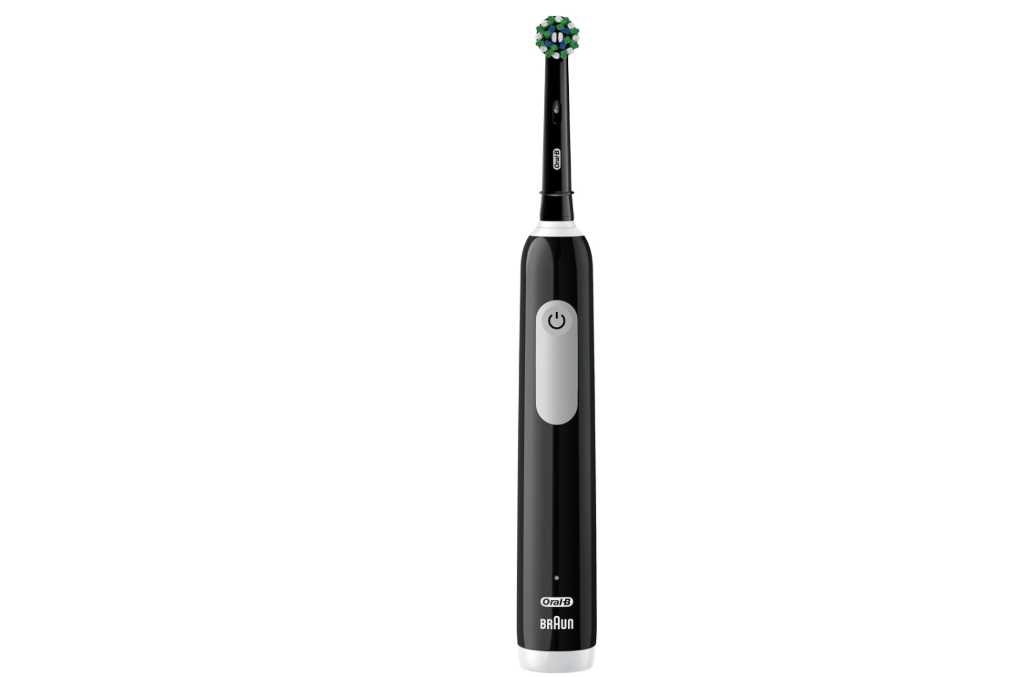
The Oral-B Pro 1000 is one of the most popular electric toothbrushes on the market. It is simple, reliable, and designed to make daily brushing effortless. But what happens when your Oral-B Pro 1000 suddenly stops charging?
We’ve all been there. You place the toothbrush on its charger before bed, expecting a full battery by morning. Then you pick it up the next day, press the power button, and nothing happens. It’s frustrating, confusing, and can leave us wondering whether the toothbrush is broken or if the charger is at fault.
The good news is that a charging issue doesn’t always mean the toothbrush is dead. In many cases, the problem can be identified and fixed within minutes. In this comprehensive guide, we’ll explore why an Oral-B Pro 1000 may not be charging, how to diagnose the issue, and what solutions actually work.
Understanding How the Oral-B Pro 1000 Charging System Works
Before diving into troubleshooting, it helps to understand how the charging process functions.
Unlike smartphones and laptops, the Oral-B Pro 1000 uses inductive charging. This means there are no exposed charging contacts. Instead, energy transfers wirelessly between the charging base and the toothbrush handle.
This design helps keep water out and improves durability, but it can also make diagnosing charging issues slightly more challenging.
The charging system consists of:
- The toothbrush handle
- Internal rechargeable battery
- Charging coil
- Charging base
- Power supply connection
If any component fails, charging may stop altogether.
Common Signs Your Oral-B Pro 1000 Is Not Charging
Several symptoms indicate a charging problem.
The Toothbrush Won’t Turn On
The most obvious sign is a completely unresponsive toothbrush.
You press the power button and receive no vibration, no movement, and no lights.
The Charging Light Never Appears
When placed on the charging stand, the battery indicator should illuminate briefly.
If no light appears, charging may not be occurring.
Battery Dies Extremely Fast
Sometimes charging seems normal, but the toothbrush only works for a few minutes before shutting down.
This often points to battery deterioration.
Intermittent Charging
The charging light may appear occasionally and disappear unexpectedly.
This can suggest charger alignment issues or internal damage.
Why Is My Oral-B Pro 1000 Not Charging?
Several causes may be responsible.
Dead Rechargeable Battery
The most common culprit is battery aging.
Rechargeable batteries do not last forever. Most Oral-B batteries typically perform well for several years before capacity begins declining.
Signs include:
- Reduced runtime
- Longer charging times
- Complete failure to charge
Faulty Charging Base
Sometimes the toothbrush is perfectly healthy.
The charger may have stopped functioning.
Possible charger issues include:
- Internal electrical failure
- Damaged cable
- Faulty power adapter
- Manufacturing defects
Power Outlet Problems
The issue might not be the toothbrush at all.
A tripped breaker, faulty outlet, or loose connection can prevent the charger from receiving electricity.
Always verify the outlet works before assuming the toothbrush is defective.
Improper Placement on the Charger
Wireless charging requires proper alignment.
If the handle is not sitting correctly on the charging stand, energy transfer may not occur.
Fortunately, this is one of the easiest problems to fix.
How to Check If the Charger Is Working
A quick inspection can reveal a lot.
Step 1: Test Another Outlet
Move the charger to another outlet.
If charging begins normally, you’ve identified the problem.
Step 2: Inspect the Power Cord
Look closely for:
- Cracks
- Fraying
- Burn marks
- Bent connections
Even minor cable damage can interrupt power delivery.
Step 3: Try Another Oral-B Charger
Many Oral-B charging bases are compatible with multiple models.
If another charger successfully powers the toothbrush, the original charger is likely defective.
How to Properly Position the Oral-B Pro 1000 on the Charger
This may sound simple, but it solves more issues than many people realize.
Center the Handle
The toothbrush should sit directly over the charging post.
Avoid placing it at an angle.
Keep the Charger Stable
An uneven surface can interfere with positioning.
Always place the charger on a flat, dry countertop.
Check for Obstructions
Soap residue, toothpaste buildup, or debris can prevent proper contact between components.
Clean both the charger and toothbrush regularly.
Cleaning the Charging Base
Think of the charger as the toothbrush’s fuel station.
Even a small amount of grime can create problems over time.
Safe Cleaning Process
- Unplug the charger.
- Wipe the surface with a damp cloth.
- Remove any toothpaste residue.
- Dry thoroughly before reconnecting.
Avoid submerging the charging base in water.
How Long Should an Oral-B Pro 1000 Take to Charge?
A fully depleted battery typically requires around 22 hours for a complete charge.
This surprises many new users.
Unlike modern smartphones, electric toothbrushes charge relatively slowly.
Normal Charging Expectations
- First charge: up to 22 hours
- Daily top-offs: several hours
- Full battery life: approximately one week of regular use
Patience is important when troubleshooting.
Sometimes the toothbrush simply needs more charging time.
Battery Aging and Performance Decline
Every rechargeable battery experiences wear.
It’s similar to a marathon runner who gradually loses speed over the years.
The battery can still function, but not with the same stamina.
Signs of Battery Wear
- Runtime drops dramatically
- Charging takes longer
- Power feels weaker
- Toothbrush stops unexpectedly
These symptoms often indicate natural battery degradation.
Expected Battery Lifespan
Most Oral-B Pro 1000 batteries last between:
- 3 to 5 years under normal usage
- Longer with careful charging habits
- Shorter if constantly exposed to heat or moisture
Can an Oral-B Pro 1000 Battery Be Replaced?
Technically, yes.
Practically, it depends on your comfort level with repairs.
DIY Battery Replacement
Replacing the battery typically requires:
- Opening the handle
- Removing internal components
- Soldering a new battery
This process can be challenging for beginners.
When Replacement Makes Sense
Battery replacement may be worthwhile if:
- The toothbrush is relatively new
- Replacement parts are affordable
- You have repair experience
When Buying a New Toothbrush Is Better
In many situations, replacing the entire toothbrush is more practical.
Reasons include:
- Time savings
- Warranty coverage
- Improved technology
- Better battery performance
Resetting the Oral-B Pro 1000
Unlike some advanced Oral-B models, the Pro 1000 has limited reset functionality.
However, we can still perform a simple power cycle.
Basic Reset Method
- Remove the toothbrush from the charger.
- Leave it untouched for several hours.
- Place it back on the charging base.
- Allow a full charging cycle.
This occasionally resolves temporary electronic glitches.
Environmental Factors That Affect Charging
Your bathroom environment can influence performance.
Excessive Moisture
Bathrooms are naturally humid.
Over time, moisture can affect internal components.
High Temperatures
Heat is one of the biggest enemies of rechargeable batteries.
Avoid placing chargers near:
- Radiators
- Heating vents
- Sunny windows
Cold Conditions
Extremely cold temperatures can temporarily reduce battery efficiency.
Allow the toothbrush to reach room temperature before charging.
How to Extend Oral-B Pro 1000 Battery Life
Prevention is often easier than repair.
Avoid Deep Discharges
Try not to completely drain the battery every time.
Recharge before the battery becomes fully depleted.
Keep Components Clean
Regular cleaning prevents residue buildup that could affect charging performance.
Store Properly
If you won’t use the toothbrush for an extended period:
- Charge it first
- Store it in a cool location
- Avoid extreme temperatures
When the Charging Light Behaves Strangely
Battery indicators can sometimes provide clues.
Blinking Light
A blinking light generally indicates active charging.
No Light at All
Possible causes include:
- Dead battery
- Charger failure
- Power supply issue
- Internal electronics problem
Light Appears Then Disappears
This may suggest:
- Weak battery
- Inconsistent charging connection
- Internal component wear
Is Water Damage Preventing Charging?
Although Oral-B toothbrushes are water-resistant, they are not indestructible.
Repeated exposure to excessive moisture can eventually cause problems.
Signs of Water Damage
Look for:
- Rust
- Corrosion
- Unusual odors
- Internal condensation
Water damage can interfere with charging circuits and battery performance.
Should You Contact Oral-B Support?
Sometimes professional assistance is the best solution.
Contact Support If
- The toothbrush is under warranty.
- The charger has failed unexpectedly.
- The battery died unusually early.
- Troubleshooting has not solved the issue.
Customer support may offer repair guidance or replacement options.
Troubleshooting Checklist
Before replacing your Oral-B Pro 1000, work through this checklist:
Quick Diagnostic List
✔ Test a different electrical outlet
✔ Verify charger placement
✔ Clean the charging base
✔ Inspect the power cord
✔ Leave on charge for 22 hours
✔ Look for charging indicators
✔ Check for water damage
✔ Try another compatible charger
✔ Consider battery age
✔ Contact support if necessary
How to Know When It’s Time for a Replacement
At some point, every rechargeable device reaches the end of its journey.
A toothbrush that:
- Is over five years old
- No longer holds a charge
- Has internal corrosion
- Requires frequent repairs
may simply be ready for retirement.
Fortunately, newer Oral-B models offer longer battery life, improved motors, and smarter brushing features.
Final Thoughts
An Oral-B Pro 1000 not charging can feel like a major inconvenience, but the problem is often easier to solve than it first appears. In many cases, the issue comes down to charger placement, outlet problems, dirt accumulation, or an aging battery rather than a completely failed toothbrush.
By systematically checking the charger, power source, battery condition, and overall cleanliness of the unit, we can often restore normal operation without spending money on a replacement. And when the battery has finally reached the end of its lifespan, understanding the cause helps us make a confident decision about repair or replacement.
Think of your Oral-B Pro 1000 like a trusted travel companion. With proper care, regular cleaning, and healthy charging habits, it can continue delivering reliable performance for years.
Frequently Asked Questions
1. Why is my Oral-B Pro 1000 not charging even when the charger light is on?
The charger may be functioning while the toothbrush battery has failed. Battery aging is one of the most common causes.
2. How long should I leave my Oral-B Pro 1000 on the charger?
A completely depleted battery can take approximately 22 hours to reach a full charge.
3. Can I replace the battery in an Oral-B Pro 1000?
Yes, but the process requires disassembly and soldering. Many users prefer replacing the toothbrush instead.
4. Why does my Oral-B Pro 1000 charge briefly and then stop?
This often indicates a weak battery, charger alignment issue, or an internal electronic fault.
5. How many years should an Oral-B Pro 1000 battery last?
Under normal conditions, most batteries provide reliable performance for roughly 3 to 5 years before noticeable degradation occurs.