
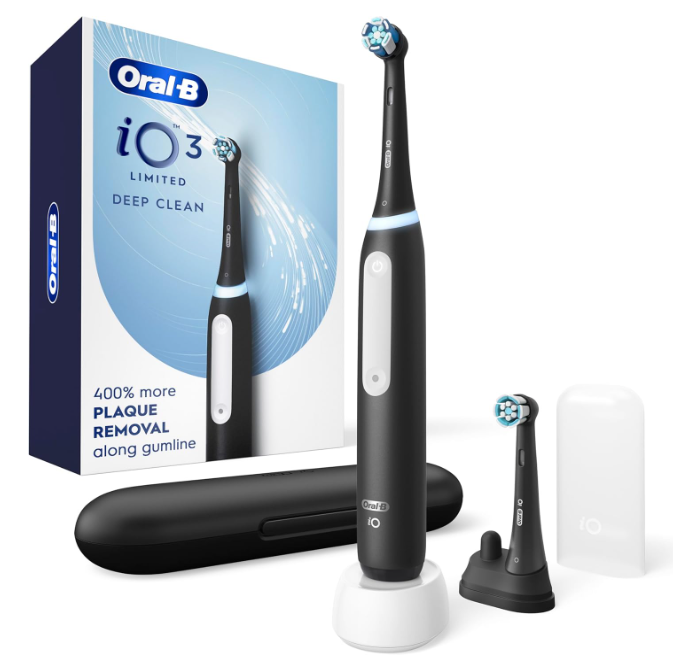
If you own an Oral-B iO3 electric toothbrush and you’ve noticed an orange light appearing on the handle, you’re probably wondering what it means. Is something wrong with the toothbrush? Does it need charging? Is it a warning sign?
The good news is that, in most cases, the orange light on the Oral-B iO3 is not a fault indicator. Instead, it serves as a brush head replacement reminder, letting you know it’s time to change your brush head for optimal cleaning performance.
Many users initially assume the orange light signals a battery issue or technical malfunction. However, Oral-B designed this feature to help maintain effective oral hygiene by reminding users that brush heads wear out over time.
In this comprehensive guide, we’ll explore exactly what the orange light means, why it appears, how the reminder system works, how to reset it, and what you should do when you see it.
Understanding the Oral-B iO3 Light System
Modern electric toothbrushes are smarter than ever. The Oral-B iO3 includes several visual indicators that communicate information through colored lights.
These lights help users understand:
- Brushing pressure
- Charging status
- Battery condition
- Brush head replacement timing
The orange light is one of the most commonly misunderstood indicators because many people expect warning lights to indicate a problem. In reality, it’s often just a maintenance reminder.
What Does the Orange Light Mean on the Oral-B iO3?
The orange light on the Oral-B iO3 typically indicates that the toothbrush believes it is time to replace the brush head.
Oral-B recommends changing brush heads approximately every three months under normal usage conditions.
When the orange light appears, the toothbrush is reminding you that your current brush head may no longer provide the cleaning performance it delivered when new.
Think of it like a car’s service reminder. The vehicle isn’t necessarily broken; it’s simply telling you routine maintenance is due.
Why Does Oral-B Use a Brush Head Reminder?
Many people continue using toothbrush heads long after they should be replaced.
Over time, bristles:
- Bend
- Fray
- Lose stiffness
- Become less effective at plaque removal
As the bristles deteriorate, cleaning efficiency drops.
The brush head reminder exists to encourage timely replacement and maintain consistent oral hygiene standards.
The Hidden Problem of Worn-Out Bristles
At first glance, an old brush head may appear perfectly usable.
However, microscopic wear occurs every day.
When bristles become worn:
- Plaque removal decreases
- Gumline cleaning becomes less effective
- Interdental cleaning suffers
- Overall brushing performance drops
This gradual decline often goes unnoticed until significant wear has already occurred.
Why Three Months Matters
Dental professionals frequently recommend replacing toothbrush heads every three months.
This guideline exists because most brush heads experience meaningful wear during that period when used twice daily.
Factors affecting lifespan include:
- Brushing frequency
- Brushing pressure
- Toothpaste abrasiveness
- Storage conditions
Heavy brushers may need replacement even sooner.
How the Oral-B iO3 Tracks Brush Head Usage
Unlike some basic electric toothbrushes, the Oral-B iO3 monitors usage patterns to estimate when replacement may be necessary.
The system considers factors such as:
- Total brushing time
- Usage frequency
- Overall operating duration
Once a predetermined threshold is reached, the orange reminder light activates.
The toothbrush isn’t literally inspecting the bristles. Instead, it uses accumulated usage data to estimate wear.
Does the Orange Light Mean the Battery Is Low?
Generally, no.
One of the biggest misconceptions among Oral-B iO3 owners is assuming the orange light indicates a low battery.
Battery-related indicators usually behave differently than brush head reminders.
If your toothbrush is charging normally and functioning correctly, an orange light is far more likely to be related to brush head replacement than battery health.
Battery Indicators vs. Brush Head Indicators
Let’s compare the two:
| Indicator | Meaning |
|---|---|
| Orange reminder light | Replace brush head |
| Charging light | Battery charging |
| Battery status indicator | Power level information |
| Flashing charge indicator | Charging in progress |
Understanding this distinction helps eliminate unnecessary concern.
What Should You Do When the Orange Light Appears?
When the orange light activates, you should inspect your brush head.
Look for:
- Frayed bristles
- Bent bristles
- Uneven wear
- Discoloration
If the head has been used for around three months, replacement is usually the best option.
Step 1: Check the Age of Your Brush Head
Ask yourself:
- When did you install it?
- Have you been using it twice daily?
- Has it been more than three months?
If the answer is yes, replacement is likely overdue.
Step 2: Inspect the Bristles
Visual wear is often easy to spot.
Healthy bristles remain:
- Straight
- Firm
- Evenly aligned
Worn bristles tend to:
- Spread outward
- Curl
- Flatten
- Lose structure
Step 3: Replace the Brush Head
Installing a fresh brush head restores optimal cleaning performance.
Many users immediately notice:
- Improved cleaning sensation
- Better plaque removal
- Fresher feeling teeth
- More comfortable brushing
How to Replace an Oral-B iO3 Brush Head
Replacing the brush head is simple.
Follow these steps:
- Turn off the toothbrush.
- Grip the old brush head.
- Pull it straight upward.
- Align the new brush head.
- Push it firmly into place.
The process takes only a few seconds.
How to Reset the Orange Light
After replacing the brush head, you may need to reset the reminder system depending on your model and usage history.
Typically:
- Install the new brush head.
- Follow the manufacturer’s reset instructions.
- Continue normal brushing.
The reminder should eventually clear and resume tracking usage from the new replacement interval.
Why Resetting Is Important
Without a reset, the toothbrush may continue counting from the previous brush head’s usage history.
This can lead to inaccurate replacement reminders.
A proper reset helps maintain accurate tracking.
Can You Ignore the Orange Light?
Technically, yes.
The toothbrush will continue functioning normally.
However, ignoring the reminder for extended periods may reduce cleaning effectiveness.
Using an overly worn brush head is like trying to clean a floor with a broom that’s missing half its bristles. It still works—but not nearly as well.
Signs You Should Replace the Brush Head Immediately
Even if the orange light hasn’t appeared yet, consider replacing the brush head if you notice:
Severe Bristle Fraying
Frayed bristles cannot clean effectively.
Reduced Cleaning Performance
Teeth may feel less smooth after brushing.
Gum Irritation
Damaged bristles can brush unevenly and irritate gums.
Post-Illness Replacement
Many people replace brush heads after:
- Flu
- Colds
- Oral infections
This provides added peace of mind.
Common Myths About the Orange Light
Many misconceptions circulate online regarding Oral-B toothbrush indicators.
Let’s separate fact from fiction.
Myth 1: The Toothbrush Is Broken
False.
The orange light usually indicates routine brush head replacement.
Myth 2: The Battery Is Dying
False.
The reminder is generally unrelated to battery health.
Myth 3: You Must Replace the Entire Toothbrush
False.
Only the brush head normally requires replacement.
Myth 4: The Reminder Appears Randomly
False.
The system uses accumulated usage data to estimate wear.
How Often Should You Change Oral-B iO3 Brush Heads?
Most users should replace brush heads every three months.
However, some situations require more frequent replacement.
Heavy Brushers
Those who brush:
- More than twice daily
- Longer than recommended
may wear bristles faster.
Aggressive Brushers
Excessive pressure accelerates bristle deterioration.
Orthodontic Patients
Braces often create additional brush head wear.
Tips for Extending Brush Head Life
While replacement is inevitable, proper care can maximize lifespan.
Rinse Thoroughly After Use
Remove toothpaste residue and debris.
Store Upright
Allow the brush head to air dry.
Avoid Closed Containers
Moisture can accumulate and affect hygiene.
Use Proper Brushing Pressure
The Oral-B iO3 is designed to do the work for you.
There’s no need to scrub aggressively.
Choosing the Right Replacement Brush Head
Oral-B offers several compatible brush heads designed for different needs.
Options often include:
- Daily cleaning
- Sensitive gums
- Whitening
- Deep cleaning
Selecting the right head can improve your overall brushing experience.
For Sensitive Teeth
Choose softer bristles designed to reduce gum irritation.
For Maximum Plaque Removal
More advanced cleaning heads may provide enhanced plaque removal capabilities.
For Everyday Use
Standard daily-clean brush heads work well for most users.
Why Oral-B Added This Feature
The orange reminder light represents a simple but valuable innovation.
Most people remember to charge devices.
Far fewer remember to replace brush heads.
By adding a visual reminder, Oral-B helps bridge that gap and encourages healthier oral care habits.
The feature acts like a friendly tap on the shoulder, reminding us that even the best electric toothbrush can only perform at its peak when paired with a fresh brush head.
The Relationship Between Brush Head Condition and Oral Health
Brush heads are the tires of your toothbrush.
You can have an advanced electric handle with powerful technology, but worn bristles reduce effectiveness.
Fresh brush heads contribute to:
- Better plaque control
- Improved gum health
- Cleaner teeth
- More effective brushing sessions
Small maintenance habits often create the biggest long-term benefits.
Final Thoughts on the Oral-B iO3 Orange Light
If you’re asking, “What does the orange light mean on my Oral-B iO3?” the answer is usually straightforward: it’s a brush head replacement reminder.
Rather than indicating a fault, the orange light serves as a helpful maintenance feature designed to keep your brushing performance at its best.
When the light appears, inspect your brush head, evaluate its age and condition, and replace it if necessary. A fresh brush head can significantly improve cleaning effectiveness and help maintain healthier teeth and gums.
In short, the orange light isn’t bad news—it’s simply your toothbrush reminding you that routine maintenance is due.
Frequently Asked Questions
1. Does the orange light on the Oral-B iO3 mean the battery is low?
No. The orange light is generally a brush head replacement reminder rather than a battery warning.
2. How often should I replace my Oral-B iO3 brush head?
Most users should replace the brush head every three months, though heavy use may require earlier replacement.
3. Can I continue using the toothbrush when the orange light appears?
Yes. The toothbrush will continue operating normally, but replacing the brush head is recommended.
4. Will the orange light disappear after replacing the brush head?
In most cases, replacing and properly resetting the brush head reminder system resolves the notification.
5. Does every Oral-B iO3 have a brush head replacement reminder?
Many Oral-B iO models include reminder functionality designed to help users maintain optimal brushing performance.