
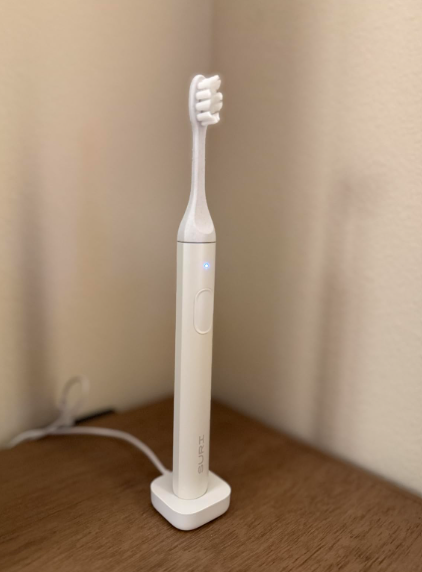
When a SURI toothbrush stops working, the silence feels strangely dramatic. One evening, it is humming along like a tiny dental power tool; the next morning, it sits in our hand as lifeless as an ordinary piece of aluminium.
Before we assume the motor has failed, however, we should slow down and troubleshoot the problem methodically. A SURI toothbrush that will not turn on may simply have a depleted battery, a poor charging connection, an incompatible power adapter, moisture around the charging area, or a button that is temporarily unresponsive. In other situations, the toothbrush may still run but feel weak, stop unexpectedly, or refuse to charge.
The good news is that many apparent failures are easier to diagnose than they first appear. We do not need to dismantle the toothbrush or perform risky electrical repairs. Instead, we can work through a few safe checks, starting with the simplest explanation and gradually ruling out charging, accessory, brush-head, and internal hardware problems.
This guide explains what to do when a SURI toothbrush has stopped working, why the problem happens, which fixes are safe to try at home, and when it is time to contact SURI support.
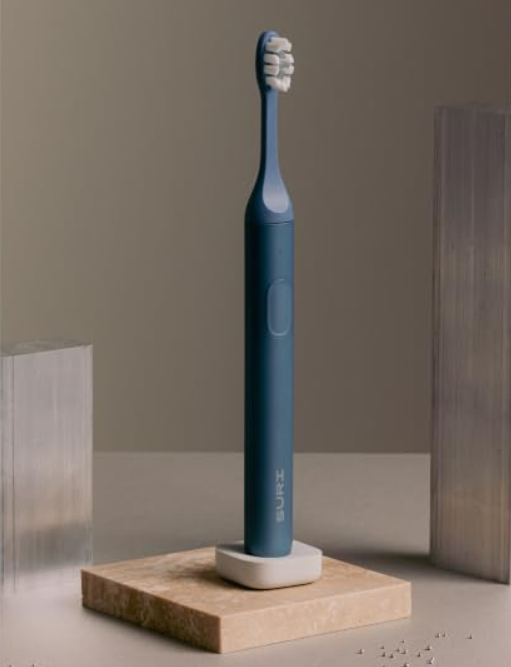
Why Has My SURI Toothbrush Stopped Working?
A toothbrush that appears completely dead does not automatically have a dead motor. Electric toothbrushes depend on several components working together:
- An internal rechargeable battery
- A functioning charging stand or charging case
- A compatible cable and power source
- A responsive power button
- An electronic control board
- A motor that transfers movement to the brush head
- Internal seals that help protect the electronics from water
If one link in that chain fails, the entire toothbrush can seem broken.
The most common causes include a fully discharged battery, a charger that is not receiving power, an incorrect charging position, cable damage, debris interfering with the connection, or an internal battery fault. A jammed or poorly fitted brush head can also make the toothbrush feel weaker than normal, even when the handle itself is operating.
Start by Identifying the Exact Symptom
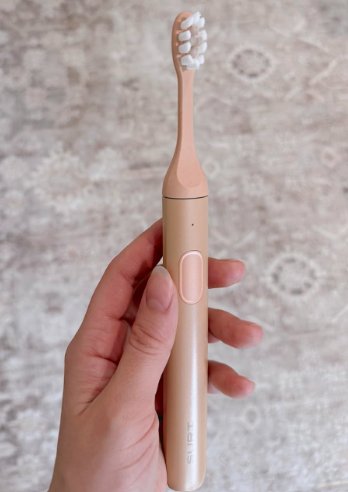
Troubleshooting becomes much easier when we describe the problem precisely. “Stopped working” can mean several different things.
The Toothbrush Is Completely Dead
The handle does not vibrate, illuminate, pulse, or make any sound when we press the button. This points most strongly toward:
- A discharged battery
- A charging problem
- A defective button
- An internal electronic failure
The Light Turns On, but the Motor Does Not Run
If an indicator light appears but the toothbrush does not vibrate, the battery may still be supplying power. The issue could involve the motor, the drive mechanism, the control electronics, or an obstruction around the shaft.
The Toothbrush Runs for Only a Few Seconds
A brush that starts and immediately stops may have:
- A battery that can no longer hold sufficient charge
- A poor internal electrical connection
- Moisture-related damage
- A motor that is drawing excessive power
- A button that is being unintentionally activated twice
The Toothbrush Feels Weak
Weak vibration does not always mean the motor is dying. It may result from:
- A low battery
- A brush head that is not seated correctly
- Dried toothpaste around the metal shaft
- A worn or damaged brush head
- Confusion between the available brushing modes
SURI toothbrushes use sonic side-to-side movement and provide two cleaning modes. The selected mode therefore affects how powerful the vibration feels.
The Toothbrush Works but Will Not Charge
This symptom usually directs our attention away from the motor and toward the charging equipment, power source, or internal battery-management system.
First Fix: Give the Toothbrush a Proper Charge
The simplest explanation is often the right one: the battery is empty.
A deeply discharged rechargeable battery may not respond immediately when placed on its charger. We should not press the power button repeatedly and conclude that the handle is dead after only a few minutes.
SURI recommends charging the toothbrush before its first use. Its charging guidance says the stand should be connected to a 5V USB 2.0 charger with the supplied cable. The indicator should blink blue during charging and become solid white when the battery is fully charged.
How to Perform a Reliable Charging Test
Follow this sequence:
- Remove the brush head.
- Wipe the toothbrush handle dry.
- Inspect the charger and cable for visible damage.
- Connect the original cable securely.
- Plug it into a known-working 5V USB power source.
- Position the toothbrush correctly on the charging stand.
- Leave it undisturbed for several hours.
- Check for a charging light before testing the button again.
For a first diagnostic attempt, an overnight charge is reasonable. It gives a deeply depleted battery enough time to recover and prevents us from misdiagnosing a slow charging response as total failure.
Why a Quick Ten-Minute Charge May Not Be Enough
When a lithium battery becomes heavily depleted, its protection system may limit the initial charging current. The toothbrush can therefore remain unresponsive for a while even though energy is beginning to enter the battery.
Think of it like waking someone from a deep sleep. Tapping them once may produce no response, but that does not mean they are never getting up.
Check the Power Source, Not Just the Toothbrush
We often blame the appliance when the wall adapter, USB port, cable, or socket is the real culprit.
A charging stand cannot charge the toothbrush if it is not receiving stable power. Even a cable that looks perfect from the outside can have broken conductors inside.
Test the USB Adapter
Try connecting another low-power USB device to the same adapter and socket. If that device does not charge either, the toothbrush is probably innocent.
Alternatively, connect the SURI charger to a different compatible USB adapter. Stay close to the manufacturer’s specified 5V charging requirement rather than experimenting with unusual or unverified charging equipment.
Try Another Wall Socket
Bathroom outlets may be controlled by:
- A wall switch
- A ground-fault safety outlet
- A switched shaver socket
- A circuit that has tripped
Plug the charger into a socket elsewhere in the home. This small test can save us from hours of staring suspiciously at the toothbrush.
Inspect the Cable Carefully
Look for:
- Bent connectors
- Frayed insulation
- Loose plugs
- Corrosion
- Pinched sections
- Damage near either end of the cable
Cable failures often occur close to the connector because that area bends repeatedly. If moving the cable causes the charging light to appear and disappear, stop using it. An intermittent cable is unreliable and may eventually fail completely.
Make Sure the Toothbrush Is Positioned Correctly
Wireless and contactless charging systems can be surprisingly particular about alignment. A toothbrush may look as though it is sitting on the charger while the charging coils are not properly aligned.
Lift the handle, reposition it, and check whether the indicator reacts. Make sure the base is sitting normally rather than being held slightly above the stand by toothpaste residue, dirt, or a foreign object.
Clean the Charging Stand
Disconnect the charger from power before cleaning it.
Use a soft, slightly damp cloth to remove:
- Toothpaste splashes
- Dust
- Soap residue
- Mineral deposits
- Dried moisture marks
Then dry the stand thoroughly before reconnecting it.
Do not immerse the charger in water, pour cleaner onto it, or insert metal tools into openings. The goal is gentle surface cleaning, not surgery.
Test the Toothbrush Without the Brush Head
Removing the brush head helps us separate a handle problem from a head-related problem.
Press the power button with the head removed. Observe the metal shaft at the top of the handle.
If the Shaft Vibrates Normally
The handle and motor are probably working. The brush head may be:
- Fitted incorrectly
- Damaged
- Worn out
- Obstructed by dried toothpaste
- Creating unusual resistance
Clean the shaft and the inside of the brush-head opening, then refit the head correctly.
SURI’s setup instructions say the head should slide on with its bristles facing the same direction as the power button and should be pushed down as far as intended. SURI also recommends replacing the head every three months because damaged or frayed bristles become less effective.
If the Shaft Does Not Move
When the light operates but the exposed shaft remains motionless, the problem is more likely inside the handle. Further home disassembly is not recommended.
Clean Around the Drive Shaft
Toothpaste is excellent at cleaning teeth and surprisingly talented at creeping into small spaces. Over time, residue can collect around the shaft where the brush head attaches.
This buildup may dry into a chalky ring that interferes with head movement or makes the brush sound different.
Safe Cleaning Method
- Remove the brush head.
- Rinse the upper exterior of the handle briefly.
- Use a soft damp cloth or soft toothbrush to loosen residue.
- Avoid forcing anything beneath the shaft.
- Wipe the area clean.
- Dry the handle before retesting it.
Do not twist, pull, bend, or pry the metal shaft. It is part of a precise motor assembly, not a removable peg.
Examine the Power Button
A power button can become less responsive if residue accumulates around its edges. It may also feel different after the toothbrush has been dropped or exposed to impact.
Press the button once firmly but normally. Do not stab it with a tool or hold it down with extreme force.
Signs of a Button Problem
The button may be faulty when:
- It no longer clicks or responds as before
- It sits lower or higher than normal
- It works only when pressed at an angle
- The toothbrush switches on and off unpredictably
- The surrounding area appears physically damaged
Clean around the button with a soft, damp cloth and dry it. If the response remains inconsistent, the underlying switch may require professional service or replacement.
Understand Normal Automatic Shutoff
Sometimes a SURI toothbrush has not failed at all. It has completed its programmed brushing cycle.
SURI’s brushing guide says the toothbrush provides a pulse every 30 seconds and switches off automatically after two minutes. That automatic stop is a normal timer function, not evidence of battery or motor failure.
When Automatic Shutoff Becomes Suspicious
We should investigate further if the toothbrush stops:
- After only a few seconds
- At random times
- Whenever the handle changes angle
- When light pressure is applied
- Before completing its usual cycle repeatedly
Consistent two-minute shutoff is normal. Random ten-second shutdowns are not.
Check Whether the Battery Is Simply Low
SURI advertises extended battery life, with current product information describing more than four weeks of use per charge. Earlier guidance also refers to battery life of over 40 days under expected conditions. Real-world duration naturally varies with brushing frequency, selected mode, battery age, and charging habits.
Because the battery can last so long, we may forget when it was last charged. The brush can seem to “suddenly” die even though it has gradually used its remaining energy over several weeks.
Signs of a Low or Deteriorating Battery
Watch for these patterns:
- Vibration gradually becomes weaker
- Runtime becomes shorter between charges
- The handle needs charging increasingly often
- It works while freshly charged but dies soon afterward
- The indicator behaves normally, but battery life collapses
A single unusually short charge does not prove battery failure. Repeated rapid discharge after full charging is much more telling.
What if the SURI Toothbrush Is Not Showing Any Charging Light?
No charging light can mean several things:
- The power source is inactive.
- The cable is damaged.
- The charger is defective.
- The toothbrush is not aligned properly.
- The battery is deeply discharged.
- Moisture is interfering with operation.
- The handle has an internal fault.
We should test these possibilities in that order because the first few are easy, inexpensive, and safe to rule out.
Perform a Controlled Charger Test
Use one known-working outlet, one compatible 5V adapter, and the supplied SURI charging equipment. Avoid changing several variables at once.
For example, if we simultaneously change the cable, adapter, outlet, and charging location, we may get the brush working without learning what caused the failure. A controlled test helps us identify the guilty component.
What if the Charging Light Blinks but the Toothbrush Still Will Not Start?
A blinking charging light suggests the charger and handle are communicating at some level. Leave the toothbrush charging until the expected full-charge indication appears.
According to SURI’s quick-start guidance, the light blinks blue while charging and becomes solid white when fully charged.
If the light reaches the full-charge state but the toothbrush remains dead, the likely causes narrow to:
- A defective power button
- An internal control fault
- A disconnected motor
- A battery that reports charge incorrectly
- Damage caused by impact or moisture
At that point, repeating the same charging test ten more times is unlikely to produce a miracle.
Could Water Have Damaged the Toothbrush?
An electric toothbrush is designed for a wet bathroom environment, but water resistance is not an invitation to soak, boil, dismantle, or leave the handle submerged.
Seals can be compromised by:
- A hard drop
- A cracked housing
- Age
- Extreme temperatures
- Improper disassembly
- Damage around the button or shaft
Signs of Possible Moisture Damage
Possible clues include:
- Fogging inside a visible section
- Corrosion
- Erratic activation
- Unusual heat
- Random lights
- Intermittent motor operation
- Failure immediately after prolonged immersion
If moisture may have entered the handle, stop charging and using it. Charging a potentially water-damaged device is not a sensible experiment.
Could a Drop Have Stopped the SURI Toothbrush Working?
Yes. The aluminium exterior may appear relatively unharmed while the impact affects a smaller internal component.
A drop can damage:
- The motor mount
- The drive shaft
- The button mechanism
- The battery connection
- The charging coil
- Internal solder joints
- Water-resistant seals
Inspect the Handle After a Fall
Look for:
- Dents near the base
- A bent shaft
- A loose or rattling sound
- Separation between housing sections
- A button that no longer sits correctly
- New vibration noises
Do not keep operating a toothbrush with a visibly bent shaft. A wobbling head can feel uncomfortable and may place unnecessary force on the motor.
SURI Toothbrush Turns On but Has No Power
A toothbrush that sounds alive but barely moves may be struggling against mechanical resistance.
Remove the brush head and compare the vibration. If the shaft becomes much more active without the head, replace or clean the head.
Check the Head for Internal Damage
A brush head can look normal from the outside while its internal connection has worn or cracked. This may cause:
- Reduced motion
- Rattling
- Uneven vibration
- Excessive noise
- A loose fit
Trying a new genuine replacement head is one of the easiest ways to confirm whether the head is responsible.
SURI Toothbrush Keeps Stopping Mid-Brush
Intermittent stopping can be more frustrating than complete failure because the toothbrush appears to recover, then gives up again.
Possible Causes
The most likely explanations are:
- Low battery voltage
- A deteriorating internal battery
- A loose internal connection
- Button malfunction
- Motor overload
- Moisture damage
- An electronic protection response
Fully charge the toothbrush, remove and clean the head, and test it without the head. If it still stops randomly, the problem is probably inside the handle.
Pay Attention to Heat
A little warmth during charging may not be unusual, but the handle or charger should not become alarmingly hot.
Disconnect it immediately if you notice:
- Excessive heat
- A burning smell
- Smoke
- Swelling
- Leaking material
- Crackling or electrical noise
Do not continue troubleshooting a battery that appears physically unsafe.
Should We Reset a SURI Toothbrush?
Consumers often search for a hidden button combination whenever an electronic product freezes. However, we should not invent a reset procedure or copy one from an unrelated toothbrush model.
Unless SURI provides a model-specific reset instruction through its official documentation or support team, the safest practical “reset” is a basic power-cycle approach:
- Remove the toothbrush from the charger.
- Leave it unused for a while.
- Clean and dry the handle.
- Place it back on a confirmed working charger.
- Allow a full charging cycle.
- Test the button once.
This process does not reprogram the device, but it can help after a temporary low-voltage or charging interruption.
Charging Stand vs. UV Charging Case Problems
Some SURI packages include a charging stand, while others may include a UV clean-and-charge travel case. The case must still receive appropriate power when it is being used to charge the toothbrush.
SURI states that its travel case can charge the brush when connected with the provided cable to a compatible 5V USB-C charger. Its UV-C cleaning sequence is a separate feature, and the case should remain closed while the UV-C light is operating because UV-C light can harm the eyes.
The UV Light Works, but the Toothbrush Does Not Charge
This does not necessarily prove the entire case is working correctly. The UV system and toothbrush charging function may involve different components.
Check:
- Whether the case is plugged in correctly
- Whether the charging cable is secure
- Whether the toothbrush is seated in the intended position
- Whether the case connector is clean and dry
- Whether the power adapter is compatible
Do Not Stare Into the UV-C Light
Never defeat the case mechanism, hold it open during operation, or look directly at the UV-C source. Troubleshooting the charging function does not require exposing our eyes to the light.
Troubleshooting Mistakes to Avoid
A calm diagnostic process can save the toothbrush. Aggressive experimentation can finish it off.
Do Not Open the Handle
The body contains a rechargeable battery, motor, electronics, and water-resistant seals. Opening it can:
- Damage the casing
- Compromise water resistance
- Create battery hazards
- Make professional repair harder
- Affect warranty or return eligibility
Do Not Use Random Charging Accessories
SURI’s current return policy specifically notes that eligibility can be affected by damage associated with misuse, improper care, accidental drops, or third-party charging cables and accessories. Use the supplied equipment whenever possible.
Do Not Force the Brush Head
If the head will not slide into position normally, remove it and inspect both parts. Forcing it can damage the internal fitting or bend the shaft.
Do Not Keep Pressing an Unresponsive Button
Repeatedly hammering the button will not recharge the battery. It may instead worsen a damaged switch.
Do Not Charge a Wet or Damaged Device
Dry the exterior and inspect it first. If there is evidence that water entered the handle, contact support rather than continuing to apply power.
A Step-by-Step SURI Toothbrush Troubleshooting Checklist
Use this condensed sequence when the toothbrush will not work:
- Inspect the handle. Check for cracks, dents, a bent shaft, swelling, or moisture.
- Remove the brush head. This eliminates head resistance as a variable.
- Clean the shaft area. Remove dried toothpaste gently.
- Dry the toothbrush. Make sure the exterior and charging area are dry.
- Test the wall socket. Confirm that it powers another device.
- Use a compatible 5V adapter. Follow SURI’s charging guidance.
- Connect the supplied cable. Check that both ends fit securely.
- Reposition the toothbrush. Verify correct alignment on the stand or in the case.
- Watch the indicator. Look for the expected charging response.
- Leave it charging for several hours. Do not judge it after a few minutes.
- Test without the head. Observe whether the drive shaft vibrates.
- Try a fresh brush head. Do this if the handle runs normally without one.
- Stop if it overheats. Heat, swelling, smoke, or odour requires immediate disconnection.
- Record what happened. Note lights, sounds, charging duration, and runtime.
- Contact SURI support. Provide the troubleshooting results and purchase information.
When Should We Contact SURI Support?
Contact support when:
- The toothbrush shows no response after an overnight charge
- The charger works, but the handle does not detect it
- The full-charge light appears, but the motor remains dead
- The toothbrush stops randomly after basic cleaning and charging
- The battery drains abnormally fast
- The button is physically damaged
- The shaft is bent or loose
- The handle overheats
- Water may have entered the housing
- The product failed soon after purchase
SURI’s current refund policy directs customers to its support team to begin an eligible return and advises customers not to send products back without first receiving instructions. The policy currently describes a 100-day money-back guarantee for qualifying electric toothbrushes purchased directly through SURI, subject to its stated conditions. Policies can change, so buyers should verify the terms that apply to their location, order, and purchase date.
What Information Should We Give Support?
Prepare:
- Order number
- Purchase date
- Toothbrush model
- Serial or identifying information, if available
- Description of the failure
- Indicator-light behaviour
- Charging equipment used
- How long it was charged
- Whether it was dropped
- Whether the handle becomes hot
- Photos or a short video of the fault
Clear evidence reduces back-and-forth. Instead of saying, “It is broken,” say, “The blue light blinks while charging and becomes solid white, but the handle does not vibrate with the brush head removed.”
That sentence gives the support agent something useful to work with.
How to Prevent the Problem From Returning
Not every hardware failure is preventable, but sensible care can reduce unnecessary strain.
Rinse and Wipe the Handle Regularly
Remove the brush head after brushing from time to time and clean residue from the shaft area. Dried toothpaste is like cement in miniature: harmless at first, stubborn later.
Allow the Toothbrush to Dry
Store it where water can drain and air can circulate. Avoid leaving the handle in standing water on the sink.
Use the Correct Charging Equipment
Follow the manufacturer’s voltage and accessory guidance. A toothbrush does not benefit from being connected to every cable in the drawer.
Avoid Repeated Drops
Use the magnetic mount or a stable storage location where appropriate. Bathroom counters are slippery, hard, and unforgiving.
Replace Worn Heads
SURI recommends replacing brush heads about every three months. A badly worn or damaged head may clean poorly and can produce unusual movement or noise.
Do Not Wait Until Every Charge Becomes an Emergency
Long battery life makes charging easy to forget. Recharge when the toothbrush indicates low power rather than repeatedly running it until it is completely unresponsive.
Is the SURI Toothbrush Repairable?
SURI promotes its toothbrushes as durable products and has discussed repairability as part of its design approach. However, consumers should not interpret that as permission to open the sealed handle at home.
Whether a particular unit can be repaired depends on:
- The exact model
- The failed component
- The product’s age
- Warranty or support eligibility
- Availability of an official repair route
- The country where it was purchased
The correct first step is to contact SURI. Internal battery and motor repairs require suitable tools, replacement seals, and electrical safety knowledge.
When Replacement Makes More Sense
Replacement may be the practical option when:
- The housing is cracked
- The battery is swollen
- Severe corrosion is visible
- The shaft is badly bent
- The motor and electronics have both failed
- The toothbrush is outside available repair support
- Repair would cost close to the price of a replacement
Still, we should ask about official repair, recycling, or replacement options before throwing the handle away. Electric toothbrushes contain batteries and electronics that should not be placed casually in ordinary household waste.
Final Thoughts
When a SURI toothbrush stops working, our best response is not panic, force, or a screwdriver. It is elimination.
We begin with the battery. Then we test the power outlet, adapter, cable, charging stand, alignment, brush head, shaft, and button. We watch the indicator lights, allow enough charging time, and pay attention to unusual heat or physical damage.
A dead-looking toothbrush may simply need a proper charge. A weak toothbrush may only need a clean shaft or replacement head. A handle that reaches full charge but never vibrates, however, probably needs official support.
The key is knowing when home troubleshooting ends. We can clean, inspect, charge, reposition, and test. We should not open a sealed battery-powered device, force its moving parts, or continue charging it when it becomes dangerously hot.
Treat the process like detective work rather than combat. Each test removes one suspect. By the end, we will either have a working toothbrush again or enough clear evidence to request an appropriate repair, return, or replacement.
Frequently Asked Questions
1. Why did my SURI toothbrush suddenly stop working?
The battery may have become fully discharged, even if the toothbrush appeared normal during its previous use. Other possibilities include a faulty power source, damaged cable, incorrect charging alignment, button failure, moisture damage, or an internal motor or battery problem. Start by charging it for several hours using the supplied equipment and a known-working 5V USB power source.
2. How do I know whether my SURI toothbrush is charging?
SURI’s quick-start guidance states that the indicator blinks blue during charging and becomes solid white when fully charged. If no light appears, test the outlet, adapter, cable, charging position, and stand before assuming the handle has failed.
3. Why does my SURI toothbrush turn off after two minutes?
That is normally part of its built-in brushing timer. The toothbrush pulses at 30-second intervals to help divide the mouth into sections and automatically stops after the recommended two-minute brushing period. It becomes a concern only when it stops much earlier or at inconsistent times.
4. Can I replace the battery in a SURI toothbrush myself?
Opening the handle is not recommended. Doing so can damage the battery, electronics, housing, and water-resistant seals. It may also affect return or warranty eligibility. Contact SURI support to ask whether repair or replacement is available for the specific model and purchase.
5. What should I do if my SURI toothbrush gets hot while charging?
Disconnect it immediately if it becomes excessively hot, produces an unusual smell, swells, leaks, smokes, or makes electrical noises. Do not continue using or charging it. Place it away from flammable materials and contact SURI support for instructions