
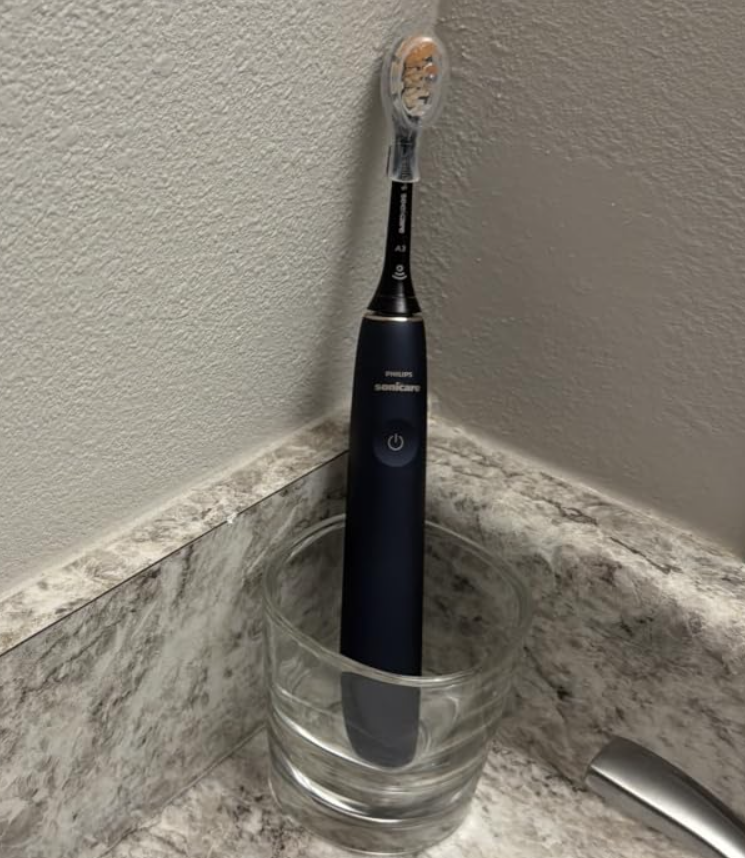
Is your Philips Sonicare not vibrating as much as it used to? Maybe your toothbrush feels weaker, makes a different sound, or no longer delivers that familiar powerful cleaning sensation. Whatever the symptoms, a noticeable reduction in vibration can be frustrating, especially when your toothbrush was working perfectly just a few days ago.
The good news is that a Philips Sonicare toothbrush losing vibration strength doesn’t automatically mean it’s broken. In many cases, the problem comes from something relatively simple, such as a low battery, an aging brush head, an incorrect intensity setting, or the EasyStart feature.
However, sometimes weak vibrations can indicate an internal mechanical problem or a battery that is no longer performing properly.
In this troubleshooting guide, we’ll explore why your Philips Sonicare toothbrush is vibrating less powerfully, how to identify the cause, and 10 practical fixes worth trying before purchasing a replacement.
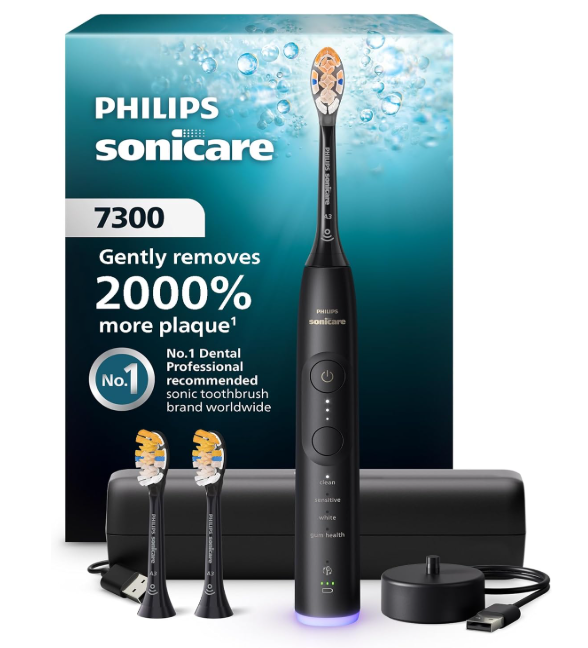
Why Is My Philips Sonicare Not Vibrating as Much?
Philips Sonicare electric toothbrushes use high-frequency mechanical vibrations to move the bristles and help remove plaque.
When everything works correctly, we should notice consistent vibration throughout the brushing session. However, several factors can change how powerful those vibrations feel.
The most common causes include:
- Low battery: Insufficient charging can affect performance.
- EasyStart mode: This feature gradually increases brushing power during the first 14 brushing sessions.
- Low intensity settings: Some Sonicare models offer adjustable vibration intensity.
- Worn brush head: Aging bristles can make brushing feel less effective.
- Incorrect brush head installation: The head may not be positioned correctly on the metal shaft.
- Toothpaste buildup: Residue around the connection can interfere with proper attachment.
- Pressure sensor activation: Some models change their vibration when we brush too aggressively.
- Mechanical wear: Internal components may eventually malfunction.
Before assuming we need a new toothbrush, let’s identify which issue is most likely.
Quick Diagnosis: Sonicare Weak Vibration Symptoms
We can often narrow down the problem by observing when the toothbrush loses power.
| Symptom | Possible cause | First thing to try |
|---|---|---|
| Weak vibration all the time | Low battery or low intensity | Fully charge the toothbrush |
| New Sonicare feels unusually gentle | EasyStart activated | Check EasyStart |
| Vibrates strongly, then becomes weaker | Pressure sensor or adaptive intensity | Reduce brushing pressure |
| Weak vibration after changing the head | Brush head seating or compatibility | Reinstall the head |
| Handle vibrates, but brushing feels weak | Worn or poorly fitted head | Try a new brush head |
| Vibrates weakly and makes unusual noises | Loose attachment or mechanical issue | Inspect the connection |
| Battery runs out unusually quickly | Battery or charging issue | Check the charging system |
| Vibrates briefly, then stops | Battery, controls, or internal fault | Charge and test again |
These symptoms aren’t definitive diagnoses, but they can help us avoid replacing parts unnecessarily.
1. Fully Charge Your Philips Sonicare Toothbrush
One of the first things we should check when a Philips Sonicare toothbrush is not vibrating strongly is its battery.
A toothbrush may still turn on when its battery is low. That doesn’t necessarily mean it has enough power to perform normally.
How to Fix Weak Vibration Caused by Battery Issues
Let’s try the following:
- Turn off the toothbrush.
- Place it on its compatible charger.
- Make sure the charger is properly connected to a working power source.
- Check whether the charging indicator activates, if available.
- Allow the battery to charge fully.
- Remove the toothbrush and test its vibration again.
Philips recommends charging some models for up to 24 hours when troubleshooting weak vibration. Other Sonicare models have shorter charging times, so the user manual should take priority.
What if the Toothbrush Still Feels Weak After Charging?
If the vibration remains weak after a confirmed full charge, the problem may involve another component.
We should also pay attention to the battery’s runtime.
For example, if our Sonicare previously lasted many brushing sessions but now needs charging every day, battery deterioration becomes a reasonable possibility.
However, a short runtime can also result from a charger that isn’t working correctly.
Before blaming the battery, make sure the toothbrush is actually receiving a charge.
2. Disable EasyStart Mode
If we recently purchased a Philips Sonicare toothbrush or started using a replacement handle, EasyStart may explain the unexpectedly gentle vibration.
What Is Philips Sonicare EasyStart?
EasyStart is a feature available on many Sonicare electric toothbrushes.
Its purpose is to help new users gradually become familiar with sonic brushing.
Instead of immediately providing full brushing intensity, compatible toothbrushes slowly increase their power during the first 14 brushing sessions.
That means a new toothbrush might feel less powerful than expected even though nothing is wrong.
How to Turn Off EasyStart on Philips Sonicare
On many compatible models, we can adjust EasyStart using the following method:
- Place the toothbrush handle on its connected charger.
- Press and hold the power button for approximately three seconds.
- Release the button after hearing the confirmation beep.
- Check the indicator lights or confirmation tones to determine whether EasyStart was disabled.
The exact procedure and confirmation signals depend on the model. Some toothbrushes have different controls, so it’s important to follow the appropriate manual.
After disabling EasyStart, test the toothbrush again.
If the weak vibration was caused by this feature, we should notice a stronger brushing sensation.
Should We Keep EasyStart Enabled?
EasyStart can be useful for someone who has never used an electric toothbrush before.
However, if we’re already comfortable with sonic vibrations, we may prefer normal brushing intensity.
EasyStart is generally intended as an introductory feature rather than a permanent solution for sensitive teeth.
3. Increase the Brushing Intensity
Another common explanation for a Philips Sonicare vibrating less than usual is an accidentally changed intensity setting.
Not every Sonicare toothbrush offers multiple intensity levels, but many midrange and premium models do.
Some offer two intensity levels, while others allow us to select low, medium, or high power.
How to Adjust Sonicare Intensity
The procedure varies by model.
On certain Sonicare 3000 and 4000 Series toothbrushes, we can switch between available intensity levels by pressing the power button again shortly after turning the toothbrush on.
On models such as the DiamondClean Smart, we can adjust intensity using the mode/intensity button during brushing.
Some connected models also allow intensity adjustments through the Sonicare app.
We should check whether the toothbrush is set to its lowest intensity and experiment with a stronger option if one is available.
Why Did My Sonicare Intensity Change Automatically?
Some Sonicare toothbrushes support intelligent brush head recognition.
When a compatible smart brush head is installed, the toothbrush may automatically select a recommended brushing mode or intensity.
Consequently, replacing the brush head could change the way the toothbrush feels.
This doesn’t necessarily indicate a malfunction.
We can usually choose another compatible setting manually.
4. Replace Your Philips Sonicare Brush Head
Sometimes the handle produces normal vibrations, but the toothbrush feels significantly weaker against our teeth.
In that situation, the brush head deserves a closer inspection.
Philips generally recommends replacing Sonicare brush heads every three months.
Over time, the bristles can become worn, bent, or spread apart.
Even when the toothbrush motor works correctly, damaged bristles can make the cleaning experience feel different.
Signs Your Sonicare Brush Head Needs Replacing
Look for the following:
- Bristles that spread outward or have become noticeably deformed.
- A brush head that has been used for more than three months.
- Changes in the way the brush head fits onto the handle.
- Unusual rattling or vibration from the head.
- Reduced cleaning effectiveness despite normal handle operation.
Some Sonicare toothbrushes also offer BrushSync replacement reminders, although not every model supports this feature.
How to Test Whether the Brush Head Is the Problem
One useful troubleshooting method involves trying another compatible brush head.
Remove the existing brush head and attach a new genuine Philips Sonicare replacement.
Next, turn on the toothbrush and compare its performance.
If the vibration feels normal with the replacement, the original brush head was likely contributing to the problem.
If both brush heads behave identically, we should investigate the handle, charging system, and settings.
Important: Use a brush head designed for the specific Sonicare model. Not all Philips toothbrushes share the same attachment system.
5. Clean the Brush Head Connection and Metal Shaft
Toothpaste, saliva, and mineral deposits can accumulate around the brush head connection.
Over time, this residue may interfere with proper seating or make the attachment difficult to remove.
Although buildup doesn’t always reduce actual motor output, cleaning the connection is a sensible troubleshooting step.
How to Clean the Philips Sonicare Metal Shaft
We can perform a basic cleaning without dismantling the toothbrush.
- Turn off the toothbrush.
- Remove the brush head.
- Rinse the bottom of the brush head with warm water.
- Gently rinse the metal shaft area.
- Wipe around the upper seal and connection using a soft damp cloth.
- Remove any visible residue without using sharp tools.
- Reattach the brush head correctly.
Make sure the connection is free from debris before testing the toothbrush.
What Should We Avoid When Cleaning?
We should never insert sharp objects around the shaft seal or attempt to pry open the toothbrush handle.
Harsh cleaning methods can damage the seal and compromise the toothbrush.
Philips also advises against placing its Sonicare toothbrushes or accessories in a dishwasher.
For routine cleaning, warm water and a soft cloth are usually sufficient.
6. Make Sure the Brush Head Is Installed Correctly
A poorly installed brush head can affect how vibration is transferred to the bristles.
The head should fit securely on the metal shaft without feeling unstable.
However, there’s an important detail that frequently causes confusion.
Is There Supposed to Be a Gap Between the Brush Head and Handle?
Yes.
Many Philips Sonicare toothbrushes are designed to have a small visible gap between the bottom of the brush head and the handle.
Depending on the model, this gap may measure approximately 1–2 mm.
It allows the brush head to move correctly during operation.
We shouldn’t force the brush head downward until it touches the handle.
Doing so may interfere with normal movement.
How to Reinstall the Brush Head
First, remove the brush head.
Then align it with the metal shaft, making sure the bristles face the correct direction.
Slide it down firmly until it reaches its intended position.
Confirm that the brush head feels secure while leaving the normal clearance specified for the model.
Test the toothbrush again.
If the vibration improves, improper attachment may have been responsible.
7. Check the Pressure Sensor
Some Philips Sonicare models include a pressure sensor designed to help protect our gums and teeth.
When we press too hard while brushing, the toothbrush may respond with a change in vibration, a pulsing sensation, an indicator light, or an audible signal.
The specific feedback depends on the model.
If we’re unfamiliar with this feature, it can feel like the toothbrush is suddenly losing power.
How to Tell if the Pressure Sensor Is Activating
Pay attention to the vibration while brushing.
Does the toothbrush feel strong when it first turns on but change once we press it against our teeth?
Does the vibration return to normal when we reduce pressure?
Do we notice a warning light or pulsing sensation?
If so, the pressure sensor could be operating as intended.
How to Stop the Vibration From Changing
The simplest solution is to reduce brushing pressure.
We don’t need to scrub aggressively with a Sonicare toothbrush.
Instead, we can guide the bristles gently along our teeth and gumline, allowing the brush to do the work.
If the vibration becomes consistent when we use a lighter touch, the pressure sensor was probably influencing the experience.
We generally recommend keeping protective pressure feedback enabled rather than disabling it simply to make the toothbrush feel stronger.
8. Check Adaptive Intensity on Premium Sonicare Models
Some advanced Sonicare toothbrushes include features that actively change brushing intensity.
For example, the Sonicare 9900 Prestige offers Adaptive Intensity.
This feature can automatically lower the intensity after excessive brushing pressure is detected for an extended period.
As a result, the toothbrush may feel weaker than it did at the beginning of the session.
How Adaptive Intensity Works
Imagine we’re brushing with the highest intensity setting.
If we consistently apply too much pressure, the toothbrush may reduce its intensity by one level.
This change is intended to encourage gentler brushing and help protect our gums.
It isn’t necessarily a defect.
How to Troubleshoot Adaptive Intensity
We can start by checking the selected intensity level.
Then:
- Begin brushing with gentle pressure.
- Avoid pressing the head firmly against our teeth.
- Watch for pressure feedback indicators.
- Check whether the intensity decreases during the session.
- Review the toothbrush’s settings and user manual if the behavior continues.
If the toothbrush offers app-based settings, we can also review them there.
Not all Philips Sonicare models have Adaptive Intensity, so this step mainly applies to certain premium devices.
9. Test the Toothbrush Handle for Mechanical Problems
If we’ve already checked the battery, settings, brush head, and pressure sensor, we may need to consider the toothbrush handle itself.
Sonicare toothbrushes rely on internal components to generate and transfer vibration.
Like other electronic devices with moving parts, those components can eventually fail.
Signs of a Possible Internal Problem
A mechanical issue becomes more likely when we notice:
- A sudden and significant reduction in vibration.
- Unusual grinding, buzzing, or rattling sounds.
- Weak vibration with multiple compatible brush heads.
- Intermittent performance despite a confirmed full charge.
- Noticeable changes after the toothbrush was dropped.
- A handle that runs but no longer moves the brush head effectively.
One symptom alone doesn’t prove mechanical damage.
However, several occurring together suggest a more serious problem.
How to Check the Handle
Start by inspecting the exterior for visible damage.
Make sure the metal shaft doesn’t appear bent or obviously displaced.
We can also compare the toothbrush’s operation using two compatible brush heads.
If the toothbrush produces the same weak performance with both heads, the handle becomes a more likely source of the problem.
We should avoid repeatedly operating a damaged toothbrush or touching its moving metal shaft.
Can We Repair the Sonicare Motor Ourselves?
Opening the handle is generally not a recommended first step.
Internal repairs can damage waterproof seals, create battery safety risks, and affect warranty eligibility.
If we suspect a motor or mechanical failure, contacting Philips support is the safer option.
10. Check for Battery Deterioration or Charging Failure
A Philips Sonicare toothbrush that gradually loses power over months or years may have a battery-related issue.
Rechargeable batteries can lose capacity over time.
However, reduced runtime doesn’t always mean the battery itself has failed.
A faulty charger or poor charging connection can produce similar symptoms.
How to Identify a Battery Problem
We should compare current battery performance with the way the toothbrush behaved when it was newer.
Questions worth asking include:
- Does the toothbrush need charging much more frequently?
- Does it stop working unexpectedly?
- Does a full charge provide only a few brushing sessions?
- Does the battery indicator behave unusually?
- Is the toothbrush still weak after charging correctly?
If several answers are yes, battery deterioration or a charging fault may be involved.
Can We Replace the Battery in a Philips Sonicare?
Many rechargeable Philips Sonicare toothbrushes contain built-in batteries that are not designed for routine user replacement.
Replacing one ourselves may require opening a sealed electrical device.
That can introduce safety risks and potentially compromise water resistance.
Before attempting any repair, we recommend checking the exact model and its warranty status.
Also, don’t confuse rechargeable Sonicare models with battery-powered Philips One toothbrushes, which may use replaceable batteries.
The appropriate solution depends on the product.
Philips Sonicare Still Not Vibrating Properly? Try This Checklist
If the problem hasn’t disappeared, let’s approach it systematically.
| Step | What to check | Expected result |
|---|---|---|
| 1 | Fully charge the toothbrush | Rule out insufficient charge |
| 2 | Check the selected intensity | Restore the preferred power level |
| 3 | Review EasyStart | Determine whether power is intentionally limited |
| 4 | Try another brush head | Identify a worn or defective attachment |
| 5 | Clean the shaft connection | Remove residue affecting fit |
| 6 | Check the brush head gap | Confirm correct installation |
| 7 | Use lighter brushing pressure | Check pressure-sensor behavior |
| 8 | Review adaptive settings | Identify automatic intensity changes |
| 9 | Compare battery runtime | Look for charging or battery deterioration |
| 10 | Contact Philips support | Investigate a possible handle defect |
Working through these checks in order helps us identify common, inexpensive solutions before moving on to repairs or replacement.
Why Does My Philips Sonicare Vibrate Less After a Few Seconds?
Sometimes a Sonicare toothbrush initially feels powerful but then changes its vibration during the brushing session.
There are several possible explanations.
Pressure Sensor Feedback
If we’re brushing too hard, compatible models can alter their vibration to alert us.
This effect should stop when we reduce the pressure.
Adaptive Intensity Adjustments
Advanced models such as the Sonicare 9900 Prestige can lower the selected intensity after detecting excessive pressure.
Unlike a simple warning vibration, this may involve an actual intensity adjustment.
Brushing Timer Pauses
Some Sonicare toothbrushes include interval timers that briefly pause or change the vibration to signal when we should move to another section of the mouth.
These short signals are normal.
However, continuous weak vibration throughout the brushing session should not automatically be attributed to the timer.
Intermittent Electrical or Mechanical Problems
If the vibration weakens unpredictably without any pressure warning, setting change, or timer signal, further troubleshooting may be necessary.
We should pay particular attention to whether the handle also makes unusual noises or switches off unexpectedly.
Philips Sonicare Weak Vibration by Model
Different Sonicare models can behave differently.
Understanding the available features helps us avoid applying the wrong troubleshooting instructions.
Philips Sonicare 4100 Not Vibrating Strongly
The Sonicare ProtectiveClean 4100 and related models may offer different intensity options depending on the exact version.
If the toothbrush feels weaker than expected, we should begin by checking its intensity setting, battery charge, and EasyStart status.
A worn brush head is another possibility.
We should confirm the model-specific controls rather than assuming all Sonicare 4100 versions operate identically.
Philips Sonicare DiamondClean Losing Power
DiamondClean toothbrushes may offer several brushing modes and intensity settings.
Some smart versions also recognize compatible brush heads and select recommended settings automatically.
If our DiamondClean suddenly feels weaker, we should check whether the mode or intensity changed.
Next, we can inspect the brush head and confirm the toothbrush is charging normally.
Philips Sonicare ProtectiveClean Weak Vibration
With ProtectiveClean models, useful troubleshooting steps include:
- Checking the intensity setting, if available.
- Fully charging the handle.
- Disabling EasyStart if appropriate.
- Testing a new compatible brush head.
- Inspecting the attachment for residue or looseness.
If the vibration remains weak regardless of these checks, the handle may require professional support.
Philips Sonicare 9900 Prestige Not Vibrating as Much
The Sonicare 9900 Prestige requires special attention because of its advanced pressure feedback and Adaptive Intensity features.
A sudden change in brushing strength may be an intentional response to excessive pressure.
We should check the brushing intensity, pressure feedback indicators, and app settings before concluding that the motor is defective.
Is a Philips Sonicare Supposed to Vibrate Strongly?
Philips Sonicare toothbrushes are designed to deliver rapid sonic vibrations, but the perceived strength varies depending on the model, brush head, intensity setting, and brushing mode.
A toothbrush doesn’t necessarily need to feel aggressive to clean effectively.
In fact, pressing harder against our teeth doesn’t guarantee better results.
Strong Vibration vs. Effective Cleaning
It’s important to distinguish vibration strength from cleaning performance.
A worn brush head might still vibrate noticeably but clean less effectively.
Likewise, a sensitive brushing mode may feel gentler while still providing an appropriate cleaning experience when used correctly.
The key is consistent operation, suitable brushing technique, and regular brush head replacement.
When Is Weak Vibration Abnormal?
We should investigate when:
- The toothbrush suddenly feels much weaker than before.
- Performance changes without adjusting any settings.
- Normal vibration doesn’t return after charging.
- The head barely moves despite the handle running.
- The toothbrush produces unfamiliar mechanical noises.
These signs justify additional troubleshooting rather than simply increasing brushing pressure.
How to Prevent Philips Sonicare Vibration Problems
Once we’ve restored normal performance, a few simple maintenance habits can help keep the toothbrush working reliably.
Replace the Brush Head Regularly
We should generally replace compatible Sonicare brush heads about every three months, or sooner if the bristles become visibly worn.
A fresh, properly fitted head helps maintain the intended brushing performance.
Keep the Connection Clean
Toothpaste residue can gradually accumulate around the shaft and brush head.
We can reduce buildup by rinsing the brush head after use and cleaning the connection regularly.
A more thorough weekly cleaning is a practical habit.
Use the Correct Charger
We should use the charger or charging accessories specified for our particular Sonicare model.
Not every Philips Sonicare charger works with every toothbrush.
Using the correct equipment helps us avoid unnecessary charging problems.
Avoid Excessive Brushing Pressure
Applying too much pressure can trigger warning systems on compatible models.
Gentle brushing also helps prevent unnecessary bristle wear.
Protect the Toothbrush From Damage
We should avoid dropping the handle or exposing it to unnecessary impacts.
Even when exterior damage isn’t obvious, a strong impact could potentially affect internal components.
Pay Attention to Early Warning Signs
Changes in charging time, battery runtime, vibration strength, or operating noise are worth investigating.
Identifying a small problem early can prevent us from continuing to use a toothbrush that isn’t operating properly.
When Should We Replace Our Philips Sonicare Toothbrush?
Not every weak Sonicare needs replacing.
In many cases, a new brush head, a full charge, or a settings adjustment resolves the issue.
However, replacing the handle may become reasonable when the problem persists after basic troubleshooting.
Signs Replacement May Be Necessary
Consider professional assessment or replacement if:
- The vibration remains very weak despite a full charge.
- The toothbrush behaves incorrectly with multiple new brush heads.
- The handle produces persistent grinding or rattling noises.
- The internal shaft appears damaged.
- Battery runtime has deteriorated significantly.
- The toothbrush stops or restarts unpredictably.
- Philips confirms an internal fault that cannot be repaired economically.
Check the Philips Sonicare Warranty First
Many Philips Sonicare toothbrushes come with a two-year limited warranty, although coverage and terms can vary by country and product.
If the toothbrush is still covered, we should contact Philips before paying for a replacement.
Keep the purchase receipt or other proof of purchase available.
The model number, often located on the bottom of the handle, can help Philips identify the correct troubleshooting instructions and warranty options.
Frequently Asked Questions
1. Why Is My Philips Sonicare Suddenly Vibrating Weakly?
A Philips Sonicare toothbrush can suddenly vibrate less powerfully because of a low battery, a changed intensity setting, pressure sensor activation, or a poorly fitted brush head.
If the toothbrush previously worked normally, we recommend fully charging it and checking its settings first.
Next, we can inspect the brush head and clean the connection.
If the problem continues with a new compatible head, an internal issue may be responsible.
2. How Do I Make My Philips Sonicare Vibrate Stronger?
To increase the vibration of a Philips Sonicare toothbrush, we can select a higher intensity level if the model supports it.
We should also make sure the battery is fully charged and check whether EasyStart is limiting power.
Using a fresh, compatible brush head can improve the brushing experience.
However, we shouldn’t attempt to modify the internal motor or electrical components to increase vibration beyond the manufacturer’s settings.
3. Why Is My Sonicare Toothbrush Vibrating but Not Cleaning Well?
If the toothbrush vibrates normally but doesn’t seem to clean effectively, the brush head may be worn or the brushing technique may need adjustment.
We should examine the bristles, replace the head when appropriate, and gently guide the brush along the gumline.
It’s also important to brush for the recommended duration.
If we continue experiencing plaque buildup or gum problems despite proper brushing, a dental professional can help assess our technique and oral health.
4. Can a Low Battery Make a Philips Sonicare Vibrate Less?
Yes. Philips identifies insufficient battery charge as a possible cause of reduced vibration strength.
We should fully charge the toothbrush using the appropriate charger and then test it again.
Some models may require up to 24 hours to charge during troubleshooting, while others charge more quickly.
If the toothbrush continues to operate weakly or loses charge unusually fast, the battery or charging system may need further attention.
5. Why Is My Philips Sonicare Vibrating Less After Changing the Brush Head?
If the toothbrush feels weaker immediately after installing a new brush head, the head may not be seated correctly or could be incompatible with the handle.
Some smart Sonicare models may also automatically select different settings when a compatible replacement head is installed.
We recommend checking the fit, confirming compatibility, and reviewing the brushing mode and intensity.
Remember that a small gap between the brush head and handle is normal on many Sonicare models.
Conclusion: How to Fix a Philips Sonicare With Weak Vibration
If our Philips Sonicare is not vibrating as much as before, there’s no need to assume immediately that the toothbrush has reached the end of its life.
The most practical starting points are checking the battery, reviewing EasyStart, adjusting the intensity setting, inspecting the brush head, and cleaning the metal shaft connection.
We should also consider whether pressure feedback or adaptive intensity is changing the brushing sensation.
For many users, these straightforward checks can identify the cause without requiring an expensive replacement.
However, if the toothbrush remains weak after a confirmed full charge and testing with a new compatible brush head, an internal fault becomes a more serious possibility.
In that case, Philips support can help determine whether repair, warranty service, or replacement is appropriate.
Our recommendation is simple: start with the easiest checks, change only one thing at a time, and test the toothbrush after each adjustment. This gives us the best chance of finding the real cause and restoring normal Sonicare performance without unnecessary expense.