
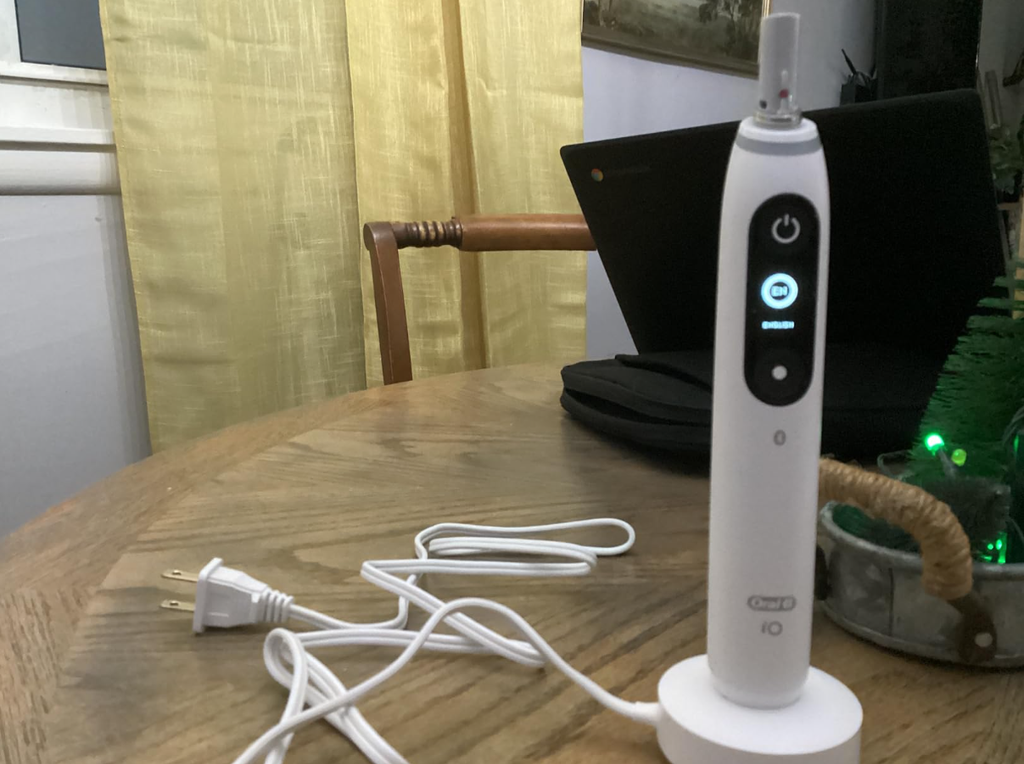
The Oral-B iO Series 7 is an advanced electric toothbrush designed to deliver a powerful yet gentle cleaning experience. With its magnetic drive system, interactive display, multiple brushing modes, and smart pressure sensor, it offers plenty of features that make daily brushing easier.
However, even a premium electric toothbrush can occasionally develop problems. One particularly frustrating issue is when your Oral-B iO 7 is not turning on, even after pressing the power button several times.
Sometimes, the display remains completely black. In other cases, the toothbrush appears to charge normally but refuses to start. You might also notice that the handle stops responding after being left unused for several days.
Fortunately, a toothbrush that will not switch on is not necessarily broken.
In this guide, we’ll explain the most common reasons why your Oral-B iO Series 7 won’t turn on, how to troubleshoot charging problems, how to reset the handle, and when a professional repair or replacement might be necessary.
Why Is My Oral-B iO 7 Not Turning On?
There are several possible explanations for an Oral-B iO 7 that suddenly stops working.
The most common causes include:
- Completely discharged battery: The toothbrush may not have enough power to activate its display or motor.
- Charging problems: The magnetic charger may not be receiving electricity or making proper contact.
- Temporary electronic malfunction: The internal control system may stop responding.
- Power button problems: The button could be damaged, stuck, or unable to register presses.
- Battery deterioration: An aging rechargeable battery may no longer retain sufficient energy.
- Temperature protection: The toothbrush may refuse to operate under unsuitable temperature conditions.
- Internal damage: Moisture-related damage, impacts, or electronic failures can prevent normal operation.
Before assuming the toothbrush needs replacing, we recommend following a systematic troubleshooting process.
Quick Fixes for an Oral-B iO 7 That Won’t Turn On
If your toothbrush has suddenly stopped responding, begin with these simple checks.
| Troubleshooting step | What to do | What it may solve |
|---|---|---|
| Check the battery | Charge for approximately 3 hours | Completely discharged battery |
| Check the outlet | Test another working electrical outlet | Power supply problem |
| Inspect the charger | Clean and correctly position the handle | Poor charging connection |
| Reset the toothbrush | Hold the power button for 10 seconds | Temporary electronic malfunction |
| Check the temperature | Let the handle return to room temperature | Temperature protection |
| Contact Oral-B | Request troubleshooting or warranty service | Internal hardware failure |
These steps solve many straightforward charging and startup problems, although a toothbrush with a failed battery or damaged electronics may require professional attention.
1. Charge Your Oral-B iO 7 Properly
One of the first things to investigate when an Oral-B iO 7 won’t turn on is its battery.
The toothbrush uses an internal rechargeable lithium-ion battery. If that battery becomes completely discharged, the handle may appear completely lifeless.
You might notice:
- The screen stays black.
- The power button produces no response.
- The toothbrush does not vibrate.
- No lights appear when pressing the buttons.
- The toothbrush has not been used for an extended period.
How to Charge an Oral-B iO 7 That Is Completely Dead
Follow these steps:
- Connect the original magnetic charging base to a working electrical outlet.
- Place the toothbrush upright on the charger.
- Check that the handle sits correctly on the charging base.
- Leave it charging for at least 30 minutes before attempting to switch it on.
- If it remains unresponsive, allow approximately 3 hours for a full charge.
- Remove the toothbrush and press the power button again.
The Oral-B iO Series 7 normally takes approximately 3 hours to charge fully.
An important detail is that a deeply discharged battery may not immediately activate the display when connected to the charger.
In some situations, it can take around 10–15 minutes before the display begins showing signs of charging.
Therefore, if your toothbrush does not light up immediately, give it some time before deciding that the battery is defective.


2. Check the Oral-B iO 7 Magnetic Charger
If charging the toothbrush does not solve the problem, the next component worth inspecting is the charging base.
The Oral-B iO 7 uses a magnetic charging system, which differs from the traditional charging arrangements found on many older Oral-B toothbrushes.
A faulty charger can make a perfectly functional toothbrush appear dead.
How to Tell Whether the Charger Is Working
Start by checking the electrical outlet.
If possible, connect another small electrical device to verify that the outlet delivers power.
Bathroom outlets connected to cabinets, switches, or other electrical fixtures may not always supply power when expected.
Next, inspect the charger itself.
Look for:
- Visible damage to the cable.
- Loose electrical connections.
- Dirt or toothpaste residue on the charging surface.
- Moisture around the charging base.
- Signs of overheating or physical damage.
Also, make sure the toothbrush is correctly positioned on the charger.
If you have access to another confirmed-compatible Oral-B iO magnetic charger, testing it can help determine whether the original charging base is defective.
Do not assume that a charger from an older Oral-B Pro or Genius toothbrush is compatible with the iO Series 7.
Can a Dirty Charger Stop an Oral-B iO 7 From Turning On?
Yes, accumulated residue can sometimes interfere with how securely the handle sits on the charging base.
To clean the charger:
- Disconnect it from the electrical outlet.
- Wipe the charging surface using a soft, slightly damp cloth.
- Remove any visible toothpaste or mineral deposits.
- Dry the charging base thoroughly.
- Place the toothbrush back on the charger.
Never immerse the charger in water or attempt to open its housing.
If the cable or charging base is damaged, stop using it and obtain an appropriate replacement.
3. Reset Your Oral-B iO 7
Sometimes, the problem is related to the toothbrush’s internal electronics rather than the battery.
Like many electronic devices, the Oral-B iO 7 uses software to manage its display, brushing modes, sensors, and connected features.
A temporary electronic malfunction can make the handle unresponsive.
In this situation, a reset may restore normal operation.
How to Reset an Oral-B iO 7 That Won’t Turn On
Try the following procedure:
- Remove the toothbrush from its charger.
- Press and hold the power button for approximately 10 seconds.
- Watch for the indicator lights to blink twice simultaneously.
- Release the power button.
- Press the power button normally to check whether the toothbrush starts.
According to Oral-B’s general iO guidance, the simultaneous double blink indicates that the handle reset has been completed.
However, if the battery is completely drained, the toothbrush may not have enough power to respond to this procedure.
In that case, charge it first and repeat the reset.
What If the Reset Doesn’t Work?
If holding the power button for 10 seconds produces no response, there are several possibilities.
The battery may still be discharged, the power button may not be functioning, or an internal electronic component may have failed.
Try completing a full charge before performing the procedure again.
If there is still no reaction, continue with the additional troubleshooting steps below.
Can You Factory Reset the Oral-B iO 7?
Yes. If the interactive display is working, you can access the toothbrush’s settings and select the factory reset option.
This restores the device’s original settings and may help resolve certain configuration-related problems.
However, a factory reset is different from the 10-second button reset.
A factory reset requires the display and controls to be operational, so it is not a practical solution when the toothbrush is completely dead.
It may also remove customized settings that you will need to configure again.
4. Oral-B iO 7 Not Turning On After Charging
One particularly confusing situation occurs when the toothbrush has been charging for several hours but still refuses to switch on.
If your Oral-B iO 7 is not turning on after charging, it is important to determine whether the charger actually delivered power to the battery.
Signs That the Toothbrush Is Charging Correctly
When charging normally, the toothbrush should display an appropriate charging indication.
Depending on the current battery status, you may see the battery symbol or charging indicator activate.
If the display is completely black, however, that does not automatically mean the charger is defective.
A deeply discharged battery may initially need time before it can activate the display.
After leaving the toothbrush connected for approximately 30 minutes, check for any response.
If nothing happens after a full three-hour charging period, test another outlet and inspect the charging base.
Why Does My Oral-B iO 7 Charge but Not Start?
If the charging indicator works but the motor refuses to operate, possible explanations include:
- A temporary electronic malfunction.
- A defective power button.
- An internal motor or control-system problem.
- A battery that cannot supply sufficient current under load.
In this situation, the reset procedure is worth trying.
If the display functions normally but the brush motor never starts, professional diagnosis may be necessary.
5. Oral-B iO 7 Black Screen: Is the Toothbrush Dead?
Another common symptom is a completely black display.
The Oral-B iO 7 features an interactive display that provides information about brushing modes, battery condition, and other functions.
When the screen stops working, it can be difficult to know whether the toothbrush itself is receiving power.
However, a black screen does not always mean the entire toothbrush has failed.
How to Diagnose an Oral-B iO 7 Black Screen
Start by pressing the power button.
Does the motor activate?
If the toothbrush vibrates normally but the display stays black, the problem may be isolated to the display or its electronic connections.
If neither the motor nor the display responds, the problem is more likely to involve the battery, charging system, power button, or main electronics.
Try the following:
- Charge the toothbrush fully.
- Remove it from the charger.
- Press the power button.
- Perform the 10-second reset.
- Observe whether the display or indicator lights respond.
If the toothbrush operates normally despite the black screen, you may be dealing with a display-related fault rather than a complete power failure.
6. Check Whether the Oral-B iO 7 Battery Has Failed
Rechargeable batteries do not last indefinitely.
Over time, repeated charging cycles, natural aging, temperature exposure, and everyday use can reduce battery performance.
Eventually, the battery may struggle to store or deliver sufficient energy.
Symptoms of a Failing Oral-B iO 7 Battery
A deteriorating battery may produce several warning signs:
- The toothbrush only works for a few brushing sessions.
- The battery level drops unusually quickly.
- The toothbrush switches off unexpectedly.
- Charging appears to complete much faster than usual.
- The device works briefly after charging but soon stops.
- The toothbrush no longer responds after a full charge.
These symptoms do not prove that the battery has failed, but they make battery deterioration a reasonable possibility.
How Long Should an Oral-B iO 7 Battery Last?
Under normal use, a fully charged Oral-B iO 7 can provide several days of brushing, with the exact runtime depending on usage patterns.
Battery runtime varies according to factors such as brushing duration, selected mode, and battery age.
For example, someone brushing twice daily for two minutes may get a different number of sessions than someone who brushes more frequently or uses longer sessions.
The battery’s overall service life also varies significantly.
There is no fixed number of years after which every Oral-B iO 7 battery will stop working.
If your toothbrush previously lasted many sessions but now shuts down after only one or two, battery deterioration is worth investigating.
Can You Replace the Oral-B iO 7 Battery?
The rechargeable battery is integrated into the toothbrush handle and is not designed as a routine user-replaceable component.
Opening the handle can damage its waterproof seals and internal electronics.
It can also create additional risks when handling the lithium-ion battery.
For that reason, we recommend contacting Oral-B customer service or an appropriate repair professional rather than attempting an improvised battery replacement.
7. Oral-B iO 7 Power Button Not Working
Another possible cause of a toothbrush that will not switch on is a defective power button.
The power button is used regularly, so any physical or electronic malfunction affecting it can prevent the toothbrush from starting.
How to Identify a Faulty Power Button
Check whether the button feels normal when pressed.
Possible warning signs include:
- The button feels stuck.
- There is no normal tactile response.
- The button responds only occasionally.
- The toothbrush starts only after repeated presses.
- The display works, but pressing the power button does not start brushing.
Before assuming that the button has failed, charge the toothbrush and attempt a reset.
If the button remains physically stuck or unresponsive, a hardware problem becomes more likely.
Should You Try to Repair the Button Yourself?
We do not recommend opening the handle or using sharp tools to force the button into position.
The handle contains sensitive electronics and components that rely on its sealed construction for water resistance.
A damaged seal can allow moisture to enter and create further problems.
If the power button appears defective, professional repair or replacement is generally the safer option.
8. Oral-B iO 7 Not Turning On After Being Unused
If you haven’t used your toothbrush for several weeks or months, it may be difficult to turn on when you return to it.
Rechargeable batteries gradually lose charge while stored.
If the toothbrush was already low on battery before storage, it may become deeply discharged.
How to Restart an Oral-B iO 7 After Long Storage
We recommend following these steps:
- Inspect the handle and charger for visible damage.
- Make sure the toothbrush is dry and at room temperature.
- Connect the charger to a working outlet.
- Leave the toothbrush charging for at least 30 minutes.
- Continue charging for approximately three hours if necessary.
- Press the power button and check for activity.
If the battery has remained deeply discharged for an extended period, its condition may have deteriorated.
A toothbrush that refuses to respond after a verified charging attempt may require service.
9. Check the Temperature Before Charging or Using the Toothbrush
Temperature conditions can also affect the Oral-B iO 7.
The toothbrush has an operating temperature range, and its rechargeable battery should be charged under suitable environmental conditions.
For the iO series, the recommended ambient charging temperature is approximately 5°C to 35°C (41°F to 95°F).
The operating range is approximately 0°C to 40°C (32°F to 104°F).
If the toothbrush becomes excessively cold or hot, it may not operate as expected.
What to Do If Temperature Is the Problem
Move the toothbrush into a room with a moderate temperature.
Allow it to return naturally to room temperature before trying to charge or start it again.
Avoid placing the handle near a heater, in direct sunlight, or in a freezer to change its temperature rapidly.
Extreme temperatures can harm the battery and electronic components.
10. Oral-B iO 7 Turns On and Immediately Turns Off
Not every startup problem involves a completely dead toothbrush.
Sometimes, the Oral-B iO 7 powers on but switches off after a few seconds.
This can indicate a different issue.
Possible Causes
The most likely explanations include:
- Insufficient battery charge.
- A deteriorating battery.
- A malfunctioning power button.
- A temporary electronic problem.
- An internal hardware defect.
The Oral-B iO toothbrush also has an automatic shutoff behavior after an extended continuous brushing period, which is different from an unexpected shutdown after just a few seconds.
How to Fix It
Charge the toothbrush fully and attempt to use it again.
If it still switches off almost immediately, perform the 10-second reset.
Pay attention to whether the display shows a low battery warning before the toothbrush stops.
If it repeatedly shuts down despite indicating a full charge, the battery or another internal component may require inspection.
11. Oral-B iO 7 Not Turning On After Getting Wet
Electric toothbrushes are designed for use in wet bathroom environments.
However, water resistance does not mean that every part of the product is immune to damage.
Normal rinsing is different from prolonged exposure to unsuitable conditions, damaged seals, or moisture entering a compromised handle.
Can Water Damage Stop the Toothbrush From Working?
Yes. If moisture reaches internal electronic components, it can potentially cause corrosion, short circuits, or other failures.
This is more concerning if the handle has visible cracks or has previously been opened.
Warning signs may include:
- Intermittent operation after exposure to water.
- Unexpected shutdowns.
- A display that flickers or stops working.
- Unusual behavior when pressing buttons.
- Visible cracks or damage around the handle.
If you suspect internal water damage, do not attempt repeated charging or operation.
Disconnect the charging equipment and contact an authorized service provider for advice.
Do not use a hairdryer, oven, or other external heat source to dry the internal components.
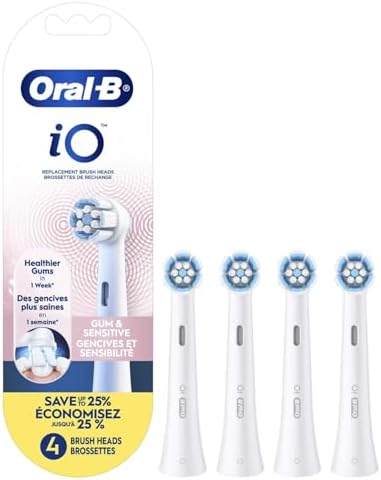
12. Can a Damaged Brush Head Prevent the Oral-B iO 7 From Starting?
The brush head is another component worth inspecting, although it is not usually the cause of a completely unresponsive toothbrush.
Oral-B iO replacement heads are designed specifically for the iO brushing system.
An incorrectly fitted or damaged brush head may create unusual noise, vibration, or mechanical resistance.
How to Check the Brush Head
Remove the brush head and inspect it for visible damage.
Look for signs of wear, debris around the connection point, or an improper fit.
If the handle powers on, you may briefly test whether the motor responds without the brush head attached.
Do not touch the moving shaft during the test.
If the motor runs normally without the brush head, inspect the head and replace it if necessary.
If the entire toothbrush remains completely unresponsive, the brush head is unlikely to be the primary cause.
13. Oral-B iO 7 Not Turning On: Troubleshooting by Symptom
Different symptoms can help narrow down the possible problem.
| Symptom | Possible cause | Recommended action |
|---|---|---|
| No lights, no vibration | Empty battery or charging failure | Charge for 3 hours and check outlet |
| Screen remains black | Battery or display problem | Charge and perform reset |
| Charger shows no activity | Power supply or charger issue | Check outlet and charger |
| Display works but motor doesn’t | Control or motor failure | Reset, then seek service |
| Turns off after seconds | Battery or electronic fault | Fully charge and reset |
| Works only briefly after charging | Battery deterioration | Check warranty and repair options |
| Stopped working after being dropped | Internal damage | Seek professional inspection |
| Stopped after long storage | Deeply discharged battery | Charge and test again |
| Button is stuck | Physical button damage | Contact service provider |
This table can help you identify the most appropriate next step without attempting unnecessary repairs.
14. When Should You Contact Oral-B Customer Support?
If your Oral-B iO 7 still won’t turn on after completing the basic troubleshooting steps, the problem may require professional attention.
We recommend contacting Oral-B if:
- The toothbrush remains completely dead after a full charging attempt.
- A confirmed-working compatible charger does not solve the issue.
- The power button is physically damaged.
- The display works but the motor never starts.
- The toothbrush repeatedly shuts down after charging.
- There are visible signs of physical or moisture-related damage.
Is an Oral-B iO 7 Covered Under Warranty?
Oral-B provides warranty protection subject to the conditions applicable in your country and the product’s purchase date.
In many markets, the standard manufacturer warranty is two years, although regional warranty terms and optional extensions can vary.
If your toothbrush is relatively new, check its warranty eligibility before paying for a repair or replacement.
You may be asked to provide:
- Proof of purchase.
- The toothbrush model.
- The product’s type or identification number.
- A description of the fault.
- Information about the troubleshooting steps already attempted.
Avoid opening the handle yourself if you intend to request warranty service.
15. How to Prevent Your Oral-B iO 7 From Stopping Working
Although not every electrical failure can be prevented, good maintenance habits can reduce avoidable problems.
Keep the Charging Base Clean
Toothpaste residue and moisture can accumulate around the charging area.
Clean the charging base periodically after disconnecting it from the outlet, and allow it to dry before use.
Avoid Extreme Temperatures
Do not leave your toothbrush in extremely hot or cold environments.
Excessive heat can accelerate battery deterioration, while unsuitable temperatures can interfere with charging or operation.
Prevent Physical Damage
Avoid dropping the handle onto hard bathroom surfaces.
Even when the outside looks undamaged, a significant impact can potentially affect internal connections or electronic components.
Avoid Long-Term Storage With an Empty Battery
If you plan to store your toothbrush for an extended period, avoid putting it away with a completely depleted battery.
Check the manufacturer’s storage recommendations and recharge it periodically when appropriate.
Use the Correct Charger
Use a charger designed for your Oral-B iO model.
Not all Oral-B toothbrush charging bases are interchangeable.
Monitor Changes in Battery Performance
If the toothbrush suddenly begins losing charge much faster than usual, investigate the problem early.
A major reduction in runtime can indicate battery wear or a charging issue.
16. Is It Worth Repairing an Oral-B iO 7 That Won’t Turn On?
Whether repair is worthwhile depends on the age of the toothbrush, the nature of the fault, its warranty status, and the cost of service.
A faulty charger is usually a more straightforward problem than a damaged internal circuit board.
Likewise, a temporary electronic malfunction may be resolved without replacing any hardware.
Here is a practical way to evaluate the situation.
| Problem | Repair considerations |
|---|---|
| Discharged battery | Usually resolved by charging |
| Faulty charging base | Replacement may be practical |
| Temporary software fault | Reset may restore operation |
| Worn internal battery | Professional service may be needed |
| Broken power button | Requires hardware assessment |
| Damaged internal electronics | Repair cost may be relatively high |
| Toothbrush under warranty | Request warranty assessment first |
If your Oral-B iO 7 is still covered by warranty, contacting the manufacturer should generally be your first choice.
If it is several years old and a professional repair would cost almost as much as a replacement handle, purchasing a replacement may make more economic sense.
However, we would not recommend replacing the toothbrush until you have ruled out charging and reset problems.
Frequently Asked Questions About Oral-B iO 7 Not Turning On
1. Why Is My Oral-B iO 7 Not Turning On Even Though It Is Charged?
If your Oral-B iO 7 won’t turn on despite showing a charged battery, the problem may involve a temporary electronic malfunction, faulty power button, battery deterioration, or internal hardware failure.
Try holding the power button for approximately 10 seconds to reset the handle. If it remains unresponsive, check the charger and contact Oral-B support if necessary.
2. How Do I Reset My Oral-B iO 7 If It Won’t Turn On?
Press and hold the power button for approximately 10 seconds. When the reset is successful, the toothbrush’s lights should blink twice simultaneously.
If there is no response, charge the toothbrush for at least 30 minutes and try again. A full charge takes approximately three hours.
3. Why Is My Oral-B iO 7 Screen Black?
A black screen may be caused by a completely discharged battery, a temporary electronic malfunction, or a display-related hardware issue.
Place the toothbrush on its charger and allow sufficient time for charging. If the motor still works while the display remains black, the fault may involve the display rather than the main power system.
4. Can an Oral-B iO 7 Battery Be Replaced?
The Oral-B iO 7 contains an integrated rechargeable battery that is not intended for routine replacement by the user.
Replacing it requires opening the toothbrush handle, which can damage waterproof seals and electronic components. We recommend checking professional service options or warranty eligibility instead of attempting a DIY repair.
5. What Should I Do If My Oral-B iO 7 Still Won’t Turn On After Charging Overnight?
First, verify that the charger is receiving electricity and that the toothbrush is correctly positioned. The iO 7 normally requires only around three hours for a full charge, so leaving it connected overnight should not be necessary.
Try the 10-second reset. If the toothbrush remains completely unresponsive after a verified charging attempt, the battery, charger, or internal electronics may be faulty.
Contact Oral-B customer service to arrange further troubleshooting or a warranty assessment.
Conclusion: How to Fix an Oral-B iO 7 That Won’t Turn On
When your Oral-B iO 7 is not turning on, the problem can be as simple as an empty battery or a charging base that is not receiving electricity.
Fortunately, several troubleshooting steps can help identify the cause without opening the toothbrush or replacing expensive components.
We recommend starting with a complete three-hour charge, checking the magnetic charging base, and performing the 10-second power-button reset.
If the display remains black, the motor does not respond, and a confirmed-working charger makes no difference, the toothbrush may have an internal battery or electronic fault.
The important thing is to distinguish between a temporary charging problem and genuine hardware damage.
Our recommendation is to rule out charging and reset issues first. If your Oral-B iO Series 7 still refuses to start, check its warranty status and contact Oral-B before investing in a replacement.
With the right troubleshooting approach, you may be able to restore your toothbrush to normal operation without unnecessary expense.