
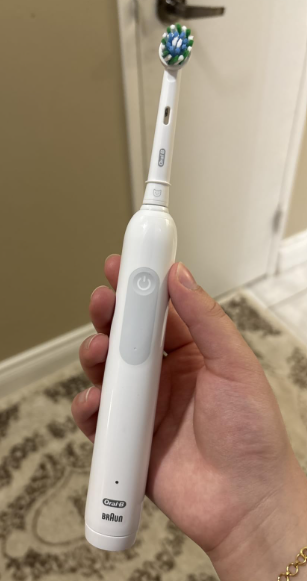
The Oral-B Pro 1000 is a popular rechargeable electric toothbrush thanks to its straightforward design, effective cleaning performance, and affordable price. However, one frustrating problem some owners encounter is an Oral-B Pro 1000 not holding charge, even after leaving it on the charging stand for hours.
Perhaps your toothbrush worked perfectly for months, but now the battery dies after just one or two brushing sessions. Maybe the charging light comes on, yet the toothbrush stops working almost immediately after you remove it from the charger. Or perhaps it seems to charge normally but no longer lasts as long as it used to.
The good news is that a short battery life doesn’t automatically mean your toothbrush is broken. Sometimes, the problem comes from an incomplete charging cycle, a faulty outlet, an incompatible charger, or a simple issue with the charging stand.
In this guide, we’ll explain why your Oral-B Pro 1000 won’t hold a charge, how to troubleshoot it step by step, and when replacing the toothbrush makes more sense than attempting a repair.
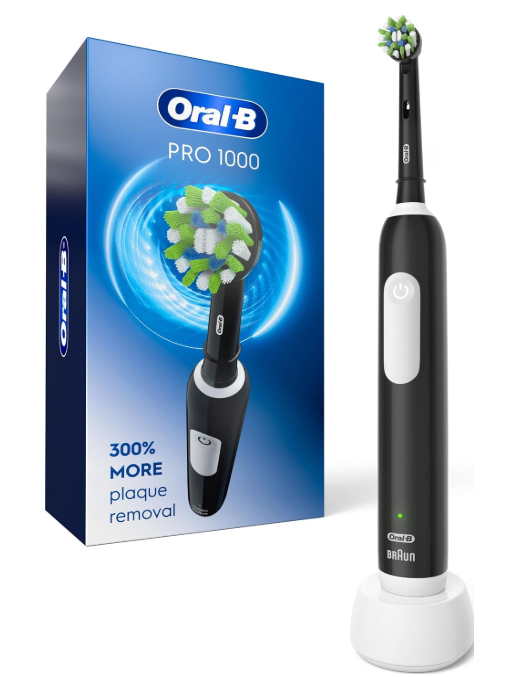
Why Is My Oral-B Pro 1000 Not Holding Charge?
Several factors can affect the battery performance of your Oral-B Pro 1000.
The most common possibilities include:
- An aging rechargeable battery: Battery capacity naturally decreases over time.
- Insufficient charging time: Many Pro 1000 versions require approximately 22 hours for a complete charge.
- A defective charging base: The charger might not transfer power correctly.
- An electrical outlet problem: Some bathroom outlets only work when a switch is turned on.
- Moisture or residue around the handle: Accumulated toothpaste and water deposits may interfere with proper seating on the charger.
- Internal electrical problems: Damage to the battery or charging circuitry can prevent the toothbrush from retaining power.
- An incorrect or incompatible charger: Not every Oral-B charging system is interchangeable.
Before replacing anything, we recommend checking the charging process carefully. Identifying the actual cause can save money and prevent unnecessary purchases.
How Long Should the Oral-B Pro 1000 Battery Last?
Understanding normal battery performance is important before deciding whether something is wrong.
Many traditional Oral-B Pro 1000 models use a rechargeable nickel-metal hydride (NiMH) battery.
According to the specifications for these versions, a full charge can provide approximately seven days of regular brushing, assuming two brushing sessions per day lasting two minutes each.
However, actual battery life depends on several factors.
| Battery characteristic | Typical Oral-B Pro 1000 performance |
|---|---|
| Battery technology | Rechargeable NiMH on traditional models |
| Full charging time | Approximately 22 hours |
| Battery life | Up to 7 days |
| Daily brushing assumption | Twice daily, 2 minutes each |
| Low-battery warning | Red indicator light |
| Battery replacement | Not designed for routine user replacement |
Specifications may differ between production versions, so checking the manual for your particular handle is recommended.


Is It Normal for the Oral-B Pro 1000 to Last Only Two Days?
For a traditional Pro 1000 that previously lasted close to a week, a sudden reduction to two days can indicate a problem.
However, usage matters.
For example, someone brushing three times daily for three minutes will consume considerably more battery power than someone following the standard two-minute, twice-daily routine.
The most concerning situation is when a fully charged toothbrush stops working after only one or two short brushing sessions.
That behavior may indicate significant battery deterioration or a charging problem.
How to Fix an Oral-B Pro 1000 That Won’t Hold Charge
Before assuming the battery needs replacement, we recommend following these troubleshooting steps in order.
1. Charge Your Oral-B Pro 1000 for the Full Recommended Time
One of the most common mistakes is assuming that a few hours on the charger are enough.
Unlike some newer electric toothbrushes, traditional Oral-B Pro 1000 models can take approximately 22 hours to recharge completely.
If your toothbrush has been completely discharged, charging it for only three or four hours may not provide enough energy for several days of use.
Here’s what we recommend:
- Turn off the toothbrush completely.
- Connect the charging stand to a working electrical outlet.
- Place the toothbrush upright on the charging base.
- Check whether the charging indicator begins flashing.
- Leave it charging for the full period specified in your manual.
- Remove it from the charger and evaluate its battery life.
If the toothbrush was fully discharged, the charging indicator might take approximately 10–15 minutes to appear.
Important: A charging light does not necessarily mean the battery has reached full capacity.
2. Check the Electrical Outlet
Sometimes the problem isn’t the toothbrush at all.
Bathroom electrical outlets can behave differently from ordinary household sockets. Depending on the installation, some outlets may be controlled by a switch or protected by a ground-fault circuit interrupter.
If your Oral-B Pro 1000 battery isn’t charging correctly, try the following:
- Plug another small electrical device into the outlet to verify that it works.
- Check whether a bathroom cabinet switch controls the power supply.
- Reset a tripped GFCI outlet if appropriate.
- Try a different compatible outlet.
- Inspect the charger cord for visible damage.
Do not use a charger with exposed wires, damaged insulation, or signs of overheating.
If the toothbrush starts charging normally when connected to another outlet, the original power source was likely responsible.
3. Clean the Charging Base and Toothbrush Handle
Electric toothbrushes are constantly exposed to water, toothpaste residue, and bathroom humidity.
Over time, deposits can accumulate around the bottom of the handle and the charging stand.
Although the Oral-B Pro 1000 uses inductive charging rather than exposed charging contacts, excessive buildup can prevent the handle from sitting correctly on its base.
To clean the charger safely:
- Disconnect the charging stand from the electrical outlet.
- Remove the toothbrush handle.
- Wipe the charging base with a slightly damp, soft cloth.
- Remove visible toothpaste residue from the bottom of the handle.
- Dry both surfaces thoroughly.
- Reconnect the charger and position the toothbrush correctly.
Never immerse the charging base in water or wash it under a running faucet.
Cleaning the charger won’t restore a worn-out battery, but it can eliminate simple positioning and residue problems.
4. Make Sure the Toothbrush Is Positioned Correctly
The Oral-B Pro 1000 uses a charging stand designed to transfer energy through induction.
For charging to work correctly, the handle must sit properly on the designated charging post.
If the toothbrush is tilted, obstructed by residue, or placed on an incompatible charging base, charging may be unsuccessful.
Check that the handle rests securely on the stand without forcing it into position.
Also, avoid operating the charger directly on a metal surface, since Oral-B warns that metal surfaces can interfere with charging.
5. Try Another Compatible Oral-B Charger
A faulty charger can make a healthy battery appear defective.
For example, if the charging base supplies power intermittently, your toothbrush may seem to charge but never accumulate enough energy for normal use.
If you have access to another compatible Oral-B charger, testing it can help identify the problem.
We recommend checking the charging unit’s model number and electrical specifications before using a replacement.
Not all Oral-B charging bases are compatible, particularly across different product families.
If the toothbrush works normally after charging with another suitable charger, replacing the original charging stand may solve the issue.
6. Test the Battery After a Complete Charge
Once you’ve checked the outlet, charger, and charging position, perform a simple battery-life test.
Charge your Oral-B Pro 1000 completely, then use it according to your normal brushing routine.
Record approximately how many two-minute brushing sessions it completes before the low-battery indicator appears or the motor stops.
A simple log can help:
| Observation | Possible explanation |
|---|---|
| Lasts close to a week | Battery may be performing normally |
| Lasts only 2–3 days | Reduced capacity or incomplete charging |
| Stops after one brushing session | Significant battery or charging problem |
| Runs only briefly after charging | Severely degraded battery or internal fault |
| No charging indicator appears | Power, charger, or internal circuit problem |
This test is especially useful when contacting customer support because it provides more information than simply reporting that the toothbrush has poor battery life.
Oral-B Pro 1000 Charging Light Is On but Battery Dies Quickly
One particularly confusing situation occurs when the charging indicator appears to function normally, but the toothbrush still has extremely limited runtime.
Why does this happen?
The charging indicator generally confirms that the charging process is occurring. It doesn’t independently verify the battery’s remaining capacity or health.
A deteriorated rechargeable battery may still accept some electricity while being unable to store enough energy for normal use.
Consequently, the toothbrush might appear to charge successfully but lose power rapidly.
Signs That the Internal Battery Is Wearing Out
Typical symptoms include:
- The toothbrush previously lasted several days but now dies after one use.
- Battery life has gradually decreased over several months.
- The red battery indicator appears shortly after charging.
- The motor runs strongly at first but quickly becomes weak.
- A full charging cycle no longer improves operating time.
These symptoms suggest that the battery may have reached an advanced stage of deterioration.
However, a charger or internal electronics problem can produce similar behavior, so battery failure should not be assumed without checking the simpler possibilities first.
Oral-B Pro 1000 Not Charging and No Light Appears
If your Oral-B Pro 1000 shows no charging indicator at all, the troubleshooting process is slightly different.
First, remember that the charging light may not illuminate immediately when the battery is deeply discharged.
Leave the handle on a known-working, compatible charging base for at least 15 minutes before concluding that nothing is happening.
Next, verify the electrical outlet and inspect the charger.
If the indicator still doesn’t appear, continue charging for the manufacturer-recommended period if the unit is otherwise safe and shows no signs of damage.
What If the Toothbrush Still Won’t Turn On?
If your Oral-B Pro 1000 remains completely unresponsive after a full charging attempt, possible causes include:
- A failed rechargeable battery.
- A defective charging stand.
- An internal circuit malfunction.
- Moisture damage inside the handle.
- A faulty power button or motor assembly.
At this stage, professional assessment or replacement may be necessary.
If you notice unusual heat, swelling, leakage, or a burning smell, stop using and charging the toothbrush immediately.
Can You Reset an Oral-B Pro 1000 Battery?
Some people search for an Oral-B Pro 1000 battery reset, hoping that pressing a combination of buttons will restore its original capacity.
Unfortunately, the Pro 1000 does not have a documented user-accessible battery reset function that repairs a deteriorated battery.
Its power button operates the brushing function, but it cannot reverse the chemical aging of the internal rechargeable cell.
Does Fully Discharging the Toothbrush Help?
Some older Oral-B manuals recommend periodically allowing the battery to discharge during normal use to help maintain its usable capacity.
However, this should not be confused with battery repair.
A normal discharge-and-recharge cycle may help establish whether the toothbrush has been consistently receiving a full charge, but it cannot restore a physically worn-out battery.
For a malfunctioning unit, we recommend checking the instructions specific to your model rather than repeatedly forcing the battery into complete discharge.
Avoid trying to revive the battery with external power supplies, improvised electrical connections, or unsupported charging methods.
Can You Replace the Oral-B Pro 1000 Battery?
The Oral-B Pro 1000 contains an internal rechargeable battery, but the handle is not designed for routine consumer battery replacement.
Unlike a toothbrush powered by ordinary AA or AAA batteries, you cannot simply open a battery compartment and insert a new cell.
Replacing the internal battery may require opening the sealed handle, removing electronic components, and working with battery connections.
This introduces several risks, including:
- Damaging internal electrical components.
- Compromising the waterproof seal.
- Causing a short circuit.
- Damaging or overheating the battery.
- Losing eligibility for warranty service.
For these reasons, we don’t recommend attempting battery replacement at home unless the work is performed by an appropriately qualified repair professional.
Is Replacing the Battery Worth It?
That depends on the toothbrush’s age, condition, and repair cost.
The Pro 1000 is generally positioned as an affordable electric toothbrush, which means professional repair can sometimes cost almost as much as a replacement handle.
If the toothbrush is relatively new, checking warranty coverage is usually the best first step.
If it’s several years old and the battery has clearly deteriorated, buying a replacement may be more practical.
How Long Does an Oral-B Pro 1000 Battery Last Before Replacement?
There’s no single expiration date for the internal battery.
Rechargeable batteries gradually lose capacity because of age, charging cycles, operating conditions, and storage habits.
Some Oral-B Pro 1000 toothbrushes provide several years of reliable service, while others may develop reduced battery life earlier.
A gradual decline is generally less surprising in an older toothbrush than in one purchased recently.
Factors That Can Shorten Battery Lifespan
High temperatures: Excessive heat can accelerate battery degradation.
Long-term storage without use: Batteries can deteriorate when stored improperly for extended periods.
Heavy brushing frequency: More frequent use requires additional charging cycles.
Charging equipment problems: An unreliable or incompatible charging system may affect performance.
Normal chemical aging: All rechargeable batteries eventually lose some capacity.
If your toothbrush is only a few months old and suddenly stops holding a charge, we would investigate a defect or charging problem rather than assuming normal battery aging.
Should You Leave the Oral-B Pro 1000 on the Charger All the Time?
For traditional Oral-B Pro 1000 models, the manufacturer’s instructions indicate that the toothbrush can remain on its charging stand for everyday storage.
The charging system is designed to prevent battery overcharging under normal conditions.
However, continuously charging the toothbrush is not required for proper operation.
Oral-B also recommends unplugging the charging unit when charging isn’t needed to reduce unnecessary electricity consumption.
For regular use, we suggest following the charging and storage guidance provided with your specific model.
There’s no need to purchase a special charger or create complicated charging schedules.
How to Make Your Oral-B Pro 1000 Battery Last Longer
Even though rechargeable batteries naturally age, a few simple habits can help preserve dependable performance.
Keep the Handle and Charger Clean
After brushing, rinse the removable brush head and clean the handle according to the manufacturer’s instructions.
Remove toothpaste residue and allow the components to dry.
Keep the electrical charging base away from standing water.
Avoid Excessive Heat
Store the toothbrush in a location protected from direct sunlight and significant heat.
A typical bathroom environment is generally suitable, provided the charger remains dry and the electrical installation is safe.
Follow the Correct Charging Instructions
Use the compatible Oral-B charger and allow enough time for a complete charge.
Remember that many traditional Pro 1000 models take considerably longer to recharge than newer premium electric toothbrushes.
Monitor Changes in Battery Performance
If your toothbrush normally lasts six or seven days but suddenly begins lasting only one, investigate the problem early.
Sudden changes can help distinguish ordinary battery aging from a charger or electrical fault.
Avoid Unauthorized Modifications
Opening the handle or connecting an improvised charger can create electrical and battery hazards.
Use approved charging equipment and seek professional assistance when internal repairs are required.
Oral-B Pro 1000 Battery Problems: Quick Troubleshooting Table
The following table summarizes the most common problems and their possible solutions.
| Problem | Possible cause | Recommended action |
|---|---|---|
| Battery dies after one use | Battery deterioration | Complete a full charging test |
| Toothbrush doesn’t charge | Faulty outlet | Test another working outlet |
| Charging light doesn’t appear | Deeply discharged battery | Allow 10–15 minutes for the indicator |
| Battery lasts only two days | Partial charge or reduced capacity | Charge fully and monitor runtime |
| Charging works intermittently | Charger or positioning issue | Clean and inspect the charging base |
| Toothbrush runs only on and off | Battery or internal fault | Seek professional service |
| Charging stand appears damaged | Electrical or hardware fault | Stop using it and replace safely |
| Battery performance keeps declining | Aging rechargeable cell | Consider warranty service or replacement |
We recommend completing the basic checks before deciding to purchase a new toothbrush.
When Should You Replace Your Oral-B Pro 1000?
Not every charging problem requires replacing the entire toothbrush.
However, a new handle may be the most reasonable option when:
- The battery dies almost immediately despite a complete charging cycle.
- You’ve already tested the electrical outlet and compatible charger.
- The toothbrush is several years old.
- Battery life continues declining.
- The handle has visible damage.
- Professional repair would cost nearly as much as replacement.
What About the Oral-B Warranty?
Oral-B provides a limited manufacturer’s warranty for many rechargeable toothbrushes, commonly covering two years in the United States, subject to applicable terms and conditions.
Coverage can vary by country and product.
If your Pro 1000 is still under warranty, contact Oral-B customer support before attempting repairs or purchasing another handle.
You may need the purchase receipt and product information.
A manufacturing defect may qualify for service or replacement, while ordinary battery wear and accidental damage may be treated differently.
Is It Better to Repair or Upgrade Your Oral-B Pro 1000?
If you’ve enjoyed using the Oral-B Pro 1000, replacing it with the same model can be a reasonable choice.
It offers the straightforward brushing experience many people prefer without requiring an extensive range of advanced features.
However, if battery autonomy is your biggest frustration, you might consider an electric toothbrush with a longer advertised runtime or faster charging system.
When comparing replacements, look at:
- Battery life per full charge.
- Time required to recharge.
- Compatibility with replacement brush heads.
- Pressure sensor functionality.
- Replacement handle cost.
- Warranty coverage.
- Availability of compatible charging equipment.
A more expensive toothbrush isn’t automatically necessary for effective daily brushing.
The right choice depends on your brushing habits, budget, and preferred features.
Frequently Asked Questions About Oral-B Pro 1000 Charging Problems
1. Why Is My Oral-B Pro 1000 Battery Dying So Fast?
Your Oral-B Pro 1000 may be dying quickly because of an aging rechargeable battery, incomplete charging, a faulty charger, or an internal electrical problem.
Start by charging the toothbrush for the full recommended period and testing another compatible charger if available.
If the battery still lasts only one or two brushing sessions, significant battery deterioration is a possibility.
2. How Long Does It Take to Fully Charge an Oral-B Pro 1000?
Many traditional Oral-B Pro 1000 models require approximately 22 hours to charge fully.
These versions are designed to provide up to seven days of brushing when used twice daily for two minutes.
Check your particular model’s instructions because charging specifications may differ between handle versions.
3. Why Does My Oral-B Pro 1000 Stop Working After Charging?
If the toothbrush stops working shortly after a charging session, the battery might not have received a complete charge, or its usable capacity may have deteriorated.
A defective charging stand can produce similar symptoms.
Check the electrical outlet, confirm charger compatibility, and charge the toothbrush fully before considering battery failure.
4. Can I Replace the Battery in My Oral-B Pro 1000 Myself?
The Oral-B Pro 1000 is not designed for routine user battery replacement.
Opening the sealed handle can damage internal components, compromise water resistance, and create battery safety risks.
Professional repair may be possible, but for an older toothbrush, replacement is often more practical.
5. Is It Normal for an Oral-B Pro 1000 to Stop Holding Charge After Two Years?
Rechargeable batteries gradually lose capacity, so some decline after years of use isn’t unusual.
However, completely losing the ability to hold a charge after two years isn’t something every toothbrush will experience.
Battery longevity depends on usage, charging conditions, storage, and manufacturing variation.
If your toothbrush is experiencing substantial battery problems, check whether warranty assistance is available before replacing it.
Conclusion: What to Do When Your Oral-B Pro 1000 Won’t Hold Charge
An Oral-B Pro 1000 not holding charge can be frustrating, especially when the toothbrush appears to charge normally but runs out of battery after just a few minutes.
Fortunately, several common causes are relatively easy to investigate.
We recommend starting with the simplest solutions: verify the electrical outlet, clean the charging stand, confirm that the handle is correctly positioned, and allow the toothbrush to complete its full charging cycle.
Remember that many traditional Oral-B Pro 1000 models require approximately 22 hours for a complete charge and can deliver up to seven days of regular brushing.
If battery life remains extremely short after these checks, the internal rechargeable battery may be deteriorating or the toothbrush may have an electrical fault.
In that situation, checking warranty coverage or considering a replacement handle is generally safer than attempting to open the toothbrush yourself.
Ultimately, the best way to fix an Oral-B Pro 1000 battery problem is to determine whether the issue comes from charging equipment or the battery itself. A few straightforward checks can help you make that decision without spending money unnecessarily.