
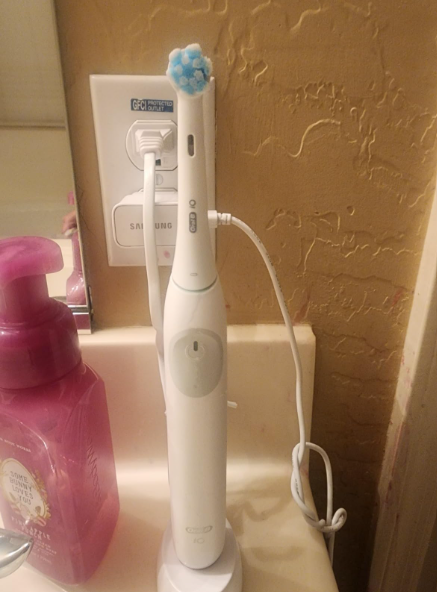
Introduction: When Your Toothbrush Goes Silent
We’ve all been there. You grab your Oral-B iO Series 2, ready to start your routine, and… nothing. No vibration. No light. Just silence. It’s like your toothbrush decided to take a vacation without telling you.
But here’s the good news: in most cases, a charging issue isn’t the end of the road. It’s usually something small—like a loose cable, a dirty contact, or a battery hiccup.
Let’s walk through this together and get your toothbrush back to life.
Why Your Oral-B iO Series 2 Won’t Charge
Understanding the Charging System
The Oral-B iO Series 2 uses magnetic induction charging. That means:
- No exposed metal pins
- Charging happens through a sealed base
- Alignment matters more than you think
If anything disrupts that connection—even slightly—it won’t charge.
Common Reasons It Stops Charging
Here are the usual suspects:
- Faulty charging base
- Dirty charging contacts
- Dead or degraded battery
- Power outlet issues
- Internal hardware malfunction
Think of it like a chain—if one link breaks, nothing works.
First Things First: Basic Checks You Shouldn’t Skip
Is It Plugged In Properly?
Sounds obvious, right? But you’d be surprised.
Check:
- The adapter is fully inserted
- The outlet is working (test with another device)
- The cable isn’t loose
Try Another Power Source
Sometimes the issue isn’t the toothbrush—it’s the wall.
Try:
- A different outlet
- A surge protector
- Another room entirely
Check the Indicator Lights
Normally, the iO Series 2 shows a light when charging.
No light at all?
- Could be a dead battery
- Could be no power reaching the base
Cleaning: The Hidden Fix Most People Ignore
Why Dirt Stops Charging
Toothpaste, water residue, and grime can build up over time.
That layer acts like insulation—blocking the charge.
How to Clean It Properly
Here’s a quick routine:
- Unplug the charger
- Wipe the base with a dry cloth
- Clean the bottom of the toothbrush
- Use a cotton swab for tight spots
Pro Tip
Avoid using excessive water. Moisture inside the base can cause more harm than good.
Charger Problems: When the Base Is the Culprit
Signs of a Faulty Charger
- No light at all
- Charger feels unusually warm or completely cold
- Works intermittently
How to Test It
- Use another compatible Oral-B charger if available
- Try your charger with another toothbrush
If it fails both tests, it’s likely the charger—not the brush.
Battery Issues: The Silent Killer
How Long Does the Battery Last?
Typically:
- 2–3 years of regular use
After that, performance drops.
Signs of a Dead Battery
- Won’t turn on even after hours on charger
- Used to hold charge, now dies quickly
- No response whatsoever
Can You Replace It?
Technically yes—but it’s not easy.
- Requires opening the sealed body
- Voids warranty
- Risk of damage
For most people, replacement is more practical.
Alignment Matters More Than You Think
Is It Sitting Correctly on the Base?
If the toothbrush isn’t aligned:
- Charging won’t start
- No indicator light appears
How to Fix Alignment Issues
- Place it straight, not tilted
- Ensure it sits flush on the base
- Avoid placing it on uneven surfaces
Think of it like wireless charging for phones—position is everything.
Water Damage: The Invisible Enemy
Can Water Stop It From Charging?
Absolutely.
Even though it’s waterproof:
- Charging components can still be affected
- Internal corrosion can occur over time
What You Can Do
- Let it dry completely (24–48 hours)
- Avoid charging immediately after heavy exposure
Resetting Your Oral-B iO Series 2
Does It Have a Reset Option?
Unlike some advanced models, the iO Series 2 has limited reset functionality.
Soft Reset Trick
Try this:
- Place it on the charger for 24 hours
- Remove and press the power button for 10 seconds
Sometimes it “wakes up” after a long charge.
When It’s Not Charging But Still Works
Partial Charging Problems
If it:
- Turns on but drains quickly
- Charges only sometimes
Then you’re likely dealing with:
- Battery degradation
- Inconsistent power supply
Should You Repair or Replace It?
Repair Pros
- Cheaper (if minor issue)
- Eco-friendly
Repair Cons
- Time-consuming
- Not always successful
- Can void warranty
Replacement Pros
- New battery
- Improved performance
- Warranty coverage
Replacement Cons
- Higher upfront cost
How to Prevent Charging Issues in the Future
Simple Habits That Make a Difference
- Clean the base weekly
- Avoid overcharging constantly
- Keep it dry
- Store in a stable position
Charging Best Practices
- Use original charger only
- Don’t wrap the cable tightly
- Keep away from heat sources
Quick Troubleshooting Checklist
Before you panic, run through this:
- ✔ Check outlet
- ✔ Clean contacts
- ✔ Reposition toothbrush
- ✔ Test another charger
- ✔ Leave it charging overnight
- ✔ Inspect for water damage
If all fail, it’s likely internal.
Real Talk: Is It Worth Fixing?
Let’s be honest.
If your Oral-B iO Series 2 is:
- Over 3 years old
- Not holding charge
- Completely unresponsive
…it might be time to move on.
Sometimes, fixing it is like patching an old tire—it works, but not for long.
Conclusion: Bringing Your Toothbrush Back to Life
A toothbrush that won’t charge can feel frustrating—but it’s rarely mysterious.
Most of the time, it’s something simple:
- Dirt
- Misalignment
- Power issues
And when it’s not? It’s usually the battery.
We’ve walked through every possible fix together, step by step. So before you toss it out, try these solutions—you might just bring it back from the dead.
FAQs
1. Why is my Oral-B iO Series 2 not charging at all?
It could be due to a faulty charger, dirty contacts, or a dead battery. Start with basic checks before assuming the worst.
2. How long should it take to fully charge?
Typically, around 16–24 hours for a full charge.
3. Can I use a different Oral-B charger?
Yes, as long as it’s compatible with the iO series.
4. Is it normal for the charger to get warm?
Slight warmth is normal, but excessive heat may indicate a problem.
5. When should I replace my toothbrush?
If it’s over 2–3 years old and not holding charge, replacement is usually the best option.