
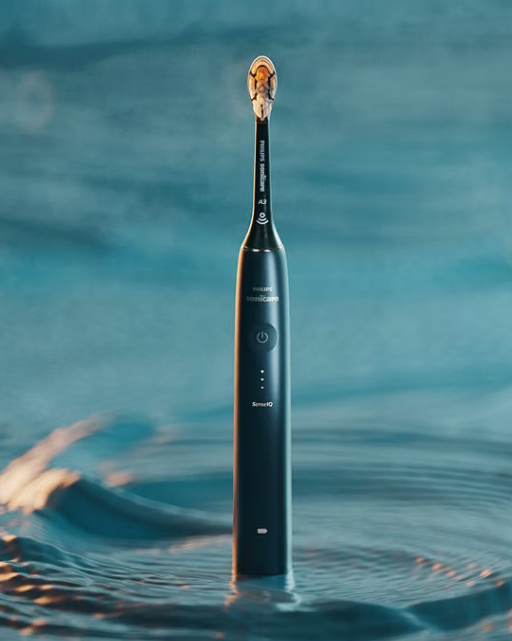
A Philips Sonicare toothbrush is supposed to make our morning routine easier, not leave us staring at a blinking light wondering whether the toothbrush has finally given up. Yet Philips Sonicare battery problems are surprisingly frustrating because they do not always appear in an obvious way.
Sometimes the toothbrush refuses to turn on. Other times, it works perfectly after charging but loses power within a day or two. We may also encounter a Sonicare that says it is charging but never seems to gain enough battery, or one that randomly shuts down halfway through brushing.
The confusing part is that the battery itself isn’t always responsible.
Charging stands, dirty contacts, software glitches, aging internal components, storage conditions, and even normal brushing features can occasionally look like battery failure.
So before assuming our Sonicare needs replacing, let’s work through the problem logically. In this guide, we’ll explore the most common Philips Sonicare battery issues, what causes them, what we can safely try at home, and when it makes more sense to contact Philips or replace the toothbrush.
Common Philips Sonicare Battery Problems
Battery trouble can appear in several different forms.
One user might notice dramatically reduced runtime, while another may have a toothbrush that appears completely dead. Understanding the symptom is the first step toward finding the cause.
Common complaints include:
- Sonicare toothbrush not charging
- Battery draining unusually quickly
- Toothbrush turning off unexpectedly
- Charging light flashing but battery remaining low
- Toothbrush working only after sitting on the charger
- Battery indicator behaving strangely
- Sonicare not turning on after charging
- Charging taking much longer than expected
- Toothbrush losing its charge while stored
- Battery no longer lasting multiple brushing sessions
Some of these symptoms point toward an aging rechargeable battery. Others can come from something as simple as poor placement on the charger.
Why Is My Philips Sonicare Battery Draining So Fast?
Rapid battery drain is one of the most common signs users associate with battery deterioration.
A healthy Sonicare toothbrush should normally support many brushing sessions between charges, although exact battery life varies depending on the model, brushing mode, intensity settings, battery condition, and usage habits.
If your toothbrush suddenly needs charging every couple of days when it previously lasted much longer, something has changed.
The Rechargeable Battery Is Aging
Rechargeable batteries don’t last forever.
Each time we charge and discharge a lithium-ion or rechargeable battery, a tiny amount of its original capacity can gradually disappear. Think of it like a backpack that becomes slightly smaller every year. We can still use it, but eventually it stops holding everything it once did.
After years of regular use, an older Sonicare may:
- Need more frequent charging
- Lose power faster
- Shut off before its indicator suggests the battery is empty
- Charge normally but provide limited runtime
Gradual deterioration is normal for rechargeable electronics.
Frequent High-Power Brushing Modes Can Affect Runtime
Not every brushing session consumes exactly the same amount of energy.
Higher intensity settings and certain advanced brushing modes may require more power than basic cleaning modes. Models with extra electronics, displays, pressure monitoring, Bluetooth connectivity, or other smart features can also have different energy requirements.
That doesn’t necessarily indicate a defective battery.
If our brushing settings recently changed, comparing battery life under our normal cleaning mode may help determine whether the apparent drain is actually abnormal.
Philips Sonicare Not Charging: Start With the Basics
Before blaming the internal battery, inspect the charging setup.
It’s surprisingly easy to misdiagnose a charger problem as a failed battery.
Check the Power Outlet
Yes, this sounds painfully obvious.
But it’s worth testing.
Plug another device into the same outlet or move the Sonicare charger to another known working outlet.
If the toothbrush suddenly begins charging normally, we’ve found the problem without touching the toothbrush itself.
Inspect the Charger
Look carefully at the charging base, cable, plug, and surrounding area.
Watch for:
- Frayed cables
- Bent components
- Cracks
- Water damage
- Loose connections
- Excessive buildup around the base
Never continue using charging equipment that appears physically damaged.
Electrical toothbrushes live in bathrooms, where moisture is always nearby. Damaged electrical accessories and water are not a combination we want to gamble with.
Make Sure the Toothbrush Is Positioned Correctly
Depending on the Sonicare model, charging may happen through a stand, charging glass, travel case, or another compatible accessory.
The handle needs to sit correctly on the charging system.
If it is poorly aligned, the toothbrush may look as though it is resting on the charger while receiving little or no power.
Remove the handle, reposition it carefully, and observe the charging indicator.
Look for a Charging Signal
Many Sonicare models use lights, sounds, vibrations, displays, or other indicators to confirm charging.
However, indicators differ between product families.
Don’t assume every Sonicare behaves identically.
A premium Sonicare model may provide much more detailed battery information than a simpler toothbrush.
If you’re unsure what the light pattern means, check the instructions for your exact model rather than relying on advice written for another Sonicare series.
Clean the Toothbrush and Charging Area
Bathrooms are surprisingly hostile environments for electronics.
Toothpaste residue, mineral deposits, moisture, soap, and general grime can accumulate around a toothbrush handle and charging area.
That buildup can sometimes interfere with proper seating or make the charger appear unreliable.
How to Clean the Charging Area Safely
Unplug the charger before cleaning it.
Then:
- Remove the toothbrush from the charger.
- Wipe the handle exterior with a soft damp cloth.
- Clean visible toothpaste residue around the bottom of the handle.
- Wipe the charger according to its care instructions.
- Allow everything to dry thoroughly.
- Reconnect the charger.
- Place the toothbrush back on it.
Don’t immerse electrical charging components in water unless the manufacturer’s instructions specifically state that the component is designed for it.
Why Does My Sonicare Say It Is Charging but Never Fully Charge?
This symptom can be particularly confusing.
You place the toothbrush on the charger. The charging indicator responds. Hours later, however, the battery still appears weak.
Several possibilities exist.
The Battery May Have Lost Capacity
An aging battery can sometimes accept a charge while holding far less energy than it did when new.
Imagine filling a damaged bucket. Water still goes in, but the bucket no longer behaves like it once did.
A battery with reduced usable capacity might seem to charge properly but discharge almost immediately afterward.
The Charger Could Be Providing Inconsistent Power
Charging accessories can also deteriorate.
If you have access to another charger officially compatible with your exact Sonicare model, comparing behavior can help isolate the issue.
If the toothbrush charges normally with the second compatible charger, the original charger becomes the more likely culprit.
Avoid experimenting with random chargers simply because they physically resemble the original. Compatibility matters.
Philips Sonicare Not Turning On After Charging
Suppose the toothbrush has been charging for hours but pressing the power button produces absolutely nothing.
That doesn’t automatically mean the battery is dead.
Try a Longer Charging Session
If the battery has become deeply discharged, it may need more time before the toothbrush responds normally.
Leave the toothbrush on its proper charger for an extended charging period according to the instructions for your model.
Then test it again.
Repeatedly removing it every few minutes to check whether it has awakened can make troubleshooting more confusing.
Check Whether the Power Button Is the Real Problem
Sometimes what looks like battery failure is actually a button issue.
Ask yourself:
Does the button feel different?
Does it stick?
Does it require unusual pressure?
Has toothpaste collected around it?
A malfunctioning power button can leave the battery perfectly healthy while making the toothbrush seem lifeless.
Sonicare Turns Off While Brushing
This one deserves special attention because not every automatic shutdown is a defect.
Sonicare toothbrushes commonly include built-in timing features designed around recommended brushing routines. Depending on the model and mode, the toothbrush may automatically stop when the programmed brushing cycle finishes.
If the shutdown occurs at approximately the same point during every brushing session, it may be normal timer behavior rather than battery failure.
When Unexpected Shutdown Becomes Suspicious
Battery trouble becomes more likely when the toothbrush:
- Stops at inconsistent times
- Dies within seconds of starting
- Works immediately after charging but quickly stops
- Restarts after being returned briefly to the charger
- Loses power despite showing a substantial battery level
These patterns deserve closer investigation.
Philips Sonicare Battery Indicator Problems
Battery indicators are useful, but we shouldn’t treat them like laboratory equipment.
Occasionally, the displayed or illuminated battery level may not seem to match actual runtime.
For example, the toothbrush may show plenty of charge and then suddenly switch off.
Could the Battery Reading Be Incorrect?
Possibly.
Battery-management electronics estimate remaining charge based on electrical measurements and usage. As batteries age, predicting remaining capacity can become more difficult.
An old battery may experience voltage drops under load that cause the toothbrush to shut down sooner than expected.
In practical terms, the indicator says, “We’re fine,” and the battery replies, “Actually, we’re done.”
If this behavior repeatedly occurs despite proper charging, battery deterioration becomes more plausible.
Does Leaving a Philips Sonicare on the Charger Damage the Battery?
This question comes up constantly.
Modern rechargeable devices typically incorporate charging management intended to control battery charging, and Sonicare toothbrushes are designed around regular charging use.
However, unnecessary exposure to excessive heat is never a battery’s best friend.
The more useful habit is simple: follow the charging and storage recommendations provided for your specific model.
Heat Matters More Than Many Users Realize
Rechargeable batteries dislike excessive heat.
Avoid storing or charging the toothbrush:
- Beside a radiator
- In intense direct sunlight
- Inside an extremely hot vehicle
- Near other major heat sources
A bathroom counter under ordinary household conditions is generally very different from leaving an electronic device baking in extreme temperatures.
Can Cold Temperatures Cause Sonicare Battery Problems?
Extreme cold can temporarily affect battery performance too.
A toothbrush stored somewhere unusually cold might appear weaker until it returns to normal operating temperature.
For most people using their Sonicare inside a normal home, this won’t be an issue.
Travelers, however, should keep temperature exposure in mind.
A toothbrush forgotten in luggage inside a freezing car overnight might behave differently the next morning.
Battery Problems After Long-Term Storage
Maybe you bought another toothbrush and placed your Sonicare in a drawer.
Six months later, you tried to use it again and discovered that it wouldn’t turn on.
Rechargeable batteries gradually lose charge even while they aren’t being used.
If a battery sits discharged for a very long period, recovering it may be more difficult.
What Should We Do After Long Storage?
Start with a proper extended charging session.
Make sure:
- The charger is working
- The handle is correctly positioned
- Charging indicators appear
- The toothbrush is at a normal room temperature
If it remains completely unresponsive after appropriate charging, internal battery deterioration or another electronic fault may have occurred.
Philips Sonicare Battery Problems After Travel
Travel introduces several additional variables.
Suddenly, we’re dealing with unfamiliar electrical outlets, adapters, suitcases, charging cases, and different routines.
Before assuming the toothbrush has failed during a trip, check the entire charging chain.
Check Travel Adapters and Power Sources
An adapter may physically fit an outlet without solving every compatibility consideration.
Always verify that the specific Sonicare charging equipment is suitable for the local electrical supply and that any adapter you’re using is appropriate.
Also inspect the travel charger or charging case itself.
A problem upstream can make a perfectly healthy toothbrush look defective.
Can We Reset a Philips Sonicare Toothbrush?
Some electronic devices respond well to resets, which naturally raises the question: can resetting a Sonicare fix battery problems?
The answer depends heavily on the model.
Certain Sonicare toothbrushes contain more electronics and software than others, so troubleshooting procedures can vary.
There is no single universal reset process we should blindly apply to every Philips Sonicare.
Check the official instructions for your exact model before following button combinations found online.
When a Reset Might Help
A reset or restart procedure, where officially supported, may help when the issue involves:
- Strange indicator behavior
- Connectivity problems
- Unresponsive controls
- Software-related irregularities
It won’t magically restore a physically degraded battery.
Software can fix confused electronics. It cannot reverse battery chemistry.
How Long Should a Philips Sonicare Battery Last?
There’s an important distinction here between runtime per charge and overall battery lifespan.
Runtime describes how long the toothbrush operates between charging sessions.
Battery lifespan describes how many months or years the rechargeable battery remains useful.
Those numbers vary substantially according to:
- Sonicare model
- Brushing frequency
- Brushing mode
- Intensity
- Battery chemistry
- Charging habits
- Storage conditions
- Age
- Manufacturing variation
Because of that, there’s no useful universal number that applies perfectly to every Sonicare.
Watch for Changes From Your Toothbrush’s Normal Behavior
Often the best comparison isn’t with somebody else’s toothbrush.
It’s with yours.
If your Sonicare historically lasted many brushing sessions and now barely survives two, that change matters more than an internet comment claiming a toothbrush “should last X days.”
Sudden or progressive decline tells us more than an arbitrary benchmark.
Signs Your Sonicare Battery May Be Failing
Battery failure usually produces a pattern rather than one isolated event.
Possible warning signs include:
- Runtime has fallen dramatically.
- Full charging takes unusually long.
- The toothbrush dies soon after removal from the charger.
- The battery indicator drops rapidly.
- The unit shuts down unpredictably.
- Charging seems inconsistent despite a known-working charger.
- Battery life has gradually worsened over months.
- The toothbrush only works reliably immediately after charging.
One symptom doesn’t prove the battery is defective.
Several of them appearing together make battery degradation more likely.
How to Troubleshoot Philips Sonicare Battery Problems Step by Step
Instead of trying random tricks, use a process.
Think of troubleshooting like following breadcrumbs. Each test eliminates another possible cause.
Step 1: Confirm the Outlet Works
Use another electrical device to test it.
Step 2: Inspect the Charger
Look for physical damage, moisture, or cable problems.
Step 3: Clean the Handle and Charging Area
Remove residue and allow both components to dry properly.
Step 4: Position the Toothbrush Correctly
Watch for charging confirmation.
Step 5: Give It Sufficient Charging Time
Especially if the toothbrush has been unused or completely depleted.
Step 6: Test Normal Operation
Remove it and complete several ordinary brushing sessions.
Step 7: Observe the Pattern
Does it fail at exactly the same time? Does it drain overnight? Does the battery indicator behave erratically?
Patterns help separate normal timer behavior from genuine power problems.
Step 8: Test With a Compatible Charger When Possible
This can help distinguish charger failure from handle failure.
Step 9: Check Model-Specific Support Instructions
Look up the exact model number rather than generic Sonicare guidance.
Step 10: Contact Philips Support if the Problem Persists
Especially when the toothbrush is relatively new or may still qualify for warranty assistance.
Should We Replace the Philips Sonicare Battery Ourselves?
Here we enter more complicated territory.
Many electric toothbrush handles are sealed to resist moisture. Opening them can compromise that sealing, damage internal components, and potentially create electrical or battery-related safety risks.
Even if online tutorials make battery replacement look like a five-minute weekend project, reality can be messier.
DIY Battery Replacement Has Trade-Offs
Potential issues include:
- Damaging the waterproof seal
- Damaging internal electronics
- Using an incompatible replacement battery
- Soldering hazards
- Battery damage
- Loss of manufacturer support or warranty coverage
- Improper reassembly
For a skilled electronics technician, battery replacement may be technically possible on some models.
For an average owner, replacing or professionally servicing the handle is often the safer route.
Never Work on a Swollen or Damaged Battery
If you suspect internal battery swelling, overheating, leakage, unusual smells, deformation, or other physical damage, stop using the toothbrush.
Don’t continue charging a device that appears physically compromised.
Why Is My Sonicare Getting Hot While Charging?
Some warmth during charging does not automatically mean something is wrong.
Electrical devices naturally produce a certain amount of heat.
Excessive heat is different.
If the toothbrush handle or charger becomes unusually hot, smells strange, appears distorted, or behaves unpredictably, unplug the charging system and stop using it until the issue has been assessed.
Heat combined with battery problems deserves more caution than simple reduced runtime.
Can Water Cause Philips Sonicare Battery Problems?
Sonicare toothbrushes are built for a wet environment, but that doesn’t make every part of the charging system immune to every kind of water exposure.
The handle and charger serve different functions and can have different care requirements.
Avoid assuming that because we rinse the toothbrush handle, the charging base can also be washed the same way.
Pay Attention to Physical Damage
A cracked handle or damaged seal deserves attention.
Moisture entering internal electronics can cause symptoms that resemble battery failure, including:
- Intermittent operation
- Failure to charge
- Random shutdowns
- Unresponsive buttons
- Strange lights
At that stage, continuing to charge the device may not be wise.
Could the Brush Head Cause a Battery Problem?
Usually, the brush head itself isn’t the first place we’d look for battery trouble.
However, mechanical resistance or unusual vibration can occasionally make the toothbrush feel different, leading us to assume that power is fading.
Remove the brush head and inspect it.
Check for:
- Heavy residue
- Physical damage
- Improper installation
- Excessive resistance
- A brush head that doesn’t fit correctly
Then install an appropriate brush head properly and test again.
This won’t repair an aging battery, but it can eliminate another variable.
When Should We Contact Philips?
If basic troubleshooting doesn’t solve the problem, contacting Philips support becomes worthwhile.
This is particularly important when the toothbrush is:
- Fairly new
- Still potentially covered by warranty
- Completely unresponsive
- Overheating
- Physically damaged
- Showing unusual charging behavior
- Losing battery capacity abnormally quickly
Have your model information and proof of purchase available if possible.
Exact support options can depend on the model, country, retailer, and warranty status.
Should You Replace a Sonicare With a Weak Battery?
That decision depends on age, replacement cost, and overall condition.
If the toothbrush is several years old and the battery barely lasts a few sessions, replacing the handle may be more practical than attempting an internal repair.
On the other hand, a nearly new toothbrush developing severe battery problems shouldn’t simply be thrown away without checking support or warranty options.
Think Beyond the Battery
Before replacing the toothbrush, consider whether the rest of it is also aging.
Is the power button becoming unreliable?
Is the shaft loose?
Is the handle damaged?
Does charging behave inconsistently?
If multiple components are deteriorating, investing effort into replacing only the battery may not make economic sense.
How to Help Your Sonicare Battery Stay Healthy
We can’t stop battery aging entirely.
We can, however, avoid unnecessary abuse.
Good habits include:
- Use the correct compatible charging equipment.
- Keep charging components clean and dry.
- Avoid extreme heat.
- Avoid extreme cold during storage.
- Don’t use visibly damaged charging accessories.
- Follow the manufacturer’s charging instructions.
- Store the toothbrush appropriately during long periods of non-use.
- Investigate unusual heat or physical damage promptly.
The idea isn’t to obsess over every charging cycle.
A toothbrush is a tool, not a museum artifact.
Use it normally while giving it reasonable care.
Philips Sonicare Battery Problem or Normal Behavior?
This is the question that ties everything together.
A Sonicare stopping after its programmed brushing cycle? Probably normal.
A toothbrush needing a recharge after substantial use? Also normal.
A toothbrush that used to last many sessions but suddenly dies every morning? That’s more suspicious.
A handle that becomes abnormally hot, smells unusual, or shows physical deformation? Stop using it and treat the issue seriously.
The secret is context.
One strange light doesn’t tell us much. A repeatable pattern does.
Quick Philips Sonicare Battery Troubleshooting Checklist
When your toothbrush begins acting strangely, work through this checklist:
- Verify the electrical outlet.
- Inspect the charging cable and base.
- Clean and dry the handle and charger.
- Confirm correct charger placement.
- Allow enough time for charging.
- Check whether the automatic timer explains the shutdown.
- Monitor battery runtime over several uses.
- Compare with another officially compatible charger if available.
- Review instructions for the exact Sonicare model.
- Contact Philips if the issue remains unresolved.
This approach saves us from the classic mistake of declaring the battery dead when the real villain is a charger, outlet, timer, or dirty base.
Closing Thoughts on Philips Sonicare Battery Problems
Philips Sonicare battery problems can range from harmless charging quirks to genuine battery deterioration.
The important thing is not to jump immediately to the worst conclusion.
Start with the simple possibilities. Confirm the outlet. Inspect the charger. Clean the toothbrush. Charge it properly. Watch how the battery behaves over several brushing sessions.
If the toothbrush is older and its runtime has slowly collapsed, an aging rechargeable battery is a reasonable explanation. If a relatively new Sonicare suddenly develops serious charging problems, manufacturer support may be a better first move than trying to open the sealed handle ourselves.
And if the device becomes unusually hot, damaged, swollen, or otherwise physically abnormal, stop using and charging it.
A toothbrush should help us clean our teeth—not turn our bathroom counter into an electronics repair bench.
Frequently Asked Questions About Philips Sonicare Battery Problems
1. Why is my Philips Sonicare battery dying so quickly?
Rapid battery drain can result from battery aging, frequent use, power-intensive settings, charging problems, environmental conditions, or an internal fault. If runtime has declined dramatically compared with the toothbrush’s previous performance, battery deterioration becomes more likely.
2. Why won’t my Philips Sonicare charge?
First check the electrical outlet, charger, charging position, and cleanliness of the handle and base. Allow sufficient charging time, particularly if the battery was completely discharged. If another compatible charger works normally, the original charger may be the problem.
3. Can a Philips Sonicare battery be replaced?
The internal rechargeable battery may technically be replaceable in certain models, but Sonicare handles are generally sealed appliances. Opening one can damage the waterproofing or electronics and may affect warranty coverage. Professional service or handle replacement is often the safer option.
4. Why does my Sonicare stop while I’m brushing?
It may simply be reaching the end of its programmed brushing cycle. However, inconsistent shutdowns, very short operation, or a toothbrush that dies despite displaying available charge can indicate a battery, charging, or electronic problem.
5. How do I know if my Sonicare battery is bad?
A failing battery may show dramatically reduced runtime, rapid battery-level drops, unexpected shutdowns, or an inability to hold a charge despite proper charging. Rule out the outlet, charger, residue, temperature, and normal timer behavior before concluding that the battery itself has failed.