
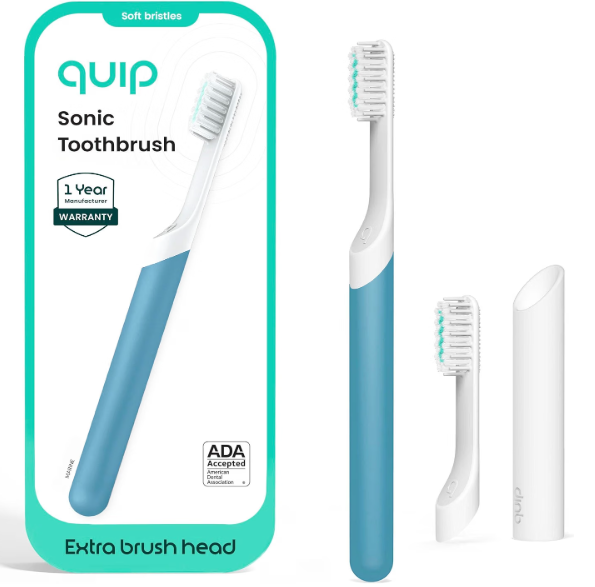
A SURI toothbrush not charging can turn a beautifully simple morning routine into a surprisingly annoying little mystery. You place the toothbrush on its charger, expect the familiar light, walk away—and later discover that the battery is still flat.
Before we assume the toothbrush has reached the end of its life, though, there is good news. Charging problems are not always caused by a failed battery. Sometimes the culprit is as mundane as a USB power adapter, an improperly seated brush, moisture around the charging area, or confusion between the charging systems used by different generations of SURI toothbrushes.
And that last point matters.
Current SURI 2.0 models use a wireless charging stand with USB-C connectivity, while earlier SURI models commonly came with a USB charging pebble and could also be charged through certain travel cases. So troubleshooting the wrong charging setup is a bit like trying to unlock your front door with the car key: everything looks familiar, but nothing happens.
In this guide, we’ll work through the most likely reasons a SURI toothbrush won’t charge, show how to identify whether the charger or toothbrush is causing the problem, explain what the charging lights mean, and help determine when it is finally time to contact SURI support.
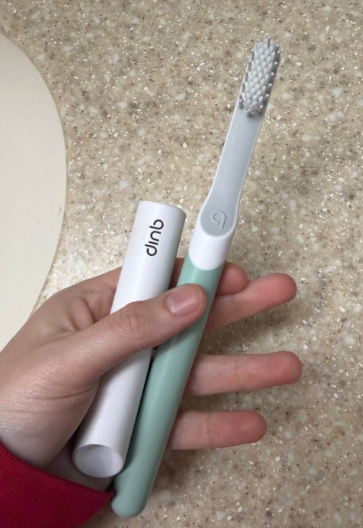
Why Is My SURI Toothbrush Not Charging?
When our SURI toothbrush refuses to charge, the problem usually falls into one of several broad categories:
- The USB power source is not supplying power.
- The USB cable or charging stand has a poor connection.
- The toothbrush is not positioned correctly on the charger.
- Moisture, toothpaste residue, or debris is interfering with the charging setup.
- The battery is completely depleted and needs more time before showing signs of life.
- We are using charging instructions intended for a different SURI generation.
- The charger itself has developed a fault.
- The toothbrush’s internal battery or charging electronics have failed.
It is tempting to immediately blame the battery, especially if the toothbrush does absolutely nothing. But batteries are only one link in the chain.
We want to troubleshoot from the wall outlet toward the toothbrush rather than starting at the toothbrush and guessing.
First, Identify Which SURI Toothbrush You Have
This is one of the most useful steps because SURI’s charging hardware has changed.
SURI 2.0 Charging System
The current SURI 2.0 generation is advertised with a weighted wireless charging stand that connects using USB-C. SURI states that an overnight charge provides more than a month of battery life.
That means we should focus on three areas:
the power source, the USB-C connection to the stand, and the toothbrush’s alignment on the wireless charger.
Earlier SURI Toothbrush Charging System
Earlier versions use SURI’s USB charging pebble. Official product information describes these models as capable of charging in roughly four hours, with a battery life of around 40 days or more depending on the version and usage.
Certain older SURI travel cases can also charge the toothbrush when the case itself is connected to power.
So, before troubleshooting, check which charger originally came with your brush.
What Should a SURI Toothbrush Do While Charging?
Knowing what normal charging looks like prevents a lot of unnecessary panic.
SURI’s quick-start guidance for its earlier charging system says the toothbrush light should blink blue while charging and become solid white when fully charged. It recommends connecting the charging stand to a 5V USB 2.0 charger, noting that many ordinary phone chargers work.
Different product generations can behave differently, so we should not assume every SURI model will display exactly the same charging sequence.
Still, if there is no response whatsoever after trying a known-good power source and correctly positioning the toothbrush, further troubleshooting makes sense.
How to Fix a SURI Toothbrush That Is Not Charging
The best approach is systematic. Rather than randomly plugging and unplugging everything, we can eliminate one possible failure point at a time.
Start at the power source.
Then move to the cable.
Then the charger.
Finally, test the toothbrush itself.
This method makes it much easier to discover what is actually wrong.
1. Check the USB Power Source
This is the simplest fix—and one of the easiest to overlook.
A charging stand cannot charge the toothbrush if the USB adapter, outlet, power strip, or USB port is not delivering electricity.
Disconnect the SURI charger and plug another device into the same power source.
For example, try charging a phone or another USB accessory.
If that device also fails, congratulations: we have probably found the problem without touching the toothbrush.
SURI’s quick-start guide recommends a 5V USB 2.0 charger for its compatible stand. If troubleshooting an older SURI setup, trying a straightforward known-good 5V USB power source is therefore an especially sensible test.
Try a Different Wall Outlet Too
Sometimes the adapter is fine but the outlet is not.
Power strips can also fail quietly. Individual USB sockets can become unreliable. Hotel USB outlets are particularly unpredictable.
Plug the charger directly into another known-working outlet before concluding the SURI charger is defective.
2. Disconnect and Reconnect Every Cable
USB cables have an annoying talent for looking connected when they are not fully seated.
Remove the cable from the charging stand and power adapter, then reconnect both ends firmly.
For SURI 2.0, pay particular attention to the USB-C connection going into the wireless charging stand.
We are not trying to force anything. USB-C should insert smoothly.
If the cable only works when bent, held at a particular angle, or pressed sideways, stop using it. That behavior usually suggests a connection or cable problem rather than anything the toothbrush can solve.
3. Test With Another Compatible USB Cable
If your SURI charging stand uses a detachable cable, the cable becomes another possible failure point.
USB cables endure more abuse than we realize. They get bent behind bathroom cabinets, packed tightly into luggage, crushed under adapters, and repeatedly plugged and unplugged.
A cable can fail internally while still looking immaculate on the outside.
Try another compatible, known-working cable.
If the charger suddenly begins working, the toothbrush was innocent all along.
This is why we should resist declaring the battery dead too early.
4. Reposition the SURI Toothbrush on the Charger
Wireless and inductive charging depend on proper alignment.
The toothbrush needs to sit correctly on the SURI charging stand or pebble. If it is leaning, partially resting on another object, or sitting incorrectly, charging may not begin as expected.
Remove the brush completely.
Wait several seconds.
Then place it back on the charger naturally without pushing or twisting it.
Does the Brush Feel Properly Seated?
A charger sitting on an uneven surface can make alignment less reliable.
Place the charger on a stable, level countertop.
If you keep the charging station beside other bathroom accessories, make sure nothing is pushing against the toothbrush.
Sometimes the solution really is that boring.
5. Clean the Charging Area
Bathrooms produce the perfect cocktail for charging trouble: moisture, toothpaste mist, dust, and dried residue.
Even though SURI toothbrushes are designed for bathroom use and some models are rated IPX7 waterproof, keeping the charging setup clean and dry remains sensible. Earlier official SURI specifications list the brush itself as IPX7 waterproof.
Unplug the charger before cleaning it.
Wipe the charging stand and the bottom of the toothbrush with a soft, clean cloth. Remove visible toothpaste residue or debris without inserting metal objects into ports or scraping surfaces.
Allow everything to dry before reconnecting power.
Pay Attention to the USB Port
The charging stand’s USB port deserves special attention.
Lint or residue inside a port can prevent the cable from seating completely.
Do not pour water into the port, spray cleaner directly into it, or poke around with pins or metallic tools.
If debris is obvious but cannot be removed safely, professional support is better than turning a small charging problem into permanent electrical damage.
6. Leave a Completely Flat SURI Battery Charging Longer
A toothbrush that has been stored for weeks or allowed to run completely flat may not respond instantly.
We often expect electronics to light up the second they touch a charger. A deeply discharged rechargeable battery may need some uninterrupted charging before the device becomes responsive.
Place the toothbrush correctly on a verified working charger and leave it alone rather than repeatedly removing and replacing it every few seconds.
For context, SURI has described earlier models as capable of a full charge in approximately four hours, while current SURI 2.0 information recommends overnight charging for more than a month of battery life.
A brush that shows no signs of charging even after a substantial uninterrupted session with a confirmed working power setup deserves further investigation.
7. Try the Original SURI Charger
Third-party accessories can complicate troubleshooting.
If we are testing an unknown charging stand, borrowed cable arrangement, or unofficial accessory, return to the original SURI charger supplied with the toothbrush whenever possible.
Why?
Because troubleshooting works best when we remove variables.
If the toothbrush charges normally with the original charger, we know the brush and battery are probably functioning.
The alternative charging accessory then becomes the main suspect.
SURI Toothbrush Not Charging in the Travel Case
This issue deserves its own section because SURI’s travel-case design differs between generations.
Some earlier SURI travel cases were designed to charge the toothbrush when the case was plugged in.
Current SURI 2.0 product information describes its redesigned travel clean-and-charge case differently, including a battery-powered UV-C cleaning function, while the brush itself comes with a separate wireless charging stand.
In other words, do not assume a current travel case works exactly like an older one.
Confirm What Your Particular Case Is Designed to Do
This is a surprisingly important troubleshooting step.
If an older tutorial says, “Put the toothbrush in the travel case and connect USB-C,” but we own a newer version with different hardware, we could spend an afternoon trying to fix something that is not actually broken.
Check the instructions associated with your exact SURI model.
SURI Toothbrush Charging Light Not Working
What happens when the toothbrush seems to charge but the expected light never appears?
First, test the toothbrush itself.
After leaving it on the charger, remove it and try switching it on.
If runtime has increased significantly, charging may be occurring even if the indicator is behaving unexpectedly.
If the toothbrush remains completely dead, however, we have a stronger reason to suspect that power is not reaching the battery.
Blinking Blue Light on a SURI Toothbrush
For SURI’s documented earlier charging setup, a blinking blue light indicates charging. SURI says the light becomes solid white once the battery is full.
So a blinking blue light is generally not something we need to “fix” during normal charging on a compatible model.
It is the toothbrush saying, in effect, “I’m working on it.”
Solid White Light
According to the same SURI guidance, solid white indicates a full charge on the applicable model.
If the toothbrush quickly dies despite reaching what appears to be the fully charged state, the problem may have shifted from “not charging” to poor battery retention.
Those are related symptoms, but they are not identical.
SURI Toothbrush Charges but Battery Dies Quickly
Suppose the brush charges normally, works for a day or two, and then goes flat again.
That is different from a toothbrush that cannot charge at all.
SURI advertises long battery life across its lineup. Earlier versions were promoted with around 40+ days of battery life, while current SURI 2.0 information describes more than one month from an overnight charge.
Real-world runtime naturally varies according to brushing frequency, modes, battery age, and usage patterns, but a dramatic decline can point toward battery deterioration.
Battery Age Matters
Rechargeable batteries are consumable components.
Every charge cycle contributes a tiny amount of wear. Over a long enough period, virtually every lithium-based rechargeable device eventually stores less energy than it did when new.
We should therefore distinguish between a modest reduction in runtime and something extreme.
Going from very long battery life to slightly shorter battery life over time is one thing.
Needing to charge after almost every brushing session is something else entirely.
Could Overcharging Damage a SURI Toothbrush?
Many users instinctively leave electric toothbrushes permanently attached to their chargers.
SURI actually advises less frequent charging for the applicable earlier model, saying that charging roughly once a month can help preserve battery life.
With such long advertised runtime, there is little reason to treat the SURI like a landline telephone that must live permanently on its base.
Charge it when needed, then enjoy the long battery life.
That also keeps the bathroom counter cleaner.
Can Water Stop a SURI Toothbrush From Charging?
The toothbrush itself is designed around wet bathroom use, and earlier SURI models are specified as IPX7 waterproof.
That does not mean every USB plug, wall adapter, cable connector, or charging port should be wet.
There is an important difference between a waterproof toothbrush body and an electrical power connection.
If the charging area is visibly wet, disconnect it from power and allow it to dry thoroughly.
Never deliberately charge USB-powered bathroom equipment while its electrical connectors are wet.
How to Tell Whether the Charger or Toothbrush Is Faulty
By now we can usually narrow the problem considerably.
If changing the outlet fixes the problem, the toothbrush is fine.
If changing the cable fixes it, the cable was responsible.
If the charger does not work with a verified power source and cable, the charging stand becomes suspicious.
If a known-good original charger works but another charger does not, the accessory is probably the issue.
And if the toothbrush refuses to respond despite a confirmed functional SURI charger, correct positioning, clean equipment, and a long charging period, the problem is increasingly likely to be inside the toothbrush.
That is the point where endless home troubleshooting stops being useful.
Should You Reset a SURI Toothbrush That Won’t Charge?
We should be careful with generic advice from the internet here.
Many electric toothbrush articles suggest mysterious combinations of holding buttons for 10, 20, or 30 seconds. Those procedures are highly model-specific.
A button sequence designed for one toothbrush brand—or even a different generation of the same brand—can be irrelevant to another device.
If SURI provides a reset or troubleshooting sequence for your exact model, follow that official procedure.
Otherwise, we would not invent one.
The safer troubleshooting path is power source, cable, charger, placement, cleaning, charging time, and support.
What Not to Do When Your SURI Toothbrush Won’t Charge
A frustrating device can tempt us into becoming amateur electronics engineers.
Resist the urge.
Opening the toothbrush body, prying apart the charging stand, attempting homemade battery replacements, connecting unknown voltages, or probing USB components with metal tools can damage the product and create unnecessary electrical risks.
SURI emphasizes repairability and reuse as part of its product philosophy, but repairability does not mean every internal repair should become a bathroom-counter DIY project. Earlier SURI product information specifically describes engineering intended to allow components to be opened for reuse or recycling.
When internal hardware appears faulty, let the appropriate repair or support channel handle it.
When Should We Contact SURI Support?
There comes a moment when troubleshooting begins circling the drain.
Contact SURI when the toothbrush still will not charge after we have confirmed the outlet works, tested an appropriate cable and power source, cleaned and dried the charging setup, positioned the toothbrush correctly, and allowed it enough uninterrupted charging time.
Support is also sensible if the charger becomes unusually hot, appears physically damaged, has a loose connector, or works intermittently without an obvious explanation.
The same applies when the toothbrush shows obvious battery symptoms such as charging to “full” and then losing nearly all power unusually quickly.
Have These Details Ready
Before contacting support, gather the model or generation, approximate purchase date, charging accessory being used, description of the indicator-light behavior, and the troubleshooting steps already attempted.
That information saves everyone from the tedious opening act of “Have you tried another outlet?”
It also makes it easier to distinguish between a charger replacement and a toothbrush hardware issue.
How to Prevent Future SURI Charging Problems
Once the toothbrush is working again, prevention is pleasantly uneventful.
Keep the charger somewhere reasonably dry.
Avoid tightly bending the USB cable.
Wipe toothpaste residue from the bottom of the brush and charging area.
Use appropriate charging hardware.
Do not leave electrical connectors sitting in puddles on the bathroom counter.
And because SURI toothbrushes are designed around long battery life, there is generally no need to obsessively charge after every brushing session.
SURI’s own guidance for earlier models notes that less frequent charging can help preserve battery life.
Think of the battery more like a fuel tank than an IV drip. Fill it when necessary, then let the toothbrush do its job.
Is a SURI Toothbrush Battery Replaceable?
If the battery itself has failed, we would avoid treating the toothbrush like an old TV remote and attempting an improvised battery swap.
The toothbrush is a sealed electrical device designed for use around water.
Internal battery servicing therefore requires much more care than replacing ordinary disposable cells.
SURI has marketed its toothbrush around repairability and reduced waste, so contacting the company about available repair, replacement, or recycling options is preferable to cracking the housing open ourselves.
This approach is safer and better aligned with the reason many people chose SURI in the first place.
SURI 2.0 Not Charging: A Few Model-Specific Considerations
SURI 2.0 introduces enough charging differences that it deserves separate attention.
The model uses a weighted wireless charging stand with USB-C connectivity and is advertised with more than a month of battery life after overnight charging.
If a SURI 2.0 is not charging, focus especially on the USB-C cable, USB power supply, connection at the charging stand, and alignment between the brush and wireless charger.
Do not automatically apply older travel-case charging instructions to it.
This is probably the single biggest way current owners can avoid wasting time with outdated troubleshooting advice.
Older SURI Toothbrush Not Charging
For an older SURI model equipped with the USB pebble charger, official information states that the charger uses USB and that some versions could recharge in around four hours.
SURI’s quick-start documentation additionally recommends connecting the stand to a 5V USB 2.0 charger.
If we have the original pebble, this makes diagnosis relatively straightforward.
Test a known-working 5V-compatible USB source, check the cable, clean the charging setup, place the toothbrush correctly, and observe the indicator.
If none of that produces a response, support is the logical next step.
How Long Should a SURI Toothbrush Take to Charge?
There is no single answer that fits every SURI generation.
Earlier SURI product information has listed approximately four hours for a full recharge, while current SURI 2.0 marketing recommends an overnight charge and advertises more than a month of battery life.
That model distinction is important for SEO articles because old and new information can otherwise become mixed together.
If our SURI has been charging for only ten minutes and still appears flat, patience may be all it needs.
If it has been correctly charging overnight on a verified working setup and remains completely dead, patience is no longer the most useful troubleshooting strategy.
Is My SURI Toothbrush Actually Broken?
Possibly—but we should earn that conclusion.
A toothbrush that does not respond to one particular outlet is not necessarily broken.
A toothbrush that fails with one questionable cable is not necessarily broken.
A toothbrush that was incorrectly positioned on a wireless charger is definitely not necessarily broken.
The evidence becomes much stronger when multiple known-good power sources and cables produce the same result with the correct SURI charger.
If the charging hardware works but the toothbrush does not, the internal battery or electronics move higher on the suspect list.
Troubleshooting is ultimately a process of elimination.
We are not guessing which component failed. We are removing innocent suspects one by one.
Final Thoughts: Fixing a SURI Toothbrush That Won’t Charge
A SURI toothbrush not charging does not automatically mean we need a new toothbrush.
Begin with the boring fixes because boring fixes are wonderfully cheap.
Check the outlet. Verify the USB power source. Reconnect the cable. Try a compatible replacement cable. Clean and dry the charging area. Place the toothbrush correctly on its charger. Then give a deeply depleted battery enough time to recover.
Most importantly, make sure the troubleshooting advice actually matches your SURI generation. Current SURI 2.0 models use a USB-C-connected wireless charging stand, while older versions use different charging hardware and may support charging through certain travel cases.
Once every external component has been verified and the toothbrush still refuses to charge, we have reached the point where SURI support makes more sense than further experimentation.
Sometimes the problem is merely a cable.
Sometimes it is the charger.
And, yes, occasionally the battery really has reached the end of the road.
The trick is finding out which one before we replace something that was never broken.
Frequently Asked Questions
Why is my SURI toothbrush not charging at all?
Start by checking the power outlet, USB adapter, cable, and charging stand. Make sure the toothbrush is seated correctly and the equipment is clean and dry. For applicable earlier models, SURI recommends a 5V USB 2.0 charger. If the toothbrush remains completely unresponsive after a long charge using verified working equipment, contact SURI support.
How do I know if my SURI toothbrush is charging?
SURI’s quick-start documentation for applicable earlier models states that the indicator blinks blue while charging and becomes solid white when fully charged. Indicator behavior can differ between generations, so consult the instructions for your exact model.
How long does a SURI toothbrush take to charge?
Earlier SURI versions have been advertised with approximately four-hour charging, while SURI 2.0 guidance recommends an overnight charge and says this provides more than a month of use. Charging specifications therefore depend on the model.
Can I charge my SURI toothbrush in its travel case?
Some earlier SURI travel cases can charge the toothbrush when the case is plugged into power. Current SURI 2.0 hardware differs and includes a separate wireless charging stand, so check the instructions for your particular travel case before assuming it functions as a brush charger.
What should I do if my SURI toothbrush charges but dies quickly?
First, complete a proper full charge and monitor the runtime. If battery life has fallen dramatically despite normal charging, the rechargeable battery may be deteriorating. Since the toothbrush is a sealed electrical device intended for wet environments, contacting SURI about repair or replacement options is safer than attempting to open the brush yourself.