
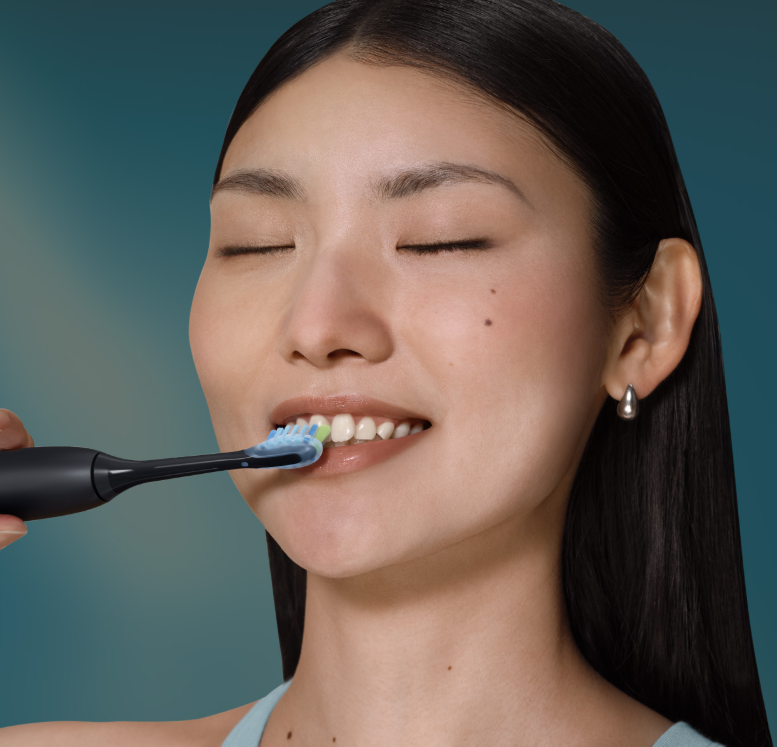
If you’ve recently purchased the Philips Sonicare 5950 electric toothbrush, you might be wondering whether it’s safe to use in the shower. After all, brushing your teeth while showering can save time, especially during busy mornings.
The good news is that the Philips Sonicare 5950 is designed to handle the water exposure associated with normal brushing and rinsing, and Philips generally confirms that its Sonicare toothbrushes can be used safely in the shower.
However, there’s an important distinction between a water-resistant toothbrush and an electronic device that can withstand absolutely any type of water exposure.
In this guide, we’ll explain everything you need to know about the Philips Sonicare 5950’s waterproof capabilities, shower safety, cleaning methods, charging precautions, and long-term maintenance.
We’ll also look at what happens if your toothbrush gets excessively wet and how to keep it functioning properly for years.
Is the Philips Sonicare 5950 Waterproof?
Yes, the Philips Sonicare 5950 is suitable for normal wet bathroom use, including brushing your teeth in the shower.
Philips designs its Sonicare electric toothbrushes to withstand exposure to water during everyday oral hygiene routines.
This is important because electric toothbrushes regularly encounter:
- Running tap water during rinsing.
- Toothpaste mixed with saliva.
- Water splashes around bathroom sinks.
- Moisture from wet hands.
- Water exposure during shower brushing.
- Humidity in bathrooms.
The Sonicare 5950 features an enclosed rechargeable handle designed for these everyday conditions.
Nevertheless, waterproof construction doesn’t mean you should intentionally leave the toothbrush submerged in water or expose it to unnecessarily harsh conditions.
We also recommend checking the instructions for your specific product version, particularly if you’ve purchased an imported model.
Does the Philips Sonicare 5950 Have an IPX7 Rating?
IPX7 is a common water-resistance classification used for electronic products.
Under standardized test conditions, an IPX7-rated product is protected against temporary immersion in water at a depth of up to one meter for 30 minutes.
However, we could not confirm an official IPX7 rating specifically for the Philips Sonicare 5950 from the manufacturer’s published specifications.
Therefore, we shouldn’t automatically assume that the Sonicare 5950 meets IPX7 testing requirements simply because it’s suitable for shower use.
Waterproof suitability and a formally documented IP rating aren’t necessarily the same thing.
Fortunately, you don’t need an IPX7 certification to establish whether the toothbrush can handle ordinary shower brushing. Philips provides general guidance confirming that Sonicare toothbrushes may be used in the shower.
Can You Use the Philips Sonicare 5950 in the Shower?
Yes. According to Philips’ general Sonicare guidance, using a Sonicare electric toothbrush in the shower is safe.
That means you can incorporate brushing into your morning or evening shower routine.
The Philips Sonicare 5950 operates using a rechargeable battery, so there’s no need for a power cable while you’re brushing.
Its sonic cleaning technology works normally in a wet environment, allowing you to clean your teeth without standing in front of the bathroom sink.
However, some precautions are worth following.
Important Safety Precautions When Showering
Although shower brushing is generally acceptable, we recommend following these simple rules:
- Keep the charger outside the shower. Never bring the charging stand or electrical adapter into the shower area.
- Avoid prolonged exposure to very hot water. Normal shower conditions are preferable to excessive heat.
- Don’t deliberately submerge the toothbrush. Shower suitability shouldn’t be interpreted as permission for extended underwater use.
- Maintain a secure grip. The handle can become slippery when covered with water or toothpaste.
- Dry the toothbrush afterward. Allow the handle and brush head to air-dry between uses.
- Inspect the handle regularly. Stop using it if you notice cracks, damaged seals, or unusual operation.
These precautions help protect both the device and its internal electronic components.
Philips Sonicare 5950 Waterproof vs. Water-Resistant: What’s the Difference?
The terms waterproof and water-resistant are sometimes used interchangeably, but they don’t always mean the same thing.
Water-resistant products are designed to tolerate a certain amount of water exposure.
Waterproof products may offer stronger protection, although the exact level depends on their design and any applicable testing certification.
Here’s how these concepts relate to the Sonicare 5950.
| Water exposure | Philips Sonicare 5950 guidance |
|---|---|
| Wet hands | Suitable |
| Bathroom humidity | Suitable for normal use |
| Light water splashes | Suitable |
| Rinsing the brush head | Recommended |
| Rinsing the handle | Suitable when following cleaning instructions |
| Brushing in the shower | Generally safe |
| Leaving it in the shower permanently | Not recommended |
| Prolonged underwater immersion | Not recommended |
| Washing in a dishwasher | Not recommended |
| Exposing the charging stand to water | Avoid |
The important takeaway is that the Philips Sonicare 5950 can handle typical bathroom moisture, but unnecessary water exposure should still be avoided.


How to Use the Philips Sonicare 5950 Safely in the Shower
If you prefer brushing while showering, establishing a consistent routine can make the process more convenient.
Step 1: Prepare Your Toothbrush
Before entering the shower, attach a compatible Philips Sonicare brush head.
Apply a pea-sized amount of fluoride toothpaste to the bristles.
Make sure the brush head is securely attached and that the toothbrush has sufficient battery charge.
Step 2: Choose Your Brushing Mode
The Philips Sonicare 5950 offers two brushing modes and three intensity settings.
This provides six possible combinations to customize your brushing experience.
The main modes are:
- Clean: Designed for everyday tooth cleaning and plaque removal.
- Gum Health: Intended to support gum-care routines.
You can select a comfortable intensity depending on your preferences and oral sensitivity.
If you’re new to Sonicare toothbrushes, starting with a lower intensity may make the transition easier.
Step 3: Brush for Two Minutes
Position the bristles against your teeth and gumline at a slight angle.
Allow the sonic movements to do the cleaning instead of scrubbing aggressively.
The Sonicare 5950 includes timing features that help you maintain a consistent brushing routine.
We recommend dividing your mouth into sections and spending sufficient time cleaning each area.
Avoid rushing just because you’re already in the shower.
Step 4: Rinse the Toothbrush
After brushing, turn off the device.
Rinse the brush head thoroughly to remove toothpaste residue.
You can also rinse the handle as directed by Philips, paying particular attention to removing residue around the buttons and brush-head connection.
Step 5: Store It Outside the Shower
Once you’ve finished, place the toothbrush somewhere dry and ventilated.
Philips specifically advises against leaving Sonicare toothbrushes stored in the shower between brushing sessions.
Allowing the device to air-dry helps reduce moisture buildup and keeps the brush head cleaner.
Why You Shouldn’t Leave the Sonicare 5950 in the Shower
One of the most common mistakes is assuming that because a toothbrush can be used in the shower, it can also be stored there permanently.
These are two different situations.
Using the Sonicare 5950 during a short shower exposes it to water temporarily.
Leaving it inside a shower enclosure can expose it to repeated splashing, constant humidity, soap residue, and limited airflow.
Over time, these conditions can make maintenance more difficult.
Continuous Moisture Can Encourage Buildup
A damp toothbrush stored in a poorly ventilated environment may accumulate residue around the brush-head connection.
Toothpaste, mineral deposits, and moisture can collect in areas that aren’t immediately visible.
Regular cleaning and drying help minimize this buildup.
Shower Products May Leave Residue
Shampoo, conditioner, body wash, and other products may come into contact with the toothbrush.
Although occasional splashes aren’t necessarily a problem, these products aren’t intended for cleaning electric toothbrushes.
It’s best to keep the Sonicare 5950 away from unnecessary exposure to shower chemicals and cosmetic products.
Accidental Drops Are Another Concern
Electric toothbrushes can become slippery when wet.
If the handle falls onto a hard shower floor, the impact could damage its casing or internal components.
Even a device designed for wet use may lose its water protection if its housing becomes cracked.
Can You Wash the Philips Sonicare 5950 Under Running Water?
Yes. Normal cleaning involves rinsing the toothbrush and removing toothpaste residue.
However, we recommend following the cleaning procedure described in the product instructions rather than treating the entire device as something that requires prolonged washing.
How to Clean the Toothbrush Handle
To clean the Sonicare 5950 handle:
- Switch off the toothbrush.
- Remove the brush head.
- Rinse the metal shaft area and buttons with warm water.
- Gently remove toothpaste residue around the connection.
- Wipe the handle with a damp cloth.
- Dry the handle using a clean, soft towel.
Avoid using sharp objects around the rubber seals.
These seals are important components, and damaging them could compromise the toothbrush’s protection against moisture.
How to Clean the Brush Head
The brush head deserves particular attention because it comes into direct contact with your teeth and gums.
After each use, rinse the bristles thoroughly.
Remove trapped toothpaste and debris, and allow the brush head to air-dry.
At least once a week, remove the head and clean the connection area.
Philips generally recommends replacing Sonicare brush heads every three months, or sooner if the bristles become worn or damaged.
Regular replacement supports effective brushing and good hygiene.
Can Water Damage the Philips Sonicare 5950?
Although the Sonicare 5950 is designed for wet use, water damage can still occur under certain circumstances.
For example, a toothbrush that has been dropped, cracked, improperly repaired, or physically damaged may no longer offer the same level of protection.
Likewise, prolonged exposure to conditions outside the manufacturer’s recommendations could create problems.
Signs of Possible Water Damage
Watch for these symptoms:
- The toothbrush stops turning on.
- The power button becomes unresponsive.
- The device switches off unexpectedly.
- The motor operates irregularly.
- Charging becomes unreliable.
- The handle becomes unusually warm.
- Visible cracks or damage appear around the casing.
These symptoms don’t automatically prove that water has entered the toothbrush.
Battery wear, electrical faults, and other mechanical issues can cause similar problems.
However, if they appear after substantial water exposure, moisture damage is one possibility worth investigating.
What Should You Do if the Toothbrush Gets Excessively Wet?
If your Sonicare 5950 has been submerged unexpectedly or you suspect water entered the handle, stop using it.
Remove it from the wet environment and dry the exterior with a soft towel.
Do not place it on its charger if you suspect internal moisture or electrical damage.
Avoid using a hair dryer, radiator, or other high-temperature device to force it to dry.
If you notice unusual heating, charging problems, or other signs of malfunction, contact Philips support for guidance.
Do not attempt to open the sealed handle yourself.
Is the Philips Sonicare 5950 Charging Base Waterproof?
No. You should not treat the Philips Sonicare 5950 charging base as waterproof.
This distinction is particularly important.
The toothbrush handle is designed to encounter water during normal use, but the charging equipment has different safety requirements.
Philips advises users to keep Sonicare chargers away from locations where they might come into contact with water.
Where Should You Place the Charger?
We recommend choosing a location that is:
- Outside the shower enclosure.
- Away from direct splashes.
- On a stable, dry surface.
- Properly ventilated.
- Conveniently accessible for charging.
Avoid placing the charger directly beside an overflowing sink or in an area where water regularly accumulates.
Always unplug the charger before cleaning it.
If the charging equipment becomes damaged or excessively wet, don’t use it until its safety has been assessed.
Does Shower Use Affect the Sonicare 5950 Battery Life?
Normal shower use shouldn’t significantly change the Philips Sonicare 5950’s battery performance.
The toothbrush uses a rechargeable lithium-ion battery designed to support regular brushing sessions.
Philips specifies approximately 21 days of battery life under its standard usage assumptions of two two-minute brushing sessions per day.
Actual battery life can vary depending on factors such as brushing frequency, selected settings, battery age, and usage patterns.
Does Water Drain the Battery Faster?
Water exposure during normal shower brushing doesn’t inherently consume extra battery power.
The battery mainly supplies the motor and electronic functions.
However, if a device suffers physical damage or develops an electrical fault, its performance may change.
This is another reason to protect the toothbrush against avoidable damage.
Should You Charge the Toothbrush Immediately After Showering?
You can recharge your toothbrush after use, provided the handle and charging contacts or connection areas are in a condition suitable for safe charging.
We recommend wiping off excess water and keeping the charger completely away from splashes.
Never attempt to recharge the toothbrush inside the shower.
Philips Sonicare 5950 Features That Make It Convenient for Shower Brushing
The Sonicare 5950 isn’t designed exclusively for shower use, but several of its features can make bathroom routines easier.
Rechargeable Cordless Design
Because the toothbrush operates without a connected power cable during brushing, you can use it conveniently around the bathroom.
You don’t need to stand beside an electrical outlet while cleaning your teeth.
Built-In Pressure Sensor
The Sonicare 5950 includes a pressure sensor designed to detect when you’re brushing too hard.
It provides vibration feedback to encourage gentler brushing.
This is especially useful when you’re multitasking during a morning shower and might otherwise apply excessive pressure.
Multiple Brushing Settings
The combination of two modes and three intensities allows users to customize the brushing experience.
Whether you prefer a standard cleaning routine or additional attention to gum care, you can select a suitable setting.
Long Battery Life
With up to 21 days of battery life under specified conditions, you don’t need to recharge the device every day.
That makes the toothbrush practical for travel and for bathrooms where convenient charging locations are limited.
Built-In Brushing Timer
The timer helps users maintain the recommended two-minute brushing duration.
This can be particularly helpful when brushing in the shower, where it’s easy to lose track of time.
Is It Better to Brush Your Teeth in the Shower or at the Sink?
Both methods can work effectively.
The most important factors are brushing technique, duration, fluoride toothpaste, and consistency.
Nevertheless, each approach has advantages.
| Factor | Brushing in the shower | Brushing at the sink |
|---|---|---|
| Convenience | Can fit into a shower routine | Simple and familiar |
| Water exposure | Higher | Usually lower |
| Visibility | Depends on shower setup | Usually easier with a mirror |
| Storage | Should be outside the shower | Often more convenient |
| Cleaning effectiveness | Depends on technique | Depends on technique |
| Charger accessibility | Must remain outside the wet area | Usually easier to position safely |
Advantages of Shower Brushing
For some people, brushing in the shower is convenient because it combines two parts of their routine.
It may make remembering to brush easier when mornings are particularly busy.
However, shower brushing isn’t automatically better for oral health.
Advantages of Sink Brushing
Brushing at the sink gives you access to a mirror, which may help you monitor your technique.
It’s also usually easier to clean, dry, and store the toothbrush afterward.
For anyone concerned about unnecessary water exposure, the sink is the more conservative option.
Ultimately, we recommend choosing whichever method helps you brush thoroughly and consistently without compromising electrical safety.
How to Make Your Philips Sonicare 5950 Last Longer
Protecting your toothbrush from unnecessary moisture is only one part of good maintenance.
A few simple habits can help preserve its condition.
Clean the Handle Regularly
Toothpaste residue can accumulate around the buttons and metal shaft.
Remove this buildup regularly rather than allowing it to harden.
Replace Worn Brush Heads
Using a worn brush head can reduce brushing effectiveness.
Replace it approximately every three months or sooner when necessary.
Avoid Dropping the Toothbrush
Physical damage may affect the toothbrush’s operation and potentially compromise its sealed housing.
Keep it on a stable surface when not in use.
Store It in a Ventilated Location
Don’t leave the handle in standing water or inside a persistently damp shower enclosure.
Allow the toothbrush and brush head to dry between uses.
Protect the Charging Equipment
Keep the charging stand and power adapter away from water.
Always follow Philips’ charging and electrical safety instructions.
Avoid Improper Cleaning Methods
Never clean the toothbrush in a dishwasher or expose it to excessive temperatures.
Also avoid opening the handle or attempting unauthorized repairs.
These maintenance practices can help you get the most from your Sonicare 5950.
Common Mistakes to Avoid With the Sonicare 5950 in the Shower
Even when a toothbrush is designed for wet use, small mistakes can create unnecessary risks.
One mistake is leaving the device under running water long after brushing is complete.
Another is storing it on a shower shelf where it remains wet throughout the day.
Some people also assume that every component included with the toothbrush has the same water resistance as the handle.
That’s incorrect, particularly when it comes to charging equipment.
Finally, avoid assuming that a toothbrush is still properly sealed after a significant fall.
If the casing is cracked or the device behaves abnormally, discontinue use and seek manufacturer guidance.
Is the Philips Sonicare 5950 a Good Toothbrush for Shower Use?
For people who enjoy brushing their teeth while showering, the Philips Sonicare 5950 is a practical option.
Its cordless operation, multiple brushing settings, pressure feedback, and long battery life make it convenient for everyday oral hygiene.
More importantly, Philips’ general Sonicare guidance supports shower use, provided the charger is kept away from water and the toothbrush is allowed to dry between sessions.
However, we wouldn’t recommend buying the Sonicare 5950 specifically for underwater use.
It’s an electric toothbrush intended for normal oral hygiene, not a device designed for prolonged immersion or permanent storage in a wet environment.
If your primary concern is whether occasional shower brushing will be compatible with normal operation, the answer is reassuring.
Just follow the recommended precautions.
Frequently Asked Questions
1. Can I use my Philips Sonicare 5950 in the shower every day?
Yes. Normal shower brushing is consistent with Philips’ general guidance for Sonicare toothbrushes. However, you should avoid unnecessary prolonged water exposure and allow the handle to dry between uses. Always keep the charger outside the shower.
2. Is the Philips Sonicare 5950 IPX7 waterproof?
An official IPX7 rating specifically for the Philips Sonicare 5950 has not been confirmed in the manufacturer’s published specifications reviewed for this guide. Although the toothbrush is suitable for normal wet use, don’t assume it is certified for underwater immersion.
3. Can I rinse the Philips Sonicare 5950 under running water?
Yes. You can rinse the toothbrush as part of normal cleaning. Philips recommends rinsing the brush-head connection and removing toothpaste residue from the handle. Avoid harsh cleaning methods and dry the device afterward.
4. What happens if I accidentally drop my Sonicare 5950 in water?
Remove it promptly and dry the exterior. If you suspect water has entered the housing, don’t operate or charge it. Inspect the device for visible damage and contact Philips support if you notice unusual behavior or have concerns about its safety.
5. Can I leave my Philips Sonicare 5950 in the shower overnight?
No. Philips recommends storing Sonicare toothbrushes outside the shower between brushing sessions. Keeping the toothbrush somewhere ventilated allows it to air-dry and reduces unnecessary exposure to moisture and bathroom products.
Conclusion: Is the Philips Sonicare 5950 Waterproof and Shower Safe?
The Philips Sonicare 5950 is suitable for normal wet bathroom use, and Philips’ general guidance confirms that Sonicare toothbrushes can be used in the shower.
That means you can brush your teeth during your daily shower without automatically putting the device at risk.
However, shower-safe doesn’t mean completely immune to water damage.
We recommend avoiding prolonged immersion, storing the toothbrush outside the shower, drying it after use, and keeping its charging equipment away from water.
It’s also important not to assume that the Sonicare 5950 has a specific IPX7 certification without official confirmation.
With proper cleaning and storage, the Philips Sonicare 5950 can offer convenient daily brushing while keeping unnecessary moisture exposure to a minimum.
For most users, the best approach is simple: enjoy the convenience of shower brushing, but take care of the toothbrush just as you would any other rechargeable electronic device.