
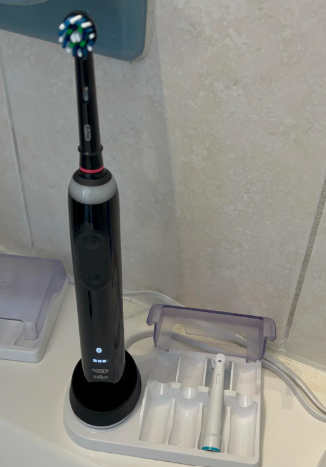
A Braun electric toothbrush is designed to make oral care simple, effective, and convenient. But few things are more frustrating than picking up your toothbrush only to discover it won’t charge. Whether the battery indicator refuses to light up, the toothbrush stops working unexpectedly, or the charging base appears dead, the problem can disrupt your daily routine.
The good news? Most charging issues can be identified and resolved without immediately replacing the toothbrush. In this comprehensive guide, we’ll explore the most common reasons a Braun electric toothbrush is not charging, practical troubleshooting steps, repair options, and preventive maintenance tips to keep your device running smoothly for years.
Understanding How a Braun Electric Toothbrush Charges
Before diving into solutions, it helps to understand the charging process.
Braun electric toothbrushes, particularly those under the Oral-B lineup, use inductive charging. Instead of direct electrical contacts, the charging stand transfers energy wirelessly through electromagnetic induction.
This design offers several advantages:
- Improved water resistance
- Reduced corrosion risk
- Enhanced safety in bathrooms
- Longer charger lifespan
However, when something interrupts this process, charging issues can occur.
Common Signs Your Braun Electric Toothbrush Is Not Charging
Several symptoms indicate a charging problem.
Battery Indicator Never Lights Up
When placed on the charging stand, no lights appear.
Battery Drains Quickly
The toothbrush charges partially but loses power rapidly.
Toothbrush Won’t Turn On
Even after hours on the charger, the device remains unresponsive.
Flashing Warning Lights
Some Braun models display flashing red or amber indicators signaling battery or charging faults.
Intermittent Charging
The toothbrush charges sporadically depending on how it’s positioned.
Recognizing the symptoms helps narrow down the underlying cause.
Why Is My Braun Electric Toothbrush Not Charging?
Several factors may be responsible.
Faulty Charging Stand
The charging base is often the first suspect.
Common charger issues include:
- Internal electrical failure
- Damaged wiring
- Water exposure
- Power surges
A malfunctioning charger prevents power transfer to the toothbrush handle.
Worn-Out Battery
Rechargeable batteries don’t last forever.
After years of daily use, battery capacity gradually declines.
Signs of battery deterioration include:
- Short runtime
- Longer charging periods
- Failure to hold a charge
- Complete battery death
Checking the Power Source
Sometimes the simplest explanation is the correct one.
Verify the Outlet Works
Plug another appliance into the same outlet.
If the appliance functions normally, the outlet isn’t the problem.
Avoid Faulty Extension Cords
Extension cords can introduce power inconsistencies.
For testing purposes, connect the charger directly to a wall outlet.
Inspect Bathroom GFCI Outlets
Many bathrooms use Ground Fault Circuit Interrupter outlets.
If the outlet has tripped:
- Press the reset button.
- Wait a few seconds.
- Test the charger again.
Inspecting the Charging Base
The charging stand often reveals obvious clues.
Look for Physical Damage
Examine the charger for:
- Cracks
- Burn marks
- Discoloration
- Loose cables
Visible damage often indicates replacement is necessary.
Check for Water Intrusion
Although chargers are designed for bathroom use, excessive moisture can cause problems.
Signs include:
- Rust
- Mineral deposits
- Internal condensation
Allow the charger to dry completely before retesting.
Proper Positioning on the Charger
Many users overlook placement issues.
Align the Handle Correctly
Inductive charging requires proper alignment.
Place the toothbrush directly on the center of the charging base.
Remove Debris
Soap residue, toothpaste buildup, and mineral deposits can interfere with charging efficiency.
Clean both:
- Charger surface
- Toothbrush base
Using a soft cloth and mild cleaning solution.
Cleaning the Charging Components
Think of charging components like the lungs of your toothbrush. If they’re clogged, performance suffers.
Cleaning Procedure
- Unplug the charger.
- Wipe the charging stand.
- Clean the toothbrush bottom.
- Remove accumulated residue.
- Dry thoroughly.
A simple cleaning session often restores charging functionality.
How Long Should a Braun Toothbrush Take to Charge?
Charging times vary by model.
Typical charging durations:
| Model Type | Full Charge Time |
|---|---|
| Oral-B Pro Series | 12–16 Hours |
| Oral-B Genius Series | 12–15 Hours |
| Oral-B iO Series | 3–5 Hours |
| Oral-B Smart Series | 12–16 Hours |
If your toothbrush remains uncharged beyond these timeframes, further investigation is necessary.
Battery Aging and Performance Decline
Rechargeable batteries are like marathon runners. Over time, they lose stamina.
Expected Battery Lifespan
Most Braun toothbrush batteries last:
- 3 to 5 years under normal use
- Longer with proper maintenance
Factors accelerating battery wear include:
- Constant charging
- Extreme temperatures
- Complete battery depletion
- Frequent travel
Can a Dead Battery Be Revived?
Sometimes.
Deep Discharge Recovery
If the battery has been unused for months:
- Place it on the charger.
- Leave it undisturbed for 24 hours.
- Check for charging indicators.
Deeply discharged batteries occasionally require extended charging before responding.
However, severely degraded batteries may never recover.
Resetting a Braun Electric Toothbrush
Certain electronic glitches can affect charging behavior.
Basic Reset Method
Depending on the model:
- Place the toothbrush on the charger.
- Hold the power button for 10–20 seconds.
- Release.
- Wait several seconds.
- Test operation.
This process may clear temporary software issues.
When the Charger Works but the Toothbrush Doesn’t
A functioning charger doesn’t guarantee the toothbrush is healthy.
Internal Component Failure
Possible internal issues include:
- Charging coil damage
- Circuit board malfunction
- Broken solder joints
- Water infiltration
These faults usually require repair or replacement.
Testing with Another Charger
One of the fastest diagnostic methods is using a second charger.
Why This Works
If the toothbrush charges normally on another compatible Braun charger:
- Original charger is faulty.
If neither charger works:
- Toothbrush handle likely has a problem.
This simple test eliminates much of the guesswork.
Travel-Related Charging Problems
Frequent travelers encounter unique charging issues.
Voltage Compatibility Concerns
Different countries use varying voltages and plug standards.
Potential issues include:
- Incompatible adapters
- Damaged converters
- Power fluctuations
Always verify charger compatibility before international travel.
Physical Wear During Travel
Chargers carried in luggage can suffer:
- Cable damage
- Cracked housings
- Internal component loosening
Regular inspection helps prevent surprises.
Signs You Need a Replacement Toothbrush
Sometimes replacement is more practical than repair.
Multiple Warning Signs
Consider replacement if:
- Battery lasts less than one brushing session
- Charging stops completely
- Handle overheats
- Internal rattling develops
- Device exceeds five years of heavy use
At a certain point, investing in a newer model offers better value.
Braun Oral-B iO Charging Issues
The iO series introduces advanced charging technology.
Unique Characteristics
Features include:
- Magnetic charging
- Faster charge times
- Advanced battery monitoring
Common iO charging issues:
- Improper dock alignment
- Firmware glitches
- Battery calibration problems
Fortunately, most are easily diagnosed.
Preventing Future Charging Problems
Prevention is always easier than troubleshooting.
Best Practices
Follow these habits:
- Clean the charger monthly
- Keep charging areas dry
- Avoid dropping the handle
- Use original Braun chargers
- Store at room temperature
- Avoid complete battery depletion
These simple steps can significantly extend battery life.
Original vs Third-Party Chargers
Not all chargers are created equal.
Benefits of Original Braun Chargers
Original equipment typically provides:
- Proper voltage output
- Better reliability
- Enhanced safety
- Optimal charging efficiency
Cheap third-party alternatives may cause inconsistent charging behavior.
How to Store Your Toothbrush Properly
Storage plays a larger role than many people realize.
Ideal Conditions
Store your toothbrush:
- Upright
- Away from direct sunlight
- In a dry location
- At moderate temperatures
Avoid storing it in extremely hot vehicles or freezing environments.
Troubleshooting Checklist
Before replacing your toothbrush, run through this checklist:
Quick Diagnostic Steps
- Verify outlet power
- Reset bathroom GFCI outlet
- Inspect charger for damage
- Clean charging surfaces
- Reposition toothbrush
- Test another charger
- Attempt a reset
- Charge for 24 hours
- Evaluate battery age
Many charging problems are resolved during these simple checks.
When to Contact Braun Support
If all troubleshooting efforts fail, manufacturer assistance may help.
Reach out to support if:
- Toothbrush is under warranty
- Charging base appears defective
- Battery failure occurs unusually early
- Error indicators persist
Warranty coverage may reduce repair or replacement costs.
Final Thoughts
A Braun electric toothbrush that refuses to charge can feel like a roadblock in your daily oral care routine, but most issues stem from surprisingly simple causes. Whether it’s a faulty outlet, improper positioning, charger damage, residue buildup, or an aging battery, systematic troubleshooting often reveals the answer.
Think of your toothbrush as a trusted travel companion. With regular maintenance, proper charging habits, and occasional inspections, it can continue delivering reliable performance for years. Before rushing out to buy a replacement, work through the diagnostic steps outlined above. You may discover the solution is far simpler—and far less expensive—than expected.
Frequently Asked Questions
1. Why is my Braun electric toothbrush not charging even after 24 hours?
A faulty charger, failed battery, damaged charging coil, or internal electronics issue may prevent charging despite extended time on the base.
2. How do I know if my Braun charger is broken?
Try another compatible charger or test your charger with another Braun toothbrush. If charging fails consistently, the charger may be defective.
3. Can I replace the battery in a Braun electric toothbrush?
Some models allow battery replacement, but many require disassembly and soldering. For older units, replacement may be more cost-effective.
4. Why is the red battery light flashing on my Braun toothbrush?
A flashing red light typically indicates a low battery, charging issue, or battery nearing the end of its lifespan.
5. How long should a Braun electric toothbrush battery last?
Most Braun rechargeable batteries last between three and five years with normal daily use and proper charging habits.