
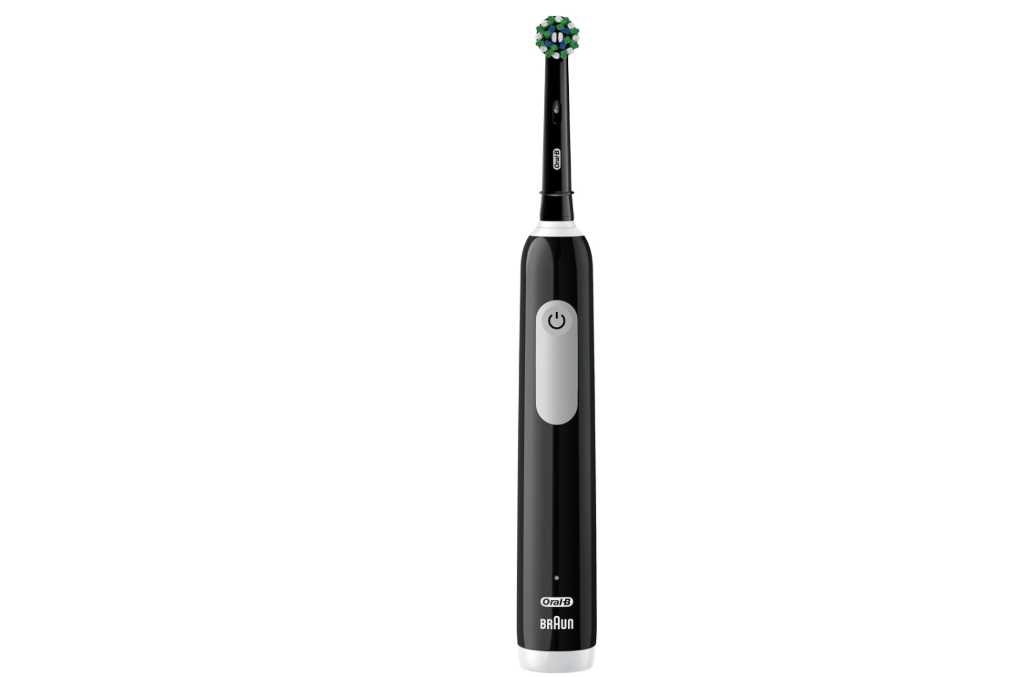
The Oral-B Pro 1000 is one of the most popular electric toothbrushes on the market. It delivers excellent cleaning performance, reliable battery life, and a simple design that appeals to both first-time electric toothbrush users and long-time Oral-B fans. Yet one question continues to appear among users: Oral-B Pro 1000 how to change modes?
If you’ve been pressing buttons, reading the manual, or searching online trying to switch between cleaning modes, you’re not alone. The confusion often comes from the fact that many Oral-B electric toothbrushes offer multiple brushing modes, while the Pro 1000 takes a different approach.
In this guide, we’ll explore exactly how the Oral-B Pro 1000 works, whether it has multiple modes, how to maximize its performance, and what alternatives exist if you’re looking for additional brushing settings.
Understanding the Oral-B Pro 1000
Before discussing mode changes, we need to understand what makes the Oral-B Pro 1000 unique.
Unlike premium electric toothbrushes packed with advanced technology, the Pro 1000 focuses on simplicity. Think of it as a reliable family sedan rather than a luxury sports car. It doesn’t overwhelm users with countless settings. Instead, it concentrates on doing one thing exceptionally well: cleaning teeth.
The toothbrush uses Oral-B’s signature oscillating, rotating, and pulsating technology to remove plaque more effectively than a manual toothbrush.
Key features include:
- Pressure sensor
- Two-minute timer
- Quadrant pacing timer
- Rechargeable battery
- Professional cleaning action
- Compatible brush heads
Its straightforward design is one of the main reasons it remains a bestseller year after year.
Does the Oral-B Pro 1000 Have Multiple Modes?
Here’s the simple answer:
Most Oral-B Pro 1000 models have only one brushing mode.
That means there are no additional settings to cycle through.
When you press the power button, the toothbrush starts its standard Daily Clean mode automatically. Press it again, and the toothbrush turns off.
That’s it.
For many users, this realization comes as a surprise because other Oral-B models offer multiple modes such as:
- Daily Clean
- Sensitive
- Whitening
- Gum Care
- Tongue Cleaning
- Pro Clean
The Pro 1000 intentionally keeps things simple.
Why People Think the Pro 1000 Has Different Modes
The confusion usually comes from three sources.
Different Oral-B Models Look Similar
Many Oral-B handles share nearly identical designs.
A Pro 1000 may look almost identical to a Pro 3000 or Smart 1500, which can create the impression that they operate the same way.
Online Tutorials Cover Multiple Models
Many guides discuss Oral-B toothbrushes in general rather than specific models.
As a result, instructions about changing modes may actually apply to higher-end toothbrushes.
Pressure Sensor Reactions
Some users notice changes in vibration when brushing too hard and assume they’ve switched modes.
In reality, the pressure sensor is activating to protect teeth and gums.
How to Change Modes on an Oral-B Pro 1000
The Truth About Mode Changes
If you own a standard Oral-B Pro 1000, there are no alternate modes to select.
The toothbrush operates exclusively in Daily Clean mode.
The process is simply:
- Press the power button once.
- Begin brushing.
- Brush for two minutes.
- Press the button again to turn off.
No mode selection is required.
How to Verify Your Exact Model
Before concluding that your toothbrush lacks multiple modes, it’s worth confirming the model number.
Check the Bottom of the Handle
Look underneath the handle where Oral-B prints product information.
You may find a model code that identifies your toothbrush.
Review Original Packaging
The box often lists available brushing modes.
Visit Oral-B Documentation
The owner’s manual can confirm whether your specific variation includes additional settings.
What Is the Daily Clean Mode?
Since the Pro 1000 revolves around Daily Clean mode, let’s understand why it’s so effective.
Daily Clean mode is designed for everyday plaque removal and oral hygiene maintenance.
It balances:
- Cleaning power
- Comfort
- Efficiency
- Gum protection
Imagine a perfectly tuned engine operating in its ideal performance range. That’s essentially what Daily Clean mode provides.
For most people, it’s all they ever need.
The Science Behind Daily Clean Mode
Oscillation Technology
The brush head rotates back and forth to break apart plaque.
Pulsation Technology
Pulsations loosen debris before sweeping it away.
Round Brush Design
The circular brush head surrounds each tooth individually.
Together, these technologies create a professional-style cleaning experience.
Can You Customize the Cleaning Experience?
Although you cannot change brushing modes, you can customize your experience in other ways.
Use Different Brush Heads
This is often the best alternative to changing modes.
Different brush heads can dramatically alter how your toothbrush feels.
Popular options include:
CrossAction
Excellent all-around cleaning.
Sensitive Clean
Gentler on gums and teeth.
Precision Clean
Focused plaque removal.
FlossAction
Enhanced interdental cleaning.
3D White
Designed for stain removal and polishing.
Changing brush heads is like swapping tires on a vehicle. The engine stays the same, but the performance characteristics change.
How Brush Heads Mimic Different Modes
Many users achieve mode-like functionality through brush head selection.
For example:
| Desired Result | Recommended Brush Head |
|---|---|
| Gentle Cleaning | Sensitive Clean |
| Whitening | 3D White |
| Deep Cleaning | CrossAction |
| Plaque Removal | Precision Clean |
| Gum Comfort | Sensitive Clean |
This flexibility makes the single-mode design less limiting than it first appears.
Using the Pressure Sensor Effectively
What the Pressure Sensor Does
The Oral-B Pro 1000 includes a pressure sensor that alerts users when they brush too aggressively.
When excessive force is applied:
- Brush movement slows
- Pulsation may stop
- Pressure warning activates
Why It Matters
Many people mistakenly believe harder brushing equals cleaner teeth.
The opposite is often true.
Brushing too hard can lead to:
- Gum recession
- Tooth sensitivity
- Enamel wear
The pressure sensor acts like a guardian standing between your brushing habits and your dental health.
Making the Most of the Two-Minute Timer
Another feature sometimes confused with mode changes is the timer.
QuadPacer Function
Every 30 seconds, the brush briefly pauses.
This reminder helps users move to a new quadrant of the mouth.
The quadrants include:
- Upper right
- Upper left
- Lower right
- Lower left
Professional Recommendation
Dentists generally recommend:
- 30 seconds per quadrant
- 2 minutes total brushing time
- Twice-daily brushing
The built-in timer makes following this advice effortless.
Signs Your Oral-B Pro 1000 Is Working Properly
If you’re unsure whether your toothbrush is functioning correctly, look for these indicators.
Normal Operation
- Strong vibration
- Consistent rotation
- 30-second pacing alerts
- Full two-minute timer
- Smooth power button response
Potential Issues
- Weak movement
- Reduced battery life
- Excessive noise
- Failure to charge
- Intermittent operation
These symptoms are unrelated to mode settings and may indicate maintenance needs.
Common Mistakes When Trying to Change Modes
Repeated Button Pressing
Many users rapidly press the power button expecting another mode.
On the Pro 1000, this simply turns the brush on and off.
Assuming a Defect
Some owners think the toothbrush is broken because they cannot find alternate modes.
In most cases, the toothbrush is functioning exactly as designed.
Comparing It to Premium Models
The Pro 1000 belongs to a different category than Oral-B’s advanced series.
Comparing them directly can create unrealistic expectations.
When Should You Upgrade to a Multi-Mode Oral-B?
The Pro 1000 is excellent, but some users may benefit from additional modes.
Sensitive Teeth
A dedicated Sensitive mode can provide extra comfort.
Advanced Gum Care Needs
Specialized gum modes may improve brushing experiences.
Technology Enthusiasts
Some users enjoy app connectivity and personalized settings.
Whitening Focus
Whitening modes may complement stain-removal goals.
Best Oral-B Alternatives with Multiple Modes
If changing modes is important to you, consider upgrading.
Oral-B Pro 3000
Offers additional functionality while remaining affordable.
Oral-B Smart Series
Adds Bluetooth connectivity and personalized coaching.
Oral-B iO Series
Provides premium cleaning experiences with multiple modes.
Popular options include:
- Oral-B iO 3
- Oral-B iO 5
- Oral-B iO 6
- Oral-B iO 7
- Oral-B iO 8
- Oral-B iO 9
- Oral-B iO 10
These models typically allow users to cycle through modes with repeated button presses.
How Long Should You Use the Oral-B Pro 1000?
Daily Usage Recommendations
For optimal results:
- Brush twice daily
- Brush for two minutes each session
- Replace brush heads every three months
Consistency beats complexity.
A simple toothbrush used correctly often outperforms an advanced toothbrush used inconsistently.
Tips for Better Results Without Changing Modes
Improve Technique
Hold the brush gently and let it do the work.
Use the Right Toothpaste
Select a toothpaste that matches your goals.
Replace Heads Regularly
Worn bristles reduce effectiveness.
Follow the Timer
Don’t stop early.
Clean the Brush Handle
Regular maintenance improves longevity.
Troubleshooting Mode-Related Questions
My Toothbrush Only Has One Setting
That’s normal for most Oral-B Pro 1000 models.
Why Doesn’t the Button Cycle Through Modes?
Because the standard Pro 1000 is designed with a single Daily Clean mode.
Can a Software Update Add Modes?
No.
The Pro 1000 lacks the hardware and software architecture found in advanced models.
Can Different Brush Heads Create New Modes?
Not technically, but they can create noticeably different brushing experiences.
Why Simplicity Is the Pro 1000’s Greatest Strength
In a world obsessed with more features, the Oral-B Pro 1000 succeeds by embracing simplicity.
It doesn’t ask users to choose between six cleaning profiles. It doesn’t require smartphone apps. It doesn’t overwhelm with menus or settings.
Instead, it focuses on delivering reliable, effective plaque removal every day.
Like a trusted tool in a craftsman’s toolbox, it performs its primary function exceptionally well.
For many users, that’s exactly what makes it one of the best electric toothbrushes available.
Conclusion
When searching for “Oral-B Pro 1000 how to change modes,” the most important thing to understand is that most Pro 1000 models feature only one brushing mode: Daily Clean. There are no additional settings to cycle through, and pressing the power button repeatedly won’t unlock hidden modes.
Fortunately, this simplicity is part of the toothbrush’s appeal. The Pro 1000 delivers powerful plaque removal, a built-in timer, pressure-sensor protection, and compatibility with various brush heads that allow users to customize their experience without needing multiple electronic modes.
If you truly need Sensitive, Whitening, Gum Care, or other specialized settings, upgrading to a higher-end Oral-B model may be worthwhile. Otherwise, the Pro 1000 remains a dependable, dentist-recommended choice that proves effective oral care doesn’t have to be complicated.
Frequently Asked Questions
1. Does the Oral-B Pro 1000 have multiple brushing modes?
Most Oral-B Pro 1000 models feature only one mode, called Daily Clean.
2. How do I switch modes on my Oral-B Pro 1000?
You generally cannot switch modes because the standard Pro 1000 includes only one brushing mode.
3. Why does my toothbrush slow down while brushing?
The pressure sensor activates when you’re brushing too hard.
4. Can changing the brush head create a different cleaning experience?
Yes. Different Oral-B brush heads can significantly alter cleaning feel and performance.
5. Which Oral-B toothbrush offers multiple modes?
Models such as the Oral-B Pro 3000, Smart Series, and iO Series provide multiple brushing modes.