
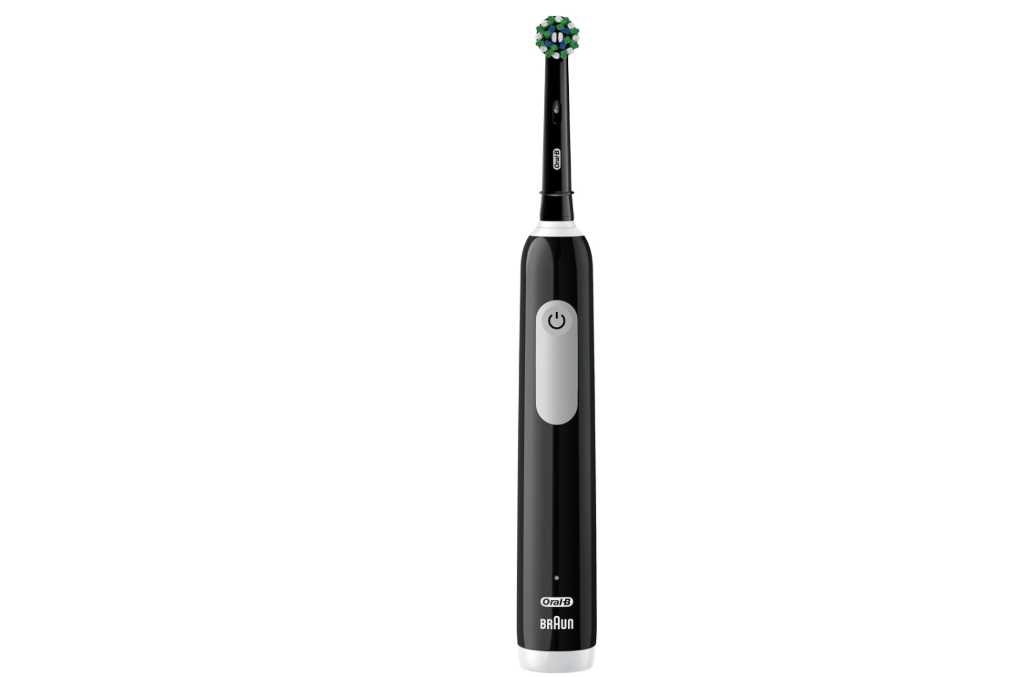
If your Oral-B Pro 1000 pressure sensor is not working, you’re not alone. Many users become concerned when the pressure sensor fails to activate, especially because it plays an important role in protecting teeth and gums from excessive brushing force. The good news is that in many cases, the issue is not a serious defect. Sometimes the sensor is functioning correctly, but it is being tested incorrectly. Other times, a simple cleaning or reset can restore normal operation.
In this comprehensive guide, we’ll explore how the Oral-B Pro 1000 pressure sensor works, why it may stop functioning, how to diagnose the problem, and what steps we can take to fix it before considering a replacement.
What Is the Pressure Sensor on the Oral-B Pro 1000?
The pressure sensor is a built-in protective feature designed to alert us when we brush too hard. Brushing with excessive force can gradually wear down enamel, irritate gum tissue, and contribute to gum recession.
When the pressure sensor detects excessive force, it typically slows the brush’s oscillation speed. Unlike some premium Oral-B models that include a visible red warning light, the Pro 1000 primarily communicates through a reduction in brush speed.
This makes the pressure sensor somewhat less obvious than those found on more advanced models.
Why the Pressure Sensor Matters
Many people assume that harder brushing leads to cleaner teeth. In reality, the opposite is often true.
Proper brushing depends more on technique than force.
Benefits of a working pressure sensor include:
- Protecting enamel from abrasion
- Preventing gum recession
- Encouraging better brushing habits
- Extending brush head lifespan
- Improving long-term oral health
Think of the pressure sensor as a safety net that gently reminds us to let the toothbrush do the work.
How the Oral-B Pro 1000 Pressure Sensor Works
Unlike some sophisticated electronic sensors, the Oral-B Pro 1000 uses a relatively simple mechanical system.
When excessive pressure is applied:
- The brush head assembly moves slightly inward.
- Internal components detect this movement.
- The motor reduces speed.
- Brushing force is automatically moderated.
This design is surprisingly effective despite its simplicity.
Signs Your Pressure Sensor Is Not Working
Several symptoms may indicate a pressure sensor problem.
The Brush Never Slows Down
The most common sign is that the motor maintains full speed regardless of how much force is applied.
No Change in Brushing Performance
Even when pushing firmly against teeth or a surface, there is no noticeable response.
Brush Head Feels Stuck
If the brush head mechanism cannot move properly, the sensor may never activate.
Intermittent Operation
The sensor sometimes works and sometimes does not.
This often points to internal debris or wear.
Before Assuming It’s Broken
One of the most common mistakes is testing the pressure sensor incorrectly.
Many users press the brush directly against a hand or countertop and expect an immediate response.
However, the pressure sensor on the Pro 1000 is activated when the brush head assembly is pushed inward. Some users have discovered that manually pushing the brush head backward while the toothbrush is running demonstrates that the sensor is functioning normally. This misunderstanding frequently leads people to believe the sensor has failed when it is actually operating as intended. [2]
Common Reasons Why the Pressure Sensor Stops Working
Normal Wear and Tear
Like any mechanical component, the pressure sensing mechanism can wear out over time.
After years of daily use, moving parts may become less responsive.
Toothpaste and Debris Buildup
Toothpaste residue often accumulates around the brush head shaft.
Over time, hardened deposits may restrict movement.
Water Ingress
Although Oral-B toothbrushes are water-resistant, repeated exposure over several years can eventually affect internal components.
Damaged Brush Head Connection
If the brush head is worn, cracked, or damaged, it may not properly engage the pressure sensing mechanism.
Internal Mechanical Failure
In rare cases, internal components may fail entirely.
This usually occurs after extensive use or accidental drops.
How to Test the Pressure Sensor Correctly
Step 1: Remove the Brush Head
Detach the brush head from the handle.
Inspect the metal shaft.
Step 2: Turn On the Toothbrush
Allow the motor to run normally.
Step 3: Apply Controlled Pressure
Gently push the shaft or brush head assembly inward.
Observe whether the motor speed changes.
Step 4: Listen Carefully
Sometimes the speed reduction is subtle.
Pay close attention to motor sound changes.
Cleaning the Pressure Sensor Area
One of the easiest solutions involves cleaning the area around the brush head connection.
What You’ll Need
- Warm water
- Soft cloth
- Cotton swabs
- Mild soap
Cleaning Process
- Remove the brush head.
- Rinse the shaft thoroughly.
- Use a cotton swab to remove buildup.
- Dry the handle completely.
- Reinstall the brush head.
This simple maintenance step often restores normal movement.
Could the Brush Head Be the Problem?
Surprisingly, yes.
Many pressure sensor issues are actually caused by worn brush heads.
A brush head that fits poorly may fail to transmit force correctly.
Signs of a Faulty Brush Head
- Loose fit
- Cracks
- Excessive wobbling
- Difficulty attaching
Trying a brand-new brush head is an inexpensive troubleshooting step.
Resetting Your Oral-B Pro 1000
Some users report improved performance after resetting their toothbrush.
Basic Reset Procedure
- Place the handle on the charger.
- Leave it charging for several hours.
- Remove it from the charger.
- Turn it on and test again.
Although the Pro 1000 does not feature an advanced reset menu, power cycling occasionally resolves unusual behavior. [5]
Battery Issues and Pressure Sensor Performance
A weak battery can sometimes create symptoms that resemble sensor failure.
Possible Battery-Related Symptoms
- Inconsistent speed
- Reduced motor power
- Short runtime
- Unexpected shutdowns
If your toothbrush is several years old, battery degradation could be contributing to the problem.
How Long Does the Pressure Sensor Last?
There is no official lifespan.
However, under normal use, many Oral-B toothbrushes function effectively for several years.
Factors affecting longevity include:
- Brushing frequency
- Storage conditions
- Cleaning habits
- Exposure to drops or impacts
When the Sensor Activates Too Easily
Not every pressure sensor issue involves failure.
Sometimes the opposite occurs.
Overly Sensitive Sensor
The sensor activates with minimal force.
Possible causes include:
- Internal wear
- Misalignment
- Mechanical sticking
This can make brushing frustrating because the motor constantly slows down.
When the Sensor Stays Activated
Some Oral-B models experience situations where the pressure sensor appears permanently engaged.
This can result in constant reduced speed or continuous warning behavior. Similar issues have been discussed in repair communities where pressure-sensing components become stuck or damaged. [4]
Can You Repair the Pressure Sensor Yourself?
In most cases, opening the handle is not recommended.
Reasons include:
- Waterproof seals may be damaged.
- Internal components are difficult to access.
- Repairs may cost more than replacement.
For most users, cleaning and basic troubleshooting offer the safest approach.
When to Contact Oral-B Support
If none of the previous solutions work, contacting Oral-B support may be worthwhile.
Support representatives can:
- Confirm warranty status
- Recommend troubleshooting steps
- Evaluate replacement eligibility
Oral-B maintains support resources specifically for product issues and troubleshooting. [3]
Is Replacement Better Than Repair?
Sometimes replacement is the smarter option.
Consider replacement if:
- The toothbrush is over five years old.
- Battery performance has declined significantly.
- Multiple components are failing.
- Repair costs exceed replacement value.
The Pro 1000 is generally affordable enough that replacement often makes more financial sense than extensive repairs.
Preventing Future Pressure Sensor Problems
A little maintenance goes a long way.
Best Practices
- Rinse thoroughly after every use.
- Remove residue regularly.
- Replace brush heads every three months.
- Avoid dropping the handle.
- Store in a dry location.
These habits help preserve both sensor performance and overall toothbrush longevity.
Pressure Sensor Myths
Myth: Harder Brushing Cleans Better
False.
The oscillating action performs most of the cleaning.
Myth: The Sensor Should Trigger Constantly
False.
Proper brushing technique means the sensor rarely activates.
Myth: A Non-Lighting Sensor Is Broken
False.
The Pro 1000 primarily uses motor speed reduction rather than a visible warning light.
How to Brush Without Triggering the Sensor
Try these techniques:
- Use a gentle grip.
- Let the brush glide naturally.
- Avoid scrubbing motions.
- Move slowly between teeth.
Think of the toothbrush as a tiny power tool. We guide it, but we don’t force it.
Final Thoughts
An Oral-B Pro 1000 pressure sensor that appears not to be working does not automatically mean the toothbrush is defective. In many cases, the issue stems from improper testing, toothpaste buildup, worn brush heads, or normal wear over time. Before replacing the toothbrush, we should carefully inspect the brush head connection, clean the shaft area, verify that the sensor is being tested correctly, and ensure the battery remains healthy.
Most importantly, remember that the Pro 1000’s pressure sensor works differently from premium Oral-B models. Because it typically signals excessive pressure by slowing the motor rather than flashing a bright warning light, many users mistakenly believe the feature has failed. With a little troubleshooting and maintenance, we can often restore normal operation and continue enjoying effective, gentle brushing for years to come.
Frequently Asked Questions
Why doesn’t my Oral-B Pro 1000 pressure sensor light up?
Most Pro 1000 models rely on motor speed reduction rather than a visible pressure warning light.
How do I test if the pressure sensor works?
While the brush is running, gently push the brush head assembly inward and observe whether the motor slows down.
Can toothpaste buildup affect the pressure sensor?
Yes. Hardened residue around the shaft can restrict movement and prevent activation.
Should I replace the brush head first?
Absolutely. A worn brush head can sometimes cause pressure sensor-related symptoms.
When should I replace the entire toothbrush?
Consider replacement if the toothbrush is several years old, the battery is failing, and troubleshooting does not restore pressure sensor functionality.