
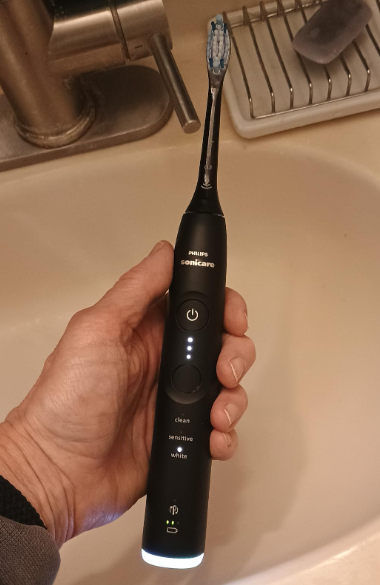
A Philips Sonicare toothbrush is designed to make oral care effortless. You place it on the charger, wait for the battery indicator to show a full charge, and expect it to spring to life at the touch of a button. But what happens when your Philips Sonicare is charged but not working?
It can be frustrating. The battery appears full, the charging light behaves normally, yet the toothbrush refuses to turn on, vibrates weakly, or suddenly stops during use. Fortunately, this problem is often fixable without immediately replacing the toothbrush.
In this comprehensive guide, we’ll explore the most common reasons a Philips Sonicare toothbrush may be charged but not working, how to diagnose the issue, and what steps you can take to restore your toothbrush to normal operation.
Why Is My Philips Sonicare Charged But Not Working?
When a Sonicare toothbrush appears fully charged but fails to operate, the problem generally falls into one of four categories:
- Power button malfunction
- Internal battery issues
- Software or firmware glitches
- Mechanical motor failure
The charging light only confirms that electricity is reaching part of the toothbrush. It does not necessarily mean the entire system is functioning properly.
Think of it like a car dashboard. Just because the headlights work doesn’t mean the engine will start.
Understanding How a Philips Sonicare Works
Before troubleshooting, it helps to understand the basic components inside the toothbrush.
Battery System
The rechargeable lithium-ion battery stores energy for daily use.
Control Board
This small electronic circuit controls charging, power delivery, and brushing modes.
Motor Assembly
The motor creates the high-frequency vibrations that make Sonicare toothbrushes effective.
Power Button
The button sends commands to the control board and activates the motor.
If any one of these components fails, the toothbrush may stop working despite appearing fully charged.
Signs Your Sonicare Is Charged But Not Working
Different symptoms can indicate different causes.
Common signs include:
- Charging light works normally
- Battery indicator shows full charge
- Toothbrush won’t turn on
- Vibrates briefly then stops
- Random shutdowns
- Button becomes unresponsive
- Motor sounds weak
- Flashing lights without operation
Paying attention to these clues can help narrow down the cause.
The Most Common Cause: Power Button Failure
One of the most frequent issues is a faulty power button.
Over time, moisture can seep around the button area and affect internal contacts.
Symptoms of Button Failure
- Button feels soft
- Button sticks
- No response when pressed
- Requires multiple presses
How to Test the Button
Try pressing and holding the power button for several seconds.
If the toothbrush occasionally responds after repeated attempts, the button assembly may be wearing out.
Battery Problems Despite a Full Charge Indicator
It sounds contradictory, but batteries can fail even when charging lights seem normal.
Why This Happens
The battery indicator measures voltage rather than actual battery health.
An aging battery can:
- Reach normal voltage
- Show a full charge
- Fail under load
It’s similar to filling an old water balloon. It may look full but leak when pressure is applied.
Warning Signs
- Runtime dramatically reduced
- Brush stops after a few seconds
- Requires frequent charging
These symptoms often point toward battery degradation.
How to Perform a Philips Sonicare Reset
Many Sonicare models can be reset.
A reset may solve temporary software glitches.
Basic Reset Procedure
- Place the toothbrush on the charger.
- Leave it charging for at least 24 hours.
- Remove it from the charger.
- Press and hold the power button for 10–20 seconds.
- Release and test the toothbrush.
Some models respond immediately after a reset.
Check for Travel Lock Activation
Many modern Sonicare models include a travel lock feature.
The lock prevents accidental activation during transport.
Signs Travel Lock Is Enabled
- Toothbrush won’t start
- Lights flash briefly
- Charging functions normally
How to Disable Travel Lock
Press and hold the power button for several seconds.
Most Sonicare models will emit a brief vibration or light signal indicating the lock has been disabled.
Inspect the Charger First
Sometimes the charger is partially working.
The indicator may light up, but the battery may not be charging properly.
Check These Areas
Charging Base
Look for:
- Cracks
- Corrosion
- Loose connections
Power Outlet
Try another outlet to rule out electrical issues.
Charging Alignment
Ensure the handle sits correctly on the charging stand.
Even slight misalignment can affect charging efficiency.
Internal Moisture Damage
Water and electronics rarely remain friends forever.
Although Sonicare toothbrushes are designed to withstand bathroom conditions, moisture can eventually penetrate seals.
Signs of Water Damage
- Intermittent operation
- Flashing LEDs
- Strange sounds
- Warm handle during charging
What Causes Moisture Intrusion?
- Dropping the toothbrush
- Age-related seal deterioration
- Exposure to excessive water
Unfortunately, severe water damage often requires replacement.
Motor Failure Explained
The motor is the heart of a Sonicare toothbrush.
If the motor fails, the toothbrush may appear normal but produce no brushing action.
Symptoms of Motor Failure
- Lights work
- Battery charges
- No vibration
Sometimes a faint clicking sound can be heard when attempting to start the toothbrush.
This suggests power is reaching the motor but the motor itself has failed.
When the Toothbrush Vibrates Briefly Then Stops
This symptom is surprisingly common.
Possible Causes
Weak Battery
The battery cannot sustain motor operation.
Electronic Protection Circuit
The system detects a fault and shuts down.
Motor Resistance
The motor requires more power than the battery can provide.
In many cases, battery replacement resolves this issue.
Can a Firmware Glitch Cause This Problem?
Yes.
Advanced Sonicare models include software-controlled features.
Like any electronic device, firmware can occasionally malfunction.
Potential Firmware Symptoms
- Frozen controls
- Unresponsive modes
- Incorrect battery readings
- Random shutdowns
A hard reset may restore normal operation.
How Long Should a Philips Sonicare Last?
The average Sonicare toothbrush lasts between three and seven years.
Several factors influence lifespan:
- Frequency of use
- Charging habits
- Storage conditions
- Model quality
Premium Sonicare models often outlast entry-level versions.
Signs Your Toothbrush Is Near End of Life
- Reduced battery life
- Weak vibrations
- Button deterioration
- Frequent resets required
Troubleshooting Checklist
Follow this systematic process before replacing your toothbrush.
Step 1: Verify Charging
Leave the toothbrush charging for 24 hours.
Step 2: Inspect Charger
Test another outlet and check alignment.
Step 3: Reset the Toothbrush
Perform a power reset.
Step 4: Disable Travel Lock
Hold the power button for several seconds.
Step 5: Examine the Button
Look for sticking or inconsistent operation.
Step 6: Listen for Motor Activity
Even faint sounds can reveal valuable clues.
Step 7: Check for Water Damage
Inspect for unusual behavior or corrosion.
Can You Replace the Battery?
Technically, yes.
However, Sonicare toothbrushes are not designed for easy battery replacement.
Battery Replacement Challenges
- Sealed construction
- Specialized tools required
- Risk of damaging waterproof seals
For users comfortable with electronics repair, battery replacement may extend the toothbrush’s life.
For most people, replacement is often the safer option.
When to Contact Philips Support
If your toothbrush remains under warranty, contacting Philips should be one of your first steps.
Information to Have Ready
- Model number
- Purchase date
- Description of the issue
- Troubleshooting steps already attempted
Warranty support may result in repair or replacement.
Should You Repair or Replace It?
The answer depends on the age of the toothbrush.
Repair Makes Sense When
- Device is relatively new
- Warranty still applies
- Problem appears minor
Replacement Makes Sense When
- Battery is severely degraded
- Motor has failed
- Multiple components show wear
At a certain point, replacing the toothbrush becomes more economical than investing time and money into repairs.
Tips to Prevent Future Sonicare Problems
Prevention is always easier than troubleshooting.
Best Practices
- Avoid overcharging for extended periods
- Clean charging contacts regularly
- Store in a dry location
- Avoid dropping the handle
- Charge before the battery becomes completely depleted
These habits can significantly extend the lifespan of your Sonicare toothbrush.
Common Philips Sonicare Models Affected
Although the issue can occur across the lineup, it is frequently reported on:
Entry-Level Models
- Sonicare 1100
- Sonicare 2100
- Sonicare 3100
Mid-Range Models
- ProtectiveClean Series
- ExpertClean Series
Premium Models
- DiamondClean
- DiamondClean Smart
- Prestige 9900
The root causes remain largely the same regardless of model.
What If Nothing Works?
If you’ve:
- Fully charged the toothbrush
- Performed a reset
- Verified the charger
- Disabled travel lock
- Inspected for damage
and the toothbrush still won’t operate, internal hardware failure is the most likely explanation.
At that stage, replacement is often the most practical solution.
Conclusion
A Philips Sonicare toothbrush that is charged but not working can feel like a mystery, but the underlying causes are usually straightforward. In most cases, the issue stems from a worn battery, faulty power button, travel lock activation, moisture damage, or motor failure.
The good news is that many problems can be resolved with simple troubleshooting steps such as resetting the toothbrush, checking the charger, or disabling travel mode. Even when the issue proves more serious, understanding the root cause helps you decide whether repair or replacement is the smarter investment.
Like any electronic device, a Sonicare toothbrush has a finite lifespan. With proper care and maintenance, however, it can deliver years of reliable performance and keep your smile healthy long after the first charge.
FAQs
1. Why is my Philips Sonicare showing a full charge but won’t turn on?
The most common causes include a faulty power button, battery degradation, travel lock activation, or internal electronic failure.
2. How do I reset a Philips Sonicare toothbrush?
Charge the toothbrush fully, remove it from the charger, and hold the power button for 10–20 seconds before testing it again.
3. Can a Sonicare battery fail even if the charging light works?
Yes. A battery may show a full charge while lacking the ability to power the motor effectively.
4. Is it worth replacing the battery in a Sonicare toothbrush?
It can be worthwhile for experienced DIY users, but many people find replacement more practical due to the sealed design.
5. How many years should a Philips Sonicare toothbrush last?
Most Sonicare toothbrushes last between three and seven years depending on usage, maintenance, and charging habits.