
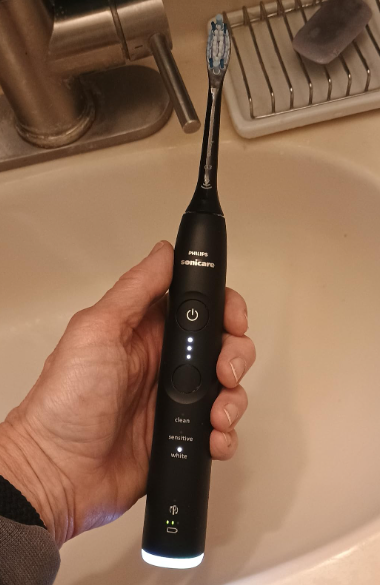
Philips Sonicare electric toothbrushes include built-in diagnostic systems designed to alert users when something is not functioning correctly. If your Philips Sonicare toothbrush beeps five times in a row, it does not necessarily mean the device is broken, but it does indicate that it requires attention.
In this comprehensive guide, you’ll learn what the five-beep error means, the most common causes behind it, and the steps you can take to resolve the issue before considering a repair or replacement.
What Does It Mean When a Philips Sonicare Beeps 5 Times?
When a Philips Sonicare toothbrush emits five consecutive beeps, it is displaying an internal diagnostic code. This system helps identify specific issues so users can take corrective action quickly.
In most cases, the five-beep alert indicates one of the following problems:
- Battery or charging issues
- Improper brush head connection
- Internal motor or circuit board malfunction
- Moisture or water damage detection
Understanding what this warning means is the first step toward restoring your toothbrush to normal operation.
Main Causes of the 5-Beep Error
Battery and Charging Problems
This is by far the most common cause and accounts for the majority of reported cases.
Over time, rechargeable batteries can lose capacity or experience calibration issues. The system may also detect insufficient charging or interruptions during the charging process.
Common symptoms include:
- Reduced battery life
- Intermittent operation
- Beeping when placed on the charger
- Unusual LED indicator behavior
Poor Brush Head Connection
The removable brush head must be correctly attached for the toothbrush to function properly.
Toothpaste residue, mineral buildup, or debris can prevent a secure connection between the brush head and the handle.
Internal Electronic Faults
Although less common, some Sonicare models may develop problems related to:
- The internal motor
- Electronic circuits
- Diagnostic sensors
- Protection systems
When this happens, the toothbrush may emit warning codes through beeps or flashing lights.
Water or Moisture Damage
Sonicare toothbrushes are designed to withstand water exposure, but excessive moisture or deteriorated seals can allow water to enter the device.
When internal sensors detect possible water damage, the toothbrush may activate the five-beep warning code to prevent further damage.
How to Fix the Philips Sonicare 5-Beep Error
Follow these troubleshooting steps to resolve the problem safely and effectively.
Step 1: Perform a Complete Battery Reset
The first recommended solution is a prolonged charging cycle.
What You Need to Do
- Place the toothbrush on its original charger.
- Leave it charging continuously for 24 hours.
- Do not remove it during this period.
This process allows the battery management system to recalibrate and often resolves charging-related issues.
Step 2: Clean the Charging Contacts
Dirt and residue can interfere with proper power transfer.
Materials Needed
- Isopropyl alcohol
- Cotton swab
- Clean, dry cloth
Procedure
- Unplug the charger.
- Clean the metal contacts on the charging base.
- Clean the contacts on the bottom of the toothbrush handle.
- Allow everything to dry completely before reconnecting.
A thorough cleaning can restore normal charging functionality and eliminate the error.
Step 3: Check the Brush Head Connection
A faulty connection between the brush head and handle can trigger system alerts.
How to Inspect It
- Remove the brush head completely.
- Clean the metal shaft and surrounding area.
- Remove any visible debris or buildup.
- Reattach the brush head securely.
After reinstalling it, test the toothbrush again to see if the beeping has stopped.
Step 4: Check for Internal Moisture
If the toothbrush has been exposed to excessive water or accidentally submerged, moisture may have entered the device.
Drying Method
- Remove the brush head.
- Thoroughly dry the exterior.
- Place the toothbrush in a dry, well-ventilated area.
- Allow it to air dry for 48 to 72 hours.
Avoid using hair dryers or direct heat sources, as excessive heat can damage internal components.
Newer Philips Sonicare Models and Advanced Diagnostic Features
Recent Sonicare models include enhanced technologies that make troubleshooting easier.
Smart LED Indicators
Some models feature advanced light patterns that work alongside beep codes to provide more detailed diagnostics.
Smartphone App Integration
Certain premium Sonicare toothbrushes can connect to smartphone apps that provide additional information about:
- Battery status
- Brushing performance
- Maintenance reminders
- Error diagnostics
These features make it easier to identify and resolve problems quickly.
When to Contact Customer Support
If the five-beep error persists after completing all troubleshooting steps, professional assistance may be required.
Signs You Need Technical Support
- The toothbrush will not turn on
- The battery will not charge after 24 hours
- The beeping continues after all troubleshooting steps
- There are visible signs of internal damage
- The toothbrush repeatedly malfunctions
Check Your Warranty
Before replacing the toothbrush, verify whether it is still covered under the manufacturer’s warranty.
Many Philips Sonicare models include warranty coverage that may provide free repairs or replacements depending on the device’s age and condition.
Tips to Prevent the 5-Beep Error from Returning
Following a few simple maintenance practices can significantly extend the life of your toothbrush.
Clean It Regularly
At least once a week, clean:
- The toothbrush handle
- The brush head
- The charging base
- The metal charging contacts
Use the Original Charger
Low-quality third-party chargers can cause power delivery issues and trigger diagnostic warnings.
Replace Brush Heads on Schedule
Philips recommends replacing brush heads approximately every three months for optimal cleaning performance.
Avoid Excessive Moisture Exposure
Although Sonicare toothbrushes are water-resistant, avoid leaving them submerged or storing them in consistently damp environments.
Conclusion
If your Philips Sonicare toothbrush beeps five times, it is typically indicating a problem related to the battery, charging system, brush head connection, moisture exposure, or an internal component. Fortunately, most cases can be resolved by performing a 24-hour battery reset, cleaning the charging contacts, and inspecting the brush head connection.
If these solutions do not work, contacting Philips customer support or an authorized service center is the best course of action, especially if your toothbrush is still under warranty. With proper maintenance and regular cleaning, you can minimize the risk of future errors and keep your Sonicare toothbrush performing at its best for years to come.