
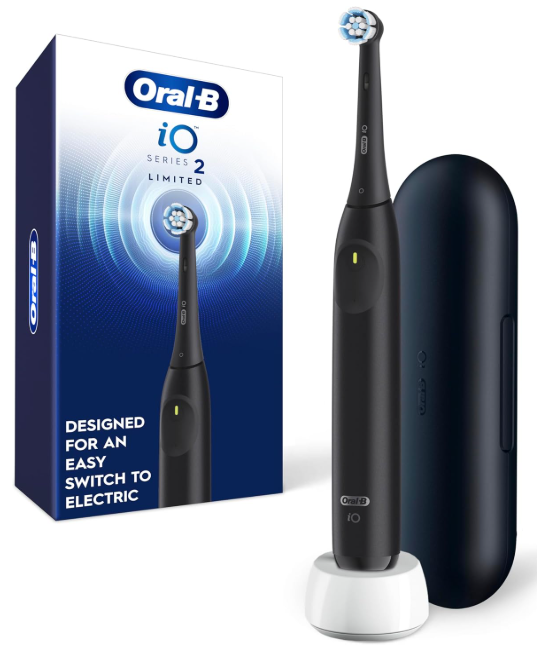
The Oral-B iO Series 2 is one of those electric toothbrushes designed for people who want to upgrade from a manual toothbrush or from a more basic Oral-B model. Its design is simple, modern, and practical, but one of the most common questions users have is very direct: how do you charge the Oral-B iO Series 2 correctly?
Although it may seem simple, charging the toothbrush properly can make the difference between a battery that lasts a long time and one that starts failing earlier than expected. In this guide, we will explain how to charge it, how long it takes, what the lights mean, what to do if it does not charge, and how to take care of the battery to extend its lifespan.
How the Oral-B iO Series 2 Charging System Works
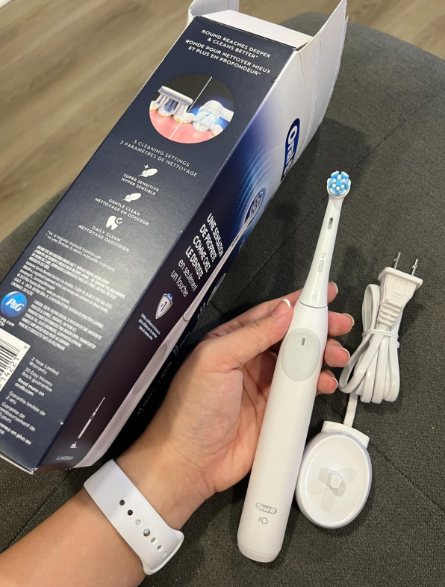
The Oral-B iO Series 2 uses an electric charging base designed to keep the handle upright while the battery recharges. Unlike other electronic devices, this toothbrush does not charge by connecting a cable directly to the handle. This has a clear advantage: it reduces the exposure of ports or connectors to bathroom water.
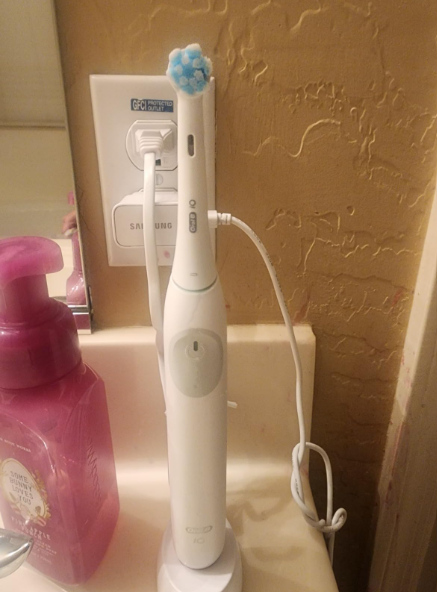
In practice, all you need to do is connect the charging base to a power outlet and place the toothbrush handle correctly on the charger. The toothbrush should remain stable, properly seated, and in good contact with the base.
Does It Have Magnetic Charging?
Here, it is important to clarify something. Some higher-end models in the Oral-B iO family use fast magnetic charging systems, especially the iO 7, iO 8, and iO 9, which can charge in approximately 3 hours according to Oral-B. However, for the Oral-B iO2 or iO Series 2, Oral-B support sources indicate a longer charging time, up to 24 hours for a full charge.
That is why, if you have an iO Series 2, the safest option is to check the exact manual for your model and not assume that it charges as quickly as the premium versions of the iO line.
How Long Does the Oral-B iO Series 2 Take to Charge?
Charging time may vary depending on the exact model, country, included charger, and remaining battery level. As a general reference, Oral-B states that rechargeable toothbrushes can take between 3 and 22 hours or more depending on the series, and in the case of the iO2, support information mentions a charging time of up to 24 hours.
This means that if you have just bought it, it is best to leave it charging overnight or even for a full day before the first use. It is not the fastest charging system in the world, but it makes sense when we remember that this toothbrush is designed to last several days between charges.
First Charge of the Toothbrush
Before using the Oral-B iO Series 2 for the first time, it is recommended to charge it completely. This first charge helps the toothbrush work at full power from the beginning and prevents you from using it with a partially discharged battery.
To do it correctly:
- Connect the charging base to a power outlet.
- Place the toothbrush handle on the base.
- Make sure it is properly aligned.
- Let it charge until the recommended charging cycle is complete.
There is no need to check it every few minutes. The best thing to do is leave it in a dry, stable, and safe place.
What the Lights on the Oral-B iO Series 2 Mean
The lights on the handle are one of the easiest ways to understand what is happening with the battery. Depending on the model’s behavior, the indicator can help you identify whether the toothbrush needs charging, is currently charging, or is ready to use.
Red Light or Low Battery Warning
When the toothbrush shows a red light or a low battery warning, it means it needs to be charged soon. At this point, it may still work for a short period, but it is not a good idea to drain the battery completely every day.
If you notice that the power drops, the toothbrush stops earlier than usual, or the red light appears frequently, it is time to leave it charging fully.
Charging Light
During charging, some models show a flashing light or a light indicator. Oral-B explains that on certain toothbrushes, the charging light may take several minutes to appear if the battery is completely drained.
So, if you place it on the base and do not see a light immediately, do not panic. Wait a few minutes, check that the base is plugged in, and confirm that the toothbrush is correctly positioned.
Full Charge Light
When the toothbrush finishes charging, the indicator may stop flashing or change its behavior depending on the model. The exact way it shows a full charge can vary, so it is best to check the manual for your specific version.
How Long Does the Oral-B iO Series 2 Battery Last?
Actual battery life depends on several factors: how many times you brush per day, how long each session lasts, whether you share the handle with someone else, and which cleaning mode you use.
A standard routine is brushing twice a day for two minutes. Under that pattern, many users can expect several days of battery life before needing to recharge it. Some independent tests have highlighted that the iO2 can offer very competitive battery life compared with other Oral-B models, although results may vary depending on real-world use.
Tips to Make the Battery Last Longer
To take care of the Oral-B iO Series 2 battery, you do not need to do anything complicated. The important thing is to avoid repeated bad habits.
First, avoid letting the toothbrush completely run out of battery all the time. An occasional full discharge is not a serious problem, but doing it constantly can affect long-term performance. Second, always use the proper charger. Third, keep the base clean and dry.
It is also a good idea to clean the bottom of the handle and the charging base surface with a dry cloth. Toothpaste, moisture, and residue can build up over time and affect the contact between the toothbrush and the charger.
How to Charge the Oral-B iO Series 2 Step by Step
Charging it is easy, but doing it properly helps prevent problems.
Step 1: Connect the Charging Base
Place the base on a flat surface, away from areas where a lot of water could splash. Although the toothbrush is designed for bathroom use, it is not a good idea to leave the charger soaked or in direct contact with puddles.
Step 2: Position the Handle Correctly
Place the handle on the base and make sure it remains firm. If it is tilted, poorly seated, or placed on a metal surface, charging may not work properly. Oral-B recommends placing the toothbrush correctly on the charger and checking that the power outlet works if there are charging problems.
Step 3: Let the Charge Complete
Do not remove the toothbrush too soon if you need a full charge. If the battery was very low, it is best to let it charge for the full recommended cycle.
What to Do If the Oral-B iO Series 2 Does Not Charge
If your Oral-B iO Series 2 does not charge, it does not necessarily mean it is broken. Many times, the problem is related to the outlet, the base, the handle position, or accumulated dirt.
Check the Power Outlet
Plug in another device to confirm that the outlet works. If the outlet is connected to a bathroom cabinet, mirror, or switch, make sure it has power.
Clean the Base and Handle
Unplug the charger and gently clean the base with a dry cloth. Do the same with the bottom of the handle. Do not use abrasive products and do not immerse the charging base in water.
Wait a Few Minutes
If the toothbrush is completely discharged, it may take a little while to show signs of charging. Oral-B indicates that some models may take several minutes to start showing the charging light when the battery is fully depleted.
Avoid Metal Surfaces
Some metal surfaces may interfere with the charging process. If you have the base on a metal shelf, try moving it to a different surface.
Can You Leave the Oral-B iO Series 2 Always on the Base?
Yes, many users leave their toothbrush on the base between uses. However, if you want to take care of the battery in the long term, you can also charge it only when needed and remove it once it has enough battery.
The key is not to overthink it. These toothbrushes are designed for daily use. The important thing is to avoid excessive heat, accumulated moisture, and the use of incorrect chargers.
Common Mistakes When Charging the Oral-B iO Series 2
One of the most common mistakes is thinking that all Oral-B iO models charge the same way. They do not. Higher-end models may have fast charging, while the iO Series 2 may require many more hours.
Another common mistake is placing the toothbrush incorrectly on the base. If the handle is not positioned properly, it may seem like the toothbrush is charging when it actually is not.
It is also common to leave toothpaste residue around the charging area. Over time, that mix of moisture and toothpaste can create a layer that makes proper contact more difficult.
Conclusion: Charging Your Oral-B iO Series 2 Properly Improves Its Performance
The Oral-B iO Series 2 is a practical, modern, and easy-to-use electric toothbrush, but its performance depends heavily on proper charging. To avoid problems, complete the first full charge, always use its original base, keep the charging area clean, and do not confuse its charging time with that of more advanced iO models.
Although some premium Oral-B iO toothbrushes can charge in around 3 hours, the iO2 or iO Series 2 may require up to 24 hours for a full charge according to Oral-B support sources. That is why the best strategy is simple: charge it patiently, take care of the base, and pay attention to the lights on the handle.
With these habits, your toothbrush will be ready to provide consistent, comfortable, and safe cleaning every day.
Frequently Asked Questions About Charging the Oral-B iO Series 2
How long does the Oral-B iO Series 2 take to charge?
It may take up to 24 hours to complete a full charge, according to Oral-B support information for the iO2. It is best to check the exact manual for your model.
Why does my Oral-B iO Series 2 not show a light when charging?
If the battery is completely drained, the light may take several minutes to appear. Also check that the base is connected and that the handle is properly positioned.
Can I use another Oral-B charger?
It is best to use the original charger or a compatible one recommended by Oral-B. Not all chargers work the same across different ranges.
Is it bad to leave the toothbrush charging overnight?
It is usually not a problem to leave it charging overnight, especially if it needs a long charge. Even so, avoid leaving the base in wet areas or exposed to excessive heat.
What should I do if the toothbrush gets hot while charging?
Remove it from the base, let it cool down, and check that the charger is in good condition. If the problem happens again, contact technical support or warranty service.