
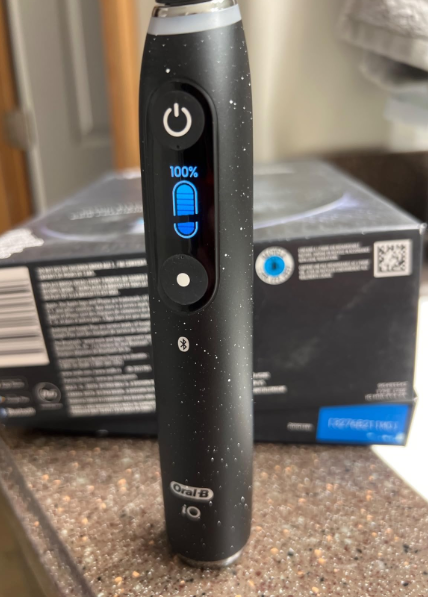
An Oral B iO 10 battery problem can be surprisingly frustrating. We buy a premium electric toothbrush expecting it to behave like a polished piece of technology: place it on the charger, wait a while, pick it up, and brush. Simple.
Then one morning the battery percentage seems to collapse. Perhaps the toothbrush says it is charged but shuts down halfway through brushing. Maybe it refuses to charge at all. Or perhaps the battery lasts only a few days when we expected something much closer to a couple of weeks.
Before assuming the battery has failed, though, it is worth slowing down and diagnosing what is actually happening.
The Oral-B iO Series 10 is a relatively sophisticated toothbrush. It combines an internal rechargeable battery with a color display, Bluetooth connectivity and an iO Sense smart charger. Oral-B says the iO 10’s charger can return the brush to full power in approximately three hours, while the handle itself displays battery information.
That sophistication also means several different things can look like a battery failure when the battery itself is perfectly healthy.
In this guide, we’ll work through the symptoms, likely causes, easy fixes and signs that your iO 10 actually needs professional attention.
Is the Oral-B iO 10 Known for Battery Problems?
There isn’t one single issue that explains every complaint about iO 10 battery performance.
A battery problem can mean several very different things:
- the toothbrush doesn’t charge at all;
- the battery percentage behaves strangely;
- the battery drains unusually quickly;
- the handle switches off unexpectedly;
- charging starts but never reaches 100%;
- the toothbrush appears dead after being left unused;
- the charger rather than the battery has developed a fault.
Oral-B itself maintains support categories for toothbrushes that won’t charge, won’t hold a charge, switch off by themselves or won’t power on, so these are recognized troubleshooting categories rather than unusual symptoms unique to one owner.
That does not automatically mean the iO 10 has an inherently defective battery. We need to distinguish a genuinely degraded cell from charging problems, display inaccuracies and accessory failures.
How Long Should the Oral-B iO 10 Battery Last?
Battery life isn’t as simple as saying, “This toothbrush lasts exactly X days.”
Oral-B states that battery life across the iO family varies according to the model, brushing mode, brushing frequency and connected-feature use. For many iO models, the company describes battery life as roughly up to two weeks on a full charge when brushing twice per day for two minutes, although real-world results can vary.
That distinction matters.
If we brush three times a day, spend three or four minutes on each session, frequently wake the display, or use connected features heavily, comparing our runtime with someone brushing for exactly four minutes per day isn’t particularly useful.
Think of the battery figure like a car’s fuel economy rating. It’s a useful reference point, not a stopwatch.
What Counts as Abnormally Short Battery Life?
A gradual difference of a few days isn’t necessarily a problem.
A dramatic change is more suspicious.
For example, suppose our toothbrush normally lasts around ten days or more between charges and suddenly starts dying after two days with exactly the same brushing habits. That deserves investigation.
Likewise, a new toothbrush repeatedly falling from a high displayed percentage to almost empty after only a few brushing sessions isn’t something we’d simply dismiss as normal variation.
Common Oral B iO 10 Battery Problem Symptoms
The symptom tells us where to start looking.
Here is a useful troubleshooting sequence:
- Confirm the wall outlet works. Plug another device into the same socket.
- Inspect the charger and cable. Look for damage, unusual heat or contamination.
- Clean and dry the handle and charging base. Residue can interfere with proper seating.
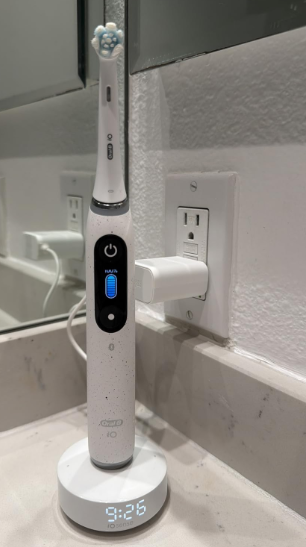
- Place the toothbrush upright on the iO Sense charger. Confirm that the handle recognizes charging.
- Leave it charging for approximately three hours. Oral-B describes roughly three hours as the iO 10’s full-charge time.
- Remove it and observe the battery reading.
- Use the toothbrush normally for several brushing sessions.
- Watch for sudden percentage drops rather than simply counting calendar days.
- Try the charging travel case, if your particular bundle includes one and it is functioning correctly. This can help separate a handle problem from a charging-base problem.
- Contact Oral-B service if the handle still won’t charge, cannot retain meaningful charge or shuts down unpredictably. Oral-B provides troubleshooting, manuals and service options through its support network.
That order saves us from blaming an expensive internal component before checking the simple stuff.
Oral B iO 10 Won’t Charge
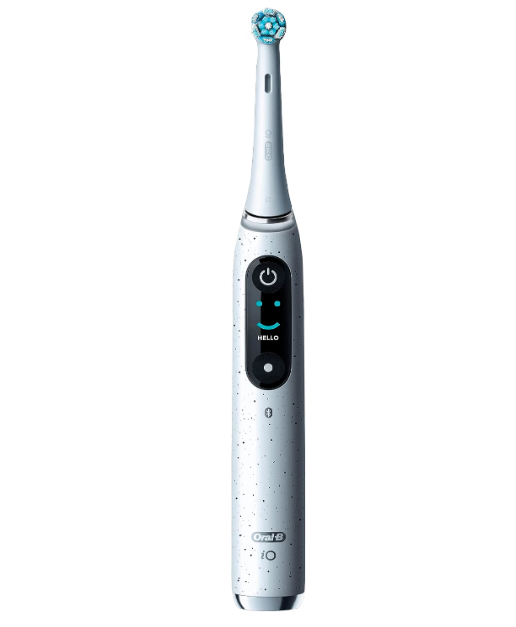
This is probably the most alarming symptom because the toothbrush can appear completely dead.
But “won’t charge” doesn’t automatically equal “dead battery.”
Check Whether the iO Sense Charger Has Power
Start at the wall.
It sounds embarrassingly obvious, yet outlets, adapters, extension leads and bathroom sockets can fail or be switched off without us noticing.
Test the socket with another appliance that you already know works.
If possible, connect the charger directly rather than through a questionable extension cord or multi-plug adapter.
Check the Position of the Toothbrush
Place the iO 10 upright and correctly centered on its charger.
Oral-B’s own iO 10 guidance tells owners to position the brush upright on the charging base.
If the handle is sitting at an angle because of toothpaste residue, bathroom clutter or an uneven surface, remove it, clean the base and try again.
Clean the Charging Area
Bathrooms are hostile environments for electronics.
Water spots, dried toothpaste and soap residue build up surprisingly quickly. Even when they aren’t directly preventing charging, they can make the connection between toothbrush and base less consistent.
Remove the toothbrush first.
Wipe the charging base and allow everything to dry before reconnecting it. Oral-B specifically advises cleaning the charger base with a wet cloth after lifting off the toothbrush.
Don’t pour water over powered electrical components or attempt to open the charger.
Oral B iO 10 Battery Draining Fast
Fast battery drain is different from failure to charge.
Here, the toothbrush reaches a high battery percentage but doesn’t remain there for long.
Consider How You’re Actually Using the Toothbrush
Our brains are surprisingly bad battery meters.
Maybe we used to brush twice per day for two minutes but now routinely brush for three minutes. Perhaps another person occasionally uses the same handle. Maybe we’ve been experimenting more with the display and settings.
Before diagnosing hardware failure, track actual usage for several days.
If the toothbrush lasts noticeably fewer brushing sessions than it used to under similar conditions, the case for battery degradation becomes much stronger.
Connected Features Can Affect Real-World Runtime
The iO 10 isn’t simply a motor attached to a battery.
It has Bluetooth functionality, an interactive display and smart features. Oral-B explicitly notes that battery life can vary with brushing frequency, mode and connected-feature use.
That doesn’t mean Bluetooth should turn a healthy battery into an all-day-only battery. But it does mean two owners may see different runtimes without either toothbrush being defective.
Oral B iO 10 Battery Percentage Drops Suddenly
This symptom is particularly confusing.
Imagine taking the toothbrush off its charger at 100%. After several brushes, it still looks comfortably charged. Then suddenly the indicator plunges.
That can point toward either battery deterioration or inaccurate estimation of the remaining charge.
Battery Percentage Is an Estimate
Electronic devices don’t contain a tiny ruler measuring electricity inside the battery.
Their software estimates the state of charge using battery voltage, power consumption and other data. That estimate isn’t always perfectly linear.
A battery can therefore appear to sit at one percentage for a long time and then decline faster near the bottom.
Minor irregularities aren’t necessarily alarming.
Large, repeatable jumps are more concerning.
Test It Across a Full Usage Cycle
Charge the toothbrush fully and use it normally without repeatedly topping it up.
Record roughly how many two-minute brushing sessions you get.
That gives us a far more meaningful measurement than staring at the percentage indicator after every brush.
If the handle still provides plenty of sessions, the display behavior may be more annoying than functionally serious.
If the indicated charge drops rapidly and the toothbrush dies shortly afterward, we’re dealing with a more substantial battery issue.
Oral B iO 10 Says 100% but Dies Quickly
This is one of the strongest clues that something isn’t right.
A healthy battery should store enough energy to support repeated brushing sessions after reaching full charge.
If the display reports full charge but the toothbrush stops after one or two uses, there are several possible explanations.
The battery may have lost substantial usable capacity. The charging electronics may be incorrectly reporting the state of charge. Less commonly, another internal fault could cause excessive power consumption or unexpected shutdowns.
The key is repeatability.
One strange discharge cycle isn’t enough to diagnose a defective battery. The same behavior happening after multiple complete charges is much more persuasive evidence.
Oral B iO 10 Stops While Brushing
A toothbrush switching itself off can feel exactly like a battery problem.
Sometimes it is.
Sometimes it isn’t.
Oral-B lists “toothbrush switches off by itself” separately among its battery and charging support categories, showing that unexpected shutdowns deserve their own troubleshooting path.
Look at the Battery Level Immediately
When the toothbrush stops, check its display.
If it shows an empty battery and restarts normally after charging, low battery capacity becomes the obvious suspect.
But if it switches off while showing substantial remaining charge, there may be a deeper electronics, software or power-management issue.
Watch for a Pattern
Does it always happen near the end of the battery cycle?
Does it happen under one brushing mode?
Does the toothbrush immediately restart?
Does it shut down even shortly after a full charge?
Patterns give support technicians much more useful information than simply saying, “My toothbrush sometimes turns off.”
Could the iO Sense Charger Be the Real Problem?
Absolutely.
This distinction is important because the iO 10’s charging system is a major part of the package.
The iO Sense smart charger isn’t merely a dumb stand. Oral-B describes it as providing real-time guidance for brushing coverage, time and pressure, while also serving as the charging base.
If the charger isn’t supplying energy correctly, a completely healthy toothbrush battery can look defective.
How to Separate Charger Problems From Battery Problems
If your iO 10 package includes the Power2Go charging travel case, a second working charging method can be helpful diagnostically.
Suppose the toothbrush refuses to charge properly on the iO Sense base but charges normally through another compatible charging accessory supplied for your model. That points our suspicion toward the original base or its power supply rather than immediately toward the internal battery.
Conversely, if the handle won’t charge properly using any appropriate charging method, the toothbrush itself becomes the stronger suspect.
Oral-B notes that iO 10 bundles may include the iO Sense smart charger and, depending on the package, charging travel accessories.
How Long Does the Oral B iO 10 Take to Charge?
This is one area where the iO 10 is considerably more convenient than electric toothbrushes that require an overnight charge.
Oral-B says the iO 10 can charge fully in approximately three hours. Its iO 10 guidance also explains that once charging is completed, the full-charge indicator remains illuminated briefly before turning off.
So don’t automatically conclude charging has stopped merely because a light isn’t glowing continuously after several hours.
What If It Still Isn’t Full After Three Hours?
A few extra minutes aren’t meaningful.
Consistently failing to approach a full charge after a proper charging session is different.
Check the power source, charger positioning and cleanliness first.
If the toothbrush repeatedly remains low despite hours on a known-working charger, we would treat that as a genuine charging fault rather than normal variation.
Should You Leave the Oral B iO 10 on the Charger?
Many owners worry that leaving a modern rechargeable toothbrush on its charging base will immediately “overcharge” and destroy the battery.
Modern charging systems are designed to manage charging electronically, so we don’t need to obsessively snatch the handle off the base the instant it reaches 100%.
At the same time, there’s rarely a reason to deliberately keep any lithium-based rechargeable device exposed to unnecessary heat.
The more useful habit is simple: use the toothbrush normally, keep the charger clean and dry, and don’t turn battery management into a daily ritual.
Does Constant Top-Up Charging Damage the Battery?
Battery aging is influenced by multiple factors, particularly time, charge cycles and heat.
That means there isn’t a magical charging schedule that keeps a rechargeable battery permanently young.
We also shouldn’t deliberately run the toothbrush completely dead every day in an attempt to “train” the battery. That idea comes largely from much older rechargeable-battery technologies and is not a useful routine for a modern smart toothbrush.
Convenient charging beats obsessive charging.
Could Bathroom Heat Affect the Battery?
Heat is the enemy rechargeable batteries quietly dislike.
Normal bathroom temperatures aren’t a problem, but repeatedly storing electronic devices in unusually hot conditions can accelerate battery aging.
Avoid leaving the iO 10 beside heaters, radiators or other sources of sustained heat.
Likewise, if the toothbrush or charger ever becomes abnormally hot rather than merely mildly warm, disconnect the charging system and investigate.
What About a Burning Smell?
Stop using the charger.
This isn’t a “try another three-hour charge and see what happens” situation.
Oral-B has a specific support category for a burning smell coming from a toothbrush or charger.
Electrical smells, visible damage, melting, smoke or extreme heat should be treated as safety issues rather than battery-life experiments.
Does the Oral B iO 10 Battery Wear Out Over Time?
Yes. Every rechargeable battery ages.
The question isn’t whether capacity changes eventually; it’s whether the decline is reasonable for the age and usage of the toothbrush.
Battery degradation tends to look gradual.
Maybe the toothbrush once lasted almost two weeks under your routine, then later lasts noticeably less.
Sudden collapse is different.
If runtime changes from many days to a handful of brushing sessions almost overnight, we’d be more suspicious of a fault than ordinary aging.
Age Matters More Than We Sometimes Think
Battery wear begins chemically even when a device isn’t being heavily used.
That means an older toothbrush doesn’t necessarily need thousands of brushing cycles before its battery capacity changes.
How it has been stored and exposed to temperature also matters.
Still, a premium toothbrush experiencing severe battery problems early in its life is worth raising with Oral-B rather than simply accepting it as normal.
Can You Replace the Oral B iO 10 Battery Yourself?
For most owners, opening the handle isn’t the sensible first solution.
The iO 10 is a waterproof electrical appliance designed for bathroom use. Opening a sealed handle can compromise water resistance, create electrical risks and affect warranty coverage.
There’s also a difference between something being technically possible for an experienced electronics repairer and being a good DIY job for the average toothbrush owner.
We wouldn’t sacrifice a still-covered iO 10 with a screwdriver just to discover whether the battery might be responsible.
Use the manufacturer’s service route first.
When Should You Contact Oral-B Support?
If basic troubleshooting doesn’t restore reliable operation, support becomes the logical next step.
Oral-B provides online troubleshooting, user manuals, replacement-parts information and authorized-service resources through its official service site.
The company also says owners seeking warranty service may need proof of purchase and may be asked to send system components relevant to the problem, such as the handle and charger.
Keep your receipt.
It might seem irrelevant when the toothbrush is working perfectly, but it suddenly becomes extremely valuable when a premium device stops charging.
Find the Exact iO 10 Type Number
Before contacting support, check the handle for its identifying information.
Oral-B’s manual finder uses a four-digit type number to identify the appropriate product documentation.
Having that number ready can make finding the correct manual, accessory or service information much easier.
When the Battery Probably Isn’t the Problem
Battery complaints often become a game of mistaken identity.
If the toothbrush works for many normal brushing sessions after a proper charge, the internal battery may be fine even if the displayed percentage isn’t perfectly linear.
If one charger doesn’t work but another compatible charging method does, suspect the charging equipment.
If the screen is malfunctioning but the motor continues operating normally, what looks like a battery-display issue could actually involve the display itself. Oral-B has separate support guidance for display problems on the iO 7–10 family.
And if the handle shuts down despite substantial remaining charge, the issue could extend beyond simple battery capacity.
This is why diagnosis beats guessing.
How to Make Your Oral B iO 10 Battery Last Longer
We don’t need a laboratory charging routine.
The biggest improvements come from ordinary habits.
Keep the handle and charging base clean. Avoid extreme temperatures. Don’t leave the toothbrush discharged and forgotten for extended periods. Use suitable charging equipment intended for the model. Give it a proper charging session when required instead of repeatedly removing it after a few minutes.
And pay attention to changing behavior.
A battery problem spotted early is easier to document while warranty coverage may still apply.
Oral B iO 10 Battery Problem After Long Storage
A toothbrush that hasn’t been used for a long time may behave differently from one in daily service.
If it appears completely dead, don’t assume failure immediately.
Place it on the appropriate charger and allow a proper charging period before testing it.
If the display eventually wakes up and the toothbrush begins taking charge, it may simply have been deeply discharged.
But if prolonged charging produces absolutely no response despite a confirmed working outlet and charger, professional diagnosis makes more sense than repeatedly leaving it connected for days.
New Oral B iO 10 Has Poor Battery Life
A new toothbrush deserves slightly different treatment from an old one.
We expect gradual battery degradation eventually. We shouldn’t expect dramatic capacity loss straight from the box.
First, give the toothbrush a complete charge and evaluate it over several normal brushing sessions.
If a brand-new iO 10 consistently provides extremely short runtime, shuts down unexpectedly or won’t charge correctly, document the symptoms and consider warranty support.
Don’t spend months trying to convince yourself that obviously abnormal behavior is “probably normal.”
Is It Worth Repairing an Oral B iO 10 Battery Problem?
With a premium toothbrush like the iO 10, repair or warranty replacement can make much more economic sense than immediately buying another complete system.
The charger and other accessories represent part of the value of the package, so a failed handle doesn’t necessarily mean everything needs to go in the bin.
If the toothbrush is under warranty, the decision becomes easier: check Oral-B’s service options before considering independent repair.
For an older out-of-warranty device, compare the cost and practicality of repair with the price of replacing the handle or purchasing a newer system.
How to Tell Whether Your iO 10 Battery Is Actually Failing
Here’s the simplest test.
Charge it completely using a known-working charging setup.
Then stop focusing on the percentage meter and focus on usable brushing sessions.
If it operates normally again and provides many sessions, we probably aren’t looking at catastrophic battery failure.
If the brush repeatedly reports a full charge but dies after very little use, refuses to accept charge from functioning compatible equipment, or shuts itself down unpredictably, the evidence for a hardware problem becomes much stronger.
That’s the difference between troubleshooting and guessing.
Final Thoughts on Oral B iO 10 Battery Problems
An Oral B iO 10 battery problem doesn’t necessarily mean we need a new toothbrush.
Start with the basics: power outlet, charger, positioning, cleanliness and a proper charging cycle.
Remember that Oral-B describes the iO 10 as using an approximately three-hour fast-charging system, while typical battery endurance across many iO models can reach roughly two weeks under twice-daily two-minute brushing, depending on usage and connected features.
Those figures give us useful reference points.
A little variation is normal. A toothbrush surviving eleven days instead of fourteen isn’t automatically defective.
A brush reaching 100% and dying tomorrow is another story.
When severe short runtime, charging failure or unexplained shutdowns keep happening after basic troubleshooting, stop experimenting and use Oral-B’s official service process. The iO 10 is sophisticated enough that a fault in its charger, electronics, display or internal battery can produce similar symptoms.
Sometimes the battery really is the villain.
Other times, it’s merely getting blamed because it was standing closest to the crime scene.
FAQs About Oral B iO 10 Battery Problems
1. Why is my Oral B iO 10 battery draining so fast?
Fast battery drain can result from heavier-than-usual use, longer brushing sessions, connected features, battery aging or a genuine battery fault. Oral-B notes that iO battery life varies according to brushing mode, frequency and connected-feature use. If runtime suddenly drops dramatically despite unchanged habits, test the toothbrush after a complete charge and monitor the number of brushing sessions rather than relying solely on the percentage display.
2. How long should an Oral B iO 10 battery last?
Oral-B says many iO models are designed for roughly up to two weeks of use on one charge when brushing twice daily for two minutes, although actual runtime varies. Brushing frequency, modes and connected features can all influence endurance.
3. How long does the Oral B iO 10 take to charge?
Oral-B states that the iO 10 can return to full power in approximately three hours. Once fully charged, its indicator remains illuminated briefly and then turns off, so a dark indicator after charging does not necessarily mean that charging failed.
4. Why won’t my Oral B iO 10 charge?
First check the electrical outlet, charging equipment, cleanliness and positioning of the handle. If the toothbrush still refuses to charge from a known-working compatible charging system, either the charger or the handle may require service. Oral-B provides dedicated support pathways for toothbrushes that won’t charge or hold a charge.
5. Can I replace the Oral B iO 10 battery myself?
Opening the sealed toothbrush handle isn’t recommended as routine troubleshooting because doing so can affect waterproofing, electrical safety and potentially warranty coverage. If the toothbrush is still covered, use Oral-B’s official service process before attempting internal repairs.