
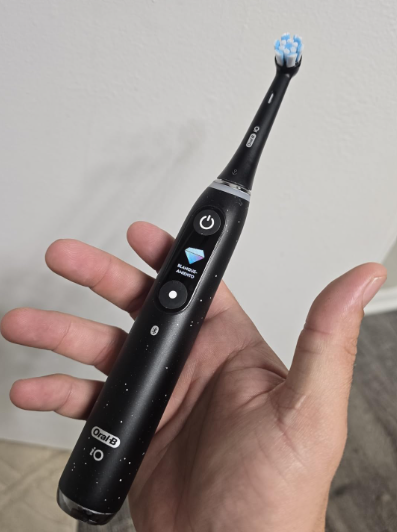
The Oral-B iO series feels like the smartphone of electric toothbrushes. It has a quiet magnetic drive, pressure sensing, multiple brushing modes, smart displays on selected models, Bluetooth connectivity, and app-based coaching. When everything works properly, the experience is smooth, polished, and surprisingly satisfying.
But sophisticated technology brings more opportunities for something to go wrong.
From an Oral B iO not charging problem to a handle that suddenly refuses to turn on, Bluetooth connection failures, strange noises, battery drain, loose brush heads, or confusing lights, owners occasionally run into problems that make an expensive toothbrush feel considerably less premium.
The good news? Many Oral B iO problems aren’t serious hardware failures at all. A dirty charging base, moisture around the brush head, an outdated app connection, or a toothbrush that simply needs resetting can create symptoms that look much worse than they actually are.
In this guide, we’ll walk through the most common Oral-B iO issues, explain why they happen, and show what we can try before assuming the toothbrush has reached the end of its life.
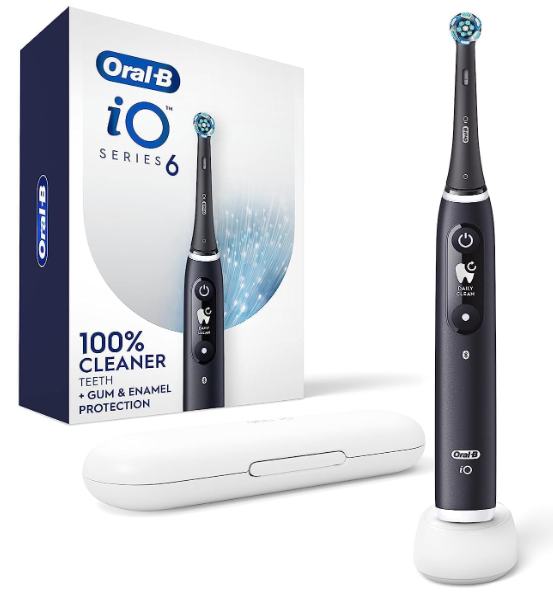
Are Oral-B iO Toothbrushes Reliable?
Overall, the Oral-B iO platform is designed as a premium electric toothbrush system, but reliability depends partly on how we use and maintain it.
Compared with a basic electric toothbrush, an iO model contains considerably more technology. Depending on the version, there may be a display, pressure sensor, Bluetooth module, sophisticated battery-management system, magnetic charging components, and motion-tracking electronics packed inside a waterproof handle.
That complexity is both its strength and its weakness.
A traditional electric toothbrush either spins or doesn’t. An iO can technically brush perfectly while its app refuses to connect, its display behaves strangely, or its charging indicator appears confusing.
That’s why diagnosing the exact symptom matters.
The Most Common Oral B iO Problems
Owners can experience several different types of problems, including:
- Toothbrush not turning on
- Battery not charging
- Battery draining unusually quickly
- Charging base apparently not working
- Bluetooth or app connection failures
- Brush head becoming loose
- Excessive vibration or unusual noise
- Toothbrush stopping unexpectedly
- Pressure sensor behaving incorrectly
- Display freezing or showing strange information
- Water, toothpaste, or residue accumulating around the brush head
- Unpleasant smells developing around the shaft
- Brushing modes not changing correctly
- Travel charging problems
Fortunately, we can troubleshoot most of these systematically.
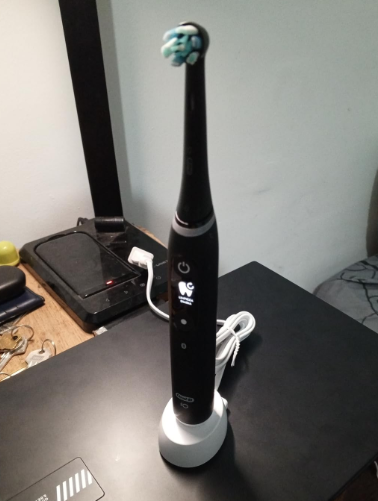
1. Oral B iO Not Turning On
Few things are more irritating than grabbing the toothbrush in the morning, pressing the power button, and getting absolutely nothing.
Before assuming the motor has failed, we should start with the obvious culprit: the battery.
Check Whether the Battery Is Completely Empty
When an Oral-B iO battery becomes deeply discharged, the toothbrush may not respond immediately after being placed on its charger.
Leave the handle positioned correctly on its compatible charging base for a while before checking it again.
Make sure the charger itself has power. It sounds ridiculously simple, but testing another wall socket can save us an unnecessary troubleshooting marathon.
Inspect the Power Button
Toothpaste residue can gradually collect around buttons and crevices.
Clean the handle carefully using a damp cloth and remove visible buildup around the button. We shouldn’t insert sharp objects into the toothbrush or attempt to pry the button loose.
If the toothbrush powers on intermittently when the button is pressed differently, the switch may require professional attention.
Try Resetting the Toothbrush
Electronic glitches occasionally happen.
Depending on the iO model, resetting the handle can restore normal operation when the toothbrush has frozen rather than physically failed.
If a reset solves the problem once but the toothbrush repeatedly freezes afterward, however, that suggests we should investigate further.
2. Oral B iO Not Charging
Charging complaints are probably among the most frustrating Oral B iO problems because several components can cause nearly identical symptoms.
The handle, battery, charging base, wall outlet, power adapter, or contact alignment could potentially be responsible.
Make Sure the Handle Is Positioned Correctly
Place the toothbrush directly onto its charging base.
If we’re using a travel charger or alternative Oral-B accessory, confirm that it is compatible with the particular iO model.
Not every Oral-B charger works with every generation of toothbrush.
Test Another Electrical Outlet
Before blaming a premium toothbrush, blame the wall outlet.
Plug another device into the same outlet or move the toothbrush charger to another known-working socket.
If the toothbrush begins charging elsewhere, we’ve found the simplest possible solution.
Clean the Charging Area
Although magnetic chargers don’t depend on exposed metal charging contacts in the traditional sense, dirt and residue can still interfere with proper positioning.
Wipe both the bottom of the toothbrush and the charger.
Then dry everything thoroughly before reconnecting power.
Avoid Charging a Dripping-Wet Handle
The Oral-B iO handle is designed for bathroom use, but continuously placing a soaking-wet toothbrush onto the charger isn’t a great habit.
After brushing, rinse the handle as appropriate and wipe excess water away before charging.
Think of the toothbrush as waterproof technology rather than a submarine.
3. Oral B iO Battery Draining Fast
A battery that once lasted comfortably between charges may eventually seem to drop much faster.
Before declaring the battery defective, we should consider our usage.
Brushing frequency, session duration, display usage, Bluetooth communication, temperature, battery age, and charging behavior may influence perceived endurance.
Is Battery Degradation Normal?
Yes.
Rechargeable batteries gradually lose some ability to hold energy as they age. That’s true whether we’re talking about a toothbrush, smartphone, laptop, or electric vehicle.
The important distinction is between gradual degradation and sudden failure.
If runtime has slowly become shorter after years of use, battery aging may be responsible.
If the toothbrush suddenly goes from lasting many sessions to dying after one or two, something else could be happening.
What Can We Do?
Start by fully charging the toothbrush and monitoring real-world use.
Rather than relying entirely on the battery icon, count how many normal two-minute brushing sessions occur between charges.
This gives us a much clearer picture of actual battery performance.
4. Oral B iO Charging but Battery Percentage Does Not Increase
Sometimes the toothbrush appears to recognize the charger but the battery indication barely changes.
This situation can be confusing.
First, let the toothbrush charge uninterrupted rather than repeatedly removing and replacing it.
Then check whether the handle becomes excessively hot. Mild warmth can occur with electronics, but abnormal heat, odors, deformation, or other signs of battery damage shouldn’t be ignored.
If something physically appears wrong with the handle, stop using it and contact Oral-B support rather than experimenting with DIY repairs.
5. Oral B iO Bluetooth Not Connecting
Smart brushing sounds wonderful until Bluetooth decides it has other plans.
When the Oral-B app cannot find the toothbrush, we should troubleshoot both sides of the relationship: the phone and the toothbrush.
Check Phone Bluetooth
Make sure Bluetooth is enabled.
Then verify that the Oral-B app has the necessary Bluetooth permissions within the phone’s settings.
Modern Android and iOS versions can restrict Bluetooth or nearby-device access when permissions aren’t granted.
Keep the Toothbrush Near the Phone
Bluetooth isn’t magic.
During pairing, keep the toothbrush and smartphone reasonably close together and avoid trying to connect through multiple walls or from the other side of the bathroom.
Restart the App
Close the Oral-B app completely and reopen it.
If that doesn’t work, restarting the phone can clear temporary Bluetooth issues that aren’t actually caused by the toothbrush.
Remove and Pair the Toothbrush Again
When an existing pairing becomes corrupted, removing the toothbrush connection and pairing it again can help.
Follow the instructions presented by the Oral-B app for your model.
Update the App
An outdated application may occasionally create compatibility problems after a phone operating-system update.
Keeping both the Oral-B app and smartphone software current can reduce these glitches.
6. Oral B iO Keeps Disconnecting From the App
A toothbrush that connects successfully but constantly drops the connection presents a slightly different problem.
Possible reasons include aggressive phone battery-saving settings, Bluetooth interference, app permissions, or software instability.
Check whether your phone restricts the Oral-B app when it operates in the background.
Battery optimization is useful for saving smartphone power, but sometimes it treats Bluetooth-connected apps like unwanted houseguests and shuts the door on them.
If brushing data synchronization matters to us, allowing the app appropriate background functionality may improve reliability.
7. Oral B iO Brush Head Feels Loose
Some movement in a removable toothbrush head isn’t automatically evidence of a defect.
However, the head should remain securely positioned during normal brushing.
If it feels unusually loose:
- Remove the brush head.
- Inspect both the head and handle shaft.
- Clean away dried toothpaste or debris.
- Try another genuine compatible iO replacement head.
- Compare the fit.
If one brush head is loose while another fits normally, the head itself is probably responsible.
If every compatible head wobbles excessively, the handle’s drive shaft may deserve closer inspection.
8. Oral B iO Making a Strange Noise
Electric toothbrushes naturally produce vibration and mechanical sound, but we’re usually familiar with our toothbrush’s personality.
When it suddenly sounds different, we notice.
A rattling, clicking, grinding, or dramatically louder sound can come from the brush head rather than the internal motor.
Remove the Brush Head and Inspect It
Turn the toothbrush off and remove the head.
Clean the shaft and inside of the brush-head connection.
Then install a different compatible brush head.
If the abnormal sound disappears, the original head was likely the problem.
If the noise continues regardless of the head installed, the internal drive mechanism could be involved.
Don’t Ignore Grinding Sounds
A persistent mechanical grinding sound is different from normal iO vibration.
If the toothbrush is under warranty or still relatively new, contacting support is safer than opening the waterproof handle.
DIY disassembly can turn a repairable problem into a permanently dead toothbrush.
9. Oral B iO Stops While Brushing
An Oral-B iO that suddenly switches off during a brushing session can be experiencing several things.
The battery could simply be low, the toothbrush may have encountered a temporary electronic glitch, or an internal fault could be interrupting operation.
Start with a full charge.
Then observe whether the shutdown occurs at approximately the same point every time.
Remember that electric toothbrushes use timers and pacing features, so some vibration changes are intentional. We shouldn’t confuse normal interval signals with an actual shutdown.
If the toothbrush completely loses power repeatedly despite a healthy charge, troubleshooting becomes more important.
10. Oral B iO Pressure Sensor Not Working Properly
One of the iO series’ standout features is pressure feedback.
The system helps us recognize whether we’re brushing too hard, too softly, or—depending on the model and configuration—within an appropriate range.
When the indicator doesn’t behave as expected, first ask a surprisingly useful question:
Are we actually applying enough pressure to trigger it?
Test the Sensor Carefully
While brushing normally, gradually alter the pressure rather than aggressively pressing the brush into the teeth.
Never push excessively just to test the light.
If the pressure indicator never changes under reasonable use, review the toothbrush settings and app configuration where applicable.
A persistent sensor problem could require manufacturer support.
11. Oral B iO Display Not Working or Frozen
Higher-end iO toothbrushes feature interactive displays, which naturally create another component that can misbehave.
A display may appear frozen, fail to wake normally, show an unexpected screen, or stop responding.
Start With a Recharge
Low battery conditions can sometimes create strange electronic behavior.
Fully charge the toothbrush before deciding that the display itself is broken.
Restart or Reset the Handle
If the display is frozen while the toothbrush otherwise seems operational, a reset may clear the software state.
Exact reset procedures can differ among iO generations, so consult the instructions for the specific model rather than randomly holding buttons and hoping for technological enlightenment.
If screen problems keep returning after successful resets, they may indicate a deeper hardware or firmware issue.
12. Oral B iO Won’t Change Brushing Modes
Another complaint is being unable to select the desired cleaning mode.
First, confirm how mode selection works on your specific iO version. Controls differ across models.
A toothbrush may include modes such as Daily Clean, Sensitive, Gum Care, Intense Clean, Super Sensitive, Tongue Clean, or Whitening, but the available choices depend on the particular model.
If the control button doesn’t respond:
- Clean around the controls.
- Recharge the toothbrush.
- Restart or reset it if appropriate.
- Check whether the app influences available settings.
- Confirm that the selected model actually includes the desired mode.
That last point matters more than we might think. The iO family contains several models that look similar while offering different functions.
13. Oral B iO Smells Bad
Here’s an Oral-B iO problem nobody wants to discuss over breakfast.
An unpleasant odor around the brush head or shaft usually points toward accumulated moisture, toothpaste, saliva, or biological residue.
Because the brush head fits tightly onto the drive shaft, hidden buildup can develop when we never remove it for cleaning.
How to Prevent Odor
After brushing:
- Rinse the brush head thoroughly.
- Remove it periodically.
- Rinse residue from the shaft area.
- Allow components to drain and dry.
- Clean the handle exterior.
- Replace worn brush heads regularly.
We shouldn’t permanently seal a wet, dirty brush head onto the handle and expect everything underneath to remain pristine.
Bathrooms are humid environments. Give moisture somewhere to escape.
14. Toothpaste and Gunk Building Up Around the Shaft
White or colored residue near the base of the brush head is extremely common with electric toothbrushes.
Usually, it’s dried toothpaste mixed with minerals from water.
Clean It Before It Hardens
Routine cleaning makes a huge difference.
It’s much easier to rinse fresh toothpaste today than excavate a miniature geological formation six months later.
Avoid abrasive tools that could damage seals or surfaces.
The goal is to clean the toothbrush, not perform dental surgery on it.
15. Oral B iO Brush Head Is Difficult to Remove
If a brush head hasn’t been removed for a long time, dried residue can make it surprisingly stubborn.
Don’t twist or pry it with excessive force.
Try rinsing the connection area with warm water and gently pulling the brush head straight upward according to normal removal technique.
Once removed, clean the shaft and brush-head connection thoroughly.
Regular removal prevents the same problem from returning.
16. Oral B iO Gets Warm While Charging
Some warmth during charging may occur with rechargeable electronic devices.
What we don’t want is excessive heat.
If the handle or charger becomes unusually hot, stop charging it and inspect the setup.
Look for visible damage, unusual smells, swelling, melted components, or damaged cables.
When Should We Stop Using the Toothbrush?
Stop using or charging the product if you notice obvious electrical or battery-related damage.
That isn’t a situation where clever internet hacks are worthwhile.
A toothbrush spends its life around water and eventually goes into our mouth. Safety deserves priority over saving a few dollars.
17. Oral B iO Charger Not Working
Before replacing the toothbrush itself, isolate the charger.
Test the wall socket first.
Next, inspect the cable and charging base for visible damage.
If available, testing the handle on another verified compatible Oral-B iO charger can help determine whether the problem follows the toothbrush or the charging equipment.
Compatibility matters.
Never assume an older Oral-B charging stand is appropriate just because the handle happens to look like it might fit.
18. Oral B iO Travel Charger Problems
Travel introduces several additional variables.
Different outlets, adapters, voltage standards, luggage damage, and charger compatibility can transform an otherwise reliable toothbrush into a small plastic mystery.
Before travelling internationally, verify the electrical specifications printed on the charger or official documentation.
An outlet-shape adapter and a voltage converter are not automatically the same thing.
That’s an important distinction whenever we travel between countries with different electrical systems.
19. Oral B iO Won’t Remember Settings
Some users expect the toothbrush to behave exactly like a smartphone and permanently remember every preference.
Depending on the model, firmware, app configuration, and chosen mode, behavior can differ.
If settings unexpectedly change:
- Confirm the app is connected.
- Check available toothbrush preferences.
- Look for software updates.
- Restart the app.
- Re-pair the handle if synchronization seems broken.
- Reset only when simpler troubleshooting doesn’t work.
The trick is changing one thing at a time.
Otherwise, if the problem disappears, we won’t know which action actually fixed it.
20. Oral B iO Lights Behaving Strangely
Lights on an iO handle can communicate several different things, including brushing pressure, charging state, mode interactions, or personalized settings.
Don’t immediately interpret an unfamiliar light as a failure code.
First, identify the exact iO model and check what that indicator means for that particular toothbrush.
Why Model Identification Matters
“Oral-B iO” describes a family, not one single toothbrush.
Different generations and tiers can have different:
- Displays
- Charging systems
- Cleaning modes
- Smart features
- Accessories
- Battery indicators
- User controls
Advice that perfectly matches one iO model might not apply exactly to another.
This is one reason troubleshooting guides online sometimes appear contradictory.
21. Oral B iO App Doesn’t Record Brushing Correctly
The toothbrush may work perfectly while the app records an incomplete session or inaccurate coverage.
Before questioning our brushing technique—or our sanity—we should check the connection.
Make sure the phone remains within reasonable Bluetooth range and that required permissions aren’t disabled.
Also consider whether motion tracking depends on how the phone and toothbrush are being used.
Smart tracking is a coaching tool, not a medical diagnostic instrument. We shouldn’t chase perfect app graphics at the expense of comfortable, thorough brushing.
22. Can Water Damage an Oral B iO?
The toothbrush is obviously designed to operate in a wet bathroom environment.
Still, water resistance shouldn’t be interpreted as permission to mistreat the product indefinitely.
Avoid unnecessarily submerging the handle, exposing it to extreme conditions, or using a visibly damaged toothbrush where seals may have been compromised.
Watch for Signs of Internal Moisture
Potential warning signs could include:
- Persistent display abnormalities
- Unusual intermittent operation
- Visible condensation where it shouldn’t appear
- Charging problems after water exposure
- Corrosion or physical damage
These symptoms don’t automatically prove water intrusion, but they justify caution.
23. Should You Open an Oral B iO to Repair It?
For most owners, no.
The handle contains a rechargeable battery, electronics, a motor system, and waterproofing components.
Opening it may damage seals and can complicate warranty coverage.
YouTube repair videos can make complicated jobs look as easy as opening a jar of peanut butter. Reality tends to be less cooperative.
For cleaning, software troubleshooting, charger testing, and brush-head replacement, DIY troubleshooting makes sense.
For internal electrical repairs, professional support is the safer route.
24. How to Reset an Oral B iO
Resetting can be useful when dealing with software-like symptoms such as connectivity trouble, frozen controls, or strange display behavior.
However, the exact procedure isn’t necessarily identical across every iO model.
Check the manual or official instructions for your specific version.
Before resetting, we recommend trying simpler solutions:
Our Troubleshooting Order
- Recharge the toothbrush.
- Clean the handle and brush-head connection.
- Test the charger and outlet.
- Restart the Oral-B app.
- Restart Bluetooth or the smartphone.
- Re-pair the toothbrush.
- Update relevant software.
- Perform the appropriate toothbrush reset.
- Contact support if the problem continues.
Following this order prevents us from using the technological equivalent of a sledgehammer when a screwdriver would do.
25. How Long Should an Oral B iO Last?
There’s no single lifespan that applies to every toothbrush.
Usage frequency, charging habits, moisture exposure, accidental drops, maintenance, battery aging, and manufacturing variation all play a part.
A carefully maintained handle can naturally have a better chance of providing long service than one that’s dropped, never cleaned, or continuously left covered in damp toothpaste residue.
Battery Aging May Be the First Noticeable Change
Because rechargeable batteries are consumable components, shorter runtime may become noticeable as the toothbrush ages even if the motor continues functioning perfectly.
That’s not unique to Oral-B.
It’s simply the chemistry of rechargeable batteries catching up with us eventually.
26. How to Prevent Common Oral B iO Problems
Maintenance isn’t glamorous, but neither is buying another expensive toothbrush unnecessarily.
A few simple habits can reduce problems considerably.
Keep the Handle Clean
Wipe away toothpaste after brushing rather than allowing it to dry repeatedly.
Clean Beneath the Brush Head
Remove the brush head regularly and rinse the connection area.
Let Components Dry
Avoid trapping moisture unnecessarily.
Use Compatible Accessories
Brush heads and charging equipment should be suitable for the Oral-B iO system.
Don’t Abuse the Charger Cable
Constantly bending or crushing a cable can eventually cause damage.
Protect the Toothbrush When Travelling
A proper case prevents the power button, shaft, and brush head from being battered around inside a suitcase.
Replace Worn Brush Heads
A brush head isn’t meant to last forever.
Replacing it when worn supports effective cleaning and can also prevent us from blaming the handle for vibration caused by an aging head.
27. When Is an Oral B iO Problem Serious?
We can handle a lot of troubleshooting ourselves, but certain situations deserve professional attention.
Contact the manufacturer or an appropriate service provider if:
- The toothbrush won’t charge with known-working compatible equipment.
- The handle becomes abnormally hot.
- There is visible battery swelling or deformation.
- The casing is damaged.
- Water appears to have entered areas that should remain sealed.
- The toothbrush repeatedly shuts down despite charging.
- The motor produces severe grinding noises.
- A persistent electronics problem returns after resets.
- The toothbrush is relatively new and may still qualify for warranty support.
Electrical products used around water aren’t good candidates for risky improvisation.
28. Is It Worth Fixing an Old Oral B iO?
That depends on the problem and the age of the toothbrush.
Replacing a worn brush head is obvious.
Replacing a faulty external charger may also make financial sense.
But if an older handle has a deteriorated battery, damaged display, motor problem, and compromised seals simultaneously, repair becomes harder to justify.
Think about the toothbrush like an older car.
Replacing one tire makes sense. Rebuilding the engine, transmission, suspension, and electronics at the same time might not.
Compare repair cost, replacement cost, remaining expected life, and warranty options before deciding.
29. Oral B iO Troubleshooting Checklist
When our Oral-B iO begins behaving strangely, we can run through this simple checklist before panicking:
- Confirm the electrical outlet works.
- Fully charge the toothbrush.
- Inspect the charger for damage.
- Clean and dry the handle.
- Remove and clean beneath the brush head.
- Test another compatible brush head.
- Restart the smartphone if the issue involves Bluetooth.
- Check app permissions.
- Update the Oral-B app.
- Re-pair the toothbrush if necessary.
- Reset the toothbrush using instructions for the exact model.
- Stop using it if there are signs of overheating, battery damage, or electrical failure.
- Contact support if the fault remains.
The biggest lesson is simple: diagnose before replacing.
A $10 accessory problem shouldn’t automatically become a new-toothbrush purchase.
Conclusion: Most Oral B iO Problems Are Troubleshootable
The Oral-B iO is a sophisticated electric toothbrush, and sophistication creates a longer list of potential quirks. Charging failures, battery complaints, Bluetooth problems, unusual noises, pressure-sensor confusion, dirty brush-head connections, and frozen displays can all make the toothbrush appear less reliable than it actually is.
Fortunately, many Oral B iO problems can be traced to something relatively straightforward: low battery charge, dirty components, worn brush heads, charger issues, Bluetooth settings, app permissions, or temporary software glitches.
Our best strategy is methodical troubleshooting.
Start with power. Check the charger. Clean the toothbrush. Test the brush head. Review app connectivity. Reset only when necessary.
And if we see overheating, physical battery damage, compromised waterproofing, or persistent internal faults, that’s where home troubleshooting should end.
An electric toothbrush may be a small appliance, but it’s still an electrical device that we use around water and put in our mouths twice a day. Sometimes the smartest fix is knowing when not to fix it ourselves.
Frequently Asked Questions About Oral B iO Problems
1. Why has my Oral B iO suddenly stopped working?
A completely discharged battery is one of the first things to rule out. Place the toothbrush on its compatible charger and verify that the electrical outlet works. If it remains unresponsive after charging, clean the controls and consider the correct reset procedure for your particular iO model. Persistent failure may indicate a battery, button, or internal electronics problem.
2. Why is my Oral B iO not charging?
Possible causes include a powerless wall outlet, damaged charging equipment, incorrect charger compatibility, poor positioning, dirt around the charging area, or a failing battery. Test another outlet first, clean and dry the toothbrush and charger, and verify that you’re using charging equipment designed for the relevant iO model.
3. Why does my Oral B iO battery drain so quickly?
Rechargeable batteries naturally lose capacity with age. However, unusually fast battery drain can also result from charging problems or electronic faults. Fully charge the handle and count actual two-minute brushing sessions between charges. A sudden dramatic reduction in runtime is more concerning than gradual decline over several years.
4. Why won’t my Oral B iO connect to Bluetooth?
Check that Bluetooth is enabled and that the Oral-B app has permission to access Bluetooth or nearby devices. Keep the phone close to the toothbrush, restart the app, update it if necessary, and try pairing again. Smartphone battery-saving settings may also interfere with persistent Bluetooth connectivity.
5. Can I repair an Oral B iO toothbrush myself?
Basic maintenance such as cleaning the handle, replacing the brush head, testing the charger, reconnecting Bluetooth, and performing an approved reset is reasonable. Opening the sealed handle is considerably riskier because it can compromise waterproofing and expose the rechargeable battery and electronics. Internal problems are generally better handled through manufacturer support or qualified repair options.