
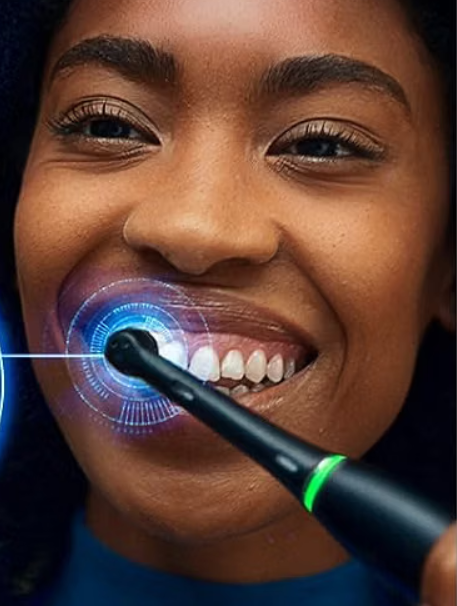
The Oral B iO Sensitive Mode is one of those toothbrush features that sounds wonderfully simple until we actually start using it. We press a button, the brush feels softer, and naturally assume that is the whole story. But what exactly changes? Does Sensitive Mode clean teeth as effectively as Daily Clean? Should we use it permanently? And what is the difference between Sensitive and Super Sensitive?
Those questions matter more than we might think.
Oral-B describes Sensitive mode as a lower-intensity setting designed to gently clean enamel and gums. Depending on the Oral-B iO model, we may also have access to Super Sensitive, Gum Care, Daily Clean, Intense, Whitening, and other modes.
Think of Sensitive Mode like turning down the volume without turning off the music. The toothbrush is still doing the cleaning work; it simply delivers the brushing action more gently.
For anyone dealing with tender gums, mild tooth sensitivity, a recent move from a manual toothbrush, or an electric brush that simply feels too aggressive, this mode can make daily brushing considerably more comfortable.
Let’s look at how it works, when it makes sense, and how to get the best results from it.
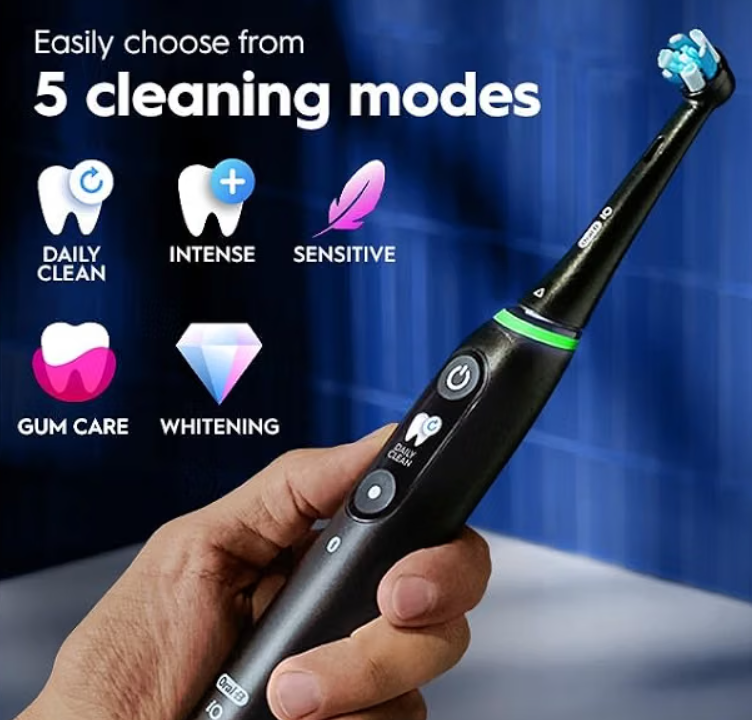
What Is Oral B iO Sensitive Mode?
Sensitive Mode is a lower-intensity brushing program available on various toothbrushes in the Oral-B iO family.
According to Oral-B’s own iO guidance, Sensitive uses reduced intensity to gently clean the enamel and gums, while Daily Clean is intended as the standard everyday plaque-removal setting.
That distinction is important.
Sensitive Mode isn’t simply a shorter brushing cycle, and it doesn’t mean that the toothbrush stops cleaning properly. Instead, the physical sensation is gentler than the more energetic cleaning programs.
For someone who finds Daily Clean a little like driving through town in third gear, Sensitive Mode feels more controlled. We still reach our destination; we just get there with less drama.
How Does Oral B iO Sensitive Mode Work?
The Oral-B iO platform combines a round brush head with its electrically driven brushing system. Switching modes changes the way the toothbrush operates, primarily altering the intensity of the brushing action.
In Sensitive Mode, that intensity is reduced.
Oral-B specifically describes the mode as providing lower-intensity cleaning for enamel and gums.
This can be useful because aggressive brushing isn’t necessarily better brushing.
A toothbrush doesn’t need to feel like a miniature power tool to remove plaque. Technique, coverage, brushing duration, brush-head condition, and pressure all contribute to the result.
Sensitive Mode Does Not Mean Zero Pressure
Here’s an easy misunderstanding.
Choosing Sensitive Mode doesn’t give us permission to press the brush harder.
Pressure and brushing intensity are two different things.
Many iO models incorporate pressure feedback specifically to help us avoid excessive force. On the iO Series 3 and higher, Oral-B says the 360-degree Visible Pressure Sensor can indicate when pressure is too high, appropriate, or too low; these models can also slow the brush when excessive pressure is detected.
So our goal remains simple: guide the brush rather than shove it against our teeth.
Why Sensitive Mode Feels Different
The difference is usually immediately noticeable.
Compared with Daily Clean, Sensitive feels calmer. The head is still moving and cleaning each tooth, but the sensation against the gumline tends to feel less forceful.
For new electric-toothbrush users, that can make a surprisingly big difference.
A powerful electric toothbrush can initially feel like swapping a bicycle for a motorcycle. Sensitive Mode makes the transition less abrupt.
What Is Oral B iO Sensitive Mode For?
The obvious answer is sensitive teeth, but its usefulness is broader than that.
Sensitive Mode can make sense when we:
- experience mild sensitivity when brushing;
- have gums that feel tender;
- are transitioning from a manual toothbrush;
- find Daily Clean uncomfortable;
- want a gentler morning or evening brushing session;
- are learning not to apply excessive pressure;
- simply prefer a softer brushing sensation.
Oral-B also specifically positions gentler modes and pressure guidance as useful features for people with sensitive teeth or gums.
That doesn’t mean Sensitive Mode treats the underlying cause of dental sensitivity. It is a toothbrush setting, not a diagnosis or medical treatment.
Persistent sensitivity, pain, bleeding, swelling, or discomfort deserves a conversation with a dentist.
Oral B iO Sensitive Mode vs Daily Clean
This is probably the comparison most people actually care about.
Both modes are intended to clean our teeth. Their main difference is how intense that cleaning feels.
| Feature | Sensitive Mode | Daily Clean |
|---|---|---|
| Brushing intensity | Lower | Standard |
| Feel on gums | Gentler | Stronger |
| Best suited to | Sensitive teeth or gums | Everyday cleaning |
| Beginner friendly | Excellent | Good |
| Plaque cleaning | Yes | Yes |
| Comfort priority | Higher | Balanced |
Oral-B describes Daily Clean as its everyday cleaning and plaque-removal mode, while Sensitive lowers the intensity to clean enamel and gums more gently.
Is Daily Clean Better Than Sensitive?
Not automatically.
The best mode is the one that allows us to brush correctly and consistently.
If Daily Clean causes someone to rush through brushing, avoid the gumline, or press awkwardly because the sensation feels uncomfortable, Sensitive Mode may actually lead to a better routine.
Consistency beats bravado.
A toothbrush mode isn’t a gym setting where the highest number wins.
Oral B iO Sensitive vs Super Sensitive
This distinction causes plenty of confusion because some iO toothbrushes offer both settings while others offer only one.
Oral-B describes Super Sensitive as its gentlest cleaning mode, intended for greater sensitivity or particularly sensitive areas. Sensitive sits one step higher in intensity.
So we can picture the hierarchy roughly like this:
Super Sensitive → Sensitive → Daily Clean → stronger specialty modes
The exact available settings depend on the toothbrush model.
When Should We Choose Sensitive?
Sensitive makes sense when normal cleaning feels slightly too intense but we don’t need the softest possible setting.
It offers a nice middle ground.
We still get that recognizably active electric-toothbrush feeling, just without quite as much punch.
When Should We Choose Super Sensitive?
Super Sensitive can make more sense for someone who wants the gentlest available iO setting.
Oral-B describes it as particularly suitable for greater sensitivity, and some models even use it as an introductory setting. For example, the iO Series 2 starts on its Super Sensitive setting and is specifically designed to make the transition from a manual toothbrush easier.
Sensitive Is Not Necessarily Available With Super Sensitive
Don’t assume every iO brush has exactly the same mode menu.
That’s one of the most important things to understand about the iO range.
Model specifications vary by series and sometimes by market.
Which Oral B iO Models Have Sensitive Mode?
Oral-B’s current U.S. comparison material identifies Sensitive Mode across multiple iO toothbrushes, but the selection of additional gentle modes varies by model.
For example, Oral-B states that the iO Series 3, Series 6, and Series 7 have Sensitive Mode but not Super Sensitive in the comparison it provides, whereas Super Sensitive is available on several other models including the iO Series 2, 4, 5, 9, and 10.
This is worth checking carefully because model lineups can differ between countries and bundles.
Don’t Buy Based Only on the Series Number
Two boxes can look almost identical while offering different combinations of brushing programs.
Before buying, check the exact product listing for your country rather than assuming every iO Series 6, for example, is configured identically worldwide.
Oral-B’s UK materials demonstrate how model specifications and listed brushing modes can be presented differently from the U.S. lineup.
That small check can save us a surprisingly annoying post-purchase discovery.
How to Turn On Sensitive Mode on an Oral B iO
The exact controls vary slightly depending on the iO generation.
On models with a separate mode-selection control, the general process is straightforward.
Turn on the toothbrush, then use the mode button to cycle through the available brushing programs until Sensitive appears or its corresponding icon is selected.
Oral-B’s iO guide instructs users to power on the toothbrush and use the circular mode-selection button to move through the available modes.
Models with interactive displays make identifying the selected program particularly easy because we can see its name or icon on the handle.
What About the Oral B iO Series 2?
The iO2 is intentionally simpler.
It uses a one-button interface, and Oral-B explains that users can cycle through its three settings using the power button.
So don’t worry if your handle doesn’t have a dedicated mode button. That doesn’t necessarily mean you’re missing the setting.
Can the Oral B iO Remember Sensitive Mode?
Functionality can depend on the specific model.
Some iO guidance lets users choose and retain their preferred startup setting. Oral-B’s instructions for the iO2, for example, explicitly say users can select a favorite setting and configure the toothbrush to start with that setting when brushing.
If your model behaves differently, check the instructions for that exact iO series rather than relying on directions written for another handle.
Can We Use Oral B iO Sensitive Mode Every Day?
For most users, there’s nothing inherently strange about selecting Sensitive as a regular brushing program.
It is designed as a cleaning mode, not merely an emergency feature.
If it makes our normal twice-daily brushing routine more comfortable, there is little sense in forcing ourselves into a more intense mode solely because it sounds more powerful.
What matters more is that we brush thoroughly, cover every tooth surface, spend enough time brushing, and avoid excessive pressure.
Does Sensitive Mode Clean Well Enough?
This is where people often confuse sensation with effectiveness.
A more aggressive-feeling toothbrush can seem like it must be cleaning better.
But our mouth isn’t a kitchen floor, and plaque isn’t removed simply by throwing more force at it.
Sensitive Mode is still designed to clean teeth and gums. Oral-B’s distinction is that it operates at a lower intensity than Daily Clean.
If we brush thoroughly for the recommended duration and maintain good technique, choosing a comfortable mode can be entirely reasonable.
Does Oral B iO Sensitive Mode Help Sensitive Teeth?
It may make brushing more comfortable, which is different from saying it cures sensitivity.
Tooth sensitivity can have multiple causes. Oral-B itself notes possible contributors including gum recession and enamel wear related to factors such as excessive brushing pressure or acid exposure.
Other causes require professional evaluation.
So here’s the important distinction:
Sensitive Mode can reduce the intensity of brushing, but it cannot repair a cavity, diagnose gum disease, reverse significant recession, or explain sudden tooth pain.
If one tooth suddenly becomes extremely sensitive or symptoms persist, don’t just keep lowering the toothbrush setting and hoping the problem disappears.
Sensitive Mode and the Oral B iO Pressure Sensor
One of the best combinations in the iO system is a gentle mode plus pressure feedback.
Why?
Because we can choose the softest setting in the world and still brush badly if we’re pressing aggressively.
On the iO Series 3 and above models highlighted by Oral-B’s sensitive-teeth guide, the Visible Pressure Sensor uses different feedback to indicate pressure. Oral-B says red indicates excessive pressure, green represents appropriate pressure, and white indicates insufficient pressure.
Let the Brush Do the Work
This might be the single best habit we can develop with an iO toothbrush.
Move the round brush head gradually from tooth to tooth.
We don’t need the vigorous back-and-forth scrubbing technique commonly used with a manual toothbrush.
Imagine polishing individual tiles rather than sanding a wooden board.
Slow, controlled coverage wins.
Which Oral B iO Brush Head Is Best With Sensitive Mode?
Selecting Sensitive Mode changes the toothbrush’s operating intensity, but our choice of brush head also affects how brushing feels.
The iO platform supports dedicated replacement heads, and Oral-B offers a Gum & Sensitive option alongside alternatives such as Ultimate Clean. The company’s iO Series 2 product information lists Gum & Sensitive among its compatible iO replacement heads.
Pairing Sensitive Mode with a comfort-oriented brush head can make sense if gentleness is the priority.
Sensitive Mode With Ultimate Clean
You don’t necessarily need a sensitive-specific head just to activate Sensitive Mode.
The operating mode belongs to the toothbrush handle.
However, different brush-head designs can produce different sensations, so experimenting with the appropriate compatible iO heads may help us find a combination we actually enjoy using.
Replace Worn Brush Heads
Even the perfect mode isn’t much help if the brush head resembles a tiny exploded hedgehog.
Oral-B recommends replacing iO replacement heads about every three months, or sooner if worn.
Fresh bristles also help make brushing behavior more predictable.
Oral B iO Sensitive Mode for Receding Gums
People with receding gums often search specifically for gentler toothbrush settings.
Sensitive Mode may feel more comfortable, but recession deserves more attention than simply changing a toothbrush mode.
The reason behind gum recession can vary, and brushing technique is only one possible factor.
Use the toothbrush gently, pay attention to pressure guidance, and speak with a dental professional if recession is noticeable or progressing.
The toothbrush can help us develop better habits; it cannot diagnose why the gumline has changed.
Oral B iO Sensitive Mode for Braces, Implants, and Dental Work
Gentler brushing can sound appealing around dental restorations or orthodontic appliances, but individual circumstances matter.
After dental procedures, follow the instructions provided by the dentist or oral surgeon rather than assuming Sensitive Mode automatically makes electric brushing appropriate.
The same principle applies to implants, braces, crowns, periodontal treatment, and surgical areas.
When professional instructions and a toothbrush blog disagree, the dentist wins.
Every time.
How Long Should We Brush in Sensitive Mode?
Changing the mode doesn’t mean we should shorten the brushing session.
Many Oral-B iO toothbrushes incorporate a two-minute timer, often with prompts that help divide brushing across different areas of the mouth. Oral-B’s iO2, for example, includes a two-minute timer with alerts every 30 seconds to change zones.
A useful routine is to divide the mouth into four sections and spend roughly equal time on each.
We want complete coverage, not a frantic race around the teeth.
Best Way to Use Oral B iO Sensitive Mode
A simple routine works beautifully.
- Apply a pea-sized amount of fluoride toothpaste appropriate for your needs.
- Place the brush head against the teeth before powering the toothbrush on.
- Select Sensitive Mode.
- Guide the round head slowly from tooth to tooth.
- Follow the gumline without pushing aggressively into it.
- Watch the pressure sensor where available.
- Spend time on the outer, inner, and chewing surfaces.
- Continue until the two-minute brushing cycle is complete.
- Rinse the brush head after use and allow it to dry.
The magic isn’t hidden in some complicated technique.
Good brushing is mostly boring consistency done well.
Common Oral B iO Sensitive Mode Mistakes
Sensitive Mode is easy to use, but a few habits can undermine it.
Pressing Harder Because the Mode Feels Weak
This defeats the point.
The lower-intensity feeling doesn’t mean the toothbrush has stopped cleaning.
Moving Too Quickly
Give the round brush head time to work around each tooth.
Flying from molar to molar like we’re late for a flight leaves coverage gaps.
Ignoring the Pressure Sensor
If the sensor repeatedly warns that we’re applying excessive force, changing modes isn’t the complete solution.
Technique needs attention too.
Using Sensitive Mode to Ignore Dental Pain
Comfort settings are useful.
Unexplained pain is different.
If brushing suddenly hurts, especially around one specific tooth, professional assessment matters more than finding a softer mode.
Assuming Every iO Model Has Super Sensitive
This is one of the biggest specification traps.
Mode availability varies across the iO family and by market.
Always check the exact model.
Sensitive Mode vs Gum Care Mode
These names sound similar, but they’re intended for different purposes.
Sensitive Mode primarily emphasizes lower-intensity cleaning of enamel and gums.
Gum Care, where offered, is positioned as a program designed to gently massage or stimulate the gums while cleaning.
Someone wanting a generally softer clean may naturally prefer Sensitive.
Someone whose toothbrush includes Gum Care and wants that specific gum-oriented program can experiment with it as well.
The best setting ultimately depends on comfort and the features available on the particular handle.
Sensitive Mode vs Intense Mode
These sit on opposite sides of the spectrum.
Intense is designed to provide a stronger cleaning sensation, whereas Sensitive deliberately tones things down.
We don’t earn bonus points for using Intense.
If Sensitive gives us comfortable, thorough brushing twice every day, that is much more valuable than selecting a stronger program we dislike.
Choosing toothbrush modes is a little like choosing running shoes: the theoretically fastest option isn’t automatically the one we should wear every morning.
Who Should Try Oral B iO Sensitive Mode First?
Sensitive Mode makes particular sense for anyone who has just purchased an iO and thinks, “Wow, this thing is stronger than I expected.”
It can also suit people with mild sensitivity or gum tenderness who want a softer daily brushing experience.
Oral-B goes even further with certain products. Its iO Series 2, for example, begins on the Super Sensitive setting specifically as part of its manual-to-electric transition experience.
That tells us something useful.
Starting gently isn’t a compromise. It’s part of learning how an electric toothbrush feels.
Is Oral B iO Sensitive Mode Worth Using?
Absolutely—when it solves a real problem.
Sensitive Mode isn’t exciting technology in the same way that displays, apps, AI tracking, or smart chargers are exciting. You probably won’t show it to friends at dinner.
Yet it may be one of the most useful features on the toothbrush.
Why?
Because comfort encourages consistency.
If brushing feels unpleasant, we naturally start cutting corners. Maybe we skip the gumline. Maybe we shave 30 seconds from the routine. Maybe evening brushing occasionally turns into “I’ll do it tomorrow.”
A gentler mode removes some of that friction.
And habits, more than flashy specifications, determine whether a toothbrush becomes genuinely useful.
Should We Stay in Sensitive Mode Forever?
There’s no prize for graduating to Daily Clean.
If Sensitive remains comfortable and supports good brushing habits, there’s no need to change simply because we’ve owned the toothbrush for several months.
On the other hand, users who initially find the iO sensation unfamiliar may discover that Daily Clean feels perfectly comfortable after becoming accustomed to electric brushing.
Experiment.
Our mouth gives better feedback than the name printed beside a mode.
Final Thoughts on Oral B iO Sensitive Mode
The Oral B iO Sensitive Mode does exactly what a well-designed comfort feature should do: it makes the brushing experience gentler without turning our toothbrush into a passive piece of plastic.
Oral-B defines Sensitive as a lower-intensity mode intended to clean enamel and gums gently, while Super Sensitive—on models that include it—goes one step further as the gentlest option.
The real trick is combining that setting with good technique.
Use light pressure. Move slowly from tooth to tooth. Follow the timer. Replace worn brush heads. Pay attention to the pressure sensor. And don’t mistake discomfort for proof that brushing is “working harder.”
A toothbrush should clean our teeth, not wrestle with them.
For many Oral-B iO owners, Sensitive Mode hits that sweet spot beautifully: active enough to feel effective, gentle enough to make twice-daily brushing something we don’t dread.
Frequently Asked Questions
1. What does Sensitive Mode do on Oral B iO?
Sensitive Mode lowers the brushing intensity to provide gentler cleaning for the teeth, enamel, and gums. Oral-B distinguishes it from Daily Clean, its standard everyday plaque-removal program.
2. Is Oral B iO Sensitive Mode weaker than Daily Clean?
It operates at a lower intensity and therefore feels gentler. That doesn’t mean we should compensate by pressing harder. Good coverage, appropriate pressure, and sufficient brushing time remain more important than choosing the strongest available setting.
3. What is the difference between Oral B iO Sensitive and Super Sensitive?
Super Sensitive is the gentler of the two. Oral-B describes it as its gentlest cleaning mode, while Sensitive provides lower-intensity cleaning for enamel and gums. Not every iO toothbrush offers both settings.
4. Can I use Oral B iO Sensitive Mode every day?
Sensitive is designed as a regular brushing mode, so users who find it comfortable can incorporate it into their normal routine. Continue brushing thoroughly and use appropriate pressure. Persistent dental sensitivity or pain should still be evaluated by a dental professional.
5. Which Oral B iO mode is best for sensitive teeth?
For the gentlest available brushing experience, Super Sensitive is the lowest-intensity option on iO models that offer it. If your toothbrush doesn’t include Super Sensitive—or you simply prefer a slightly stronger feel—Sensitive Mode is the logical alternative. Oral-B’s current U.S. guidance confirms that mode availability varies among iO models.