
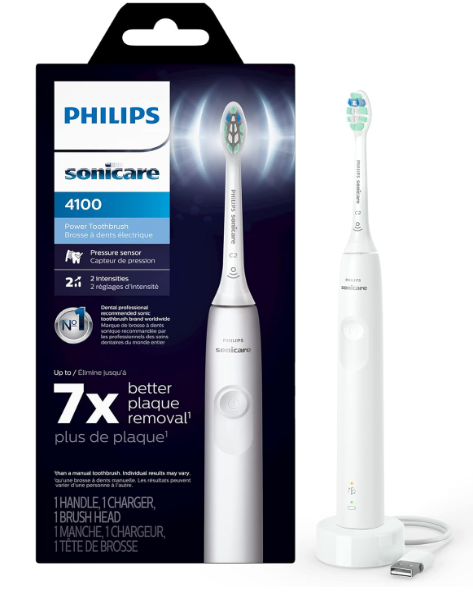
A Philips Sonicare toothbrush can feel like a tiny dental assistant living beside the bathroom sink—until it refuses to charge, starts rattling, loses power, or flashes a mysterious light.
When that happens, it is easy to assume the toothbrush has reached the end of its life. Fortunately, many common Sonicare toothbrush issues are caused by relatively simple things: a worn brush head, residue around the metal shaft, an incompatible charger, a low battery, an activated pressure sensor, or a brushing feature we did not realize was running.
In this guide, we will walk through the most common Sonicare problems, explain what may be causing them, and show you which troubleshooting steps are worth trying before replacing the handle.
Because Sonicare models differ, button combinations, indicator colors, charging systems, and smart features may not work exactly the same across every handle. Always check the manual for your specific HX model when a procedure involves resetting or changing a feature.
Common Sonicare Toothbrush Issues at a Glance
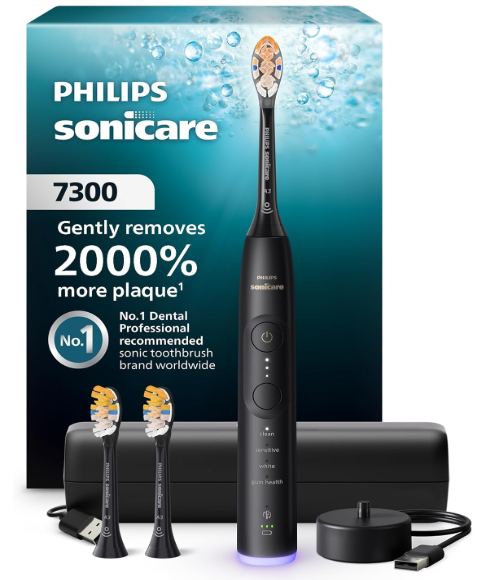
The most frequently reported problems generally fall into a few categories:
- The toothbrush does not turn on
- The handle does not charge
- Battery life has become unusually short
- Vibration feels weak or inconsistent
- The toothbrush sounds louder than normal
- The brush head is loose or falls off
- The handle stops during brushing
- Warning lights keep flashing
- The pressure sensor behaves strangely
- The toothbrush will not connect to the Sonicare app
- Toothpaste residue collects around the shaft
- Water appears to be entering the handle
Some symptoms are connected. For example, a toothbrush that seems weak may simply have a nearly empty battery. A handle that appears to switch off randomly may only be reaching the end of its timed brushing cycle. Troubleshooting is therefore less like throwing darts in the dark and more like following footprints.
1. Sonicare Toothbrush Will Not Turn On
A Sonicare that remains completely silent can be alarming, particularly when it worked normally the previous day. Before declaring it dead, we should rule out charging, button, and power-source problems.
Fully Charge the Handle
Place the toothbrush on its original charger and leave it there for a full charging cycle. Philips recommends using the charger supplied with the toothbrush because not all Sonicare chargers are interchangeable. Some current chargers also use a USB-A cable and may require a separate compatible wall adapter.
Look for one of the following signs:
- A battery indicator illuminates
- A battery light begins flashing
- The handle emits short confirmation beeps
- A charging symbol appears on the display
No response does not automatically mean the handle is defective. The outlet, wall adapter, cable, or charging base could be the real culprit.
Clean Around the Power Button
Dried toothpaste can build up around the power button and make it difficult to press properly. Wipe the button with a damp cloth, then press it several times while the toothbrush is off the charger.
Do not insert pins, blades, or other sharp objects around the button. That can damage the seal and turn a minor cleanliness issue into a waterproofing problem.
Test Another Electrical Outlet
Bathroom outlets sometimes have ground-fault protection or wall switches that cut power without making the problem obvious. Plug the charger into a known working outlet in another room.
Philips specifically recommends trying a different power source when a Sonicare does not charge or vibrate.
Remove the Brush Head and Try Again
Take off the brush head and briefly press the power button.
If the metal shaft vibrates normally without the brush head, the handle may be working correctly and the issue may lie with:
- A damaged brush head
- Internal brush-head wear
- An incorrect or poorly fitting replacement
- Debris between the head and shaft
If lights appear but the shaft does not vibrate, Philips says the handle may have internal damage and may require repair or exchange.
2. Sonicare Toothbrush Is Not Charging
Charging problems are among the most common Sonicare toothbrush issues. They can also be deceptive because induction chargers do not have exposed metal contacts like a phone cable.
Use the Correct Sonicare Charger
A charging base may look compatible while still using a different electrical configuration. Whenever possible, use the original charger supplied with your exact toothbrush.
This matters especially with:
- Charging glasses
- Premium charging stands
- USB travel cases
- Magnetic charging pads
- Older Sonicare bases
- Chargers borrowed from another handle
Philips warns that not all Sonicare chargers are compatible across models.
Center the Handle on the Charger
Set the toothbrush upright and make sure it sits securely in the center of the charging base, glass, stand, or pad. A properly positioned handle may beep or illuminate its battery indicator.
Avoid placing wireless-style chargers on metal surfaces or directly beside other charging devices, as interference can affect charging performance.
Inspect the Cable and Adapter
Look closely for:
- Cracked insulation
- Bent connectors
- Frayed cable sections
- Burn marks
- Loose USB connections
- Moisture inside the adapter
- Excessive heat during charging
Stop using a visibly damaged charger. Electrical accessories are not the place for heroic improvisation with tape and wishful thinking.
Allow Enough Charging Time
A deeply discharged battery may not wake up immediately. Leave the toothbrush charging for several hours or overnight before testing it again.
Some models take considerably longer to reach a complete charge than modern smartphones. We should not assume that 20 minutes on the charger is enough to diagnose the battery.
3. Sonicare Battery Drains Too Quickly
A Sonicare battery that once lasted days or weeks may eventually start fading after only a few brushing sessions.
Before blaming battery age, consider how the toothbrush is being used.
Features That Can Increase Battery Use
Battery runtime may decrease when we regularly use:
- High-intensity settings
- Longer brushing modes
- Bluetooth connectivity
- App-guided brushing
- Illuminated displays
- Pressure-feedback lights
- Repeated short test cycles
- A charging travel case that is not receiving power
Cold storage can also temporarily affect rechargeable battery performance. If the toothbrush has been left in a cold car or suitcase, let it return to room temperature before charging.
Check Whether the Handle Is Actually Reaching Full Charge
A weak outlet or incompatible base may provide intermittent power without fully charging the battery. Try the original charger in another outlet and observe the battery indicator.
If the runtime remains extremely short after a confirmed full charge, the internal battery may be worn.
Can We Replace a Sonicare Battery?
Sonicare batteries are generally not designed as simple user-replaceable components. Philips states that replacing the battery alone is unlikely to resolve every no-power problem and directs users toward warranty support or replacement assistance.
Opening the sealed handle can damage its water resistance and may affect warranty coverage. Unless we have the appropriate technical skills and accept the risks, professional support is the safer route.
4. Sonicare Toothbrush Has Weak Vibration
Weak vibration does not always mean the motor is dying. In fact, the cause is often surprisingly ordinary.
Recharge the Battery Completely
Low battery power can reduce the strength or consistency of the vibration. Philips recommends fully charging the handle before investigating other causes.
Check the Selected Intensity
Many Sonicare handles have low, medium, and high intensity levels. It is easy to lower the intensity accidentally while brushing.
On compatible models, press the mode or intensity button while the toothbrush is operating. Some models only permit intensity changes during an active brushing session.
Consider the Brushing Mode
Not every mode is supposed to feel equally powerful. Sensitive and TongueCare modes, for example, may produce gentler vibration than standard Clean or Deep Clean settings. Philips identifies mode selection as a possible explanation for reduced vibration.
Replace a Worn Brush Head
Brush heads gradually lose stiffness and efficiency. Their internal connection can also wear, producing weaker or less focused movement.
Philips generally recommends replacing a worn Sonicare brush head about every three months, although heavy use, damaged bristles, braces, or illness may justify earlier replacement.
Check the EasyStart Feature
EasyStart is designed to gradually increase brushing power over the first several sessions so new users can adjust to sonic vibration.
If a new toothbrush feels underpowered, EasyStart may be functioning normally. Consult the model manual for instructions on disabling it, since the button sequence varies.
5. Sonicare Toothbrush Vibrates Too Strongly
The opposite problem can be equally uncomfortable. A powerful Sonicare may initially feel like a miniature construction tool inside the mouth.
For first-time electric toothbrush users, the sensation usually becomes more familiar after several brushing sessions.
Lower the Intensity
Select the lowest intensity setting and allow the brush to glide over the teeth. We do not need to scrub as we would with a manual toothbrush.
Use a Sensitive Brush Head or Mode
A soft-compatible head and sensitive setting can make the transition easier, especially for people with tender gums or recent dental work.
Avoid Pressing Too Hard
The sonic action performs most of the cleaning. Excessive pressure can make vibration feel harsher while also causing the pressure sensor to pulse, change tone, or alter power.
Philips explains that compatible Sonicare handles change their vibration when they detect excessive brushing pressure.
Persistent pain, bleeding, swelling, or sensitivity should not simply be dismissed as an adjustment period. Those symptoms deserve advice from a dental professional.
6. Sonicare Toothbrush Makes a Loud Noise
Sonicare toothbrushes naturally make a noticeable humming sound. A sudden rattle, clatter, grinding noise, or sharp increase in volume is different.
Remove and Reattach the Brush Head
Push the head firmly onto the shaft. A small gap between the bottom of the brush head and the handle may be normal, depending on the model. The head should not wobble dramatically or detach during brushing.
Test the Handle Without the Brush Head
Briefly turn on the toothbrush with the head removed.
- If the handle becomes much quieter, the brush head is probably worn, damaged, loose, or incompatible.
- If the loud grinding or rattling continues, the internal drive system may be damaged.
Clean the Shaft and Brush-Head Base
Hardened toothpaste can act like grit between moving parts. Remove the head, rinse its underside, and clean around the metal shaft.
Philips recommends rinsing the brush-head base and shaft area with warm water, then wiping the handle and top seal with a cloth.
Try an Authentic Replacement Head
Poorly fitting third-party or counterfeit heads may vibrate unevenly and create extra noise. Philips recommends authentic brush heads when fit or detachment problems occur.
A handle that remains abnormally loud after these tests may qualify for warranty support. Philips states that Sonicare toothbrushes and flossers are backed by a two-year warranty, subject to the applicable terms.
7. Sonicare Brush Head Is Loose or Falls Off
A Sonicare brush head should be removable, but it should not fly off like a champagne cork halfway through brushing.
Check the Installation
Align the head with the metal shaft and press it down firmly. Do not twist it aggressively unless the instructions for that specific model say otherwise.
Remove Residue
Clean the inside of the brush-head base and the area surrounding the shaft. Toothpaste deposits can prevent the head from seating correctly.
Inspect for Cracks
Replace the head if you notice:
- A split plastic collar
- A widened internal opening
- A loose internal insert
- Heavy wobbling
- Bristles that spread dramatically
- A damaged rubber section
Confirm Compatibility
Not every head sold online is genuine or properly manufactured. A cheap replacement that saves a few dollars but rattles, slips, or damages the shaft is not much of a bargain.
Philips recommends attaching the head correctly, cleaning both connection areas, and using an original brush head when the head repeatedly falls off.
8. Sonicare Toothbrush Stops While Brushing
A toothbrush that pauses or shuts down during use may be behaving exactly as designed.
Understand the BrushPacer
BrushPacer divides the brushing session into sections. The handle may briefly pause or change its vibration to tell us when to move to another area of the mouth.
That split-second interruption is not a motor failure.
Check the SmartTimer
Many Sonicare modes automatically stop when the programmed session ends. Depending on the selected mode, the total running time may differ.
Philips confirms that BrushPacer briefly interrupts vibration and that the toothbrush stops automatically at the end of the brushing session.
Watch for Pressure-Sensor Feedback
On some handles, pressing too hard causes the vibration to pulse, weaken, or briefly stop. Ease the pressure and see whether normal operation returns.
Suspect a Fault When the Timing Is Random
A genuine problem is more likely when the toothbrush:
- Stops after only a few seconds
- Restarts when moved or tapped
- Cuts out at unpredictable intervals
- Loses power despite a full charge
- Becomes unusually hot
- Shows no timer-related pattern
Random shutdowns after full charging may indicate battery, button, connection, or internal electronic damage.
9. Sonicare Toothbrush Lights Keep Flashing
Flashing lights are messages, not necessarily warnings. Their meaning depends heavily on the model.
Battery Indicator
The battery symbol may flash while charging or when the remaining charge is low. Premium models may use multiple bars, different colors, or a display.
Brush-Head Replacement Reminder
A brush-head symbol may illuminate when the handle estimates that the head has reached the end of its useful period. On certain models, a similar indicator can also react to excessive pressure.
Pressure-Sensor Light
Some models flash a ring or indicator at the base of the handle when we press too hard. Others change vibration or produce a pulsing sound instead.
Intensity and Mode Lights
A light may simply identify the active mode or intensity. What looks like an error code may actually be a selected setting.
When uncertain, locate the model number on the bottom of the handle. It normally starts with “HX.” Entering that number on Philips Support leads to the correct manual and model-specific FAQs.
10. Sonicare Pressure Sensor Is Not Working Properly
The pressure sensor may appear too sensitive, not sensitive enough, or completely inactive.
First Confirm That the Model Has One
Not every Sonicare toothbrush includes pressure detection. Entry-level models may use simpler controls and fewer indicators.
Check Whether the Feature Is Enabled
Some handles allow the pressure sensor to be switched on or off. The exact activation method depends on the model, so we should avoid copying a button sequence intended for a different handle.
Change How You Hold the Brush
A very tight grip can make it difficult to notice subtle vibration changes. Hold the handle lightly and apply a little more pressure only for testing—not as a normal brushing technique.
Recalibrate Compatible Models
Philips provides pressure-sensor recalibration instructions for certain toothbrushes when the sensor seems too sensitive or insufficiently responsive.
Recalibration procedures vary. Use the instructions linked to the exact model number rather than experimenting with random combinations.
11. Sonicare Will Not Connect to the App
Smart Sonicare toothbrushes use Bluetooth to exchange brushing data with a compatible phone. When the connection fails, the toothbrush itself may still clean normally.
Basic Connection Checklist
Try these steps in order:
- Fully charge the toothbrush.
- Update the Sonicare app.
- Update the phone’s operating system.
- Enable Bluetooth.
- Keep the phone close to the handle.
- Open the app before activating the toothbrush.
- Restart the phone.
- Restart the app.
- Remove an old pairing if the app instructs you to do so.
- Confirm that location or nearby-device permissions are enabled where required.
Philips lists a full charge, current software, active Bluetooth, and restarting the relevant devices among its recommended connection checks.
Do Not Pair It Like Ordinary Headphones Unless Instructed
Some smart devices must be paired from inside their own app rather than from the phone’s general Bluetooth menu. Follow the Sonicare app prompts for the specific handle.
Account and Data Issues
If the handle connects but history does not appear, verify that we are logged into the intended account and that app permissions have not been restricted after an operating-system update.
12. Sonicare Toothbrush Has Toothpaste Buildup
Toothpaste residue around the shaft is common. Left alone, it can dry into a chalky ring, trap moisture, affect brush-head fit, and create unpleasant odors.
How to Clean a Sonicare Correctly
After brushing:
- Remove the brush head.
- Rinse the brush-head base with warm water.
- Rinse the metal shaft area.
- Wipe the handle.
- Clean around the upper seal and buttons.
- Shake off excess water.
- Store the handle upright in a ventilated place.
These steps closely follow Philips’ cleaning guidance.
What Not to Do
Avoid:
- Boiling the brush head
- Submerging the charger
- Pouring bleach into the handle
- Scraping the seal with metal tools
- Placing the handle in a dishwasher
- Reassembling it while packed with wet toothpaste
The handle may be designed for bathroom use, but the charger should always be treated as an electrical device.
13. Water Is Getting Inside the Sonicare Handle
Moisture on the exterior is normal. Water visibly trapped under the display, emerging from cracks, or collecting inside the handle is not.
Inspect the Top Seal
Remove the brush head and examine the area around the metal shaft. Look for:
- Tears
- Separation
- Warping
- Deep cracks
- Rust-colored residue
- Unusual movement in the shaft
Stop Using a Damaged Handle
A compromised seal can expose internal components to moisture. Do not continue charging a toothbrush that becomes hot, smells burned, leaks, or behaves erratically after water intrusion.
Do not open a warranty-covered handle merely to “let it dry.” Opening it can make professional assessment more difficult and may affect coverage.
14. Sonicare Handle Becomes Warm While Charging
Mild warmth can occur during charging. Excessive heat is another matter.
Disconnect the charger when:
- The handle is painfully hot
- The base smells like melting plastic
- The cable is discolored
- The adapter buzzes or crackles
- The charger has been exposed to water
- Heat continues increasing rather than stabilizing
Move the unit away from towels, paper, and other flammable items. Do not resume use until the charger and handle have been inspected or replaced.
15. Sonicare Brush-Head Reminder Will Not Reset
On BrushSync-compatible models, the handle may track brush-head use through a chip in the head. Installing a compatible new head should normally update the tracking system.
A reminder may remain active when:
- The replacement head lacks BrushSync
- The head is reused after removal
- A third-party head has no compatible chip
- The handle did not recognize the new head
- The reminder is actually a pressure warning
- The head was replaced but the handle feature needs model-specific attention
Check the manual before attempting a reset. Not all brush-head reminders work in the same way, and some cannot be manually cleared through a universal button combination.
16. Sonicare Toothbrush Turns On by Itself
Spontaneous activation is less common but deserves attention.
Possible causes include:
- A sticky power button
- Toothpaste trapped around the controls
- Pressure against the button inside a travel bag
- Moisture intrusion
- Internal electronic failure
Clean and dry the button area. Store the toothbrush so nothing presses against the controls.
If the toothbrush repeatedly activates while sitting untouched, stop using it and contact support—especially if it also heats up, drains rapidly, or behaves unpredictably while charging.
17. Sonicare Toothbrush Smells Bad
An unpleasant smell usually comes from trapped moisture and residue rather than the internal handle.
Clean:
- The underside of the brush head
- The shaft
- The rubber seal
- The travel cap
- The storage cup
- The charging-glass base
- Any closed travel case
Allow components to air-dry separately. A permanently sealed wet brush head is like leaving a damp towel in a gym bag; the outcome is rarely fragrant.
Replace the head if odor remains after thorough cleaning or if mold-like discoloration appears inside it.
18. Sonicare Toothbrush Feels Different After Replacing the Head
A new head can change the toothbrush’s sound, resistance, intensity, and sensation.
Differences may result from:
- A different bristle pattern
- A compact versus full-size head
- Soft versus medium bristles
- BrushSync mode pairing
- A counterfeit or incompatible head
- Incorrect installation
Some smart handles automatically select or recommend settings based on the attached brush head. Therefore, a change in sensation does not automatically indicate a faulty motor.
19. When Should We Replace the Brush Head?
Three months is a useful general benchmark, but the calendar is not the only judge.
Replace the head sooner when:
- Bristles are visibly frayed
- Bristles lean outward
- The head rattles
- Cleaning feels less effective
- The internal connection is loose
- The head smells unpleasant
- The plastic is cracked
- The reminder illuminates
- The head was damaged during travel
Pressing too hard can wear bristles rapidly. A brush head that looks like a windswept palm tree after a few weeks is often telling us more about technique than manufacturing quality.
20. When Should We Contact Philips Support?
Home troubleshooting has limits. Contact Philips or an authorized service channel when:
- The handle shows lights but never vibrates
- The original charger and a working outlet do not charge it
- The toothbrush becomes excessively hot
- There is visible water inside the handle
- The shaft is loose or crooked
- Grinding noise continues without the brush head
- The handle randomly activates
- A burning smell appears
- The casing is cracked
- The problem returns after basic troubleshooting
- The toothbrush is still covered by warranty
Philips offers product-specific manuals, FAQs, contact options, and repair or exchange guidance through its support system.
Keep the following information nearby:
- HX model number
- Serial number, when available
- Purchase date
- Proof of purchase
- Description of the problem
- Troubleshooting already attempted
- Photos or video of the symptom, if relevant
21. Sonicare Warranty Considerations
Philips states that Sonicare toothbrushes and flossers generally carry a two-year warranty, although eligibility, regional terms, exclusions, and proof-of-purchase requirements still apply.
Warranty coverage may not apply to damage caused by:
- Unauthorized repairs
- Accidents
- Improper voltage
- Misuse
- Nonapproved replacement parts
- Failure to follow the product instructions
- Ordinary brush-head wear
Registering a qualifying product can make support information easier to access and may unlock extended benefits in certain cases.
22. How to Prevent Future Sonicare Toothbrush Problems
A little routine care can prevent many failures.
Daily Habits
- Rinse the head after every use.
- Remove thick toothpaste residue.
- Wipe the top of the handle.
- Store the toothbrush upright.
- Let the brush head air-dry.
- Avoid wrapping the wet handle in a towel.
- Do not press harder than necessary.
Weekly Habits
- Remove the brush head.
- Clean the shaft and seal carefully.
- Wipe the charger after unplugging it.
- Inspect the cable.
- Check the brush head for cracks or wobbling.
Travel Habits
- Use a ventilated cap.
- Prevent the power button from being pressed.
- Pack the correct charger.
- Verify voltage and adapter requirements.
- Dry the handle before closing the case.
- Avoid leaving the toothbrush in extreme heat or cold.
Charging Habits
Use the approved charger on a stable, dry surface. Keep the charger away from pooled water and do not use damaged cables or adapters.
23. Is It Better to Repair or Replace a Sonicare?
The answer depends on the age, price, warranty status, and nature of the failure.
Repair or warranty support makes sense when:
- The handle is relatively new
- The model was expensive
- The fault appears internal
- Proof of purchase is available
- The handle is still under warranty
- A replacement charger does not solve the problem
Replacement may be more practical when:
- The battery is severely degraded
- The casing or seal is damaged
- The toothbrush is many years old
- Repair costs approach the cost of a new handle
- Compatible accessories are difficult to find
- Multiple faults appear at once
We should also compare the total package, not just the handle price. A new model may require different heads, chargers, travel cases, or app features.
Closing Thoughts on Sonicare Toothbrush Issues
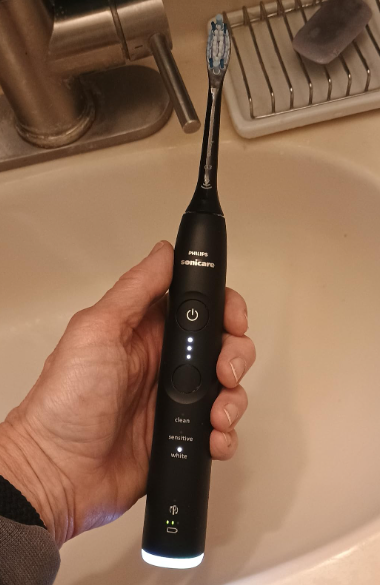
Most Sonicare toothbrush issues are less mysterious once we separate normal features from genuine faults.
Brief pauses may come from BrushPacer. Reduced power may come from EasyStart, a sensitive mode, low intensity, or pressure feedback. Loud operation may trace back to a worn brush head. Charging trouble may begin with an incompatible base or powerless bathroom outlet rather than a dead battery.
Our best troubleshooting order is simple:
- Clean the toothbrush.
- Confirm the brush head is correctly installed.
- Fully charge it with the original charger.
- Test another outlet.
- Review the active mode, intensity, timer, and pressure settings.
- Try a genuine replacement head.
- Consult the manual for the exact HX model.
- Contact Philips when the symptom suggests internal damage.
A toothbrush should make mornings easier, not turn the bathroom into a detective scene. With a calm, step-by-step approach, we can often identify the problem quickly—and know when it is wiser to stop troubleshooting and request professional support.
Frequently Asked Questions
Why is my Sonicare toothbrush not turning on even after charging?
The outlet, charger, cable, power button, battery, or internal electronics may be responsible. Try the original charger in a confirmed working outlet, clean the power button, charge the handle fully, and test it without the brush head. If indicator lights work but the shaft does not vibrate, the handle may have internal damage.
Why has my Sonicare toothbrush suddenly become very loud?
A worn, loose, damaged, or incompatible brush head is the most common starting point. Remove the head and briefly test the handle. If the sound disappears, replace the head. If grinding or rattling continues from the bare handle, contact Philips support.
Why does my Sonicare stop every few seconds?
It may be the BrushPacer telling you to move to another section of your mouth. Pressure feedback can also interrupt or alter the vibration when you press too hard. A shutdown at the end of the programmed brushing cycle is normal. Random interruptions after only a few seconds are more likely to indicate a fault.
Can I leave my Sonicare toothbrush on the charger all the time?
Many users store rechargeable toothbrushes on their charging bases, but the correct recommendation can vary by model and charger type. Follow the manual for your exact HX model, keep the charger dry, and stop using it if the handle, cable, or adapter becomes excessively hot.
How do I know whether my Sonicare battery is failing?
Common signs include dramatically reduced runtime, failure to hold a charge, random shutdowns, or no operation after a confirmed full charging cycle. First rule out the outlet, charger, adapter, dirty button, and incorrect charging position. If performance remains poor, contact support rather than opening the sealed handle.