
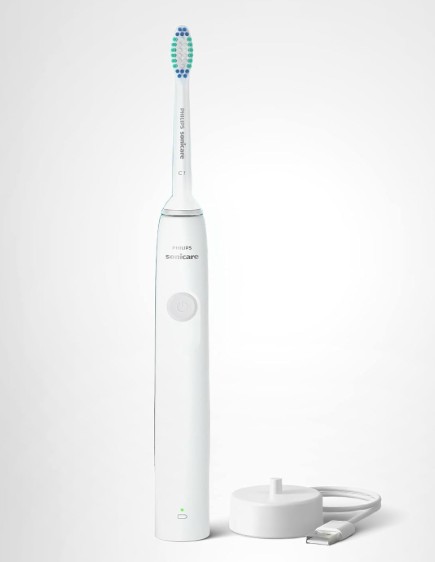
A Philips Sonicare toothbrush is supposed to produce a smooth humming sound. That signature vibration is part of the sonic technology that helps clean teeth effectively. But what happens when that familiar hum turns into a loud buzzing noise? Suddenly, your morning brushing routine sounds more like a malfunctioning power tool than a premium electric toothbrush.
If you’ve found yourself wondering, “Why is my Philips Sonicare making a loud buzzing noise?”, you’re not alone. This is one of the most common concerns among Sonicare users. The good news is that a loud buzzing sound doesn’t always mean your toothbrush is broken. Sometimes the solution is surprisingly simple.
In this comprehensive guide, we’ll explore the reasons behind Philips Sonicare loud buzzing, how to diagnose the issue, practical fixes you can try at home, and signs that indicate it’s time for a replacement.
Understanding How a Philips Sonicare Toothbrush Works
Before diving into the problem, let’s understand what creates the sound in the first place.
Philips Sonicare toothbrushes use a high-frequency motor that generates tens of thousands of brush strokes per minute. Instead of rotating like some electric toothbrushes, Sonicare models rely on sonic vibrations.
The technology creates:
- Rapid brush head movement
- Fluid dynamics between teeth
- Gentle yet effective plaque removal
- Characteristic humming noise
A certain amount of buzzing is completely normal. The concern arises when the sound becomes significantly louder, harsher, rattling, or irregular.
What Does a Normal Sonicare Sound Like?
A healthy Sonicare toothbrush typically produces:
- Consistent humming
- Smooth vibration
- Minimal rattling
- Stable tone throughout brushing
Think of it like a well-tuned engine. Everything works together seamlessly.
If your toothbrush suddenly sounds like:
- A loose electric razor
- A vibrating metal object
- A rattling machine
- A buzzing bee trapped in a jar
Then something may need attention.
Common Reasons for Philips Sonicare Loud Buzzing
Several factors can transform a normal Sonicare hum into an annoying buzz.
Loose Brush Head
One of the simplest explanations is a brush head that isn’t fully seated on the handle.
When the brush head becomes slightly loose, vibrations amplify and create excessive noise.
Signs include:
- Increased rattling
- Reduced brushing efficiency
- Noticeable movement of the brush head
Removing and reattaching the brush head often solves the issue immediately.
Worn-Out Brush Head
Brush heads don’t last forever.
Over time, internal components wear down, causing:
- Excessive vibration
- Louder buzzing
- Reduced stability
Most Philips Sonicare brush heads should be replaced every three months.
If you’ve been using the same brush head for six months or longer, it may be contributing to the problem.
Debris Between Handle and Brush Head
Toothpaste residue, dried water, and mineral deposits can accumulate where the brush head connects to the handle.
This buildup can:
- Affect vibration transfer
- Create rattling sounds
- Cause uneven performance
Even a small amount of debris can significantly increase noise levels.
Mechanical Problems Inside the Handle
Sometimes the issue goes beyond the brush head.
Loose Internal Components
Years of daily use can cause internal parts to loosen.
This may result in:
- Metallic buzzing
- Rattling noises
- Intermittent vibration changes
When internal components become loose, the sound often worsens over time.
Motor Wear
The motor is the heart of the Sonicare system.
As it ages, the motor can develop:
- Increased friction
- Irregular vibration
- Loud buzzing sounds
Older Sonicare toothbrushes are particularly susceptible to this issue.
Drive Shaft Problems
The drive shaft transfers energy from the motor to the brush head.
If it becomes damaged or misaligned, users may notice:
- Harsh buzzing
- Clicking sounds
- Inconsistent vibrations
The toothbrush may still function but produce much more noise than normal.
Why Does My Sonicare Buzz Loudly Only Sometimes?
Intermittent buzzing often points to specific conditions.
Possible causes include:
- Partial brush head connection
- Moisture intrusion
- Temporary motor strain
- Battery-related issues
The inconsistency can make diagnosis challenging.
Pay attention to patterns such as:
- Buzzing only during charging
- Buzzing only at startup
- Buzzing only under pressure
These clues help identify the underlying problem.
Can Battery Issues Cause Loud Buzzing?
Absolutely.
Weak Battery Performance
As rechargeable batteries age, they may struggle to deliver stable power.
This can lead to:
- Irregular motor operation
- Changes in vibration intensity
- Increased buzzing noise
It’s similar to a flashlight flickering when batteries are nearly depleted.
Battery Degradation Over Time
Lithium-ion batteries naturally degrade.
After several years, you may notice:
- Shorter runtime
- Reduced power
- Louder operation
A battery nearing the end of its lifespan often impacts overall performance.
How Water Exposure Can Affect Noise Levels
Although Sonicare toothbrushes are water-resistant, they’re not indestructible.
Moisture Inside the Handle
If water enters the internal housing, it may affect:
- Motor components
- Electrical contacts
- Mechanical stability
Symptoms often include:
- Loud buzzing
- Reduced power
- Unexpected shutdowns
Charging Base Moisture Issues
A wet charging base can also create operational irregularities.
Always ensure:
- Charger is dry
- Handle is clean
- Charging contacts are free of residue
Small maintenance habits can prevent bigger problems.
Step-by-Step Troubleshooting Guide
Let’s walk through a practical diagnostic process.
Step 1: Remove the Brush Head
Take the brush head off completely.
Inspect for:
- Cracks
- Wear
- Debris
- Damage
Replace it if necessary.
Step 2: Clean the Connection Area
Use:
- Warm water
- Soft cloth
- Cotton swab
Remove all visible buildup.
A surprisingly large percentage of buzzing complaints stem from simple residue accumulation.
Step 3: Reattach the Brush Head Properly
Push the brush head firmly into place.
Ensure:
- Secure fit
- No wobbling
- Proper alignment
Test the toothbrush again.
Step 4: Fully Charge the Toothbrush
Low battery levels sometimes exaggerate operational noise.
Allow the toothbrush to charge completely before further testing.
Step 5: Listen Carefully
Turn on the handle without the brush head attached.
Ask yourself:
- Is the buzzing still loud?
- Does the sound come from inside the handle?
- Is there any rattling?
This helps determine whether the issue is external or internal.
Signs Your Sonicare Needs Professional Attention
Certain symptoms indicate more serious problems.
Watch for:
- Burning smell
- Excessive heat
- Severe rattling
- Significant power loss
- Random shutdowns
These signs suggest internal component failure.
When a Brush Head Replacement Solves Everything
Many users immediately assume the handle is broken.
In reality, replacing the brush head often resolves:
- Buzzing noises
- Reduced cleaning performance
- Vibration inconsistencies
Think of the brush head as tires on a car. Even if the engine is perfect, worn tires affect performance dramatically.
How Age Affects Sonicare Noise Levels
Every electronic device experiences wear.
One to Three Years Old
Most Sonicare toothbrushes perform optimally during this period.
Noise changes are usually minor.
Three to Five Years Old
Some components begin showing wear.
Users may notice:
- Slightly louder operation
- Reduced battery life
- Minor vibration changes
Five Years and Beyond
Significant wear becomes more common.
Possible symptoms include:
- Loud buzzing
- Mechanical rattling
- Charging problems
At this stage, replacement may be more cost-effective than repair.
Can Brushing Technique Make the Buzzing Worse?
Surprisingly, yes.
Applying Too Much Pressure
Excessive pressure forces components to work harder.
This can amplify:
- Buzzing sounds
- Vibration intensity
- Mechanical stress
Remember that Sonicare brushes are designed to do the work for you.
Gentle guidance is more effective than aggressive scrubbing.
Incorrect Brush Angle
Improper positioning may create unusual resonance.
Experiment with:
- Different angles
- Lighter pressure
- Slower movement
You may notice immediate improvements.
Preventing Loud Buzzing in the Future
Prevention is always easier than repair.
Replace Brush Heads Regularly
Follow the three-month guideline whenever possible.
Keep Connection Areas Clean
Weekly cleaning prevents residue buildup.
Avoid Dropping the Toothbrush
Impacts can loosen internal components.
Store Properly
Keep the toothbrush:
- Dry
- Upright
- Away from extreme temperatures
Charge Correctly
Avoid unnecessary charging cycles and maintain battery health whenever possible.
Should You Repair or Replace Your Sonicare?
The answer depends on the root cause.
Repair Makes Sense When:
- The brush head is loose
- Debris is causing noise
- Minor maintenance resolves the issue
Replacement Makes Sense When:
- Internal components are damaged
- Battery life is extremely poor
- The toothbrush is several years old
- Repair costs approach replacement costs
Sometimes replacing the unit provides better long-term value.
Comparing Normal Buzzing vs Problematic Buzzing
| Normal Buzzing | Problematic Buzzing |
|---|---|
| Smooth hum | Harsh rattling |
| Consistent tone | Irregular noise |
| Stable vibration | Excessive shaking |
| No performance loss | Reduced effectiveness |
| Quiet operation | Noticeably louder sound |
This comparison can help determine whether your toothbrush is functioning normally.
The Psychology of Sound: Why Loud Buzzing Feels Worse Than It Is
Interestingly, humans are highly sensitive to changes in familiar sounds.
When your Sonicare suddenly becomes louder, your brain interprets it as a warning signal.
It’s like hearing a new noise from your car’s engine. Even if the problem is minor, the unfamiliar sound immediately grabs your attention.
Fortunately, many Sonicare buzzing issues have straightforward solutions.
Final Thoughts on Philips Sonicare Loud Buzzing
A Philips Sonicare loud buzzing issue can range from a simple brush head problem to internal mechanical wear. The key is identifying whether the noise originates from the brush head, connection point, battery system, or motor assembly.
In many cases, cleaning the toothbrush, replacing the brush head, or fully charging the battery restores normal operation. If the buzzing persists despite troubleshooting, internal wear may be the culprit, especially in older units.
Think of your Sonicare as a finely tuned musical instrument. When every component works together harmoniously, the sound remains smooth and controlled. When one piece falls out of tune, the buzzing becomes impossible to ignore. Fortunately, with a little maintenance and attention, many noise problems can be resolved before they become serious.
Frequently Asked Questions
1. Why is my Philips Sonicare suddenly buzzing loudly?
A sudden increase in buzzing is often caused by a loose brush head, debris buildup, battery issues, or internal component wear.
2. Can a worn brush head cause loud buzzing?
Yes. Old brush heads can become unstable and amplify vibrations, creating noticeably louder noise.
3. Is it normal for a Philips Sonicare to make a buzzing sound?
Yes. All Sonicare toothbrushes produce a humming or buzzing sound due to their sonic vibration technology. Excessive noise is what indicates a potential issue.
4. How do I stop my Sonicare from buzzing loudly?
Try cleaning the connection area, replacing the brush head, fully charging the battery, and checking for loose components.
5. Should I replace my Sonicare if it keeps buzzing loudly?
If troubleshooting doesn’t solve the problem and the toothbrush is several years old, replacement is often the most practical solution.