
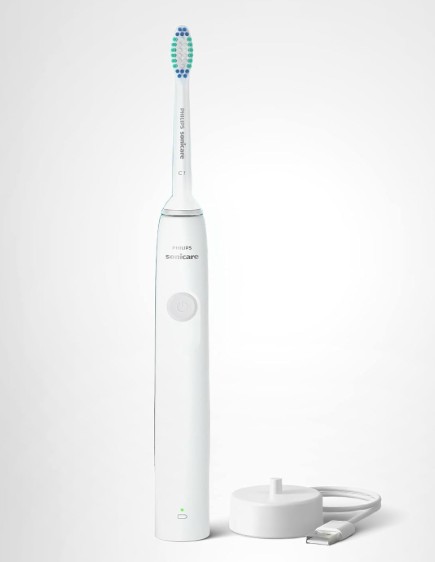
If you’ve ever turned on your Philips Sonicare toothbrush and thought, “That sounds much louder than it used to,” you’re not alone. Sonic toothbrushes are naturally noisier than traditional manual brushes because they use high-frequency vibrations to clean your teeth. However, when the sound becomes unusually loud, rattly, buzzing, or even alarming, it’s usually a sign that something isn’t quite right.
The good news? A loud Philips Sonicare toothbrush doesn’t always mean it’s broken. In many cases, the cause is something simple and easily fixable. Whether it’s a loose brush head, accumulated debris, worn internal components, or even user technique, understanding the source of the noise can help restore your toothbrush to its normal performance.
In this comprehensive guide, we’ll explore why your Philips Sonicare toothbrush is so loud, how to diagnose the problem, and what you can do to fix it.
Understanding How a Philips Sonicare Toothbrush Works
Before we investigate the noise, it helps to understand what’s happening inside your toothbrush.
Philips Sonicare toothbrushes use sonic technology that generates tens of thousands of brush strokes per minute. Instead of rotating like some electric toothbrushes, Sonicare models create rapid side-to-side vibrations.
These vibrations:
- Break up plaque
- Create fluid movement between teeth
- Clean below the gumline
- Improve brushing efficiency
Because the motor vibrates at such high speeds, some level of sound is completely normal.
Think of it like a sports car engine. A quiet hum is expected. But if the engine suddenly starts rattling, knocking, or roaring, it’s time to investigate.
What Does a Normal Sonicare Sound Like?
Typical Operating Noise
A healthy Philips Sonicare toothbrush usually produces:
- A steady humming sound
- Consistent vibration
- Minimal rattling
- Smooth operation
The sound should remain relatively constant throughout the brushing session.
Signs the Noise Is Abnormal
You may have a problem if you notice:
- Increased volume
- Metallic rattling
- Grinding sounds
- Clicking noises
- Intermittent buzzing
- Vibration changes
These symptoms often indicate a mechanical or maintenance issue.
The Most Common Reason: A Loose Brush Head
Why Brush Heads Become Noisy
One of the most frequent causes of excessive noise is a loose brush head.
The Sonicare brush head isn’t designed to lock tightly against the handle. Instead, there’s a small gap that allows optimal vibration.
However, if the head becomes worn or improperly seated, the movement can create excessive noise.
How to Check
Remove the brush head and inspect:
- Cracks
- Wear
- Damage
- Excessive movement
Then reinstall it firmly.
If the noise disappears, you’ve found the culprit.
Dirty Connection Points Can Amplify Noise
The Hidden Build-Up Problem
Many users clean the brush head but forget about the connection shaft.
Over time, toothpaste, saliva, minerals, and debris accumulate around:
- The metal drive shaft
- Brush head cavity
- Handle connection point
This buildup interferes with vibration transfer and often creates louder operation.
Cleaning the Connection Area
Follow these steps:
- Remove the brush head.
- Rinse thoroughly with warm water.
- Wipe the metal shaft.
- Use a soft cloth to clean residue.
- Allow everything to dry.
A simple cleaning can dramatically reduce unwanted noise.
Worn Brush Heads Can Create Extra Vibration
Why Old Brush Heads Get Loud
Brush heads are consumable items.
Over months of use:
- Bristles wear down
- Internal components loosen
- Plastic fatigues
These changes alter how vibrations travel through the brush head.
When Should You Replace It?
Most Philips Sonicare brush heads should be replaced every:
- 3 months under normal use
If you’ve been using the same head for six months or longer, excessive noise may simply indicate it’s time for a replacement.
Improper Installation Can Cause Rattling
A Surprisingly Common Mistake
Sometimes the brush head isn’t fully seated.
Even a tiny misalignment can produce:
- Clicking sounds
- Increased vibration
- Rattling
Quick Fix
Remove and reinstall the head.
Push it down until it sits correctly while maintaining the normal small gap recommended by Philips.
The Motor May Be Aging
Understanding Motor Wear
Like any electrical device, toothbrush motors wear over time.
After years of daily use, internal components may begin to degrade.
Common symptoms include:
- Louder humming
- Reduced brushing power
- Inconsistent vibration
- Increased noise during startup
How Long Does a Sonicare Motor Last?
Most premium Sonicare models can last:
- 3–7 years
- Sometimes longer with proper care
Motor wear is more common in older toothbrushes.
A Loose Internal Component Could Be the Cause
What Happens Inside the Handle
Inside your Sonicare handle are several moving parts.
Over time:
- Fasteners can loosen
- Components can shift
- Internal supports may wear
The result is often a rattling or vibrating noise that seems louder than normal.
Can You Fix It Yourself?
For most users, opening the handle isn’t recommended because:
- It may damage waterproof seals
- It can void warranties
- Repairs are difficult
If internal components are loose, replacement is often the better solution.
Cracked Brush Heads Increase Noise Dramatically
Small Cracks, Big Problems
Hairline fractures aren’t always obvious.
Even tiny cracks can:
- Change vibration patterns
- Create buzzing sounds
- Cause rattling
Inspect the entire brush head carefully.
Pay particular attention to:
- Neck area
- Attachment point
- Base of the bristles
Battery Problems Can Affect Sound
The Connection Between Power and Noise
A weakening battery doesn’t just reduce runtime.
It can also cause:
- Uneven motor performance
- Fluctuating vibration
- Strange sounds
When battery output becomes inconsistent, the motor may struggle to maintain normal operating speed.
Signs of Battery-Related Noise
Look for:
- Reduced brushing power
- Frequent charging
- Noise changes during use
These symptoms often occur together.
Water Damage Can Make a Sonicare Louder
Yes, Even Waterproof Toothbrushes Have Limits
While Sonicare toothbrushes are water-resistant, years of exposure can eventually compromise seals.
Water intrusion may affect:
- Motor components
- Electrical contacts
- Internal stabilizers
This often results in unusual sounds.
Warning Signs
Watch for:
- Random vibration changes
- Excessive noise
- Charging problems
- Intermittent operation
Using Too Much Pressure Can Increase Noise
Brushing Harder Isn’t Better
Many people assume extra pressure means better cleaning.
In reality, Sonicare toothbrushes work best with light pressure.
Pressing too hard can:
- Alter vibration patterns
- Increase operational noise
- Stress the motor
The Correct Technique
Let the brush do the work.
Gently guide it across your teeth rather than scrubbing aggressively.
Certain Surfaces Amplify Toothbrush Noise
The Echo Effect
Sometimes the toothbrush isn’t actually louder.
The environment makes it seem louder.
Hard surfaces such as:
- Mirrors
- Tiles
- Marble countertops
- Glass
can reflect sound waves.
This creates the perception of increased volume.
Simple Test
Try brushing in a different room.
If the sound changes dramatically, the environment may be contributing.
Different Sonicare Models Produce Different Sounds
Not All Sonicare Brushes Are Identical
Some users upgrade and think their new toothbrush is louder.
However, different models use:
- Different motors
- Different vibration frequencies
- Different brush head designs
As a result, sound profiles vary.
Examples
Premium models may produce:
- Higher-pitched hums
Entry-level models may create:
- Lower-frequency buzzing
Neither necessarily indicates a problem.
Travel Damage Can Lead to Excessive Noise
What Happens During Travel
Frequent travel exposes toothbrushes to:
- Drops
- Compression
- Impacts
These incidents may loosen internal components.
Even if no visible damage exists, the toothbrush may become noticeably louder afterward.
What to Check
Inspect for:
- Cracks
- Loose brush heads
- Handle damage
- Charging issues
Manufacturing Defects Are Rare but Possible
When the Toothbrush Was Loud From Day One
If your Sonicare has always been unusually noisy:
- Manufacturing defects may be responsible
- Internal alignment issues may exist
- Components may have been improperly assembled
What to Do
Contact:
If the toothbrush is under warranty, repair or replacement may be available.
How to Troubleshoot a Loud Philips Sonicare Toothbrush
Step-by-Step Diagnostic Checklist
Follow this process:
- Remove and reinstall brush head.
- Clean the connection shaft.
- Replace old brush head.
- Fully charge battery.
- Check for cracks.
- Test in another room.
- Compare with previous performance.
- Listen for rattling or grinding.
- Inspect for water damage.
- Contact support if needed.
This systematic approach solves most noise-related issues.
Preventing Future Noise Problems
Best Maintenance Practices
Keep your Sonicare operating quietly by:
- Replacing brush heads regularly
- Cleaning weekly
- Avoiding drops
- Charging properly
- Storing in a dry area
- Using gentle brushing pressure
Preventive care extends both performance and lifespan.
When Should You Replace the Toothbrush?
Signs Replacement Is the Better Option
Consider replacement if:
- The motor is failing
- Noise keeps increasing
- Battery life is poor
- Repairs exceed value
- The toothbrush is over five years old
At some point, replacing the unit becomes more practical than troubleshooting.
Comparing Normal Noise vs Problem Noise
| Sound Type | Normal? | Likely Cause |
|---|---|---|
| Smooth hum | Yes | Standard operation |
| Light buzzing | Yes | Sonic vibration |
| Rattling | No | Loose brush head |
| Grinding | No | Motor issue |
| Clicking | No | Improper installation |
| Intermittent vibration | No | Battery problem |
| Metallic noise | No | Internal component wear |
Final Thoughts
A Philips Sonicare toothbrush is naturally louder than a manual toothbrush because of its high-frequency sonic technology. However, a sudden increase in noise usually points to a specific issue rather than normal operation.
In most cases, the solution is surprisingly simple. A loose brush head, accumulated debris, worn replacement head, or improper installation are often responsible. More serious causes—such as motor wear, water damage, battery degradation, or internal component failure—typically appear after years of use.
The key is to pay attention to changes. Your toothbrush develops a familiar sound over time. When that sound changes significantly, it’s often your first clue that maintenance or replacement is needed. By cleaning regularly, replacing brush heads every three months, and handling the device carefully, we can keep our Sonicare toothbrushes running smoothly, efficiently, and much more quietly.
Frequently Asked Questions
1. Is a Philips Sonicare toothbrush supposed to be loud?
Yes. Sonicare toothbrushes naturally produce a humming sound because of their high-frequency vibrations. However, sudden increases in noise may indicate a problem.
2. Why did my Sonicare suddenly become louder?
Common causes include a loose brush head, dirt buildup, worn components, battery issues, or internal mechanical wear.
3. Can a worn brush head make my Sonicare louder?
Absolutely. Older brush heads often vibrate differently and can create rattling or buzzing noises.
4. Does charging affect toothbrush noise?
Yes. A weak battery can cause inconsistent motor performance, leading to unusual sounds and reduced brushing power.
5. Should I replace my Sonicare if it becomes very loud?
If cleaning, charging, and replacing the brush head don’t solve the issue, and the toothbrush is several years old, replacement may be the most practical solution.