
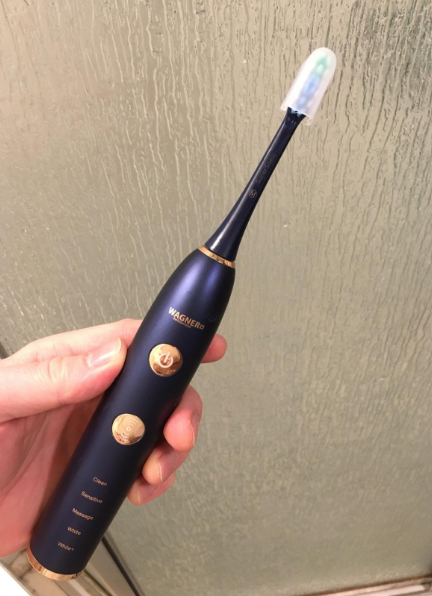
A Philips Sonicare toothbrush is designed to make oral care effortless. We charge it, place it in the bathroom, and expect it to perform every morning and night without complaint. But what happens when the toothbrush suddenly starts losing power after a few minutes of brushing? Or perhaps it drains overnight despite being fully charged?
If your Philips Sonicare not holding charge issue is becoming frustrating, you’re not alone. Many Sonicare users eventually encounter battery-related problems, especially after years of regular use.
The good news? A toothbrush that won’t hold a charge isn’t always headed for the trash bin. Sometimes the solution is surprisingly simple. Other times, understanding the root cause can help us decide whether a repair or replacement is the smarter investment.
Let’s dive into everything you need to know.
Why Is My Philips Sonicare Not Holding Charge?
When a Sonicare toothbrush struggles to maintain battery life, the problem usually falls into one of several categories:
- Battery aging
- Charging stand problems
- Internal moisture damage
- Software or electronic faults
- Improper charging habits
- Environmental factors
Think of the battery like a marathon runner. When it’s new, it can run mile after mile with energy to spare. After years of use, however, that same runner tires more quickly. Batteries behave in much the same way.
How Long Should a Philips Sonicare Battery Last?
Before assuming there’s a problem, it’s worth understanding what’s normal.
Most modern Philips Sonicare models can operate:
| Model Type | Typical Runtime |
|---|---|
| Sonicare 1100 | 10–14 days |
| Sonicare 3100 | 14 days |
| Sonicare ProtectiveClean | 14–21 days |
| Sonicare DiamondClean | 14–21 days |
| Sonicare Prestige | Up to 28 days |
These estimates assume brushing twice daily for two minutes.
If your toothbrush lasts only a few days—or worse, only a single brushing session—there may be a battery issue.
Signs Your Sonicare Battery Is Failing
Battery degradation rarely appears overnight.
Watch for these warning signs:
Shorter Runtime Between Charges
The most obvious symptom is needing to recharge more often.
A toothbrush that once lasted three weeks may suddenly require charging every three or four days.
Power Loss During Brushing
If the brush shuts off halfway through your routine, battery capacity has likely declined significantly.
Flashing Battery Indicator
Many Sonicare models use flashing LEDs to indicate low battery levels.
If the light appears soon after charging, the battery may no longer be storing energy effectively.
Inconsistent Performance
A healthy Sonicare maintains consistent brushing power.
Weak vibrations or fluctuating intensity levels often indicate battery trouble.
Understanding Battery Aging
Rechargeable Batteries Don’t Last Forever
Most Sonicare toothbrushes use lithium-ion or nickel-metal hydride batteries.
These batteries naturally lose capacity over time.
After:
- 300–500 charging cycles
- 3–5 years of regular use
Battery performance commonly begins to decline.
This is completely normal and occurs with phones, laptops, and electric vehicles as well.
Frequent Charging Accelerates Wear
Many users leave their toothbrush on the charger permanently.
While modern batteries are smarter than older designs, constant charging can still contribute to gradual wear over the years.
Charging Stand Problems Often Mimic Battery Failure
Sometimes the battery isn’t the culprit.
The charging system itself may be causing the issue.
Dirty Charging Contacts
Mineral deposits from water and toothpaste residue can build up around charging points.
This prevents efficient charging.
To clean:
- Unplug the charger.
- Wipe contacts with a damp cloth.
- Dry thoroughly.
- Reconnect and test.
Even a thin layer of buildup can disrupt charging performance.
Faulty Charger Base
A damaged charging stand may intermittently deliver power.
Common symptoms include:
- Charging light turning on and off
- Slow charging
- No charging indication
Testing with another compatible charger can quickly identify the problem.
Can Water Damage Affect Battery Life?
Absolutely.
Although Sonicare toothbrushes are water-resistant, they’re not invincible.
Over time:
- Seal degradation
- Cracks in housing
- Impact damage
can allow moisture to enter the handle.
How Moisture Causes Problems
Water can:
- Corrode battery connections
- Damage internal circuitry
- Create electrical resistance
The result is poor battery performance and charging issues.
How to Check If Your Sonicare Is Charging Properly
Before assuming battery failure, perform a basic charging test.
Step 1: Fully Drain the Battery
Use the toothbrush until it stops operating.
Step 2: Place on Charger
Connect it to the charging base.
Observe:
- Battery indicators
- Flashing lights
- Audible signals (if applicable)
Step 3: Leave Charging for 24 Hours
Many Sonicare models require extended charging when deeply discharged.
Step 4: Test Runtime
Track how many days the toothbrush operates afterward.
A significantly shortened runtime often confirms battery deterioration.
Common Philips Sonicare Models and Battery Issues
Sonicare DiamondClean
DiamondClean models often feature premium batteries.
However, after several years, users commonly report:
- Rapid battery drain
- Reduced runtime
- Charging glass issues
ProtectiveClean Series
These models generally have reliable battery performance but may experience charger-base failures.
Sonicare ExpertClean
Battery issues tend to emerge after extensive daily use over several years.
Older Sonicare Models
Older units frequently use battery technologies that degrade faster than modern versions.
Can a Sonicare Battery Be Replaced?
The answer depends on the model.
Technically Possible
Many batteries are replaceable by experienced DIY users.
This often requires:
- Opening the sealed handle
- Desoldering components
- Installing a compatible battery
Not Manufacturer-Friendly
Philips generally designs Sonicare handles as sealed units.
Battery replacement isn’t intended as routine maintenance.
Should You Attempt It?
Consider battery replacement only if:
- You’re comfortable with electronics
- The model is expensive
- Replacement parts are available
Otherwise, purchasing a new handle is often more practical.
How Long Does It Take to Fully Charge a Sonicare?
Most models require:
Standard Charging Times
- 12–24 hours for full charge
- Slightly longer if completely depleted
Factors Affecting Charging Speed
- Battery condition
- Charger quality
- Room temperature
- Internal electronics health
A severely aged battery may never reach full capacity regardless of charging duration.
Environmental Factors That Impact Battery Performance
Battery efficiency changes with surroundings.
Extreme Heat
High temperatures accelerate battery degradation.
Avoid:
- Direct sunlight
- Hot vehicles
- Heated bathroom cabinets
Extreme Cold
Cold environments temporarily reduce battery performance.
The toothbrush may appear weak even when charged.
Humidity
Persistent moisture exposure can gradually damage electronics.
Good ventilation helps protect your device.
Best Charging Practices for Longer Battery Life
Proper charging habits can significantly extend lifespan.
Avoid Complete Battery Drain
Lithium-ion batteries prefer partial discharge cycles.
Use the Original Charger
Third-party chargers may provide inconsistent power.
Keep Charging Contacts Clean
Monthly cleaning helps maintain efficient charging.
Store Properly During Travel
Use a travel case and avoid exposing the brush to excessive temperatures.
When a Reset Might Help
Some Sonicare models contain electronic control systems that occasionally become confused.
Try a Simple Reset
- Place the handle on the charger.
- Leave connected for 24 hours.
- Remove and test.
In certain cases, charging behavior returns to normal.
While rare, software glitches can resemble battery failure.
When It’s Time to Replace Your Philips Sonicare
Sometimes replacement becomes the most cost-effective solution.
Consider Replacement If:
- The battery lasts less than one day.
- The toothbrush is over five years old.
- Internal water damage is present.
- Repair costs approach replacement costs.
Technology improves every year, and newer Sonicare models often deliver:
- Longer battery life
- Better pressure sensors
- Smarter brushing modes
- Enhanced charging efficiency
How to Prevent Future Battery Problems
Think of battery care like maintaining a car engine.
Small habits create major long-term benefits.
Prevention Checklist
- Clean charger monthly.
- Avoid excessive heat.
- Use original accessories.
- Charge before complete depletion.
- Store in a dry location.
- Inspect for cracks or damage.
- Avoid dropping the handle.
These simple steps can add years to your toothbrush’s lifespan.
Troubleshooting Checklist for a Philips Sonicare Not Holding Charge
Before replacing your toothbrush, work through this checklist:
Quick Diagnostic Steps
✓ Clean charging contacts
✓ Test another outlet
✓ Inspect charger for damage
✓ Fully recharge for 24 hours
✓ Check battery indicator behavior
✓ Look for moisture intrusion
✓ Monitor runtime after charging
✓ Compare performance with expected battery life
Completing these steps often reveals the root cause.
The Hidden Cost of Ignoring Battery Problems
A weakening battery doesn’t just reduce convenience.
It can also affect brushing effectiveness.
As battery output declines:
- Vibration strength may decrease
- Plaque removal efficiency can suffer
- Brushing consistency may decline
In other words, battery health contributes directly to oral hygiene performance.
A healthy toothbrush is like a sharp knife in the kitchen—it simply works better.
Final Thoughts
Experiencing a Philips Sonicare not holding charge problem can be frustrating, especially when the toothbrush once delivered weeks of runtime on a single charge. Fortunately, battery failure isn’t always the cause. Dirty charging contacts, charger issues, environmental conditions, and occasional electronic glitches can all mimic battery problems.
By systematically troubleshooting the charger, battery, and handle, we can often identify the true source of the issue. If the toothbrush is several years old, however, battery aging may simply be part of its natural lifecycle.
The key is understanding when a quick fix is enough and when replacement makes better financial sense. With proper care, charging habits, and routine maintenance, a Philips Sonicare can provide reliable performance for many years.
Frequently Asked Questions
1. Why does my Philips Sonicare die so quickly after charging?
The most common causes are battery degradation, charger problems, dirty charging contacts, or internal moisture damage.
2. How many years should a Philips Sonicare battery last?
Most Sonicare batteries last between 3 and 5 years before noticeable capacity loss occurs.
3. Can I replace the battery in my Philips Sonicare toothbrush?
In many models, battery replacement is technically possible, but it often requires disassembly and soldering skills.
4. Should I leave my Sonicare on the charger all the time?
Occasional continuous charging is generally safe, but allowing periodic discharge cycles may help preserve long-term battery health.
5. How do I know if my charger or battery is bad?
Testing with another compatible charger and monitoring runtime after a full charge are the best ways to determine whether the battery or charger is responsible.